Introduction
Meetings are an important part of modern work, but remembering every discussion, decision, and task can be challenging. Whether you are attending an online class, managing a business project, interviewing a candidate, or talking with a client, taking notes while listening requires time and concentration. This is where Otter.ai becomes useful.
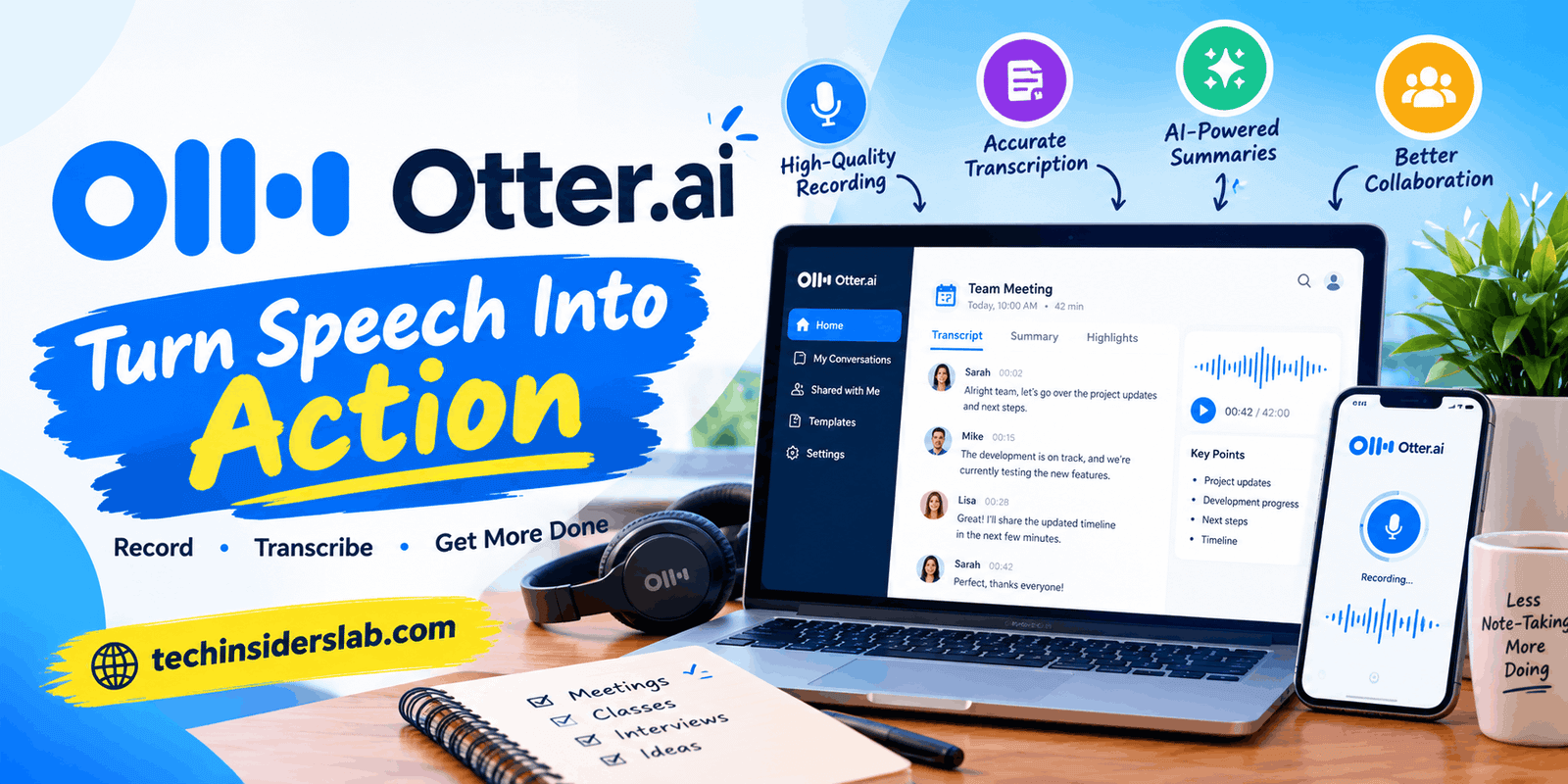
Otter.ai is an AI-powered meeting assistant that converts spoken conversations into written transcripts, generates meeting summaries, identifies speakers, and helps users find important information later. Instead of writing every detail manually, users can focus on the conversation while the tool helps organize the information.
Otter.ai does more than convert speech into text. Its features help people review previous conversations, identify action items, collaborate with teammates, and prepare follow-up tasks. It can be particularly helpful for people who attend multiple meetings every day.
In this article, we will explore what Otter.ai is, how it works, its key features, pricing plans, benefits, limitations, and alternatives.
What Is Otter.ai?
Otter.ai is an AI meeting assistant and transcription platform designed to make spoken information easier to capture, understand, and organize. It offers live transcription and supports recorded audio or video transcription, depending on the available features and subscription plan.
The platform is commonly used for online meetings, interviews, lectures, brainstorming sessions, business discussions, and collaborative projects. It supports workflows involving popular video conferencing platforms such as Zoom, Google Meet, and Microsoft Teams.
Otter.ai also offers AI-generated summaries and tools for asking questions about conversations. Users can search for important details, review decisions, and understand what needs to happen after a meeting without reading an entire transcript.
For example, imagine a team discussing a new website project. One person explains the design requirements, another discusses deadlines, and a third agrees to prepare the content. Otter.ai can help create a written record, summarize the discussion, and highlight potential next steps.
However, Otter.ai is an assistant rather than a replacement for human judgment. Users should review important details, especially names, figures, deadlines, and business decisions.
How Does Otter.ai Work?
Otter.ai follows a straightforward process that turns conversations into useful written information.
1. Capture the Conversation
Users can record a conversation using supported recording options or configure Otter’s meeting assistant to join a compatible online meeting. The available methods depend on the device, meeting platform, and account settings.
2. Convert Speech Into Text
The AI processes the audio and generates a written transcript. Speaker identification can help distinguish contributions from different participants.
3. Generate Meeting Notes
Otter.ai can create summaries and highlight important discussion points, decisions, and potential action items. This reduces the amount of manual note-taking required.
4. Review and Share Information
After a conversation, users can review transcripts, edit text, organize notes, search for important details, and share information with collaborators according to their permissions.
The main advantage of this process is that information remains available after a meeting ends. Instead of relying entirely on memory, users can return to the transcript and review what was discussed.
Key Features of Otter.ai
1. Real-Time Transcription
Real-time transcription is one of Otter.ai’s core features. It converts spoken words into text while a supported recording or meeting is taking place.
This is useful when participants need to follow a discussion without writing every sentence. Students can review lectures, professionals can keep track of meetings, and journalists can create written records of interviews.
Transcription quality depends on audio clarity, accents, background noise, and speaking speed. Reviewing the final text is important because the AI may misunderstand certain words or phrases.
2. AI-Generated Meeting Summaries
Long meetings often contain repeated points, unrelated discussions, and details that are difficult to remember. Otter.ai helps condense conversations into shorter summaries that highlight important topics.
Instead of reviewing an hour-long discussion from beginning to end, users can start with the generated summary and return to the full transcript when necessary.
This feature is particularly useful for project managers and remote teams who attend several meetings throughout the day.
3. Speaker Identification
When several people participate in a conversation, knowing who said something can be just as important as knowing what was said.
Otter.ai includes speaker identification features that help separate contributions in a transcript. Users can review and correct speaker labels when necessary.
This is useful for interviews, team discussions, research sessions, and customer conversations. However, overlapping speech and similar voices can make identification less reliable.
4. Automated Action Items
A meeting becomes more valuable when participants follow through on its decisions. Otter.ai can identify potential action items from conversations, helping teams recognize tasks and next steps.
For example, if a team discusses preparing a presentation, reviewing a budget, and contacting a client, the resulting notes may help participants identify these responsibilities.
Users should verify assigned tasks and deadlines rather than assuming that every automatically generated item is correct.
5. Otter AI Chat
Otter AI Chat allows users to ask questions about their recorded conversations and meeting notes. Instead of searching manually through lengthy transcripts, users can request a summary, look for a specific decision, or identify the main points discussed.
For example, a user might ask, “What deadline did we discuss for the website redesign?” The AI can use the available conversation context to help locate the relevant information.
This feature can make reviewing previous meetings faster. However, AI-generated answers can contain mistakes, so users should check important information against the original transcript.
6. Searchable Transcripts and Audio Playback
Otter.ai allows users to search previous conversations for specific words or topics. This can save time when someone needs to find a decision made several weeks ago.
Users can also review recordings alongside their transcripts, making it easier to check the original wording when the written version is unclear.
For professionals who attend frequent meetings, searchable transcripts can become a valuable record of project discussions and decisions.
7. Collaboration and Shared Notes
Teams can edit transcripts, add comments, organize conversations, and share notes according to their account permissions.
These features help team members work from a common record instead of creating separate summaries and sending multiple follow-up messages. Shared notes can also help absent colleagues understand what happened during a meeting.
8. Online Meeting Integrations
Otter.ai supports workflows involving Zoom, Google Meet, and Microsoft Teams. When appropriately configured, its meeting assistant can join scheduled calls and generate notes.
The platform also offers desktop and mobile recording options. Available integrations and automation features vary by subscription plan.
Before choosing a plan, users should confirm that their preferred meeting platform and recording workflow are supported.
Benefits of Using Otter.ai
Otter.ai can improve productivity in several practical ways.
- Saves time: Automated transcripts and summaries reduce the need for extensive manual note-taking.
- Improves focus: Participants can concentrate on discussions instead of writing every detail.
- Supports remote teams: Shared notes help people stay informed when they cannot attend every meeting.
- Makes information searchable: Users can locate important details without reviewing an entire recording.
- Helps with follow-ups: Summaries and action items provide a useful starting point for organizing tasks.
- Supports learning: Students can revisit recorded material to reinforce their understanding.
- Creates a consistent record: Teams can maintain written documentation of discussions and decisions.
The biggest benefit is not simply faster transcription. It is making information from conversations easier to access and reuse after the meeting has ended.
Who Should Use Otter.ai?
Business Professionals
Managers, consultants, and employees can use Otter.ai to document meetings, review decisions, and organize follow-up tasks. It can be especially useful for teams handling multiple projects.
Students and Educators
Students can use transcripts to review lectures and organize study notes. Educators may also use transcription to document discussions and make learning material easier to revisit. Users should follow institutional policies regarding recording.
Journalists and Researchers
Transcription can simplify interview reviews and help researchers locate relevant statements. Important quotations should always be verified against the original recording.
Remote and Distributed Teams
Teams working across different schedules can use shared meeting records to catch up on discussions and understand agreed next steps.
Sales and Customer-Facing Teams
Sales representatives can review customer conversations, track requirements, and prepare follow-ups. Supported integrations may also help connect meeting information with business workflows.
Otter.ai is most useful for people who regularly participate in spoken conversations and need an organized record afterward. Someone who rarely attends meetings may not need all its features.
Otter.ai Pricing and Plans
Otter.ai offers a free Basic plan alongside paid subscriptions for individuals, teams, and organizations. Pricing and feature limits can change over time.
Basic Plan
The Basic plan is designed for beginners and occasional users. It provides free access to transcription and meeting tools, but includes restrictions on monthly transcription minutes, conversation length, and file imports.
Its published limits have included 300 transcription minutes per month, a maximum of 30 minutes per conversation, and three lifetime audio or video file imports per user. Users should confirm the current limits before relying on these figures.
Pro Plan
The Pro plan is designed for individuals and small teams that need more transcription capacity. It offers expanded usage limits and additional features for reviewing, searching, and managing conversations.
This plan may suit freelancers, students with frequent recorded lectures, and professionals who regularly attend online meetings.
Business Plan
The Business plan is intended for teams with heavier meeting workloads. It offers expanded transcription capacity, collaboration features, and additional administrative capabilities.
Organizations that need shared meeting documentation may find this plan more appropriate than individual subscriptions.
Enterprise Plan
The Enterprise plan is designed for larger organizations with more advanced requirements. Depending on the agreement, it may provide enterprise-level administration, security options, and customized integrations.
Before upgrading, consider how many meetings you record each month, how long those meetings last, whether you need to import existing recordings, and whether your team requires collaboration or administrative controls.
How to Get Started With Otter.ai
Getting started with Otter.ai is relatively simple. New users can follow these steps to explore its main features.
- Create an account: Visit the official Otter.ai website and sign up.
- Choose a recording method: Decide whether to record a conversation directly or use the supported meeting assistant.
- Connect your calendar if needed: Connecting a supported calendar can help organize scheduled meetings.
- Start a recording or meeting: Use the available recording option or configure the assistant for a compatible online meeting.
- Review the transcript: Check the generated text and correct inaccurate names, phrases, or technical terms.
- Use the summary: Review the main discussion points and potential action items.
- Organize your notes: Save, search, or share the conversation using the available tools and permissions.
New users should begin with a short, low-risk recording to understand how the software performs before using it for important meetings.
Limitations of Otter.ai
Although Otter.ai can make meetings easier to manage, it has limitations that users should understand.
1. Transcription Errors
AI transcription is not always accurate. Background noise, strong accents, overlapping voices, unfamiliar names, and technical terminology can lead to incorrect words.
For legal discussions, research interviews, financial decisions, or exact quotations, careful verification is essential.
2. Free Plan Restrictions
The free plan has limits on monthly transcription minutes, individual conversation duration, and imported files. People who attend long meetings regularly may need a paid subscription.
Users should compare current plans against their actual workload rather than upgrading solely to access additional features.
3. Internet and Device Requirements
Many features depend on an internet connection and compatible software or devices. Recording quality also depends on microphone performance and how clearly participants speak.
Users should test their setup before an important meeting, especially when recording in a noisy environment.
4. AI Summaries May Miss Context
A summary can omit a qualification, misunderstand a decision, or present a tentative suggestion as an agreed action. AI-generated notes should be treated as a starting point rather than a perfect record.
For critical meetings, participants should verify the summary against the transcript and confirm responsibilities before acting.
5. Privacy Considerations
Meeting transcripts can contain confidential business information, personal details, customer records, or internal plans. Before recording, users should review their organization’s policies, applicable consent requirements, and the platform’s privacy and security terms.
Users should also check who can access shared conversations and avoid making sensitive recordings publicly accessible.
6. Language and Accent Compatibility
Language support and recognition quality can vary depending on the feature, language, accent, and recording conditions. Users should confirm that their preferred language is supported before relying on the tool for regular transcription.
Is Otter.ai Safe to Use?
Otter.ai is designed for recording, transcribing, and organizing conversations, but whether it is appropriate for a particular recording depends on its content and your privacy requirements.
Before using it for sensitive discussions, consider these precautions:
- Inform participants when required and obtain the necessary consent.
- Review the platform’s privacy policy and data-handling practices.
- Check workspace access permissions before sharing transcripts.
- Follow your employer’s or educational institution’s recording policies.
- Avoid uploading confidential information unless the platform and account settings meet the relevant requirements.
For ordinary project meetings and personal study notes, Otter.ai may be a convenient option. Highly confidential meetings require a more careful assessment of data storage, access controls, retention settings, and organizational requirements.
Otter.ai Alternatives
Otter.ai is not the only option for automated meeting notes. Depending on your needs, these alternatives may also be worth evaluating.
- Fireflies.ai: An AI meeting assistant designed for transcription, summaries, conversation search, and team workflows.
- Fathom: A meeting assistant focused on recording, summaries, and sharing important moments from calls.
- Microsoft Teams transcription: A useful option for organizations already working within Microsoft’s meeting and productivity environment.
- Google Meet’s built-in features: Worth considering for users who prefer meeting documentation within Google’s ecosystem, subject to account eligibility.
- Manual notes and recordings: A straightforward alternative when meeting volume is low or a simpler workflow is preferred.
The best alternative depends on your preferred meeting platform, budget, language requirements, privacy expectations, and need for integrations. Compare available features before making a decision.
Conclusion
Otter.ai is a useful AI meeting assistant for anyone who wants to spend less time taking notes and more time participating in conversations. Its combination of real-time transcription, AI-generated summaries, speaker identification, searchable records, and collaborative tools makes it valuable for businesses, students, researchers, and remote teams.
Its main strengths are convenience, searchable meeting records, and the ability to turn lengthy discussions into more manageable notes. However, transcription mistakes, subscription limits, privacy considerations, and occasional errors in AI summaries mean that human review remains important.
Overall, Otter.ai is worth considering if you regularly attend meetings or work with recorded conversations. Start with the free plan, test its accuracy with your typical recordings, and upgrade only if its additional features and limits meet your needs.