introduction
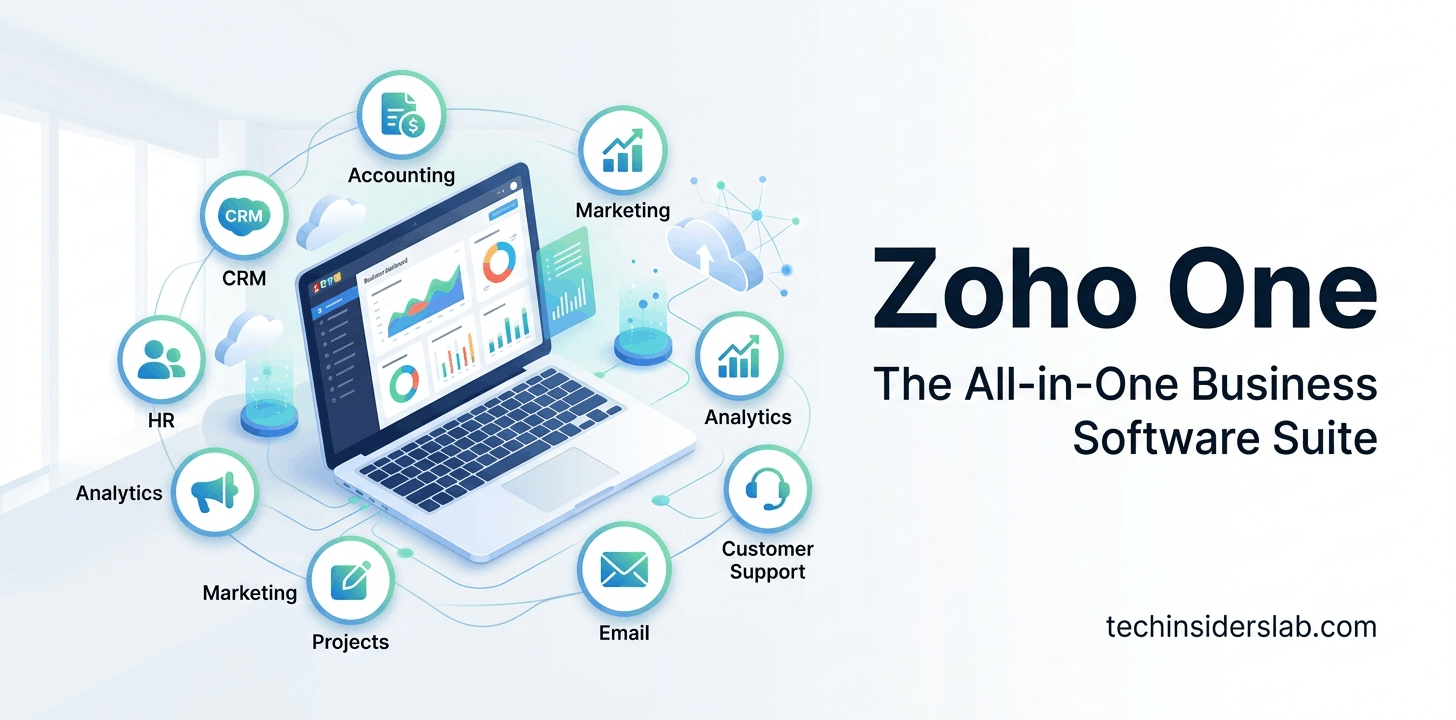
Managing a business has become more challenging than ever. Companies use different software for customer relationship management (CRM), accounting, email, marketing, human resources, project management, customer support, and collaboration. While these tools improve productivity, managing multiple subscriptions from different vendors often creates unnecessary complexity.
Zoho One solves this problem by offering an all-in-one business operating system. Instead of purchasing separate applications for every department, businesses can manage their entire operation from one unified platform.
Whether you’re a startup, a small business, or a large enterprise, Zoho One provides a complete ecosystem of integrated applications designed to improve productivity, automate workflows, and help teams collaborate more efficiently.
This guide explains everything you need to know about Zoho One, including its features, benefits, pricing, supported applications, use cases, and why it has become one of the leading business software suites in the world.
What is Zoho One?
Zoho One is a comprehensive business software suite developed by Zoho Corporation. It combines more than 45 integrated business applications into a single subscription, allowing organizations to manage nearly every business function from one platform.
Instead of using separate tools for CRM, accounting, email marketing, HR, help desk, inventory, analytics, and project management, businesses can access all these applications through one login and one subscription.
The platform is designed to eliminate data silos by allowing information to flow seamlessly between different departments.
For example:
- Sales teams can generate leads in Zoho CRM.
- Marketing teams can nurture those leads through email campaigns.
- Finance teams can create invoices automatically.
- Customer support can view purchase history instantly.
- HR departments can onboard employees using integrated workflows.
Everything stays connected without requiring multiple third-party integrations.
Why Businesses Choose Zoho One
Businesses today want software that is:
- Affordable
- Scalable
- Secure
- Easy to manage
- Flexible
- Cloud-based
Zoho One checks all these boxes.
Instead of paying separate monthly subscriptions for dozens of software tools, organizations receive access to an entire ecosystem for one predictable cost.
This significantly reduces software expenses while improving operational efficiency.
Key Features of Zoho One
1. Unified Business Platform
One of Zoho One’s biggest strengths is its unified architecture.
All applications are designed to work together, allowing businesses to avoid manually transferring data between systems.
Employees can switch between applications without repeatedly signing in.
2. Customer Relationship Management (CRM)
Zoho CRM is one of the most popular applications included in Zoho One.
It helps businesses:
- Track leads
- Manage contacts
- Monitor sales pipelines
- Automate follow-ups
- Create sales reports
- Forecast revenue
Sales teams gain complete visibility into customer interactions.
3. Accounting and Finance
Zoho Books helps businesses manage:
- Invoices
- Payments
- Expenses
- Taxes
- Financial reports
- Banking reconciliation
Businesses can automate repetitive accounting tasks while maintaining accurate financial records.
4. Project Management
Zoho Projects enables organizations to:
- Create tasks
- Assign work
- Track deadlines
- Monitor project progress
- Manage teams
- Generate reports
Managers receive real-time visibility into project performance.
5. Human Resources Management
Zoho People simplifies HR operations by providing tools for:
- Employee records
- Attendance
- Leave management
- Performance reviews
- Employee onboarding
- Time tracking
This reduces manual paperwork and improves employee experience.
6. Marketing Automation
Marketing teams can use Zoho applications to:
- Build email campaigns
- Generate leads
- Score prospects
- Create landing pages
- Automate customer journeys
- Analyze campaign performance
Automation saves time while increasing marketing effectiveness.
7. Customer Support
Zoho Desk provides businesses with professional customer service capabilities.
Features include:
- Ticket management
- Live chat integration
- Customer portals
- Knowledge bases
- AI-powered assistance
- Performance analytics
Support agents can resolve customer issues more efficiently.
8. Business Intelligence
Zoho Analytics converts raw business data into meaningful insights.
Businesses can:
- Build dashboards
- Create custom reports
- Analyze KPIs
- Monitor sales performance
- Forecast trends
Decision-makers gain access to real-time business intelligence.
Applications Included in Zoho One
Zoho One includes more than 45 integrated applications covering almost every business department.
Some of the most popular apps include:
Sales
- Zoho CRM
- Zoho Forms
- Zoho Sign
- Zoho Bookings
Marketing
- Zoho Campaigns
- Zoho Social
- Zoho Survey
- Zoho Backstage
- Zoho Marketing Automation
Finance
- Zoho Books
- Zoho Invoice
- Zoho Expense
- Zoho Inventory
- Zoho Billing
Collaboration
- Zoho Mail
- Zoho Cliq
- Zoho Meeting
- Zoho WorkDrive
- Zoho Writer
- Zoho Sheet
- Zoho Show
HR
- Zoho People
- Zoho Recruit
- Zoho Payroll (availability depends on region)
Customer Service
- Zoho Desk
- Zoho Assist
- Zoho Lens
Operations
- Zoho Projects
- Zoho Sprints
- Zoho Creator
- Zoho Flow
- Zoho Analytics
Top Benefits of Zoho One
Cost Savings
Purchasing dozens of individual software subscriptions can become expensive.
Zoho One combines multiple business applications into one subscription, often reducing software costs significantly.
Easy Integration
Since every application is developed by Zoho, data flows naturally between apps.
Businesses spend less time building custom integrations.
Better Collaboration
Different departments work together more effectively because everyone accesses the same centralized data.
Sales, marketing, finance, and support teams stay aligned.
Workflow Automation
Zoho One enables businesses to automate repetitive tasks.
Examples include:
- Lead assignment
- Invoice generation
- Email notifications
- Employee onboarding
- Approval processes
Automation reduces manual work and improves accuracy.
Cloud Accessibility
Employees can access Zoho One from anywhere using:
- Desktop
- Laptop
- Tablet
- Mobile devices
This supports remote and hybrid work environments.
Security
Zoho invests heavily in security by providing features such as:
- Multi-factor authentication (MFA)
- Encryption for data in transit and at rest
- Role-based access control
- Audit logs
- Compliance features for supported regulations
Organizations can better protect business information while controlling employee access.
Who Should Use Zoho One?
Zoho One is suitable for many types of organizations, including:
- Startups
- Small businesses
- Medium-sized companies
- Large enterprises
- E-commerce stores
- Manufacturing companies
- Healthcare organizations
- Educational institutions
- Marketing agencies
- IT service providers
- Professional consulting firms
Its modular design allows businesses to start with a few applications and expand usage as their needs grow.
Zoho One Pricing
One of the biggest reasons businesses choose Zoho One is its value for money. Instead of purchasing separate subscriptions for CRM, accounting, HR, email, project management, customer support, and analytics, organizations get access to an entire suite through a single subscription.
Zoho offers two primary licensing options:
1. All Employee Pricing
This plan is designed for organizations that want every employee to use Zoho One. It provides the lowest cost per user and is ideal for companies looking to standardize their software across all departments.
2. Flexible User Pricing
Businesses can also purchase licenses only for selected employees. While this option offers more flexibility, the cost per user is generally higher than the all-employee plan.
Tip: Pricing may vary by country, currency, and promotional offers. Always check the official Zoho pricing page for the latest information before making a purchase.
Is Zoho One Worth the Investment?
For many organizations, the answer is yes.
Imagine paying separately for:
- CRM software
- Accounting software
- Email hosting
- Help desk software
- Project management tools
- HR software
- Marketing automation
- Cloud storage
- Video meetings
- Digital signatures
The combined cost of these individual tools can quickly exceed the cost of Zoho One. By consolidating them into a single ecosystem, businesses often reduce software expenses while simplifying management.
Industries That Use Zoho One
Zoho One is flexible enough to support businesses across a wide range of industries.
1. Small Businesses
Small businesses often operate with limited budgets and small teams. Zoho One provides enterprise-level tools without the need to purchase multiple software solutions.
Common uses include:
- Customer management
- Accounting
- Invoicing
- Team collaboration
- Email marketing
2. E-commerce Businesses
Online stores can use Zoho One to:
- Manage customer data
- Track inventory
- Process orders
- Automate marketing campaigns
- Generate sales reports
- Improve customer support
3. Marketing Agencies
Marketing agencies rely on multiple applications every day. Zoho One allows agencies to manage:
- Client relationships
- Campaign planning
- Team collaboration
- Project timelines
- Billing
- Performance analytics
4. IT Companies
Technology companies use Zoho One to organize software development, customer support, employee management, and internal collaboration.
Integrated project tracking and workflow automation help technical teams stay productive.
5. Educational Institutions
Schools, colleges, and training centers can use Zoho One for:
- Student communication
- Administrative workflows
- HR management
- Finance
- Online forms
- Internal collaboration
Real-World Use Cases
Sales Automation
A sales representative receives a new lead through a website form.
Instead of manually entering information:
- The lead is automatically added to Zoho CRM.
- A follow-up email is sent.
- A sales task is assigned.
- The manager receives a notification.
- The lead enters an automated sales pipeline.
This reduces manual work and speeds up response times.
Employee Onboarding
When a new employee joins:
- HR creates an employee record.
- IT receives a notification to prepare equipment.
- The employee receives onboarding documents.
- Welcome emails are sent automatically.
- Required training tasks are assigned.
Everything happens through automated workflows.
Customer Support
Support agents can instantly view:
- Customer details
- Previous purchases
- Past support tickets
- Open invoices
- Communication history
This provides faster and more personalized customer service.
Advantages of Zoho One
1. All-in-One Solution
Instead of using software from multiple vendors, businesses manage everything from a single platform.
2. Excellent Value
Compared with purchasing separate applications, Zoho One often provides significant savings.
3. Strong Integration
Applications are built to work together, reducing the need for third-party connectors and minimizing data duplication.
4. Scalable Platform
Businesses can start with a few users and expand as they grow without changing software providers.
5. Workflow Automation
Automation tools reduce repetitive work, helping employees focus on higher-value tasks.
6. Mobile Access
Most Zoho applications include mobile apps, allowing employees to work from virtually anywhere.
7. Customization
Using Zoho Creator, custom fields, workflows, dashboards, and applications can be built to match unique business processes.
Potential Limitations
While Zoho One offers many benefits, it’s important to consider a few challenges:
Learning Curve
With more than 45 applications available, new users may need time to understand the platform and decide which apps are relevant.
Initial Setup
Configuring workflows, user permissions, and integrations requires planning, especially for larger organizations.
Feature Depth
Some specialized businesses may find that niche, standalone software offers more advanced features in a specific area. However, for many companies, the breadth and integration of Zoho One outweigh this trade-off.
Zoho One vs Microsoft 365
| Feature | Zoho One | Microsoft 365 |
|---|---|---|
| CRM | ✔ Built-in | ✖ Requires additional solutions |
| Accounting | ✔ Included | ✖ Not included |
| HR Tools | ✔ Included | Limited |
| Project Management | ✔ Included | Basic/Separate apps |
| ✔ Included | ✔ Included | |
| Office Apps | ✔ Included | ✔ Strong Office suite |
| Business Automation | ✔ Extensive | Limited without extra tools |
Best For: Businesses seeking a comprehensive business management suite beyond productivity tools.
Zoho One vs Salesforce
| Feature | Zoho One | Salesforce |
|---|---|---|
| CRM | ✔ Excellent | ✔ Industry-leading |
| Accounting | ✔ Included | Requires third-party apps |
| HR | ✔ Included | Not native |
| Marketing | ✔ Included | Additional products |
| Cost | More affordable | Typically higher |
| Ease of Adoption | Unified suite | May require multiple products |
Best For: Small and medium-sized businesses looking for an integrated, cost-effective platform.
Zoho One vs HubSpot
| Feature | Zoho One | HubSpot |
|---|---|---|
| CRM | ✔ Included | ✔ Included |
| Accounting | ✔ Included | ✖ Not included |
| HR | ✔ Included | ✖ Not included |
| Help Desk | ✔ Included | ✔ Available |
| Pricing | Generally more economical for full-suite needs | Costs can increase as additional hubs are added |
Best For: Organizations that need more than just marketing and CRM capabilities.
Why Businesses Choose Zoho One
Companies choose Zoho One because it helps them:
- Replace multiple software subscriptions with one platform.
- Improve collaboration between departments.
- Automate repetitive tasks.
- Centralize business data.
- Scale operations without constantly changing systems.
- Gain insights through integrated analytics and reporting.
For businesses focused on efficiency, cost control, and long-term growth, Zoho One provides a unified environment that supports day-to-day operations across the entire organization.
Conclusion
Zoho One is more than just a collection of business apps—it is a complete business operating system designed to simplify daily operations. From customer relationship management and accounting to HR, project management, marketing, and analytics, it provides everything businesses need in one integrated platform.
Its affordability, scalability, and seamless integration make it an ideal solution for startups, small businesses, and growing enterprises looking to replace multiple software subscriptions with a single, unified ecosystem.
If your goal is to improve productivity, automate workflows, and manage every department from one place, Zoho One is a smart long-term investment.