Introduction
Managing time effectively has become one of the biggest challenges in modern work life. Between meetings, deadlines, personal responsibilities, and daily tasks, it can be difficult to maintain a balanced schedule. Many professionals spend more time organizing their calendars than actually completing important work. This is where Reclaim.ai comes in.
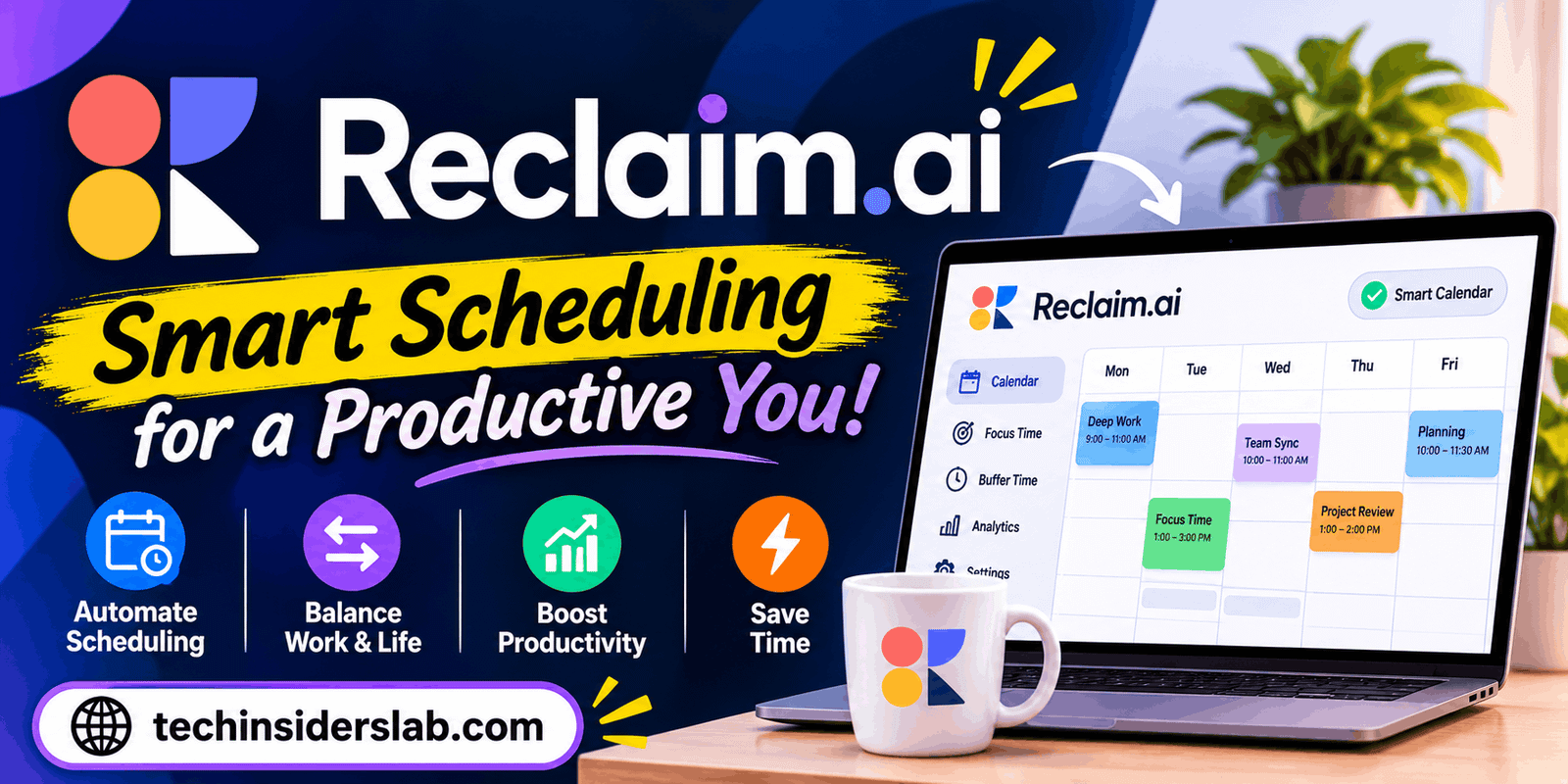
Reclaim.ai is an AI-powered scheduling and calendar management platform designed to help individuals and teams organize their time more intelligently. Instead of manually deciding when to complete every task, users can allow Reclaim.ai to find suitable time slots, protect focus periods, schedule recurring habits, and adjust calendars when priorities change.
The platform is particularly useful for professionals who manage multiple projects, attend frequent meetings, or struggle to maintain a consistent daily routine. It aims to make scheduling less stressful by automatically finding room for important activities.
Unlike a traditional calendar that mainly displays appointments, Reclaim.ai takes a more active approach to time management. It helps users decide how their available time should be used while maintaining flexibility when unexpected changes occur.
In this guide, we will explore Reclaim.ai, its major features, how it works, its advantages and limitations, and whether it is worth using for personal or professional productivity.
What Is Reclaim.ai?
Reclaim.ai is an intelligent scheduling application that uses artificial intelligence to organize calendars and protect time for important activities. It integrates with supported calendar services and automatically schedules tasks, meetings, habits, and focus sessions based on availability and user preferences.
The main idea behind Reclaim.ai is simple: people should spend less time managing their calendars and more time doing meaningful work.
For example, imagine that you have three important tasks to complete, two meetings to attend, and a regular exercise routine to maintain. Finding space for everything can become difficult, especially when meetings are added or changed throughout the day.
Reclaim.ai helps solve this problem by identifying available calendar slots and placing activities where they fit best. When your schedule changes, it can automatically move flexible activities to another suitable time.
This makes the platform useful for freelancers, remote employees, entrepreneurs, managers, students, and teams that need better control over their schedules.
Reclaim.ai is not simply another digital calendar. It works as an intelligent layer on top of calendar scheduling, helping users balance professional responsibilities with personal priorities.
How Does Reclaim.ai Work?
Reclaim.ai works by analyzing calendar availability, scheduling preferences, task priorities, and time requirements. Users connect a supported calendar, configure their preferences, and add activities they want to organize.
The platform then looks for suitable time slots without unnecessarily interfering with existing commitments.
For instance, if you want to dedicate two hours to a project every morning, you can create a scheduling preference. Reclaim.ai can look for available periods that match your requirements and reserve time accordingly.
If a meeting later occupies part of that period, the system can adjust flexible activities to another available slot.
The process generally involves four main steps:
- Connect your calendar: Integrate a supported calendar account so Reclaim.ai can understand your availability.
- Add activities: Enter tasks, habits, focus sessions, and other scheduling requirements.
- Set preferences: Define working hours, priorities, scheduling windows, and other relevant rules.
- Let AI organize your schedule: Reclaim.ai finds suitable time slots and adjusts flexible activities when necessary.
Users can still maintain control over their schedules. The platform provides scheduling preferences and controls rather than requiring everyone to follow an entirely automated routine.
Key Features of Reclaim.ai
Reclaim.ai offers several features designed to improve scheduling, reduce calendar conflicts, and help users make better use of their available time. Its newer Reclaim 2.0 experience organizes many of these capabilities through specialized AI Agents.
1. AI-Powered Task Management
Task management is one of the most useful features of Reclaim.ai. It helps users organize their responsibilities and understand what needs attention first.
Users can add tasks with deadlines, priorities, and estimated completion times. Reclaim can then use this information to help organize work and recommend suitable tasks during available focus periods.
Another useful capability is task synchronization with supported project management applications. This allows users to bring work from different platforms into a more centralized scheduling experience.
For example, a freelancer managing several client projects can keep track of upcoming deadlines while using Reclaim to identify appropriate periods for completing individual assignments.
This feature is particularly valuable for people who have long to-do lists but struggle to translate them into realistic daily schedules.
2. Focus Time Management
Constant interruptions can make it difficult to complete demanding work. Meetings, notifications, and unexpected requests often divide the day into small periods that are not ideal for concentration.
Reclaim.ai addresses this problem through its Focus Time Agent.
Users can establish weekly focus goals and allow the platform to protect suitable periods for uninterrupted work. Instead of manually creating every focus session, Reclaim looks for available calendar space and schedules sessions according to the user’s preferences.
This can help with activities such as:
- Writing articles and reports
- Developing software
- Researching new projects
- Preparing presentations
- Analyzing business information
- Completing complex assignments
Focus Time is especially helpful for remote professionals who need dedicated working periods without unnecessary interruptions.
3. Smart Habits and Daily Routines
Maintaining consistent habits can be challenging when professional responsibilities constantly change. A traditional recurring calendar event may become inconvenient when unexpected meetings appear.
Reclaim.ai offers a Habit Agent that makes recurring routines more flexible.
Users can create habits such as reading, exercising, planning the next day, taking breaks, or learning new skills. The platform then looks for appropriate time slots based on availability and scheduling preferences.
If a scheduled habit conflicts with a higher-priority commitment, Reclaim can move the flexible activity to another suitable period.
For example, someone who wants to exercise every afternoon does not necessarily need to reserve the exact same time every day. Reclaim can help find another available period when the original slot becomes occupied.
This flexibility makes it easier to maintain routines without filling the calendar with rigid appointments.
4. Smart Meeting Scheduling
Managing recurring meetings can become complicated when multiple employees have different schedules and time zones.
Reclaim.ai provides Smart Meetings to simplify this process. Users can establish meeting preferences and allow the platform to find suitable times based on participants’ availability.
It can also help manage scheduling conflicts and adjust recurring meetings when circumstances change.
This feature is useful for:
- Weekly team meetings
- Client discussions
- One-on-one conversations
- Project planning sessions
- Regular progress reviews
Instead of repeatedly exchanging messages to find a suitable meeting time, teams can use scheduling automation to reduce unnecessary coordination.
5. Automatic Buffer Time
Back-to-back meetings can leave employees with little opportunity to prepare, review notes, or take a short break.
Reclaim.ai includes a Buffer Time Agent that can automatically protect time around meetings according to configured preferences.
For example, a user may need 10 minutes before a presentation to review important information and another 15 minutes afterward to organize notes.
Buffer scheduling helps create breathing room between appointments rather than allowing every available minute to become occupied.
This feature can be particularly useful for managers, consultants, customer support professionals, and employees who attend several video meetings each day.
6. Calendar Synchronization
People often maintain multiple calendars for professional responsibilities, personal appointments, and different projects. Managing these calendars separately can create scheduling conflicts.
Reclaim.ai supports calendar synchronization to help users coordinate availability across connected calendars.
This makes it easier to prevent double-booking and maintain a more accurate view of daily commitments.
For example, someone who uses separate work and personal calendars can synchronize relevant events so that personal appointments are considered when planning professional activities.
The available synchronization limits depend on the selected subscription plan.
7. Scheduling Links
Scheduling Links allow users to share their availability with other people without manually suggesting several meeting times.
Users can create a booking link with specific scheduling rules, meeting durations, and availability preferences. Other people can then select a suitable time from the available options.
This is especially useful for freelancers, consultants, business owners, recruiters, and sales professionals.
Instead of repeatedly asking clients when they are available, users can share a single link and simplify the booking process.
Reclaim can also use priorities to determine how much availability a scheduling link should offer.
8. AI-Powered Priorities
Not every activity deserves the same amount of attention. Some tasks have strict deadlines, while others can be moved to another day.
Reclaim.ai uses priority levels to help determine which activities should receive scheduling preference.
Its four priority levels are:
- Critical (P1): The highest-priority commitments.
- High (P2): Important activities that should receive strong scheduling preference.
- Medium (P3): Regular responsibilities with some flexibility.
- Low (P4): Activities that can be moved when more important commitments arise.
This system helps Reclaim make scheduling decisions when the calendar becomes busy.
For example, an urgent client deadline can receive higher priority than a flexible personal routine. The platform can then adjust lower-priority activities when appropriate.
9. AI Calendar Assistant
Reclaim 2.0 also introduces an AI chat experience that helps users interact with their schedules more naturally.
Rather than navigating several settings for every scheduling question, users can use the assistant to work with calendar information and supported scheduling tasks.
This makes calendar management more accessible, particularly for people who prefer conversational instructions over complicated configuration screens.
10. Meeting Quality Management
Having too many meetings is not the only scheduling problem. Unanswered invitations and unclear meeting commitments can also create confusion.
Reclaim provides Meeting Quality capabilities that help identify invitations requiring attention and encourage users to accept, decline, or suggest another time.
This helps keep calendars more accurate and makes it easier for meeting organizers to coordinate with participants.
For teams that manage several projects simultaneously, this can reduce uncertainty and improve scheduling communication.
Reclaim.ai Integrations
One important advantage of Reclaim.ai is its ability to work with other productivity and collaboration tools.
Rather than forcing users to manage every activity inside one application, it connects supported services to create a more organized scheduling workflow.
Some notable integrations include:
| Integration | Main Purpose |
| Google Calendar | Calendar management and synchronization |
| Outlook Calendar | Professional scheduling |
| Google Tasks | Task organization |
| Todoist | To-do list management |
| Asana | Project and task tracking |
| ClickUp | Project management |
| Jira | Software development tasks |
| Linear | Issue and project tracking |
| Slack | Team communication and status synchronization |
| Zoom | Video meeting support |
| Google Meet | Online meeting support |
Integration availability depends on the subscription plan and current product support.
These connections are useful because employees can continue using familiar applications while Reclaim helps organize their time around the work they already manage.
Benefits of Using Reclaim.ai
Reclaim.ai offers several advantages for people who want to improve their scheduling habits and manage busy calendars.
1. Saves Time: Automatic scheduling reduces the need to manually organize every task, habit, and focus session.
2. Improves Productivity: Protected focus periods make it easier to complete important assignments without unnecessary interruptions.
3. Reduces Scheduling Conflicts: Calendar intelligence helps identify conflicts and move flexible activities when appropriate.
4. Supports Better Work-Life Balance: Users can reserve time for personal routines alongside professional responsibilities.
5. Makes Team Coordination Easier: Smart Meetings and Scheduling Links simplify the process of finding suitable meeting times.
6. Offers Flexible Scheduling: Users can define priorities and preferences instead of following a completely rigid calendar.
7. Connects With Productivity Tools: Supported integrations help bring tasks and scheduling information together.
8. Encourages Consistent Habits: Flexible recurring activities make it easier to maintain daily and weekly routines.
Overall, Reclaim.ai can help users build a more realistic schedule that reflects their actual responsibilities rather than an idealized timetable.
Is Reclaim.ai Free to Use?
Reclaim.ai offers a free plan, making it possible for individuals to explore its scheduling capabilities without immediately purchasing a subscription.
The platform also provides paid plans with additional features and expanded limits for individuals and teams.
Its pricing structure includes different options depending on the number of users, integrations, scheduling requirements, and business needs.
Some notable differences between plans include:
- Number of available AI Agents
- Calendar synchronization limits
- Scheduling Links availability
- Advanced integrations
- Scheduling range
- Team management capabilities
- Administrative and enterprise features
The free plan includes access to several core scheduling features, while paid subscriptions provide greater flexibility for more demanding workflows.
Limitations of Reclaim.ai
Although Reclaim.ai offers useful scheduling capabilities, it may not be the perfect solution for everyone.
1. Initial Setup Takes Time: Users need to configure calendars, priorities, working hours, and scheduling preferences before getting the best results.
2. Requires Calendar Integration: Its main functionality depends on connecting supported calendar services. People who prefer managing schedules without external integrations may find this inconvenient.
3. Learning Curve: Beginners may need time to understand AI Agents, scheduling rules, priorities, and automated calendar adjustments.
4. Free Plan Restrictions: The free version has limitations on features, integrations, and scheduling capacity. Users with more complex requirements may need a paid subscription.
5. Not a Complete Project Management Platform: Although Reclaim helps organize tasks and scheduling, it does not replace every feature of dedicated project management applications.
6. Automated Scheduling Needs Supervision: AI scheduling can save time, but users should still review their calendars to ensure that important commitments are placed correctly.
These limitations do not make Reclaim.ai a poor choice. They simply highlight the importance of understanding its capabilities before relying on it for daily planning.
Who Should Use Reclaim.ai?
Reclaim.ai is suitable for different types of users who want to improve their time management.
- Freelancers: Can organize client projects, deadlines, and personal responsibilities.
- Remote Workers: Can protect focus time and maintain a structured working routine.
- Business Owners: Can coordinate meetings and manage busy schedules.
- Students: Can organize study sessions, assignments, and recurring learning habits.
- Managers: Can simplify recurring meetings and improve team scheduling.
- Small Teams: Can coordinate availability and reduce unnecessary scheduling discussions.
It is particularly valuable for people whose calendars change frequently and who need a flexible way to organize their responsibilities.
Reclaim.ai vs Traditional Calendar Apps
Traditional calendar applications primarily help users create appointments, set reminders, and view upcoming events. Reclaim.ai adds an intelligent scheduling layer that can automatically organize flexible activities.
For example, a traditional calendar may require users to manually move an exercise session when a meeting takes its place. Reclaim can automatically find another suitable time based on the scheduling rules.
This difference makes Reclaim more suitable for people who want an active scheduling assistant rather than simply a digital calendar.
However, traditional calendars remain useful for straightforward appointment management. The best choice depends on how much scheduling automation someone actually needs.
Is Reclaim.ai Worth Using?
Reclaim.ai is worth considering if you regularly struggle with calendar management, missed focus sessions, scheduling conflicts, or inconsistent daily routines.
Its combination of AI-powered task organization, flexible habits, focus time protection, meeting scheduling, and calendar synchronization provides a practical approach to productivity.
The platform is especially useful for professionals who manage several responsibilities and want their calendars to adapt as priorities change.
However, users who only need a basic calendar or simple reminders may not require its advanced scheduling capabilities.
Starting with the free plan is a reasonable way to understand how the platform works before deciding whether additional features are necessary.
Conclusion
Reclaim.ai is an AI-powered productivity and scheduling platform that helps individuals and teams make better use of their time. Its intelligent scheduling capabilities, task management, focus sessions, recurring habits, and meeting automation make it a useful option for managing busy calendars.
One of its biggest strengths is its ability to adjust flexible activities when schedules change, helping users maintain a better balance between professional responsibilities and personal routines.
Although it has a learning curve and certain subscription limitations, Reclaim.ai provides valuable tools for people who want to spend less time organizing their calendars and more time completing meaningful work.
Overall, Reclaim.ai is a strong productivity solution for freelancers, remote workers, entrepreneurs, and teams looking for smarter time management.