introduction
Flexible scheduling has become an important part of modern education. Schools increasingly need better ways to organize intervention sessions, enrichment activities, academic support, wellness programs, and student-choice periods without depending on spreadsheets or complicated manual scheduling. This is where FlexTime Manager, now known as Securly Flex, comes into the picture.
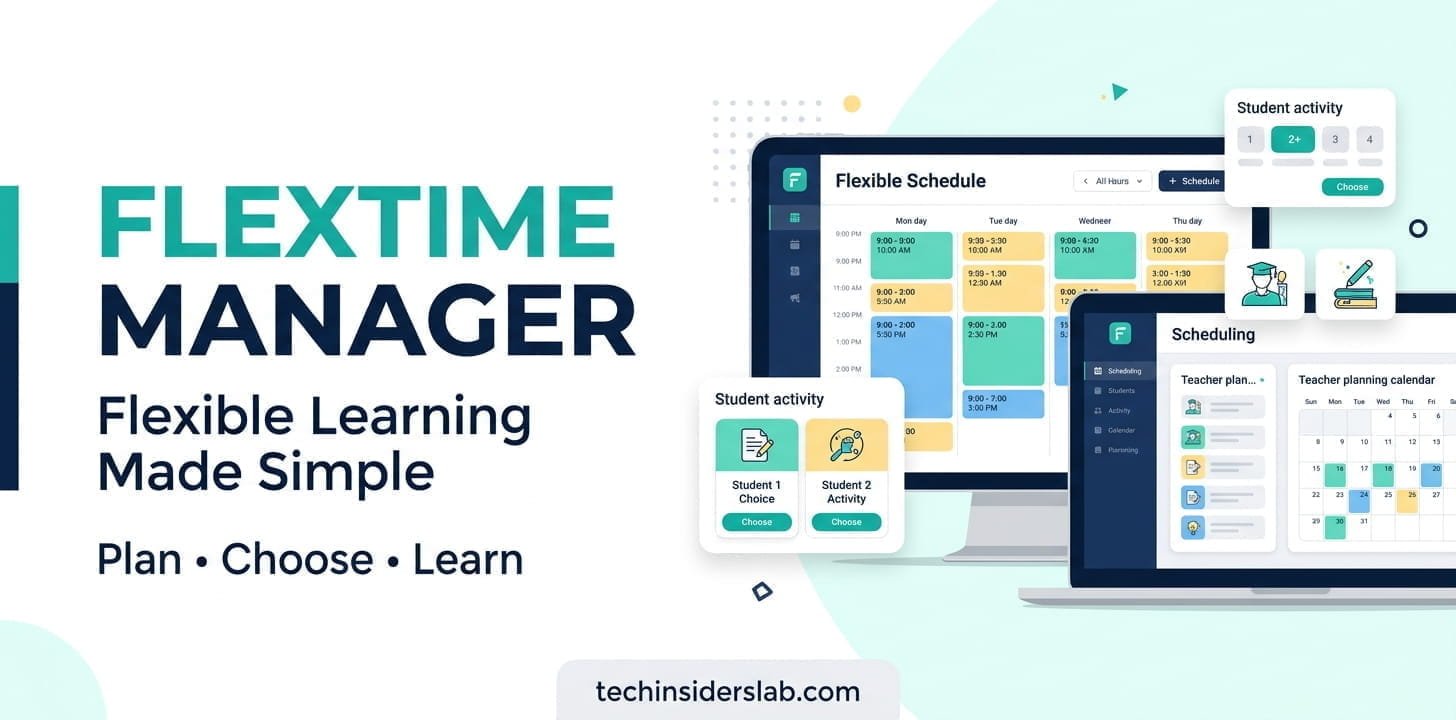
Securly Flex is a flexible scheduling and student-management platform designed primarily for K–12 schools. It helps administrators and teachers organize flex periods, assign students, manage activity capacity, track attendance, and give students more control over how they use dedicated periods during the school day.
What Is FlexTime Manager?
FlexTime Manager is the former name associated with Securly Flex, a school scheduling solution developed to simplify the management of flexible learning periods.
Instead of asking staff to coordinate student choices through paper lists, spreadsheets, emails, or disconnected systems, Flex provides a centralized environment where schools can create activities, schedule them, register students, monitor attendance, and manage student placements.
The platform is especially useful for schools that have a dedicated “Flex” period during the school day. These periods can be used for academic intervention, tutoring, enrichment, test preparation, counseling, wellness activities, make-up work, or other personalized learning opportunities.
Securly currently describes Flex as flexible scheduling software for K–12 schools and says the platform is used across more than 1,000 schools, with more than 1 million educators and students and over 20,000 activities scheduled daily. These figures are company-reported and may change over time.
Why Do Schools Need a FlexTime Manager?
A flexible school schedule sounds simple until hundreds or thousands of students need to be placed into different activities.
For example, one student may need mathematics intervention, another may need help with writing, while another might want to participate in a club, fitness activity, or enrichment session. Teachers also have different priorities, room capacities, and attendance responsibilities.
Managing all of this manually can create several problems:
- Students may be assigned to conflicting activities.
- Teachers may exceed activity capacity.
- Some students may remain unassigned.
- Attendance can become difficult to track.
- Staff may spend considerable time creating daily rosters.
- Students may have limited control over their activity choices.
Securly Flex is designed to reduce this administrative burden by bringing scheduling, registration, attendance, priorities, and notifications into one system.
How Does Securly Flex Work?
The basic workflow is relatively straightforward.
First, administrators establish the school’s flex periods. Teachers can then create activities that students may attend. Depending on the school’s configuration, an activity can be mandatory for selected students or available as a choice.
Students can register for available activities, while teachers and administrators can also assign students when necessary.
The system supports different priority levels. Mandatory activities can take precedence over lower-priority activities, while optional and open activities can provide students with more freedom to select what they want to attend.
After students have been placed, teachers can use Flex to view their rosters and record attendance. Administrators can monitor participation and use reports to identify attendance issues or other scheduling discrepancies.
This creates a workflow that moves from planning → activity creation → student assignment → attendance → reporting.
Key Features of FlexTime Manager
1. Flexible Activity Scheduling
One of the main functions of Securly Flex is creating and scheduling different activities within a flex period.
Schools can offer multiple activities at the same time, with different enrollment limits and requirements. This allows a single period to serve several purposes rather than forcing every student into the same experience.
For example, a school could offer:
- Mathematics intervention
- Science tutoring
- Reading support
- Test preparation
- College counseling
- Fitness
- Mindfulness
- Clubs
- Enrichment sessions
The product brief confirms that schools can configure multiple activities within the same flex period and establish different capacity and enrollment options.
2. Auto-Assign
Auto-Assign is one of the platform’s more interesting capabilities.
According to Securly, Flex can use numerous scheduling data points to build the next day’s flex rosters. It considers factors such as student preferences, administrative priorities, teacher priorities, class capacity, and scheduling conflicts.
The goal is to reduce the amount of manual work required to place students into appropriate sessions.
For larger schools, this can be particularly useful because manually assigning hundreds of students every day can quickly become inefficient.
3. Student Choice
Flex is not only about administrators controlling schedules. A major part of the platform is giving students an opportunity to choose activities that match their needs and interests.
Depending on the school’s rules, students may be able to select from open activities or choose from activities available to specific groups.
This approach can support personalized learning because students are not necessarily treated as one large group. Instead, their flex period can be used for targeted academic help, personal interests, enrichment, or other school-supported activities.
4. Attendance Management
Attendance is another important part of FlexTime Manager.
Teachers and staff can record attendance for scheduled activities, while the system provides additional tools for identifying missing or inconsistent attendance information.
Securly also documents QR-code, barcode, and manual-ID options for student self-check-in. Students can use a QR code within Flex or an ID barcode where supported, while adults remain responsible for ensuring attendance is complete and submitted correctly.
This can make attendance collection faster, especially when many students move between activities.
5. Attendance Reports and SIS Workflows
For schools that need to connect flex attendance with their Student Information System, Securly documents CSV-based attendance export workflows.
Administrators can download attendance information from Flex and import it into an SIS, while automated export options can also be configured for some school environments. The exact implementation can require assistance from school IT staff because SIS systems often have their own formatting requirements.
This is an important consideration for schools that want Flex data to become part of their broader attendance workflow.
6. Student Restrictions
Schools may need to restrict certain students from attending specific choice activities.
Flex includes student restriction functionality that allows authorized staff to temporarily restrict access to selected choice activities. Depending on the school’s configuration, restrictions can include a time period and a message to the student.
This provides administrators with more control while still allowing student choice in other areas.
7. Student Search and Scheduling Visibility
Administrators and staff can search for students and review their past, current, or future registrations.
This can be useful when staff members need to answer questions such as where a particular student is scheduled, which activities they have attended, or whether a student has a scheduling conflict.
The platform’s administrative tools are intended to provide greater visibility into daily flex operations.
FlexTime Manager for Teachers
Teachers are one of the primary groups that interact with Flex.
A typical teacher workflow can include creating an activity, selecting the appropriate students or groups, scheduling the activity, viewing the roster, and taking attendance.
Teachers can also use the system to add available students to an activity when appropriate. Securly’s teacher documentation describes this as the “Plus Add” function.
The important advantage is that teachers do not have to manage every part of the school’s flex schedule themselves. Administrators can establish the overall structure while teachers manage their individual activities.
FlexTime Manager for Students
For students, the experience is focused on discovering, registering for, and attending available activities.
Depending on school settings, a student may be automatically assigned to an activity or may have the ability to select from available choices.
This distinction is important because not every Flex period has to be completely optional. Schools can create mandatory academic-support sessions while still offering open activities for students who have more flexibility.
The result is a combination of structure and choice, rather than relying entirely on either approach.
Benefits of Using FlexTime Manager
Better Use of Instructional Time
Schools can turn otherwise unused or underutilized periods into structured opportunities for additional learning.
A flex period can provide targeted support without requiring every student to stay after school.
Less Manual Scheduling
Automated assignments and centralized scheduling can reduce reliance on spreadsheets and manually maintained lists. Securly specifically positions Auto-Assign as a way to simplify large-scale daily roster creation.
Personalized Learning
Different students have different needs. Flex allows schools to create different pathways within the same time block.
One student might receive intervention while another works on enrichment or participates in a wellness activity.
Greater Student Independence
Allowing students to choose appropriate activities can help develop decision-making, time-management, and personal responsibility.
Securly also positions student choice as a way to build agency and prepare students for college and careers.
Better Attendance Visibility
Digital attendance records make it easier for staff to identify students who are absent, late, unregistered, or otherwise associated with an attendance discrepancy.
The Flex Cut List, for example, is designed to help administrators and staff identify such issues.
Real-World Example
A useful example comes from Dickinson High School, which implemented a daily 30-minute intervention period called “Gator Time.”
According to Securly’s case study, the school initially relied on spreadsheets and an administrator-driven process. The school later introduced Flex, followed by student self-selection. The system was used to organize intervention, teacher drafting, student choice, and real-time visibility into student placement.
The example illustrates an important point: FlexTime Manager is not simply a calendar application. Its value comes from coordinating people, activities, priorities, capacity, and attendance within the same school-day process.
Is FlexTime Manager an App or a Tool?
For a website such as TechInsidersLab, Apps is the most appropriate primary category for FlexTime Manager.
It is also reasonable to describe Securly Flex as a school scheduling tool or education technology platform, but “Apps” is the better fit if your available categories are only:
- Tools
- Apps
- Technology
The official mobile listing identifies Securly Flex as an Education app, while the Securly website describes it as flexible scheduling software for K–12 schools.
Device and Login Support
Securly Flex is primarily browser-based. Securly states that administrators, teachers, and students can use Chrome or Safari on internet-connected devices, and that a mobile app is also available.
For login, schools can configure several authentication options. Securly’s documentation lists Google, Clever, Microsoft Office/365, ClassLink, GG4L, and manual login options, although the exact option available to a user depends on the school’s setup.
This means users generally should not expect to create an independent Flex account without their school’s involvement. Access is normally tied to the educational institution.
Privacy and Student Data
Because Flex is used in educational environments, privacy deserves attention.
Securly’s privacy policy states that student-facing services may collect identifiers such as usernames and school email addresses along with information related to services such as flex-time requests. Depending on the service and school policies, automatically collected information can also include device information and application-usage information.
Schools should therefore review their own agreements, configuration, privacy requirements, and applicable regulations before deploying or expanding any student-management platform.
The Google Play listing also provides developer-declared data-safety information, including that data is encrypted in transit and that users can request deletion of data; these disclosures can change over time and should be checked directly before making a current privacy assessment.
Potential Limitations to Consider
FlexTime Manager can simplify complex scheduling, but it is not a universal solution for every school.
First, successful implementation depends on how the school designs its flex program. Software cannot automatically solve unclear policies, poorly defined activity priorities, insufficient staffing, or unrealistic capacity limits.
Second, users may need onboarding and training. Teachers and administrators need to understand activity creation, priority levels, attendance procedures, and scheduling rules.
Third, integrations can require technical work. For example, SIS attendance workflows may involve CSV formatting and IT support.
Finally, public app-store feedback should be considered separately from the product’s feature set. The current Google Play listing contains critical user reviews alongside the product’s stated capabilities, meaning prospective schools should evaluate both documented functionality and real-world experience rather than relying exclusively on vendor claims.
Who Should Use FlexTime Manager?
Securly Flex is most relevant to:
- K–12 schools
- School administrators
- Teachers
- Counselors
- Academic intervention teams
- Student-support departments
- Schools running daily or weekly flex periods
- Institutions seeking more personalized learning opportunities
It is less relevant to individuals looking for a conventional personal time-management application. The product is specifically designed around school-based scheduling and student activities.
FlexTime Manager vs Traditional Scheduling
Traditional flex scheduling often relies on spreadsheets, printed lists, classroom rosters, emails, and manual updates.
That approach can work for a small program, but complexity increases rapidly as student numbers and activity choices grow.
FlexTime Manager attempts to centralize the process. Activities, student preferences, assignments, capacity, attendance, restrictions, and reporting can be managed through the same platform.
The real benefit is therefore not simply “digital scheduling.” It is the ability to coordinate many moving parts of a flexible school schedule while giving staff greater visibility.
Conclusion
FlexTime Manager, now known as Securly Flex, is a practical education-focused scheduling platform designed to make flexible school periods easier to organize and manage. Instead of depending heavily on spreadsheets, printed rosters, and manual assignments, schools can use it to coordinate student activities, teacher schedules, capacity limits, attendance, and student preferences from a centralized system.
Its biggest advantage is flexibility. Schools can use flex periods for academic intervention, tutoring, enrichment, wellness, counseling, test preparation, and other activities while still giving students opportunities to make choices. Features such as automated assignment, attendance management, student restrictions, and reporting can further reduce administrative work.
However, the success of any scheduling platform depends on how effectively a school designs its flex program and trains its staff. FlexTime Manager should therefore be considered a technology solution that supports a well-planned educational strategy rather than a complete replacement for school policies and human decision-making.
For TechInsidersLab, FlexTime Manager fits best under the Apps category because it is primarily an education-focused software application. Overall, it can be a useful option for K–12 schools looking for a more organized, flexible, and technology-driven approach to managing student schedules.