Slidesgo:Guide to Presentation Templates & AI Presentation Tools
introduction
Creating a professional presentation can take much more time than simply writing the information you want to share. Choosing the right layout, arranging text, selecting images, designing charts, and maintaining a consistent visual style can become a difficult task, especially for students, teachers, marketers, and business professionals. Slidesgo is a platform designed to make this process easier by providing ready-made presentation templates along with AI-powered tools.
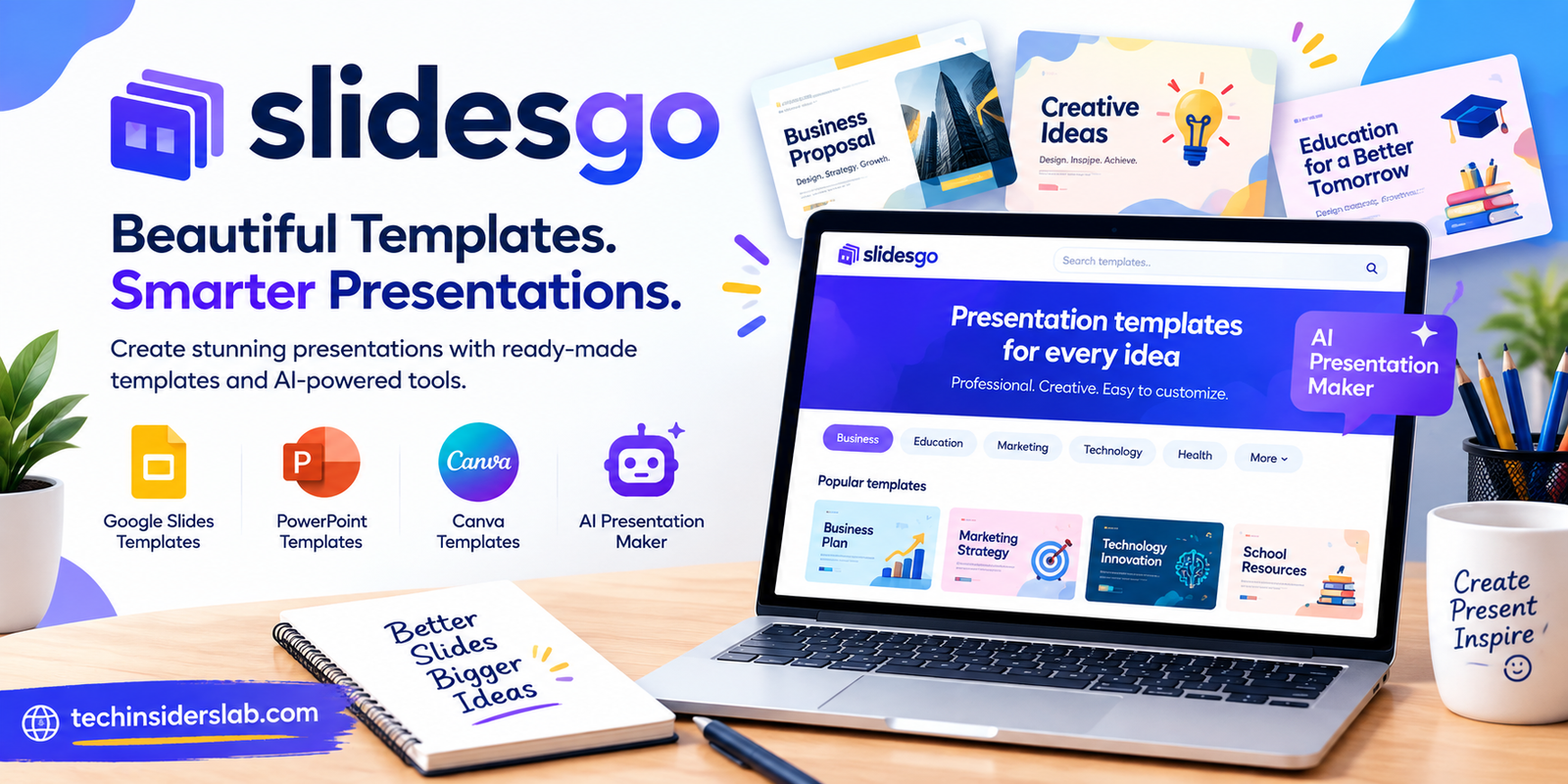
Slidesgo has become known for its collection of Google Slides and PowerPoint templates. Its library covers a wide range of subjects, industries, visual styles, and presentation purposes. The platform also includes an AI Presentation Maker that can turn a topic or written idea into an editable presentation.
What Is Slidesgo?
Slidesgo is an online presentation resource focused on helping users create attractive and editable slide decks without designing every slide from scratch. Instead of opening a blank PowerPoint or Google Slides document, users can select a professionally designed template and customize it according to their needs.
The platform provides templates for education, business, marketing, technology, science, healthcare, creative projects, research, and many other subjects. Templates are available in different visual styles, including minimalist, modern, colorful, professional, creative, and illustrated designs.
Many Slidesgo templates can be used with Google Slides and Microsoft PowerPoint, while selected templates are also available for editing in Canva. The templates are designed to remain customizable, allowing users to change text, graphics, colors, layouts, and other presentation elements.
Why Is Slidesgo Popular?
One of the main reasons people use Slidesgo is the amount of time it can save. Designing a presentation from an empty slide requires decisions about typography, spacing, colors, images, icons, and slide structure. A ready-made template provides much of that visual foundation.
Slidesgo also organizes templates according to topics and use cases. Users can search for presentations related to subjects such as education, technology, marketing, business, research, health, history, and many other areas.
The platform currently lists a large variety of template topics and formats. Its collection includes presentation types such as pitch decks, research presentations, lesson materials, worksheets, planners, portfolios, project proposals, and social media designs.
This variety makes the platform useful for people who need different types of presentations rather than a single fixed design.
Slidesgo Templates
Templates are the central part of the Slidesgo experience. Instead of creating every slide manually, users can start with a pre-designed presentation and adapt it to their own content.
A typical template may contain title slides, section dividers, content layouts, charts, tables, timelines, diagrams, image placeholders, and other visual elements. Many templates also include editable graphics and large collections of icons.
For example, Slidesgo presentation templates commonly offer editable graphics such as graphs, maps, tables, timelines, and mockups. Some templates also provide hundreds of icons that users can customize for their presentations.
This approach is particularly useful when the information is already available but the user needs help presenting it in a more organized visual format.
Templates for Students and Teachers
Education is one of the major areas where presentation templates can be useful. Students can use Slidesgo to prepare class projects, research presentations, thesis presentations, reports, and educational assignments.
Teachers can also use presentation designs for lessons, classroom activities, educational explanations, worksheets, and other teaching materials.
Slidesgo has also developed AI-focused educational tools. Its education section includes features for creating presentations, lesson plans, images, rewritten text, background removal, and student assessments.
For students, templates can provide a starting point when they have difficulty deciding how to organize a presentation. Teachers can similarly save design time by adapting an existing layout instead of building classroom slides from scratch.
Slidesgo for Business Presentations
Business users often need presentations for meetings, marketing plans, project proposals, company introductions, reports, pitches, and internal communication.
A professional template can provide a consistent visual structure across the entire presentation. Instead of using plain text-heavy slides, users can organize information through charts, timelines, diagrams, images, and section slides.
Slidesgo includes templates covering business and marketing subjects, including pitch decks, project proposals, marketing plans, meetings, portfolios, and other professional formats.
However, businesses should still customize templates carefully. A presentation representing a company should normally use appropriate branding, colors, logos, terminology, and accurate business information rather than relying entirely on a generic template.
Slidesgo AI Presentation Maker
One of the newer features of Slidesgo is its AI Presentation Maker. Instead of selecting and manually editing a template first, users can provide a topic and allow AI to create a presentation structure.
According to Slidesgo, its AI Presentation Maker can transform an idea or topic into a presentation, allow users to edit the generated content, select a style, and download the result in PPTX format. The generated presentation can then be further edited in tools such as PowerPoint and Google Slides.
This can be useful when a user has a general idea but does not know how to turn it into a complete slide deck.
For example, someone preparing a presentation about artificial intelligence could enter the topic and allow the AI system to generate an initial structure. The user can then review the information, modify the wording, replace visuals, and adjust the design.
How the AI Presentation Process Works
The basic process is relatively straightforward.
First, the user decides what the presentation should be about. This could be a school project, business presentation, marketing topic, research subject, or another type of presentation.
Next, the topic or instructions are provided to the AI presentation tool. The system generates an initial presentation based on the information supplied.
After generation, users can personalize the result. Slidesgo describes options for adjusting the content, style, and presentation design before downloading the finished file.
The final presentation can be exported as a PPTX file, allowing additional editing in compatible presentation software.
AI generation can save time, but it should not replace human review. Users should verify facts, correct awkward wording, remove unnecessary information, and make sure the presentation actually matches its intended audience.
Free and Premium Options
Slidesgo provides both free and premium presentation resources. The availability of individual templates and features can vary.
Free templates can be useful for students, casual users, and anyone who wants to experiment with presentation design without immediately paying for a subscription.
However, some free templates require attribution. Slidesgo’s template pages explain that free users may need to keep the credit slide associated with the template.
Premium resources can provide access to additional templates and features, depending on the current subscription structure. Users should check the current terms before purchasing because pricing, limits, and included features can change over time.
The AI Presentation Maker also has usage limitations on its free offering. Slidesgo currently states that users can create up to three AI presentations per month for free, while additional generations and advanced features may require Premium access.
Main Benefits of Slidesgo
Slidesgo offers several practical advantages for people who frequently create presentations.
Saves Design Time
Starting with a prepared layout eliminates much of the initial design work. Users can focus more on their content instead of creating every visual element manually.
Large Variety of Designs
Different subjects require different presentation styles. Slidesgo provides templates ranging from professional and minimalist designs to colorful, creative, educational, and technology-focused layouts.
Easy Customization
Templates are intended to be editable. Users can modify text, colors, images, charts, icons, and other elements according to their requirements.
Multiple Presentation Platforms
Many templates support PowerPoint and Google Slides, while selected designs can also be edited through Canva.
AI Assistance
The AI Presentation Maker gives users another way to create presentations when they want to start from a topic rather than manually selecting every slide.
Potential Limitations
Although Slidesgo can make presentation design easier, it is not perfect for every situation.
The biggest limitation of ready-made templates is that other people may use the same design. If originality is important, users should customize the template instead of leaving it unchanged.
Another consideration is the difference between free and premium resources. Some designs and features may require a paid plan, while free templates can include attribution requirements.
AI-generated presentations also need human editing. An automatically generated deck may provide a useful starting structure, but users should verify facts and make sure the language, visuals, and slide order are appropriate.
For highly branded corporate presentations, extensive customization may also be necessary to make the final design match an organization’s identity.
Who Should Use Slidesgo?
Slidesgo can be useful for a broad range of users.
Students can use it for assignments, projects, research, and classroom presentations.
Teachers can create lesson materials, educational slides, classroom activities, and visual explanations.
Business professionals can use presentation templates for meetings, proposals, reports, and project presentations.
Marketers can use presentation designs for marketing plans, campaign ideas, product information, and business proposals.
Freelancers and content creators can use templates to prepare professional-looking decks without spending extensive time on visual design.
The platform’s AI tools can also be useful for people who want to quickly turn an idea into an initial presentation structure.
Tips for Creating Better Slidesgo Presentations
Choosing a good template is only the first step. The final presentation still depends on how the information is organized.
Keep each slide focused on one main idea. Avoid filling slides with large paragraphs because presentations work better when the audience can quickly understand the key points.
Use visuals when they genuinely support the information. Charts, diagrams, icons, and images can make complicated information easier to understand.
Customize the template to fit your purpose. Changing colors, images, fonts, and examples can make a standard template feel more relevant and personal.
Finally, review the entire presentation before presenting it. Check spelling, facts, alignment, image quality, slide order, and consistency.
Slidesgo vs Starting From Scratch
Creating a presentation from scratch provides complete control, but it also requires more time and design knowledge. Slidesgo takes a different approach by providing a visual starting point.
For users who already have strong presentation-design skills, starting from a blank document may sometimes provide greater flexibility. For users who want to save time or need inspiration, a ready-made Slidesgo template can provide a useful foundation.
The choice ultimately depends on the project, available time, required level of customization, and presentation goals.
Conclusion
Slidesgo is a useful presentation-design platform for students, teachers, professionals, marketers, and content creators who want to create attractive presentations without designing every slide from scratch. Its wide range of editable templates, support for popular presentation platforms, and AI-powered presentation features make the process faster and more convenient.
Whether you need a classroom presentation, business proposal, project report, or creative slide deck, Slidesgo provides a practical starting point. However, users should still customize templates, verify AI-generated information, and make sure the final presentation matches their audience and purpose.