Introduction
Meetings are an essential part of modern work, but keeping track of every discussion, decision, and task can be difficult. Whether you are attending a business meeting, interviewing a candidate, discussing a project, or joining an online class, taking notes while listening can divide your attention. Important details may be missed, and remembering everything afterward can become a challenge.
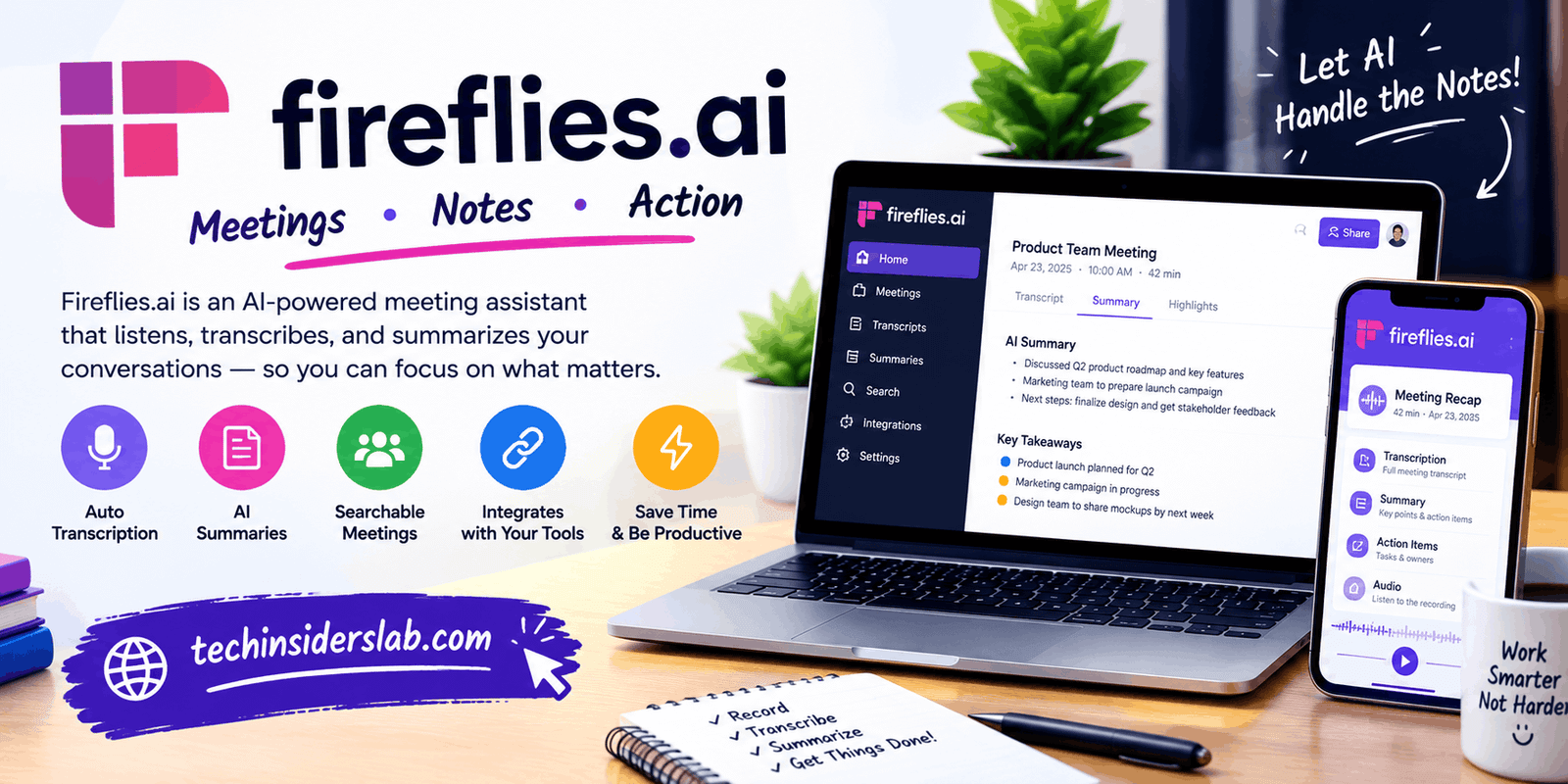
Fireflies.ai is an artificial intelligence-powered meeting assistant designed to make this process easier. It helps users transcribe conversations, generate meeting summaries, identify action items, and search through past discussions. Instead of spending valuable time writing every detail manually, users can focus more on the conversation and review the recorded information later.
The platform is useful for professionals, students, sales teams, recruiters, managers, and remote workers who regularly participate in meetings. However, understanding its features, limitations, pricing structure, and privacy considerations is important before deciding whether it suits your needs.
This guide explains what Fireflies.ai is, how it works, its major features, practical uses, advantages, disadvantages, and tips for getting better results.
What Is Fireflies.ai?
Fireflies.ai is an AI-powered meeting assistant that captures and processes conversations to create searchable transcripts, summaries, and other meeting-related information. It can work with supported online meeting platforms, recordings, and certain in-person conversations.
Its main purpose is to reduce the amount of manual work associated with meeting documentation. Rather than relying entirely on handwritten notes, users can review a transcript, find important statements, identify decisions, and check what needs to happen next.
Fireflies.ai can support platforms such as Zoom, Google Meet, and Microsoft Teams, with additional capture options through its browser extension, desktop application, mobile application, and audio or video uploads.
The platform also includes AI features that help users ask questions about previous meetings, organize information, and analyze conversations. Available capabilities depend on the account plan, settings, and feature access.
One important point is that Fireflies.ai is not simply a voice recorder. It combines speech transcription with tools designed to turn conversations into useful information that people can review and act on.
How Does Fireflies.ai Work?
Fireflies.ai follows a straightforward process that transforms spoken conversations into organized meeting records.
1. Connect a Meeting or Recording
Users can connect supported meeting platforms, configure their calendar, use available recording tools, or upload an existing audio or video file. The method depends on the meeting environment and the features they choose to use.
2. Capture the Conversation
Once configured, the AI notetaker can capture supported meetings. Users may also use available desktop or mobile recording options for appropriate conversations.
Meeting participants should be informed when required, and recording must comply with applicable laws, organizational policies, and platform rules.
3. Generate a Transcript
The system processes the conversation and converts speech into text. Speaker labels and timestamps can help users identify who said something and where a particular statement appears in the recording.
The quality of the transcript may vary depending on audio clarity, accents, background noise, overlapping speech, and technical terminology.
4. Create AI Meeting Notes
After processing, Fireflies.ai can generate a structured summary containing important discussion points, decisions, and potential action items. Users can refer to these notes instead of reviewing an entire recording every time.
5. Search, Share, and Organize Information
Users can search meeting records, revisit specific statements, share notes with teammates, and connect information to supported productivity tools. This makes it easier to turn meeting discussions into follow-up work.
Key Features of Fireflies.ai
Fireflies.ai offers several features that help turn meetings into organized, searchable information.
1. AI-Powered Transcription
One of its main features is converting spoken conversations into written text. This is helpful when you need to review exact statements, check details, or prepare documentation after a discussion.
The platform supports transcription in more than 100 languages, although performance may vary depending on the language, accent, audio quality, and meeting conditions.
2. Automatic Meeting Summaries
Long meetings can contain discussions that are not equally important. Fireflies.ai creates structured summaries to help users identify the main topics without reading the entire transcript.
Depending on the summary format, these notes may include:
- A general meeting overview.
- Important discussion points.
- Decisions and conclusions.
- Follow-up tasks.
- Timestamps that help locate relevant parts of a conversation.
This feature is particularly useful for people who attend several meetings every day.
3. Action Item Detection
Meetings often end with tasks that someone needs to complete. Fireflies.ai can identify potential action items from conversations and organize them into a more manageable list.
For example, if a team discusses preparing a product presentation by Friday, the system may identify the task and its deadline. Users should still verify automatically extracted tasks because the AI may misunderstand responsibility, timing, or the intended meaning.
4. AskFred AI Assistant
AskFred is Fireflies.ai’s AI assistant for asking questions about meeting content. Instead of manually searching a lengthy transcript, you can ask questions about decisions, updates, or particular discussion points.
For example, a project manager might ask what deadlines were discussed during a planning meeting. The assistant can use the available meeting information to generate an answer.
Its usefulness depends on the quality of the underlying transcript and the context available to the assistant. Important answers should be checked against the original notes or recording.
5. Meeting Search and Organization
Fireflies.ai provides searchable meeting records, allowing users to locate information from earlier conversations. This can be valuable when someone needs to remember a client request, revisit a technical decision, or confirm what was discussed during a previous meeting.
Instead of depending on personal memory, teams can maintain an organized collection of meeting information.
6. Integrations With Productivity Tools
The platform can connect with supported communication, customer relationship management, and project management tools. Depending on the integration and plan, meeting information can be shared with other applications to support follow-up workflows.
These connections can reduce repetitive data entry and make it easier to move from a conversation to a task, customer record, or team update.
7. Conversation Analytics
Certain plans include analytics that help users understand patterns in meetings. Available insights may include speaker talk time, recurring topics, and other conversation indicators.
Sales teams and managers can use these insights to identify opportunities for better communication. However, automated sentiment or conversation analysis should not be treated as a complete or objective judgment of a person’s performance.
These features make Fireflies.ai useful for both individual productivity and team collaboration. Availability varies by plan and configuration.
Who Can Benefit From Fireflies.ai?
Fireflies.ai is designed for people who need to capture, organize, or review spoken information. Different users can apply it to different workflows.
Business Professionals
Managers and employees can use automated notes to keep track of meeting decisions, responsibilities, deadlines, and project updates. This can reduce the need to write detailed notes during every discussion.
Sales Teams
Sales professionals can review customer conversations, identify questions, track commitments, and prepare follow-up messages. Searchable meeting records can also help teams understand recurring customer concerns.
Recruiters and HR Teams
Recruiters may use meeting transcripts to review interview discussions and organize feedback. Because interviews involve personal information, appropriate consent, access controls, and organizational policies are especially important.
Students and Educators
Students may use permitted recordings and transcripts to review lectures, capture important concepts, and organize study notes. Educators can also use meeting summaries for administrative discussions.
Students should check institutional rules before recording classes, and transcripts should not replace careful learning or independent note-taking when those are necessary.
Remote and Hybrid Teams
Distributed teams often rely on video calls to coordinate work across locations and time zones. Meeting summaries can help people who missed a discussion catch up and understand the next steps.
Freelancers and Consultants
Freelancers can use meeting notes to track client requirements, project changes, and agreed deadlines. A searchable record may also help clarify misunderstandings about project scope.
Fireflies.ai Pricing and Plans
Fireflies.ai offers different subscription plans for individuals and teams. The free option is useful for trying the platform, while paid plans provide additional storage, recording, collaboration, and AI capabilities. Features and prices may change over time.
| Plan | Price shown for annual billing | Best for |
| Free | $0 | Beginners and occasional users |
| Pro | $10 per user/month | Professionals and small teams |
| Business | $19 per user/month | Growing teams |
| Enterprise | $39 per user/month | Larger organizations |
The monthly billing prices shown for Pro and Business are higher than the annual rates. Check the available plan details before subscribing.
Is the Free Plan Enough?
The free plan can be a reasonable starting point if you want to test meeting transcription, summaries, and search before paying. However, storage limits, AI credits, and the availability of specific features can affect how much you can accomplish without upgrading.
Professionals who attend meetings frequently may find a paid plan more suitable, particularly when they need more storage, downloadable recordings, or advanced integrations.
Advantages of Fireflies.ai
Fireflies.ai offers several practical benefits for users who regularly handle meetings and conversations.
- Saves time: Reduces the need to write detailed notes manually.
- Improves organization: Keeps transcripts, summaries, and tasks in a searchable workspace.
- Supports multiple languages: Helps users working across different languages.
- Makes follow-ups easier: Highlights potential tasks and decisions.
- Supports teamwork: Helps teams share meeting information and maintain consistent records.
- Connects with other tools: Integrations can reduce repetitive administrative work.
The greatest benefit is the ability to spend more attention on the discussion while retaining a useful record for later review.
Disadvantages of Fireflies.ai
Despite its benefits, Fireflies.ai is not perfect for every situation.
- Transcription errors: Accents, background noise, technical words, and overlapping speakers may affect accuracy.
- Privacy concerns: Recording conversations requires careful handling of sensitive information and appropriate consent.
- Plan restrictions: Storage, AI credits, and advanced features may require a paid subscription.
- AI mistakes: Summaries and extracted action items can omit important context or misinterpret a statement.
- Setup requirements: Calendar connections, recording permissions, and integrations may require configuration.
- Dependence on recorded information: A transcript cannot always communicate tone, visual context, or meaning that was not captured clearly.
For important business decisions, legal discussions, or sensitive conversations, users should verify AI-generated notes rather than relying on them without review.
Fireflies.ai Security and Privacy
Meeting transcripts can contain confidential business information, personal details, customer records, and internal plans. Privacy should therefore be considered before using any AI meeting assistant.
Fireflies.ai states that meeting content is not used to train its AI models and describes its security measures, data controls, and enterprise privacy options. However, users should review the applicable privacy policy and account settings to understand how their information is handled.
For safer use:
- Inform participants when meetings are recorded, and obtain consent where required.
- Avoid recording sensitive conversations unless the tool is approved for that purpose.
- Review who can access transcripts, recordings, and summaries.
- Check integrations and permissions before connecting other applications.
- Delete meeting content that is no longer needed, according to your organization’s policies.
- Follow relevant privacy laws and workplace requirements.
No tool should be treated as automatically suitable for every confidential meeting simply because it offers security features.
Tips for Getting Better Results From Fireflies.ai
You can improve your experience by using a few simple practices.
- Use a clear microphone: Better audio generally produces better transcripts.
- Reduce background noise: Minimize interruptions and avoid having several people speak simultaneously.
- Review the summary: Check names, numbers, deadlines, and decisions before sharing the notes.
- Use specific questions: When using AskFred, ask focused questions about a particular meeting or decision.
- Organize meeting records: Use meaningful meeting titles and available organizational features to find information later.
- Choose the right plan: Compare your expected meeting volume, storage requirements, and AI usage before paying.
- Set appropriate privacy controls: Keep sensitive meeting records accessible only to people who need them.
These habits help make AI-generated meeting documentation more reliable and useful.
Conclusion
Fireflies.ai is a useful AI meeting assistant for people who want to spend less time taking notes and more time participating in conversations. Its transcription, automated summaries, action item detection, searchable meeting records, and AskFred assistant can help individuals and teams manage information more efficiently.
However, transcription accuracy, subscription limits, and privacy requirements should be considered before adopting the platform. Reviewing important AI-generated information and controlling access to meeting records are essential for responsible use.
Overall, Fireflies.ai is worth considering for professionals, students, freelancers, and businesses that regularly attend meetings and need a convenient way to organize their conversations.