QuickBooks Online: Guide to Cloud-Based Business Accounting
introduction
Managing business finances can become complicated when income, expenses, invoices, bills, receipts, taxes, and reports are handled manually. For small businesses, freelancers, entrepreneurs, and growing companies, having a reliable accounting system can make financial management much easier. QuickBooks Online is one of the widely used cloud-based accounting platforms designed to help businesses organize their finances from a single online environment.
Unlike traditional accounting software that may require installation on a particular computer, QuickBooks Online works through the cloud. This allows users to access their financial information from supported computers, tablets, and smartphones with an internet connection. The platform combines accounting tools with invoicing, expense tracking, reporting, payments, integrations, and other business-management capabilities.
What Is QuickBooks Online?
QuickBooks Online is cloud-based accounting and business management software developed by Intuit. It is designed to help businesses record transactions, monitor income and expenses, create invoices, manage bills, connect financial accounts, and generate reports.
Because the platform operates online, businesses do not need to depend on a single desktop computer to access their accounting information. QuickBooks states that its online product can be accessed from PCs, Macs, tablets, and smartphones, while its mobile experience stays synchronized with the web version.
This cloud-based approach is particularly useful for businesses where owners, employees, and accountants need to work with financial information from different locations.
How QuickBooks Online Works
The basic idea behind QuickBooks Online is to bring important financial information into one centralized system. After setting up a company profile, users can connect eligible bank and credit-card accounts, import financial data, organize transactions, create invoices, record expenses, and generate reports.
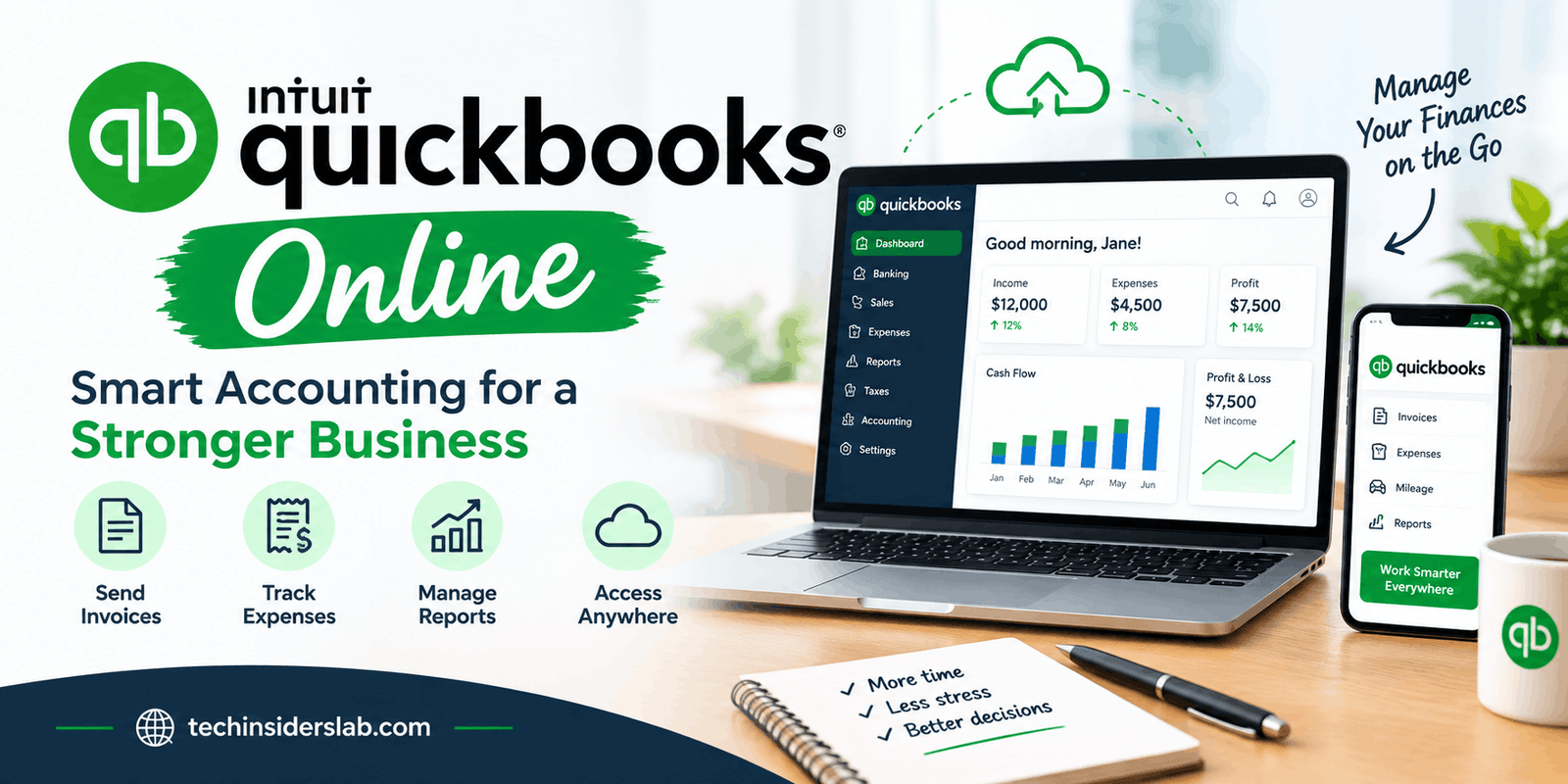
The dashboard provides an overview of important business information, including income, expenses, and other financial activity. QuickBooks’ current setup guidance also covers connecting bank and credit-card accounts, importing data, setting up taxes, adding employees, customizing invoices, managing users, and running reports.
Once financial information is organized, business owners can use the available reports to better understand how the company is performing.
Key Features of QuickBooks Online
1. Income and Expense Tracking
One of the most important purposes of accounting software is keeping track of money coming into and going out of a business. QuickBooks Online allows businesses to organize income and expenses and connect financial accounts for easier transaction management.
Connected bank and credit-card accounts can automatically bring transactions into QuickBooks, reducing the amount of manual data entry required. Users can then review and categorize transactions so their books remain organized.
This can be particularly helpful for businesses that process many transactions every month.
2. Professional Invoicing
Invoices are an essential part of getting paid. QuickBooks Online provides tools for creating and sending professional invoices to customers.
Businesses can customize invoices with relevant company information and monitor outstanding amounts. Depending on the plan and payment setup, customers can also have convenient ways to pay invoices.
QuickBooks highlights invoicing as one of its core business features, making it possible to create and send invoices while keeping related financial information organized in the same system.
3. Expense Management
Tracking expenses accurately is important for understanding profitability and preparing financial information. QuickBooks Online can organize business expenses and connect them with imported financial transactions.
The platform also provides receipt-management capabilities. Users can capture receipt information using a smartphone and connect receipts with expenses, which can reduce the need to maintain piles of physical paperwork.
For businesses that make frequent purchases, this feature can make record keeping considerably more organized.
4. Bank Connections and Automatic Data
QuickBooks Online can connect eligible bank accounts and credit cards so financial transactions can be imported into the accounting system.
This helps reduce repetitive data entry. Instead of manually recording every transaction, users can review imported information and categorize or match it appropriately.
QuickBooks also states that its online banking connections use a read-only connection for financial features, meaning information in the product cannot be used to move money through that connection.
5. Financial Reports
Financial reports help business owners understand what is happening inside their companies. QuickBooks Online provides reports that can help users examine income, expenses, profitability, balances, and other financial information.
The platform’s reporting tools can include commonly used reports such as profit and loss statements and balance sheets. Higher-level plans can provide additional reporting and customization capabilities.
These reports can help business owners make decisions based on organized financial information instead of relying entirely on estimates.
6. Bill and Vendor Management
Businesses do not only need to collect money; they also need to manage money they owe. QuickBooks Online includes tools for managing bills and vendors on applicable plans.
For example, users can track bill status, create recurring payments, and manage multiple vendor-related transactions.
Keeping bills organized can help businesses avoid missed payments and gain a clearer understanding of upcoming financial obligations.
7. Mobile Access
Modern businesses often need financial information while away from the office. QuickBooks Online includes a mobile experience that works alongside the web version.
The mobile app can be used for tasks such as viewing business information, sending invoices, capturing receipts, and reviewing financial activity. QuickBooks says that information entered through the mobile app and web experience stays synchronized.
This makes the platform useful for business owners who travel, meet clients, or manage operations from different locations.
QuickBooks Online Integrations
Another major advantage of QuickBooks Online is its ability to connect with external applications. Businesses often use separate tools for e-commerce, payments, inventory, customer management, time tracking, and other functions.
QuickBooks currently advertises integrations with more than 800 business applications. These integrations can help move data between different services and reduce repetitive manual entry.
The QuickBooks App Store includes categories such as e-commerce, expense management, inventory, CRM, time tracking, data import/export, and reporting.
For example, an online seller may connect its sales platform with QuickBooks so relevant orders and financial information can flow into the accounting environment.
QuickBooks Online for Small Businesses
Small businesses can benefit from QuickBooks Online because accounting responsibilities are often handled by a small team. A business owner may need to manage invoices, expenses, bank transactions, customer payments, and reports without maintaining a large accounting department.
QuickBooks provides different plans designed for different levels of business requirements. Available features and user limits vary by plan, so companies should compare the current options before choosing a subscription.
For a small business, the right plan depends on factors such as the number of users, invoicing needs, bill management, reporting requirements, inventory needs, and other business processes.
QuickBooks Online for Accountants
QuickBooks Online can also support collaboration between businesses and accounting professionals. Business owners can provide accountants or bookkeepers with appropriate access to company books.
QuickBooks’ feature information specifically includes accountant access and collaboration tools, allowing businesses to invite accountants, bookkeepers, or other users to work with their financial records.
This can make collaboration easier because financial information does not necessarily need to be transferred repeatedly between separate systems.
Security and Privacy
Financial data requires careful protection, particularly when businesses connect bank accounts and store sensitive accounting information online.
Intuit says QuickBooks Online uses multiple security measures, including encryption and authentication technologies. Its security information also describes protected servers, secure infrastructure, and SSL-related safeguards.
Users should still follow good security practices, including using strong passwords, enabling available verification methods, limiting account permissions, and carefully reviewing third-party application permissions.
Security is not only the responsibility of the software provider. Businesses should also establish sensible internal access policies.
QuickBooks Online and Modern AI Features
QuickBooks Online has continued to evolve beyond traditional bookkeeping. In 2026, Intuit began rolling out a refreshed QuickBooks experience with an updated interface, Intuit AI capabilities, modern reporting, and improved invoicing workflows.
AI-assisted features are increasingly becoming part of business software because they can help automate repetitive work and surface useful information. However, business owners should still review important accounting information rather than assuming every automated suggestion is correct.
Automation works best when it supports human review rather than completely replacing financial judgment.
Advantages of QuickBooks Online
There are several reasons businesses may choose QuickBooks Online:
- Cloud-based access from supported devices
- Income and expense tracking
- Professional invoicing
- Bank and credit-card connections
- Receipt organization
- Financial reporting
- Bill and vendor management
- Mobile access
- Accountant collaboration
- Extensive third-party integrations
- Automation for repetitive accounting tasks
- Regular product improvements and new features
The biggest advantage is that many everyday financial activities can be managed within one connected platform instead of being spread across numerous spreadsheets and separate applications.
Possible Limitations to Consider
QuickBooks Online is powerful, but it may not be the perfect solution for every business.
First, available features depend on the selected subscription plan. A business may need a higher-tier plan if it requires advanced reporting, additional users, specific workflows, or more sophisticated management features.
Second, cloud accounting depends on internet access. Although this provides flexibility, businesses still need a reliable internet connection to work comfortably with the online platform.
Third, accounting software does not automatically guarantee accurate bookkeeping. Incorrect categorization, incomplete information, or poor setup can still produce inaccurate reports. Businesses should review their records regularly and consult qualified accounting professionals when necessary.
Finally, third-party integrations can introduce additional complexity. Users should review permissions and understand what information an external application can access before connecting it to their QuickBooks account. QuickBooks itself advises users to review requested permissions when authorizing applications.
Who Should Use QuickBooks Online?
QuickBooks Online can be suitable for a wide range of organizations, including:
- Freelancers
- Small businesses
- Service-based companies
- Online businesses
- Retail businesses
- Growing companies
- Entrepreneurs
- Accountants and bookkeepers
- Businesses working with external accounting professionals
It can be especially useful when a company wants cloud-based accounting combined with invoicing, expense tracking, reporting, and integrations.
However, larger or highly specialized organizations may need to compare QuickBooks with enterprise accounting systems before making a final decision.
Tips for Getting the Most From QuickBooks Online
To use QuickBooks Online effectively, businesses should start with a well-organized account structure. Categories should be set up carefully so transactions can be recorded consistently.
Bank and credit-card connections should be reviewed regularly rather than simply allowing transactions to accumulate. Receipts should also be captured and organized as soon as possible.
Businesses should reconcile accounts regularly and review financial reports to identify unusual transactions or errors. It is also useful to establish appropriate user permissions so employees only receive the access they actually need.
Finally, businesses should keep their accounting processes consistent. Good software becomes much more effective when paired with accurate data and regular financial review.
Conclusion
QuickBooks Online is more than a basic bookkeeping application. It is a cloud-based business accounting platform that brings together income and expense tracking, invoicing, banking connections, reporting, bill management, receipt organization, mobile access, and third-party integrations.
Its cloud architecture makes it possible to work with financial information from multiple devices, while its integration ecosystem can connect accounting with other business processes. The platform has also continued to evolve, with newer AI-powered capabilities and an updated experience becoming part of the modern QuickBooks environment.
For freelancers, small businesses, entrepreneurs, and growing companies, QuickBooks Online can provide a centralized way to organize financial operations. The most important factor is selecting the appropriate plan, setting up the books correctly, reviewing transactions consistently, and using automation alongside human oversight.
When used properly, QuickBooks Online can reduce repetitive accounting work and give business owners a clearer view of their financial position, helping them spend less time organizing numbers and more time managing and growing their business.