ARMS: Guide to Application Resource Management Systems
Introduction
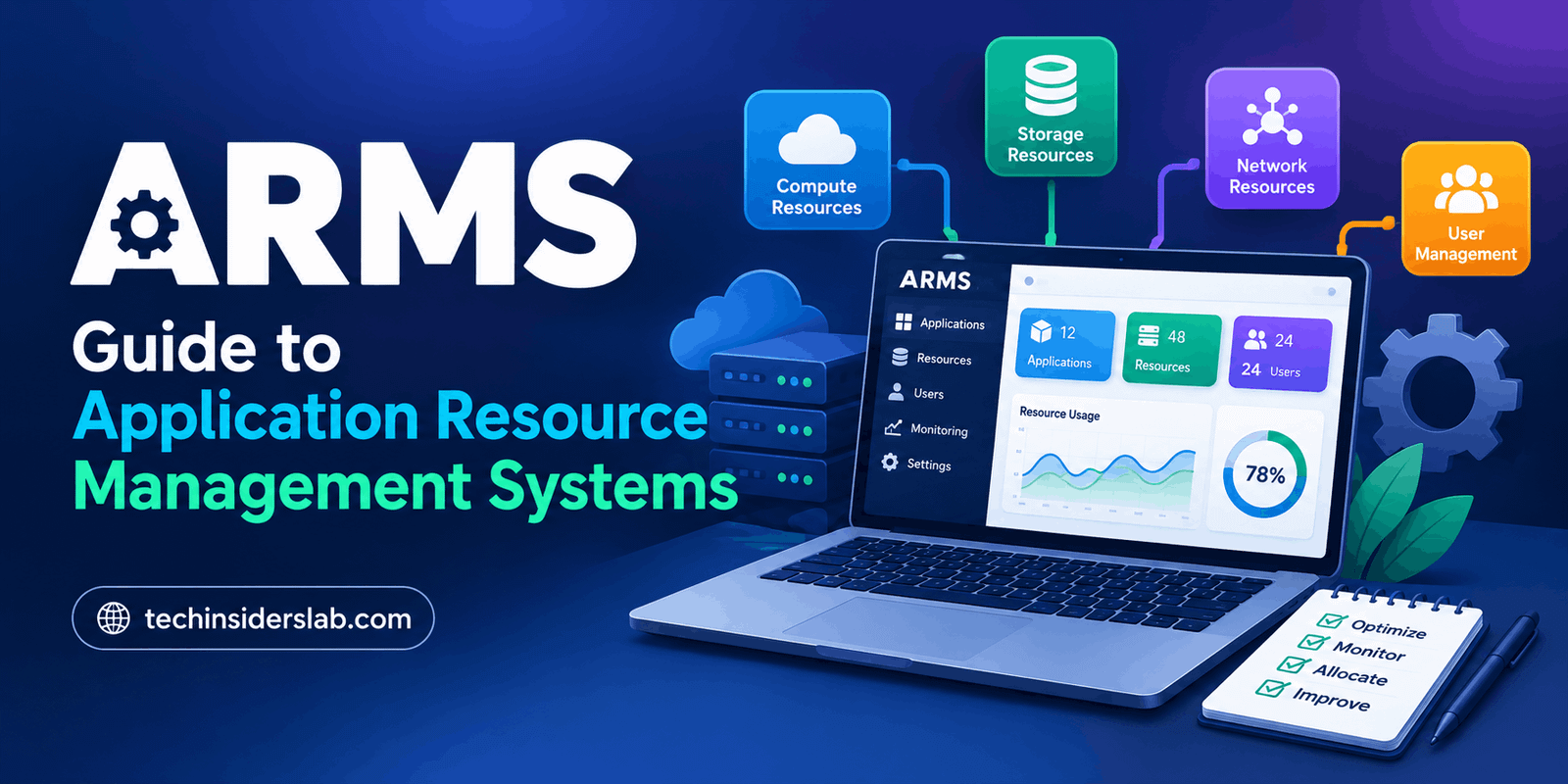
Modern businesses and technology teams depend on software applications, digital tools, computing resources, and organized workflows to complete their daily tasks. As organizations grow, managing these resources efficiently becomes more complicated. Teams need a reliable way to monitor resource usage, organize workloads, identify problems, and improve productivity. This is where the concept of an Application Resource Management System (ARMS) becomes relevant.
An Application Resource Management System can be understood as a software-based approach to organizing and managing the resources required by applications and business operations. Depending on the specific product, these resources may include computing power, memory, software applications, employee assignments, operational information, and infrastructure.
However, ARMS is not a universally standardized product name. Different organizations use this abbreviation for different systems, so its exact features depend on the platform being discussed. In this guide, we explore the general concept of application resource management, its potential benefits, common features, practical uses, and important considerations.
What Is ARMS?
ARMS stands for Application Resource Management System in the context discussed in this article. It refers to a system designed to help organizations manage the resources associated with applications and operational activities.
A resource management system can bring information together in one place, helping teams understand what resources are available, where they are being used, and whether adjustments are necessary. Instead of relying entirely on spreadsheets, manual records, and disconnected applications, organizations can use software to improve visibility and coordination.
For example, a company operating several applications might need to monitor server capacity, track application performance, allocate resources between departments, and identify inefficient processes. A suitable management platform can help organize these activities and support better decisions.
It is important to distinguish this general concept from specific products that use the ARMS name. Some platforms focus on application performance monitoring, while others concentrate on aviation operations, administrative resources, or other specialized tasks. Therefore, users should always verify the official documentation of the particular ARMS platform they intend to use.
How Does an Application Resource Management System Work?
The working process depends on the software’s purpose, but a typical resource management solution follows several general steps.
1. Resource Collection
The system collects relevant information about the resources it is designed to manage. In an IT environment, this could include application activity, computing capacity, memory usage, service requests, or performance measurements.
Business-focused systems may instead collect information about equipment, schedules, inventory, or operational tasks.
2. Data Organization
After collecting information, the software organizes it into categories, dashboards, reports, or searchable records. This makes it easier for users to understand the current situation without checking several separate systems.
3. Resource Monitoring
Monitoring helps users identify changes in resource usage and recognize potential problems. For example, an application monitoring platform may show increasing response times, unusual error rates, or growing demand for computing resources.
The exact monitoring capabilities depend on the product and its configuration.
4. Analysis and Decision-Making
Organized information allows teams to evaluate performance and determine where improvements are needed. Managers can investigate resource shortages, while technical teams can identify application bottlenecks.
5. Optimization
Based on the information available, teams can adjust resource allocation, improve workflows, investigate technical problems, or plan future capacity.
Some advanced platforms also support automated alerts and actions, but automation should never be assumed to be available in every ARMS solution.
Key Features of ARMS
An application resource management solution may provide several useful features. The following are common capabilities associated with resource management software rather than guaranteed features of every product called ARMS.
Centralized Resource Management
Centralized management allows users to access relevant resource information through a common interface. This can reduce the need to maintain multiple disconnected records and make important information easier to locate.
For organizations managing many applications or operational processes, centralized visibility can improve coordination between teams.
Application Performance Monitoring
When ARMS refers to an application monitoring platform, performance monitoring may be one of its main capabilities. Users can track indicators such as response time, request volume, errors, and application availability.
These measurements help technical teams understand how an application behaves under different conditions and determine whether users are experiencing performance problems.
Resource Allocation
Resource allocation involves assigning available resources where they are most useful. In an IT environment, this may mean adjusting computing capacity or distributing workloads. In other industries, it could involve assigning equipment, personnel, or operational capacity.
Effective allocation can help organizations avoid unnecessary resource consumption and reduce bottlenecks.
Dashboards and Reports
Dashboards provide a summarized view of important information, while reports help users examine trends and performance over time.
Depending on the system, reports may support capacity planning, troubleshooting, operational reviews, and management decisions.
Alerts and Notifications
Some resource management platforms can notify users when specific conditions occur. Examples include application errors, unusual resource consumption, or performance measurements exceeding configured thresholds.
Well-designed alerts help teams respond promptly, although poorly configured notifications can create unnecessary noise.
Integration With Other Systems
Organizations often use multiple software platforms. Integration can allow resource management tools to exchange information with monitoring services, databases, cloud infrastructure, reporting applications, or business systems.
Available integrations vary considerably, so compatibility should be checked before choosing a particular solution.
Benefits of Using ARMS
Improved Resource Visibility
One of the main advantages of resource management software is better visibility. When relevant information is organized and accessible, teams can more easily identify available resources, understand current usage, and recognize potential shortages.
This can be particularly valuable for organizations that operate multiple applications or manage complex workflows.
Better Operational Efficiency
Manual resource tracking can consume significant time. A suitable management system can reduce repetitive work by organizing records, simplifying reporting, and supporting consistent processes.
Employees can then spend more time addressing important tasks instead of repeatedly collecting the same information.
Faster Problem Identification
For application monitoring use cases, performance data and alerts can help teams recognize issues earlier. Identifying an increase in errors or response times can provide a useful starting point for investigating the underlying cause.
However, monitoring software does not automatically eliminate every problem. Effective troubleshooting still requires appropriate technical knowledge and investigation.
More Informed Decisions
Resource planning becomes easier when decisions are supported by reliable information. Managers can review historical usage, compare performance indicators, and identify areas where additional resources or process improvements may be necessary.
Better information can support planning, although results still depend on data quality and how the information is interpreted.
Potential Cost Savings
Resource management can help organizations identify unused capacity, duplicated work, and inefficient allocation. Correcting these problems may reduce unnecessary spending.
Savings are not guaranteed, however. Software subscription fees, implementation costs, maintenance, and training must also be considered.
Greater Scalability
As a business expands, its resource requirements may change. A suitable system can help teams understand growing demand and plan for additional capacity.
Organizations should select solutions that match their current needs while providing a reasonable path for future growth.
Common Use Cases of ARMS
IT and Software Development
Development teams can use resource management practices to organize computing capacity, monitor application workloads, and improve the use of technical infrastructure.
Performance monitoring solutions can also help identify slow services, application errors, and resource bottlenecks.
Cloud Computing
Cloud environments involve resources such as virtual machines, containers, storage, databases, and network services. Resource management helps organizations understand consumption and make better decisions about capacity.
Some platforms focus specifically on application observability rather than general resource allocation, so selecting the correct category of software is important.
Business Operations
Businesses can apply resource management principles to equipment, staff assignments, schedules, and operational processes.
A suitable system can make it easier to track responsibilities, coordinate activities, and maintain organized records.
Enterprise Applications
Large organizations may operate numerous interconnected applications. Managing dependencies, availability, and performance becomes important as these environments grow.
Application monitoring and resource planning tools can help technical teams maintain visibility across complex systems.
Specialized Industries
Certain industries use specialized resource management systems for aviation, healthcare administration, public safety, and other operational requirements.
These platforms may have industry-specific workflows and compliance features. They should not automatically be treated as interchangeable with general-purpose application management software.
ARMS vs. Traditional Resource Management
Traditional resource management often relies on spreadsheets, manual reporting, separate databases, and communication between departments.
These methods can work well for small projects, but they may become difficult to maintain as the number of resources increases.
A software-based approach can offer centralized records, more consistent reporting, automated data collection where supported, and better visibility into resource usage.
Nevertheless, not every organization needs a dedicated platform. A small business with simple requirements may find that a spreadsheet or existing business application is sufficient. The right choice depends on complexity, budget, security requirements, and the amount of information being managed.
Potential Challenges and Limitations
Although resource management software can be useful, organizations should consider its limitations before adopting a solution.
Implementation complexity: Connecting a new platform to existing applications and infrastructure may require technical work, configuration, and testing.
Data accuracy: Incorrect or incomplete information can lead to poor decisions. Organizations need reliable data collection and regular validation.
Learning requirements: Employees may need training to understand dashboards, reporting tools, and resource allocation processes.
Security and privacy: Systems that process operational or application data must be configured with appropriate access controls, data protection measures, and monitoring policies.
Cost considerations: Licensing, usage-based charges, implementation, and ongoing maintenance can increase the total cost of ownership.
Integration limitations: A platform may not support every programming language, infrastructure provider, or business application used by an organization.
Evaluating these challenges early can help businesses avoid selecting a tool that does not fit their actual requirements.
How to Choose the Right ARMS Solution
Before choosing a platform, identify the problem you want to solve. Do you need to monitor application performance, manage cloud resources, organize operational tasks, or improve resource allocation? Each requirement may call for a different type of software.
Next, evaluate the following factors:
- Required features: Make sure the platform supports your essential workflows and reporting needs.
- Compatibility: Confirm that it works with your existing applications, infrastructure, and operating environment.
- Ease of use: Look for a clear interface, useful documentation, and manageable setup requirements.
- Security: Review access permissions, data handling, retention policies, and available security controls.
- Scalability: Determine whether the solution can accommodate expected increases in workload or users.
- Pricing: Check subscription fees, usage limits, optional components, and implementation expenses.
- Support: Review the quality of technical documentation, customer assistance, and troubleshooting resources.
If a vendor offers a demonstration or trial, use it to test realistic workloads before making a long-term commitment.
Is ARMS Suitable for Small Businesses?
ARMS-related resource management software may be useful for small businesses when their existing methods become difficult to maintain. A growing company may need better visibility into its applications, equipment, operational tasks, or technical infrastructure.
However, a dedicated platform is not automatically the best choice for every small business. If requirements are simple, an existing project management tool, spreadsheet, or built-in monitoring feature may be sufficient.
The best approach is to identify recurring problems first and then choose the simplest solution that addresses them reliably.
Is ARMS the Same as Application Performance Monitoring?
No. Application resource management and application performance monitoring are related concepts, but they are not identical.
Resource management focuses on organizing, allocating, and using resources effectively. Application performance monitoring focuses on measuring application behavior, identifying errors, tracking response times, and diagnosing performance problems.
A particular platform may combine both types of functionality, but this depends on its design.
For example, Alibaba Cloud’s Application Real-Time Monitoring Service, also called ARMS, focuses on application observability and includes monitoring capabilities for applications and browsers, along with metrics, tracing, and alerting components. This is a specific product, not proof that every system using the abbreviation ARMS has the same features.
Conclusion
An Application Resource Management System can help organizations organize resources, improve operational visibility, and make better use of available information. Depending on the platform, its capabilities may include resource tracking, performance monitoring, reporting, alerts, integrations, and support for resource allocation.
The potential benefits include improved efficiency, better planning, faster problem identification, and more informed decisions. At the same time, organizations should evaluate implementation requirements, costs, security, compatibility, and data quality before adopting a solution.
Most importantly, ARMS can refer to different systems in different industries. Before selecting or reviewing a specific product, verify its full name, intended purpose, official features, and pricing. Understanding these details will help you choose the right solution for your technical or business requirements.