introduction
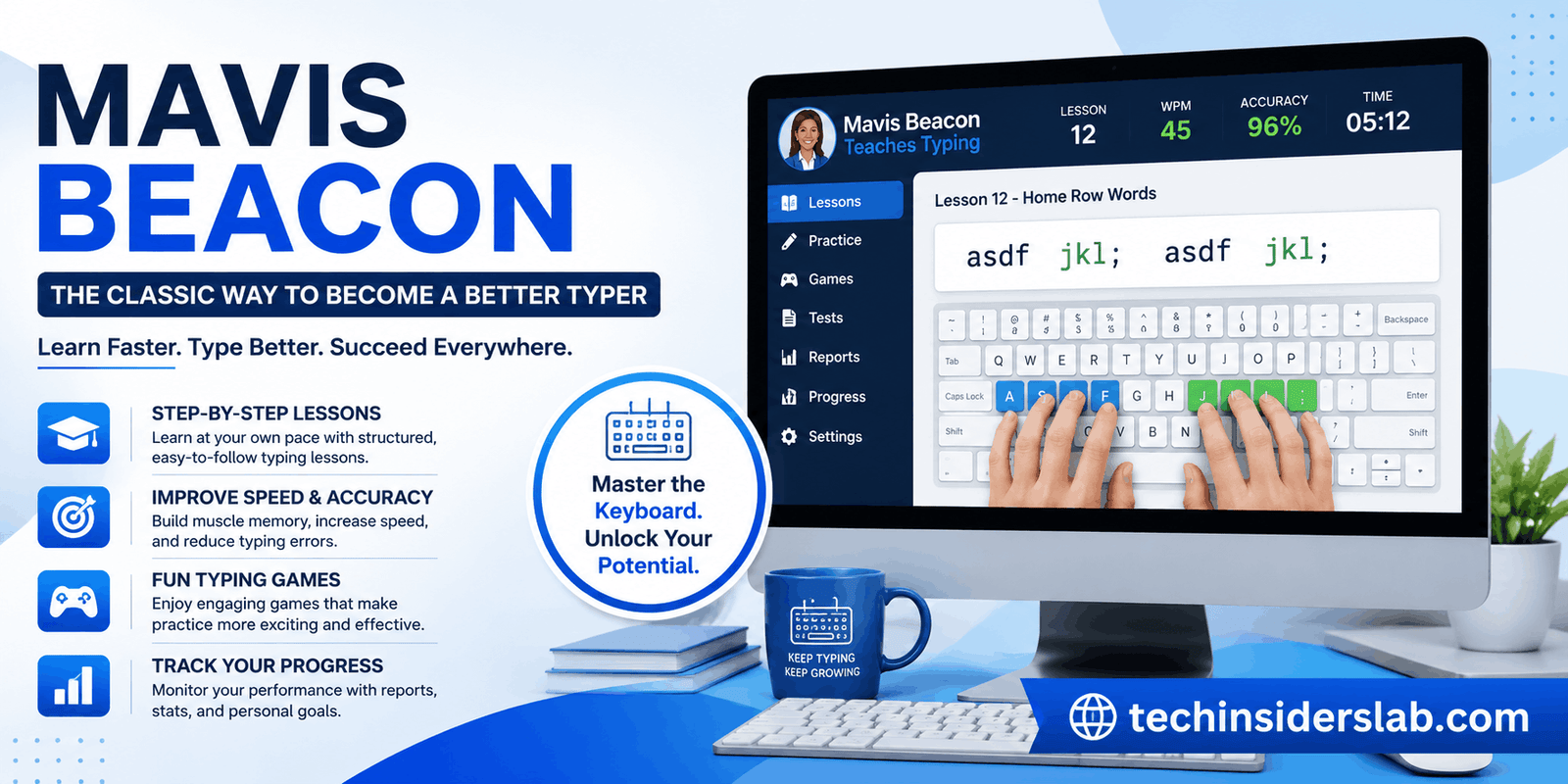
Typing is one of the most useful computer skills, yet many people still rely on slow two-finger typing or look at the keyboard while writing. Mavis Beacon Teaches Typing was created to solve exactly this problem. Instead of simply giving users random typing tests, the software combines structured lessons, practice exercises, progress tracking, and typing games to help learners gradually develop speed and accuracy. The software has been around since the late 1980s and has become one of the best-known names in computer typing education.
For students, office workers, beginners, and anyone who wants to improve keyboard skills, Mavis Beacon offers a more organized approach than simply practicing random paragraphs online. Its different editions and versions have included personalized lessons, assessments, games, reports, and activities designed around the user’s current ability.
What Is Mavis Beacon?
Mavis Beacon Teaches Typing is a typing tutor software program designed to teach touch typing and improve keyboarding efficiency. The original program was released in 1987 by The Software Toolworks and introduced an interactive approach to learning that was quite different from traditional typing instruction.
The name “Mavis Beacon” refers to a fictional character created for marketing rather than a real typing teacher. Over the years, the brand has evolved through different editions while maintaining its central purpose: helping people learn where keyboard keys are located and gradually type faster with fewer mistakes.
Modern versions continue this basic idea through guided lessons, practice activities, tests, games, and performance reports.
How Does Mavis Beacon Work?
Mavis Beacon is based around progressive typing practice. Instead of expecting a beginner to immediately type full sentences quickly, lessons introduce keyboard skills gradually.
A typical learning process involves:
- Learning proper finger positioning.
- Practicing individual keys.
- Combining keys into sequences.
- Moving from individual characters to words.
- Practicing sentences and longer passages.
- Measuring speed and accuracy.
- Repeating areas where improvement is needed.
Classroom documentation shows that the software can select lessons appropriate to a student’s skill level, while users can also access practice activities, speed tests, games, history, and help features.
This progression is important because typing is primarily a muscle-memory skill. The more consistently a person uses the correct fingers and hand positions, the less they need to consciously search for individual keys.
Main Features of Mavis Beacon
One of the reasons Mavis Beacon has remained recognizable for so long is the variety of learning features included in different editions.
1. Structured Typing Lessons
The central feature is the lesson system. Lessons introduce keyboard concepts progressively and allow users to build their skills instead of relying entirely on free-form practice.
Current product information for Mavis Beacon Teaches Typing Powered by UltraKey describes a structured approach that introduces new keystrokes progressively and combines them into pairs, words, and sentences.
This makes the software particularly useful for beginners who don’t know where to start.
2. Practice Exercises
Lessons are only one part of learning to type. Users also need repetition, and Mavis Beacon provides a dedicated practice area.
The 2020 version’s documentation explains that users can select practice lessons and even import their own text files for additional practice.
This can be useful when someone wants to practice with material that resembles their everyday work, such as articles, documents, or other text.
3. Speed and Accuracy Testing
Typing speed is commonly measured in words per minute (WPM), while accuracy measures how many mistakes a user makes.
Mavis Beacon includes speed tests and performance assessments so users can see whether their typing is actually improving. Some editions also allow users to establish personal goals and compare their performance against those goals.
This is important because typing faster isn’t necessarily useful if accuracy drops dramatically. Good typing performance requires a balance between speed and precision.
4. Progress Tracking
Progress tracking is another major strength of the software.
Classroom versions have included student reports that track performance and provide information about progress across lessons, quizzes, tests, and individual keyboard keys.
For teachers, this can make it easier to identify students who need additional practice. For individual users, progress reports provide a way to see whether regular practice is producing measurable results.
5. Typing Games
Typing practice doesn’t always have to feel like studying. Mavis Beacon has historically used games to make keyboard practice more engaging.
The classroom edition includes multiple typing games designed around skills such as speed, accuracy, rhythm, and endurance. As typing ability improves, games can become more challenging.
Newer editions have also included game zones with multiple interactive games and typing challenges.
This game-based approach can be especially useful for younger learners or people who lose motivation during repetitive typing exercises.
6. Personalized Learning
Another interesting aspect of Mavis Beacon is its emphasis on adapting learning to the user.
Older classroom documentation describes a system that records typing performance and uses typing history to help create individualized lessons.
This is more useful than giving every learner exactly the same exercises because beginners and experienced typists naturally have different weaknesses.
Mavis Beacon for Beginners
Beginners are probably the group that can benefit most from a structured typing tutor.
Someone who has never learned touch typing may know the keyboard layout but still use only a few fingers. This method can work for short messages, but it becomes inefficient when writing emails, assignments, reports, or longer documents.
Mavis Beacon introduces the learner to proper finger placement and gradually builds keyboard familiarity.
Instead of thinking:
“Where is this key?”
the learner can eventually reach a stage where the fingers automatically move toward the correct keys.
That transition is the real goal of touch typing.
Mavis Beacon for Students
Students regularly use keyboards for assignments, research, presentations, emails, and online learning. Slow typing can therefore become a genuine productivity problem.
Mavis Beacon’s educational features make it suitable for classroom and independent learning. The classroom edition provides lesson areas, practice activities, games, reports, and teacher-oriented progress monitoring.
For students, the biggest benefit isn’t simply achieving a high WPM score. Developing accurate touch-typing habits can make everyday computer work easier and less frustrating.
Mavis Beacon for Office Workers
Typing efficiency is also important in professional environments.
People who regularly write emails, reports, spreadsheets, customer responses, notes, or other documents can save considerable time by improving keyboard accuracy and speed.
However, professional users shouldn’t focus exclusively on speed. A person typing 70 WPM with frequent errors may be less productive than someone typing 55 WPM accurately.
A good training routine should therefore prioritize:
- Correct finger placement
- Accuracy
- Consistent rhythm
- Gradual speed improvement
- Proper posture
- Regular practice
Mavis Beacon’s combination of lessons, practice, and assessments supports this type of gradual improvement.
Why Typing Accuracy Matters
Many people make the mistake of treating WPM as the only important typing measurement.
Accuracy is equally important.
Suppose one person types 60 WPM with 98% accuracy while another types 75 WPM with 80% accuracy. The second person may need to spend significant additional time correcting mistakes.
This is why typing software commonly evaluates both speed and accuracy. Mavis Beacon’s testing and assessment features are designed around improving overall typing proficiency rather than simply encouraging users to hit the highest possible speed.
Is Mavis Beacon Still Relevant?
Although Mavis Beacon is a classic piece of educational software, the basic skill it teaches is still highly relevant.
People now use laptops, desktop computers, tablets with keyboards, and other digital devices for work and education. Fast and accurate keyboard input remains valuable despite the growth of voice assistants and mobile devices.
The brand has also continued to receive updated editions. For example, the Mavis Beacon Teaches Typing 2020 version listed on Steam includes hundreds of personalized lessons, exercises, and tests, along with arcade-style typing games, progress reporting, practice sessions, and completion certificates.
At the same time, users should pay attention to the specific edition and operating-system requirements because Mavis Beacon has existed across many generations of Windows and Mac software.
Mavis Beacon vs. Random Typing Practice
There are many websites where users can type a paragraph and immediately receive a WPM score. These tools are useful, but they serve a different purpose.
A simple typing test mainly answers:
“How fast can I type right now?”
A typing tutor is intended to answer:
“How can I become a better typist?”
That difference is important.
Mavis Beacon provides a structured environment containing lessons, exercises, tests, games, and progress tracking.
Someone who already types quickly may only need occasional testing, while a beginner may benefit much more from a guided learning system.
Tips for Getting Better Results
Using typing software occasionally is unlikely to create dramatic improvement. Consistency matters more.
A practical routine could involve 15–20 minutes of focused practice several times per week.
During practice:
- Keep your fingers positioned correctly.
- Look at the screen rather than constantly looking down.
- Prioritize accuracy before speed.
- Repeat difficult keys and combinations.
- Take short breaks during longer sessions.
- Track your WPM and accuracy over time.
- Don’t increase speed until basic accuracy is comfortable.
The goal should be gradual improvement rather than trying to double your typing speed overnight.
Advantages of Mavis Beacon
Mavis Beacon has several qualities that make it useful as a typing-training tool:
Structured learning: Beginners receive a clearer path than they would from random typing tests.
Practice variety: Lessons, exercises, tests, and games offer different ways to reinforce keyboard skills.
Progress measurement: Users can evaluate their development instead of relying only on how typing feels.
Beginner-friendly approach: The software is designed around learning fundamental keyboard techniques.
Educational use: Classroom editions provide additional tools for teachers and student progress tracking.
Gamification: Typing games can make repetitive practice more enjoyable.
Potential Limitations
Mavis Beacon isn’t necessarily the perfect choice for every user.
First, different editions can have different features, interfaces, and system requirements. Someone researching the software should therefore check the exact version before purchasing or installing it.
Second, modern users have many browser-based typing tutors available. Some people may prefer a lightweight online tool instead of installing desktop software.
Third, typing software can teach technique, but improvement ultimately depends on practice. No program can automatically make someone a fast typist without regular use.
Finally, users should distinguish between current editions and older versions because the Mavis Beacon brand has existed for decades and its products have changed considerably over time.
Conclusion
Mavis Beacon is a useful and well-known typing tutor that helps users develop better keyboard skills through structured lessons, practice exercises, typing tests, games, and progress tracking. Rather than focusing only on typing speed, it encourages users to improve accuracy, finger placement, consistency, and overall typing efficiency. This makes it suitable for beginners, students, professionals, and anyone who wants to become more comfortable with keyboard-based work.
Although many online typing tools are available today, Mavis Beacon remains relevant because of its organized learning approach and long history in typing education. With regular practice, users can gradually build muscle memory, reduce typing mistakes, and increase their words-per-minute performance. For a technology website, Tools is the most appropriate category for Mavis Beacon because it functions primarily as a software-based learning and productivity tool.