introduction
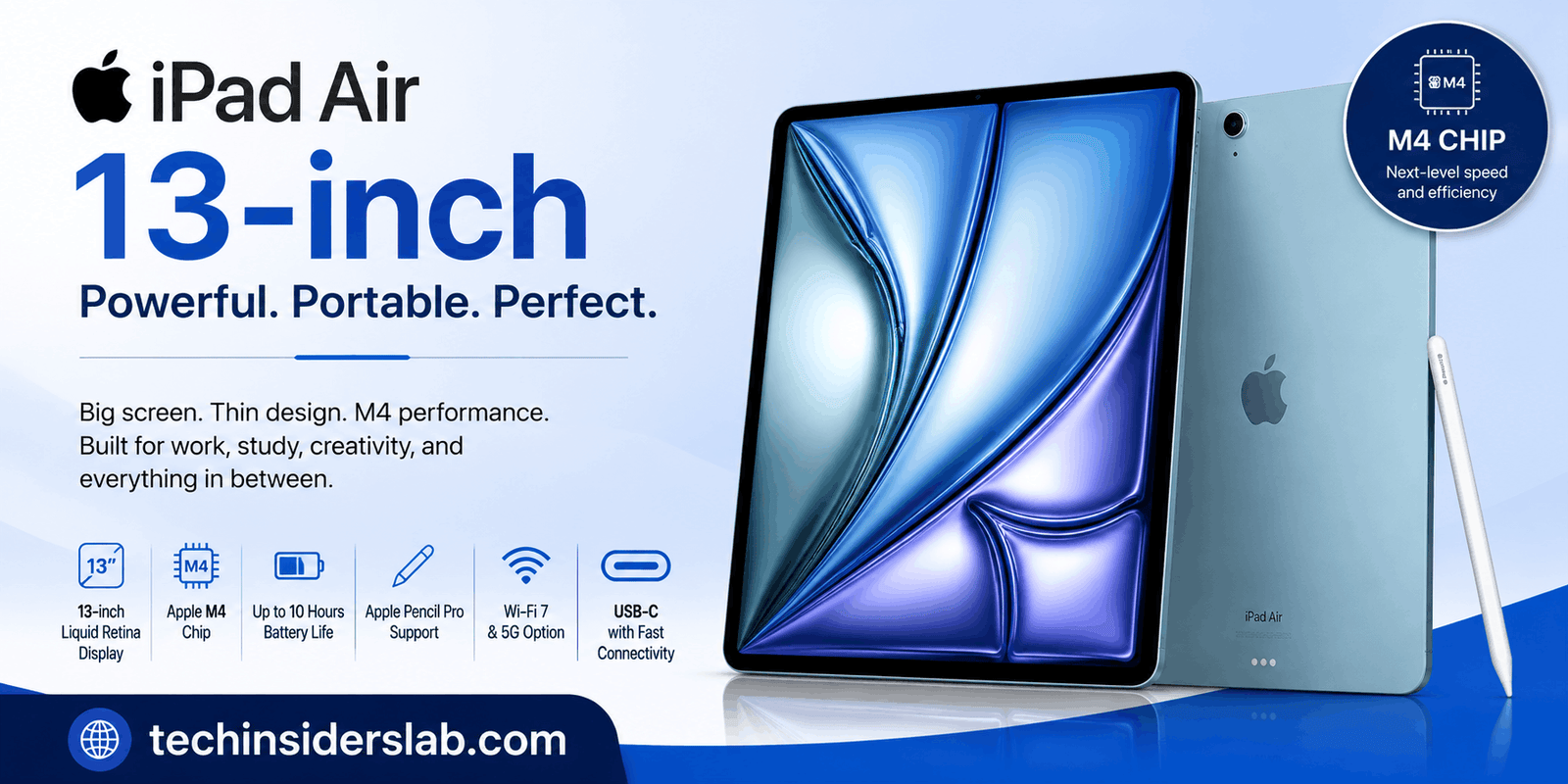
The iPad Air 13-inch is designed for users who want a large tablet display without moving all the way up to Apple’s premium iPad Pro range. The latest 13-inch iPad Air was introduced in 2026 with Apple’s M4 chip, giving it a significant performance upgrade while keeping the thin and lightweight design associated with the iPad Air family. Apple says the M4 model can deliver up to 30 percent faster performance than the previous M3 generation.
For students, professionals, content creators, digital artists, gamers and people who want a portable productivity device, the iPad Air 13-inch offers a combination of a spacious display, powerful hardware, long battery life and support for accessories such as Apple Pencil Pro and Magic Keyboard.
In this guide, we will explore the iPad Air 13-inch in detail, including its design, display, M4 processor, storage options, cameras, connectivity, battery life, accessories, everyday performance and the type of user who can benefit most from this tablet.
What Is the iPad Air 13-inch?
The iPad Air 13-inch is Apple’s larger iPad Air model. It sits between the standard iPad and the iPad Pro in Apple’s tablet lineup, offering higher performance and a larger screen while maintaining a relatively thin and portable design.
The latest generation uses the Apple M4 chip, which was introduced with the 2026 iPad Air. The device is available with either Wi-Fi or Wi-Fi + Cellular connectivity and comes in four finishes: blue, purple, starlight and space gray. Storage options include 128GB, 256GB, 512GB and 1TB.
The 13-inch version is particularly appealing to users who prefer more screen space for multitasking, document editing, drawing, video viewing and creative work.
Design and Build Quality
One of the biggest strengths of the iPad Air 13-inch is its combination of size and portability. Despite having a large display, the tablet is only 6.1 mm thick. The Wi-Fi version weighs approximately 616 grams, while the Wi-Fi + Cellular version weighs about 617 grams.
This makes it considerably easier to carry than a traditional laptop while still providing a large workspace.
The tablet includes a top button with Touch ID, volume controls, speakers, microphones, a USB-C port, a Smart Connector and a magnetic connector for Apple Pencil accessories.
The aluminum construction and slim profile give the device a premium appearance while keeping the design practical for everyday transportation.
13-inch Liquid Retina Display
The large display is arguably the main reason to choose the 13-inch model instead of the smaller iPad Air.
The iPad Air 13-inch features a Liquid Retina display based on LED-backlit IPS technology. It has a resolution of 2732 × 2048 pixels at 264 pixels per inch, along with wide P3 color support, True Tone and a fully laminated design. The display also has an anti-reflective coating and can reach up to 600 nits of brightness.
The larger screen is especially useful for multitasking. Students can keep notes and research material visible at the same time, while professionals can work with documents, spreadsheets and presentations more comfortably.
Artists also benefit from the larger canvas. With Apple Pencil support, the screen can be used for illustration, handwritten notes, photo editing and other creative tasks.
M4 Chip and Performance
The biggest hardware change in the current iPad Air 13-inch is the move to the M4 chip.
The M4 configuration includes an 8-core CPU, 9-core GPU and 16-core Neural Engine. The latest model also comes with 12GB of unified memory, while Apple lists memory bandwidth of 120GB/s.
Apple states that the M4 iPad Air is up to 30 percent faster than the previous iPad Air with M3 and up to 2.3 times faster than the M1 generation.
For everyday users, this means applications can feel highly responsive, while demanding tasks such as video editing, graphic design, gaming and AI-powered features can take advantage of the additional processing power.
The M4 also includes hardware-accelerated ray tracing and a dedicated Neural Engine, making the tablet more capable for modern graphics and machine-learning workloads.
Storage Options
Storage is another important consideration when purchasing an iPad Air 13-inch.
The M4 model is available in:
- 128GB
- 256GB
- 512GB
- 1TB
For users who primarily browse the web, use productivity applications and stream content, 128GB may be sufficient.
However, people who work with large video files, high-resolution photographs, games or professional creative applications may benefit from 512GB or 1TB.
Choosing the correct storage capacity is important because the iPad does not provide a traditional microSD card slot for later expansion.
Apple Pencil Support
The iPad Air 13-inch supports Apple Pencil Pro and Apple Pencil USB-C, making it more than just a media consumption device. It can become a digital notebook, drawing tablet and creative workstation.
Students can use Apple Pencil for handwritten notes and annotations. Designers can use it for sketches and illustrations, while professionals can mark documents and create diagrams.
Apple Pencil Pro is particularly interesting for creative users because it provides additional interaction features designed to make drawing and editing more intuitive.
Magic Keyboard and Productivity
The large screen becomes even more useful when paired with a compatible keyboard accessory.
Apple’s Magic Keyboard is compatible with the 13-inch iPad Air.
With a keyboard, the tablet can be used for writing articles, responding to emails, editing documents and managing business tasks. The combination can provide a laptop-like workflow while retaining the flexibility of a touchscreen tablet.
For users who regularly type for long periods, a keyboard accessory can make a major difference.
Cameras and Video Calls
The iPad Air is also equipped for photography, scanning documents and video communication.
The previous M3 13-inch model included a 12MP Wide rear camera, while the current M4 generation adds an advanced Center Stage camera system designed to improve video calls and user interaction. Apple specifically highlights the updated camera, microphones and speakers as part of the new generation.
For students attending online classes, remote workers joining meetings and families making video calls, the camera system provides a convenient way to stay connected without carrying another device.
USB-C Connectivity
The iPad Air 13-inch uses USB-C rather than Apple’s older Lightning connector.
The USB-C port supports charging, DisplayPort and USB 3 data transfer at up to 10Gb/s. The tablet can also support an external display with up to 6K resolution at 60Hz.
This makes the iPad Air more flexible for professional workflows.
Users can connect compatible accessories, external displays and storage devices, making the tablet useful beyond simple browsing and entertainment.
Battery Life
Battery life is an important advantage for a portable tablet.
Apple rates the iPad Air 13-inch for up to 10 hours of web browsing over Wi-Fi or video playback. Wi-Fi + Cellular models are rated for up to 9 hours of web browsing using a mobile data network.
Actual battery life will vary depending on brightness, applications, network activity and workload.
For normal school, office and entertainment use, the battery capacity makes the iPad Air suitable for extended periods away from a power outlet.
Wi-Fi and Cellular Connectivity
The iPad Air 13-inch is available in Wi-Fi and Wi-Fi + Cellular versions.
The cellular model is useful for people who travel frequently or need internet connectivity when Wi-Fi is unavailable. The M4 generation also introduces newer connectivity technology, including support for Wi-Fi 7, according to Apple.
The cellular version includes GPS/GNSS functionality, while all models include Wi-Fi and digital compass features.
Users should choose the connectivity model according to their lifestyle. Wi-Fi is generally sufficient for home, school and office users, while cellular connectivity can be valuable for frequent travelers and mobile professionals.
iPadOS and Apple Intelligence
Hardware is only one part of the iPad experience. The iPad Air runs Apple’s iPadOS platform, which provides tablet-focused multitasking, productivity features and access to a large ecosystem of applications.
The M4 generation is also designed around Apple’s current AI capabilities. Apple highlights Apple Intelligence as part of the broader iPad Air experience, with the M4’s Neural Engine providing hardware support for AI-related workloads.
This can be useful for writing assistance, productivity features and other supported intelligent tools.
Gaming and Entertainment
The M4 processor and 9-core GPU give the iPad Air 13-inch considerable graphics capability.
The large 13-inch-class display is excellent for gaming because it provides more space for controls and visual content. Hardware-accelerated ray tracing also improves the device’s ability to handle modern graphics workloads.
For entertainment, the large Liquid Retina display is well suited to movies, streaming platforms, YouTube, digital magazines and other media.
The bigger screen can make the device feel more immersive than a smartphone while remaining easier to carry than a conventional laptop.
Who Should Buy the iPad Air 13-inch?
The iPad Air 13-inch is a strong choice for several types of users.
Students can use it for digital textbooks, note-taking, research, presentations and online classes.
Professionals can use it for documents, emails, video meetings and presentations.
Artists and designers can combine the large display with Apple Pencil Pro for creative projects.
Content creators can benefit from the M4 processor, large display and USB-C connectivity.
Gamers can take advantage of the powerful CPU and GPU.
Frequent travelers may appreciate the thin design, long battery life and optional cellular connectivity.
The device is less attractive for people who only need a basic tablet for simple web browsing because its performance and larger display may be more than they actually require.
iPad Air 13-inch vs a Laptop
One of the most interesting questions is whether the iPad Air 13-inch can replace a laptop.
For many everyday tasks, it can.
With a keyboard and suitable applications, users can write documents, manage email, browse websites, attend meetings and work with cloud-based services.
However, laptops still have advantages for workflows that require desktop operating systems, specialized professional software, extensive file management or multiple external peripherals.
Therefore, the iPad Air is best viewed as a flexible productivity device rather than a universal laptop replacement.
Is the iPad Air 13-inch Worth Buying?
The answer depends on what you expect from a tablet.
For someone who wants a large display, powerful performance, Apple Pencil support and long battery life, the iPad Air 13-inch is an attractive package.
The current M4 model also offers more unified memory and newer connectivity than the previous M3 version. Apple says it delivers up to 30 percent more performance than the M3 generation, making it a meaningful upgrade for demanding workloads.
On the other hand, users who primarily watch videos, browse social media and perform basic tasks may not need M4-level performance.
Conclusion
The iPad Air 13-inch is a powerful and versatile tablet that combines a large Liquid Retina display, M4 performance, long battery life, Apple Pencil support, and flexible USB-C connectivity. Its slim design makes it easy to carry, while the powerful hardware allows it to handle studying, office work, creative projects, gaming, entertainment, and multitasking with ease.
For students, professionals, creators, and users who want a tablet that offers more than basic browsing and streaming, the iPad Air 13-inch is an excellent option. Choosing the right storage capacity and deciding between Wi-Fi and Cellular connectivity will depend on individual needs and budget.