Introduction
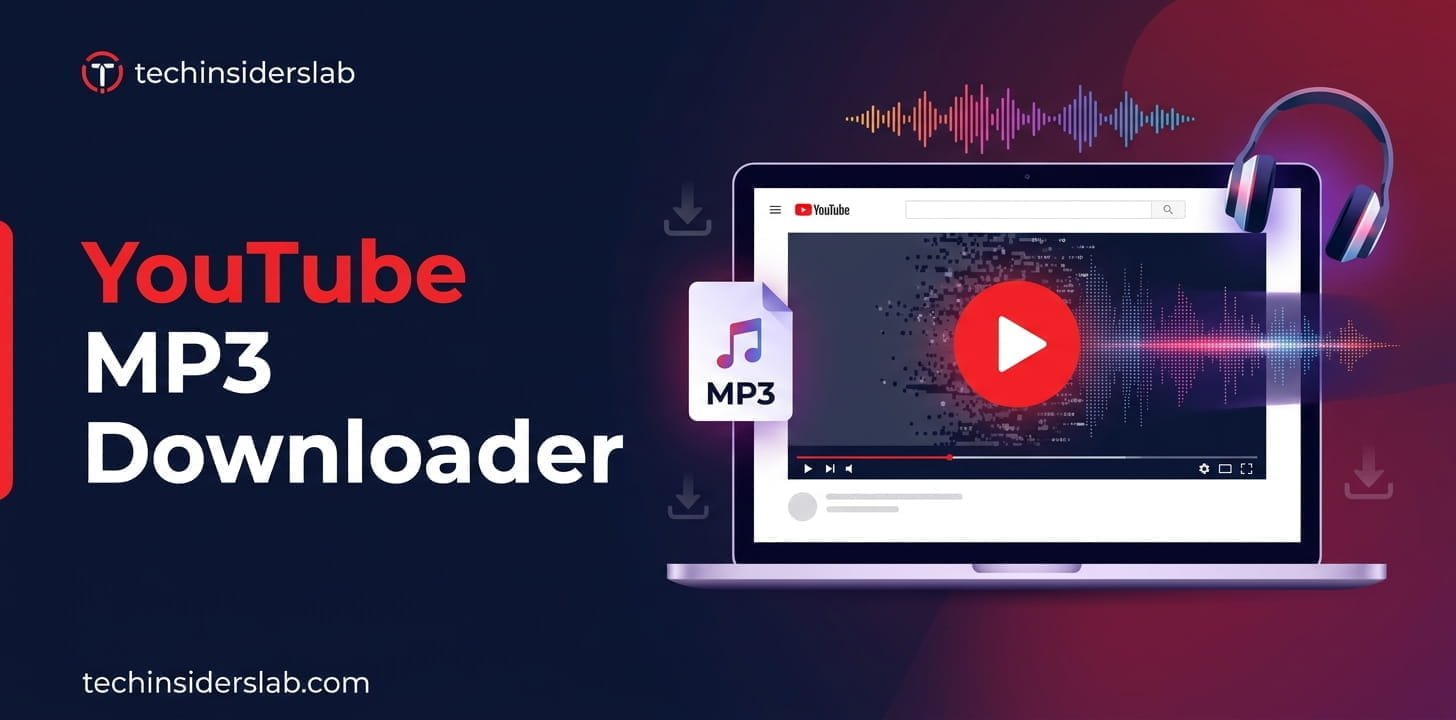
YouTube has become one of the largest platforms for watching videos, listening to music, discovering podcasts, and learning new skills. Millions of people use it every day to explore different types of content, including educational lectures, interviews, tutorials, music, and entertainment. However, there are situations when users prefer listening to audio instead of watching an entire video. This is where the concept of a YouTube MP3 Downloader becomes useful.
A YouTube MP3 Downloader is an online tool or software application designed to convert video content into an audio format, usually MP3. MP3 files are popular because they offer a convenient way to store and play audio on smartphones, computers, tablets, and other compatible devices.
For example, someone who wants to listen to an educational lecture while traveling may prefer an audio file rather than repeatedly opening a video. Similarly, users working with their own videos or audio content may need an MP3 version for editing, archiving, or personal projects.
Although these tools can offer convenience, users should understand how they work, what features matter, and what copyright restrictions apply before using them. This guide explores everything you need to know about YouTube MP3 Downloaders, including their benefits, limitations, safety considerations, and legal alternatives.
What Is a YouTube MP3 Downloader?
A YouTube MP3 Downloader is a digital conversion tool that extracts or converts the audio portion of a video into an MP3 file. Instead of saving the complete video with its visual elements, the tool focuses on producing an audio-only version.
MP3 stands for MPEG-1 Audio Layer III. It is a widely supported audio format that compresses sound files while maintaining a reasonable level of audio quality.
Most online conversion tools are designed around a simple process. A user provides a video link, selects an available audio format or quality option, and starts the conversion process. Depending on the service, the resulting file may become available for download.
However, not every YouTube video can legally or technically be converted using an external service. YouTube’s terms restrict downloading content unless the platform expressly authorizes it or the user has the necessary permission.
How Does a YouTube MP3 Downloader Work?
Understanding the basic conversion process helps users recognize what happens when a video is transformed into an audio file.
Most conversion systems follow several general stages.
1. Video Link Input
The process usually begins when a user provides the URL of a video. The tool uses this information to identify the relevant content.
2. Video Source Processing
The service processes the video source and identifies its audio component. Depending on the technology, this may involve accessing an authorized media file or processing a user-provided video.
3. Audio Extraction
The audio track is separated from the visual portion of the video. This removes elements such as images, animations, and video scenes while preserving the sound.
4. MP3 Conversion
If the original audio is stored in another format, the conversion system encodes it into MP3. During this stage, the user may be offered different quality settings.
5. File Preparation
The converted audio is prepared as an MP3 file that can be played using compatible media players.
6. Saving the Audio
Where downloading is authorized, the user can save the resulting file to a supported device or storage location.
The actual process varies depending on the conversion tool, supported formats, and source permissions.
Key Features of a YouTube MP3 Downloader
Not all audio conversion tools provide the same experience. Some focus on simplicity, while others offer advanced settings and additional file management options. Here are some important features users should consider.
1. Simple User Interface
A good conversion tool should have a clean and understandable interface. Users should be able to identify the main functions without navigating complicated menus.
A straightforward design is particularly helpful for beginners who may not have experience with audio conversion software.
2. Multiple Audio Formats
Although MP3 is the most popular choice, some audio conversion applications support additional formats, such as:
- MP3
- WAV
- AAC
- FLAC
- M4A
- OGG
Each format has different characteristics. For example, WAV is commonly used in audio production, while FLAC is popular among users who want lossless audio storage.
3. Audio Quality Settings
Audio quality is another important consideration. Some conversion applications provide different bitrate options, including 128 kbps, 192 kbps, and 320 kbps.
Higher bitrates generally preserve more audio information but also create larger files. Users should choose settings based on their storage capacity and listening requirements.
It is important to understand that converting low-quality source audio into a higher bitrate does not restore missing sound information.
4. Browser Compatibility
Online conversion tools are often designed to work through web browsers. Compatibility with popular browsers makes them accessible across different operating systems.
A reliable service should provide a consistent experience on commonly used desktop and mobile browsers without requiring unnecessary software installations.
5. Mobile-Friendly Design
Many people prefer using smartphones for everyday audio activities. A mobile-friendly interface allows users to navigate conversion tools more comfortably on smaller screens.
Responsive layouts, readable buttons, and clear instructions can significantly improve the mobile experience.
6. Fast Processing
Processing speed matters when users are working with longer recordings. Efficient conversion systems can reduce waiting times and provide a smoother experience.
However, processing speed depends on several factors, including server performance, file size, internet connection, and conversion settings.
7. Secure File Handling
Security should be a priority when choosing an online conversion service. Users should avoid websites that request unnecessary permissions, install unknown extensions, or redirect visitors to suspicious pages.
A trustworthy service should explain how it handles uploaded files and whether it stores user data.
Benefits of Using YouTube MP3 Downloader Tools
Audio conversion can be useful in several situations, particularly when users have permission to download or convert the original content.
Convenient Audio Access
Audio files provide a convenient way to access spoken content without keeping a video player open. This can be useful for educational recordings, interviews, and other authorized material.
Reduced Storage Requirements
An audio-only file is generally smaller than the corresponding video file. This can help users manage storage space, particularly when working with long recordings.
However, actual file size depends on duration, bitrate, and encoding settings.
Easier Audio Organization
MP3 files can be organized into folders and categorized according to different subjects, projects, or personal collections.
This makes it easier to manage audio content without maintaining a collection of large video files.
Useful for Learning
Students and professionals sometimes prefer audio-based learning because it allows them to review spoken material while performing other activities.
For example, an individual can listen to an authorized lecture recording while traveling, exercising, or completing household tasks.
Compatibility With Different Devices
MP3 is supported by a wide range of devices and media applications. This makes it a convenient format for transferring compatible audio files between computers, smartphones, tablets, and music players.
YouTube MP3 Downloader vs. YouTube Video Downloader
Although both tools are associated with downloading video content, they serve different purposes.
| Feature | MP3 Downloader | Video Downloader |
| Main purpose | Audio conversion | Video saving |
| Output format | MP3 or other audio formats | MP4 and other video formats |
| Visual content | Not included | Included |
| Typical file size | Smaller | Larger |
| Main use | Audio playback | Video playback |
An MP3 downloader is more suitable for audio-focused activities, while a video downloader is designed for situations where visual content is also required.
Neither tool automatically grants permission to download copyrighted material.
Common Uses of YouTube MP3 Conversion
There are several legitimate situations where converting video content into audio can be useful.
Educational recordings: Teachers, students, and researchers may need audio versions of their own lectures or recordings that they have permission to convert.
Personal content backups: Creators can convert their original video projects into audio files for separate storage and organization.
Podcast production: People who produce their own interviews or video podcasts may need audio-only versions for distribution through podcast platforms.
Audio editing: Editors may convert authorized source material into compatible formats before importing it into audio production software.
Language learning: Language learners may work with permitted recordings to practice pronunciation, listening comprehension, and vocabulary.
Accessibility: Audio versions can provide an alternative way to consume spoken information for users who prefer listening.
How to Choose a Safe YouTube MP3 Downloader
Choosing a suitable conversion service requires more than looking at its processing speed. Users should also consider security, transparency, compatibility, and content permissions.
Here are some factors worth checking before using an online tool.
- Check website security: Prefer websites that use HTTPS and clearly identify their services.
- Avoid unnecessary installations: Be cautious if a simple conversion service demands additional software or browser extensions.
- Watch for misleading advertisements: Fake download buttons and unexpected redirects can create security risks.
- Review privacy information: Understand whether the website stores uploaded files or collects personal information.
- Check supported formats: Make sure the service supports the audio format required for your project.
- Evaluate quality options: Look for clear information about bitrate and encoding.
- Respect copyright: Only convert content that you own, have permission to use, or are legally entitled to download.
These checks can help users avoid unreliable services and make better decisions when working with audio conversion tools.
Is Using a YouTube MP3 Downloader Legal?
This is one of the most important questions users should consider.
The legality of downloading or converting YouTube content depends on the content’s copyright status, the permissions granted by its owner, applicable law, and YouTube’s terms of service.
YouTube’s terms generally restrict downloading, reproducing, or otherwise using content outside the permissions provided by the platform or the rights holder.
For example, converting a copyrighted commercial song into an MP3 without permission may violate copyright rules. Simply using the converted file for personal listening does not automatically make the activity lawful.
There are situations where audio conversion may be permitted, including:
- Converting your own original videos.
- Using content for which you have obtained permission.
- Working with appropriately licensed Creative Commons content.
- Using public-domain material where its status has been verified.
- Converting recordings under applicable legal exceptions.
YouTube also explains that Creative Commons Attribution content can be reused according to the license requirements, which may include giving appropriate credit to the original creator.
Users should check the specific license conditions rather than assuming that every publicly available video is free to download.
Official Alternatives to YouTube MP3 Downloaders
If your primary goal is offline access, there are official options worth considering.
YouTube Premium
YouTube Premium provides offline video downloads for eligible content and supported devices or browsers. Downloaded videos are generally available through YouTube’s own Downloads section rather than as standalone MP3 files.
YouTube Music
YouTube Music provides a dedicated experience for discovering and listening to music. Eligible Premium subscribers can access offline listening features through the official application.
YouTube Audio Library
The YouTube Audio Library is a useful resource for creators looking for music and sound effects for their projects. Users should review the licensing requirements associated with individual tracks before using them.
Original Audio Files
If you created a video yourself, using the original project file is often the best option. You can export the audio directly through video editing software without relying on an external YouTube conversion website.
These alternatives offer more transparent ways to access or manage audio while respecting platform policies and content ownership.
Common Problems With YouTube MP3 Downloader Tools
Even when users work with authorized content, they may experience technical problems during audio conversion.
1. Conversion Errors
Sometimes a conversion service cannot process a particular video. This may happen because of unsupported formats, unavailable source material, or technical restrictions.
2. Poor Audio Quality
The resulting MP3 file may sound unclear if the original recording has low audio quality. Selecting a higher bitrate cannot completely fix problems in the original recording.
3. Slow Processing
Long recordings and large source files may take more time to process. Server limitations and slow internet connections can also affect performance.
4. Suspicious Advertisements
Some free conversion websites display aggressive advertisements, pop-ups, or misleading download buttons. Users should avoid clicking unfamiliar links or downloading unexpected files.
5. Compatibility Issues
Some audio files may not work correctly with older media players. Choosing a widely supported format such as MP3 can help reduce compatibility problems.
The Future of YouTube MP3 Downloader Technology
Online audio conversion technology continues to develop as users demand more convenient ways to manage digital media.
Modern conversion applications are increasingly focused on faster processing, improved interfaces, mobile compatibility, and better file management.
Artificial intelligence may also influence future audio tools. AI-powered features can help with noise reduction, voice enhancement, automatic transcription, and audio classification.
Another important development is the growing focus on privacy and copyright compliance. Future tools will need to provide clearer licensing information, transparent data policies, and safer processing environments.
Rather than focusing only on downloading speed, successful audio tools will likely compete through reliability, usability, accessibility, and responsible content handling.
Conclusion
A YouTube MP3 Downloader is a useful concept for people who need convenient access to audio content in a widely supported format. Whether someone is organizing personal recordings, preparing educational material, editing original videos, or managing authorized audio files, MP3 conversion can simplify several digital media tasks.
However, choosing the right tool requires attention to more than speed and convenience. Audio quality, device compatibility, website security, privacy practices, and copyright permissions are equally important considerations.
Users should also understand that YouTube does not generally provide standalone MP3 downloads through its official application. Its supported offline features are designed around playback within the YouTube platform.
Ultimately, responsible audio conversion is about using the right technology for the right purpose. By selecting reliable tools and respecting content ownership, users can enjoy the convenience of digital audio management while avoiding unnecessary security and copyright problems.