introduction
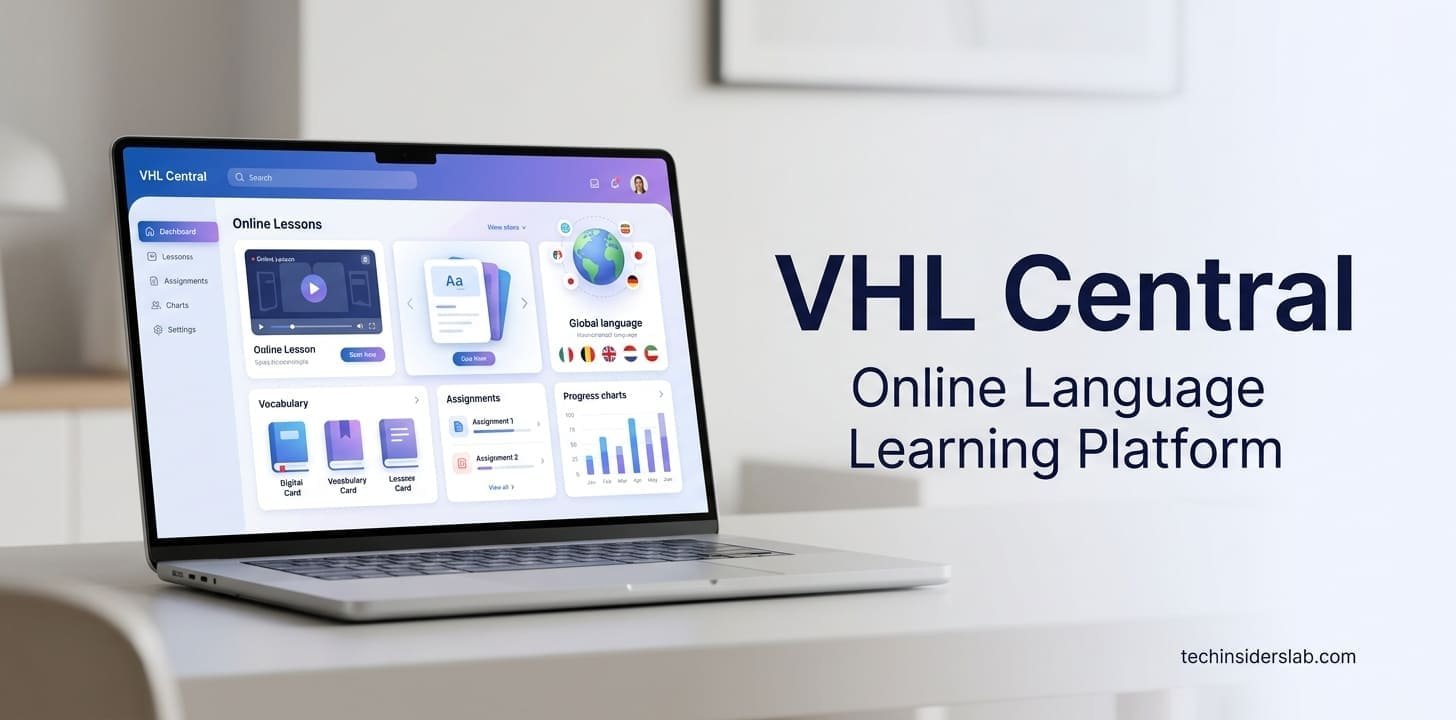
In today’s education environment, digital learning platforms have become an important part of how students study, complete assignments, communicate with instructors, and track academic progress. VHL Central is one such platform designed primarily around language education. Developed by Vista Higher Learning, VHL Central provides students and educators with online access to course materials, assignments, assessments, grades, learning activities, and other digital resources.
Rather than functioning as a simple website for reading textbooks, VHL Central brings different parts of a language course together in one online environment. Students can access their courses, complete assigned activities, review grades, and interact with course resources, while instructors can manage classes, assignments, students, assessments, and grading.
According to Vista Higher Learning’s current support documentation, VHL Central serves as the entry point for accessing Vista Higher Learning online books and classes.
What Is VHL Central?
VHL Central is an online education platform associated with Vista Higher Learning, a publisher and educational technology provider focused heavily on language learning.
The platform works as a central access point for Vista Higher Learning programs. Depending on the course and institution, students may use VHL Central to access digital textbooks, assignments, practice activities, assessments, tutorials, presentations, and other course materials.
One of the useful aspects of the platform is that it connects course content with academic management features. Students don’t necessarily need to use one website for their assignments and another system to check grades. Much of the course experience can be accessed through the VHL Central environment.
The official getting-started documentation describes VHL Central as the entry point for Vista Higher Learning’s online books and classes.
How Does VHL Central Work?
The basic VHL Central experience starts with an account. Depending on how a school or college provides access, students may receive an access code, have access purchased by their institution, or connect through an institution’s supported access system.
After signing in, students can see the programs and courses available to their accounts. The platform’s homepage includes active courses and previously closed courses, while users can also redeem a new code or enroll in another course when those options are available.
This structure makes VHL Central particularly useful for students taking language courses through schools, colleges, universities, and other educational institutions.
The registration process generally involves creating an account, redeeming an access code when required, and enrolling in the appropriate course. Vista Higher Learning provides a dedicated student registration guide covering these steps.
VHL Central for Students
For students, the most important part of VHL Central is the course dashboard.
The student course dashboard provides access to several areas of a course, including assignments, content, calendar information, grades, class bulletins, and communication tools.
This gives students a centralized location for managing their academic work.
Assignments
Assignments are one of the primary features students use on VHL Central. The system organizes assigned activities according to their due dates.
Students can generally see:
- Overdue assignments
- Current assignments
- Upcoming assignments
- Assignment due dates
- Course activities
- Submission requirements
This organization can make it easier for students to determine what needs immediate attention and what is scheduled for later.
Instead of searching through different course pages to determine what is due, students can use the assignment area and calendar to organize their workload.
Language Learning Resources
VHL Central is especially relevant to language education because its digital programs can include multiple types of learning activities.
Depending on the textbook or program, students may encounter sections such as Practice, Presentations, Tutorials, Assessment, Workbook, Lab Manual, Video Manual, and digital textbook resources. Vista Higher Learning notes that the exact sections available can vary depending on the textbook.
This variety is important for language learning because developing proficiency normally requires more than reading written material.
Students may need opportunities to:
- Practice vocabulary
- Study grammar
- Complete reading activities
- Listen to language recordings
- Watch instructional videos
- Complete assessments
- Practice written communication
- Review course material
By bringing these resources into a connected digital environment, VHL Central can support different parts of the learning process.
VHL Central Gradebook
Another important component of VHL Central is the Gradebook.
For instructors, the Gradebook provides a way to view student performance and manage grades. The platform’s current documentation describes an All Categories view that can display cumulative averages and category averages for students. Instructors can also use individual student views to examine a particular learner’s work.
Depending on course configuration, instructors can preview assignments, adjust grades, review submissions, manage roster information, and record scores for work completed outside the platform.
For students, this means grades can be connected directly to the assignments and activities completed within their course.
The Gradebook can therefore serve two purposes: academic monitoring for instructors and progress awareness for students.
Features for Instructors
VHL Central is not designed only for students. Educators receive a separate set of tools for managing their courses.
Instructors can work with:
- Course content
- Assignments
- Calendars
- Grades
- Student rosters
- Assessments
- Communication
- Student requests
- Course sections
The instructor dashboard is designed to provide quick access to important course-management information. Vista Higher Learning documentation shows that instructors can access areas such as the Gradebook, roster, calendar, grading tools, and student help requests from the course dashboard.
This can reduce the need to manage every aspect of a digital language course manually.
VHL Central Login
Accessing VHL Central begins with the login page.
According to the official instructor login instructions, users visit VHL Central and enter the username or email address associated with their account along with their password. After successful authentication, the user is taken to the VHL Central home page.
If a user cannot remember their password, the login interface provides a password recovery option.
A useful practice is to bookmark the official VHL Central website rather than relying on third-party login pages. This helps reduce confusion and makes it easier to reach the legitimate service.
Access Codes and Course Enrollment
One of the areas that can initially confuse new users is the relationship between access codes and course enrollment.
Not every student necessarily receives access in exactly the same way. A school or university may purchase access on behalf of students, while another institution may require students to obtain an access code.
VHL Central’s official documentation identifies several possible access arrangements, including institution-provided access and access codes.
The type of access can also affect which activities a student can use. Vista Higher Learning explains that different codes may provide access to different portions of a program.
Therefore, students should use the access method provided by their instructor or institution instead of assuming every VHL Central course works in exactly the same way.
Recent VHL Central Improvements
VHL Central continues to receive platform updates.
Recent 2026 updates introduced improvements across the Supersite experience, including changes to the instructor dashboard, activity library, assessment library, student activities, and student dashboard.
Academic integrity has also received attention. The updated Supersite experience includes an academic-integrity acknowledgment before certain assessments, and the platform prevents copy-and-paste in open-ended assessment responses.
These changes show that VHL Central is evolving beyond a static digital textbook platform.
AI Features on VHL Central
Artificial intelligence is another newer component of the platform.
Vista Higher Learning’s support documentation states that VHL Central currently uses generative AI and that the company uses an enterprise version of OpenAI. The company also says it does not pass user data or personally identifiable information to the model and does not use user input or data to train the model.
One currently described feature is AI-Assisted Feedback, which can help instructors generate feedback on certain student open-ended responses.
The use of AI in education is particularly interesting for language learning because feedback can be an important part of improving writing and communication skills.
However, AI should generally be considered a support mechanism rather than a replacement for instructor guidance, classroom interaction, and independent learning.
Accessibility Features
Accessibility is another area where VHL Central has continued to develop.
Vista Higher Learning’s current accessibility documentation describes features such as alternative text, long descriptions, audio transcripts, video transcripts, subtitles and closed captions, audio descriptions, and text input options. Availability can vary by feature and may depend on educator settings.
These features can make digital course materials easier to use for students with different learning and accessibility requirements.
For example, transcripts can provide a written alternative to audio or video content, while alternative text can help compatible assistive technologies interpret images.
VHL Central Support
Students sometimes encounter problems with account registration, access codes, assignments, course enrollment, or technical features. VHL Central provides a dedicated Support Center for these issues.
The current student support page includes getting-started resources, how-to videos, and technical support options. The platform also provides support through its messaging system, including automated support and live chat during specified service hours.
Using official support resources is generally preferable to relying on random tutorials because the platform can change over time.
Common VHL Central Problems
Although VHL Central provides many features, users can still encounter common access issues.
Some problems include:
Incorrect login details:
A wrong username, email address, or password can prevent account access.
Missing access code:
Some courses require an access code, while others may provide access through an institution.
Wrong course enrollment:
A student may have an account but still need to join the correct instructor course.
Expired access:
Access privileges may depend on the specific code or institutional arrangement.
Assignment access issues:
A particular activity may require permissions that are not included with the user’s current access.
VHL Central’s support documentation specifically notes that an access problem can occur when a redeemed code has expired or does not provide privileges for the activity a student is trying to access.
Tips for Using VHL Central Effectively
Students can get more value from VHL Central by developing a consistent study routine.
First, check the assignment list regularly instead of waiting until deadlines approach. The dashboard organizes activities by timing, making it easier to identify overdue, current, and upcoming work.
Second, use the calendar to plan larger assignments and assessments.
Third, review grades regularly. Checking the Gradebook can help students identify areas where additional practice may be necessary.
Fourth, take advantage of available multimedia resources. Language learning can benefit from combining written study with listening, video, and interactive activities.
Finally, use the official support center when technical problems occur. This is often faster and more reliable than trying random fixes from unofficial websites.
Is VHL Central an App or a Website?
VHL Central is best understood as a web-based educational learning platform rather than simply a traditional mobile app.
For a technology-focused website such as TechInsidersLab, the topic can reasonably be placed under the Apps category because it is an online educational technology service. It can also relate to the broader Technology category, but Apps is the stronger primary classification when organizing the topics you have been publishing.
Why VHL Central Matters for Digital Education
The biggest strength of VHL Central is its centralized approach.
Students can access learning content, assignments, grades, calendars, and other course tools through a connected environment. Instructors receive tools for managing content, grading assignments, monitoring students, and organizing course sections.
Its continued development also indicates a shift toward more personalized and technology-driven education. New dashboard designs, accessibility improvements, academic-integrity controls, and AI-assisted functionality demonstrate how modern educational platforms are becoming more sophisticated.
For language courses in particular, an integrated system can be useful because learning often involves multiple formats and repeated practice.
Conclusion
VHL Central is a comprehensive online learning environment designed to support Vista Higher Learning’s digital language education programs. It provides students with access to courses, assignments, learning activities, grades, calendars, and other educational resources, while instructors receive tools for course management, assessment, grading, communication, and student monitoring.
Its recent updates have expanded the platform’s capabilities with refreshed dashboards, improved accessibility, academic-integrity features, and emerging AI-assisted tools.
For students, the most important benefit is having a centralized place to manage language coursework. For educators, VHL Central provides a collection of tools that can simplify the organization and assessment of digital courses.
Overall, VHL Central represents the growing role of educational technology in modern language learning. As online education continues to evolve, platforms like VHL Central are becoming increasingly important for connecting course content, student activities, instructor feedback, and academic progress in one digital environment.