Introduction
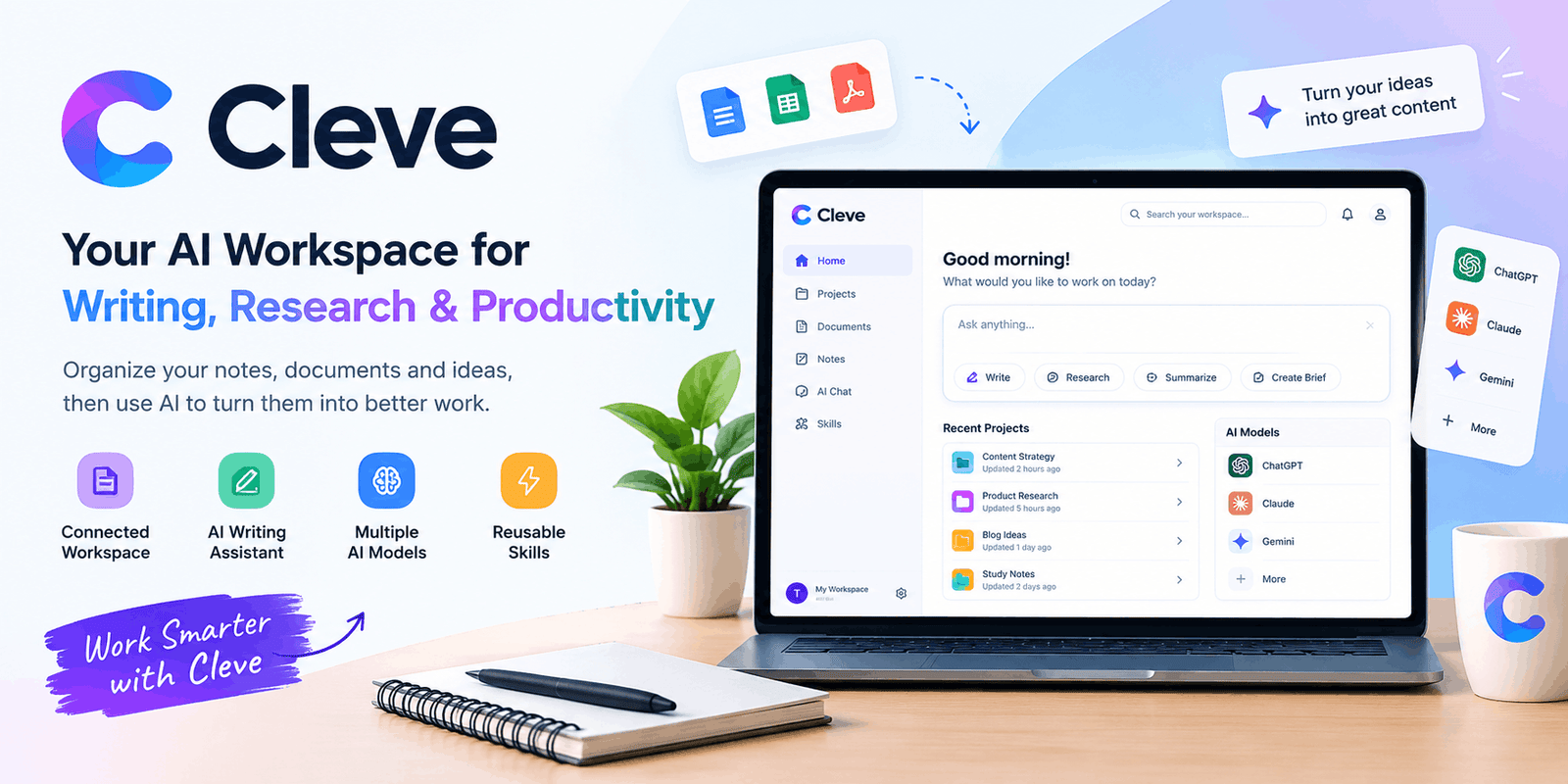
The biggest challenge in modern knowledge work is not always a lack of information. Often, it is the difficulty of finding the right information at the right time. Ideas may be scattered across notes, documents, conversations, and different AI tools. Cleve approaches this problem by combining a personal workspace with AI that can use the context you choose to save.
Whether you are a writer, freelancer, student, marketer, or part of a growing team, the platform is built around a simple idea: your previous work should help you do better work today.
What Is Cleve?
Cleve is a personal AI workspace for writing and thinking. It allows users to collect documents, notes, and ideas, then use them as context for AI-assisted work. The platform is not limited to generating a single answer; it is designed to help users develop ongoing projects and reuse knowledge over time.
For example, a content writer could save brand guidelines, previous articles, audience research, and campaign notes. Later, those materials can be used to create a new brief or draft without rebuilding the entire background from scratch.
This makes Cleve particularly interesting for people who work with repeated tasks, long-term projects, and information that needs to stay connected.
How Cleve Works
The platform’s workflow can be understood through three main stages:
1. Collect Your Context
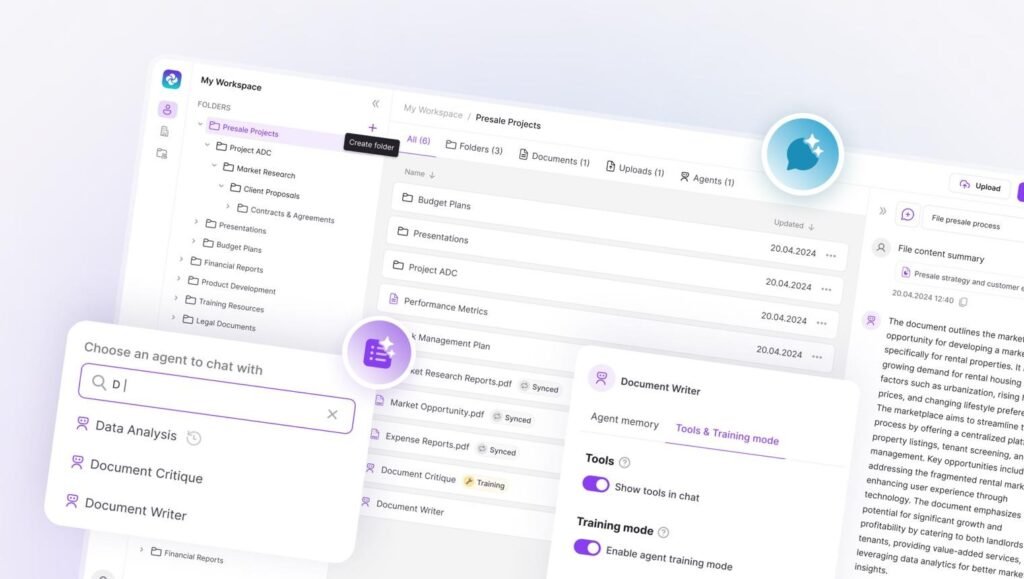
Users can bring their documents, notes, and ideas into a workspace. This creates a central place for the information they want to use in future work.
2. Ask AI to Work With It
Instead of relying only on a short prompt, users can ask questions about their saved context. Cleve is designed to help turn existing material into briefs, reports, drafts, and next steps.
3. Reuse What You Create
As projects develop, useful information can remain available for later conversations. The goal is to make previous work more valuable rather than treating every session as a completely separate task.
This approach is especially useful when a project contains many details that would otherwise need to be explained repeatedly.
Main Features of Cleve
Connected Notes and Documents
Cleve brings documents, notes, and ideas together so users can work with their information in one connected environment.

AI-Assisted Writing
The platform can help turn rough thoughts into more developed writing, including briefs, reports, and other project materials.
Multiple AI Models
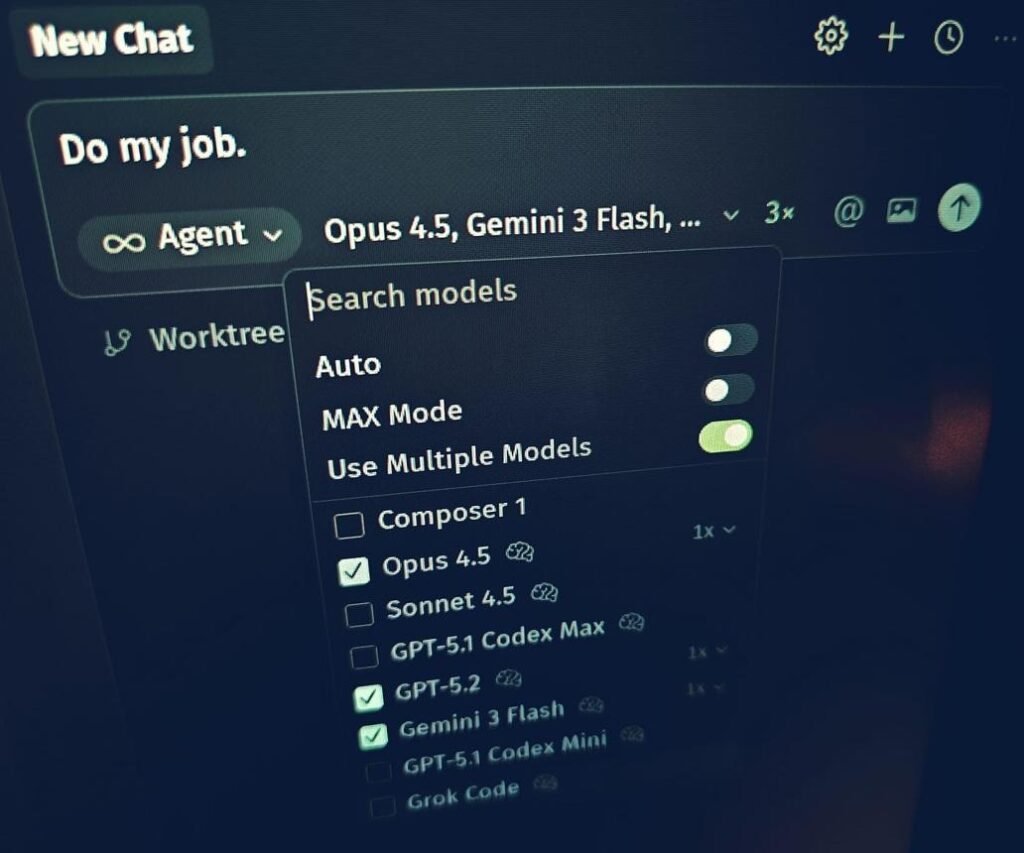
Cleve advertises access to models from providers including ChatGPT, Claude, and Gemini, allowing users to work with different models in one environment.
Reusable Skills
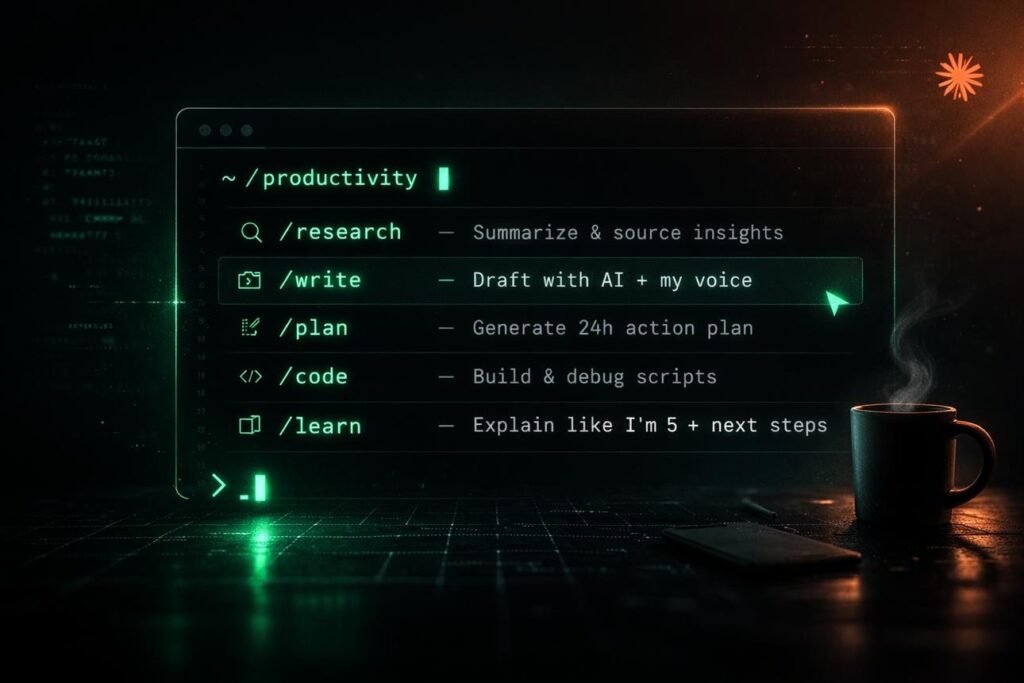
Users can create prompt shortcuts called Skills for repeatable workflows, such as research, summarization, and brief creation.
Cleve for Content Creators
Content creation often involves more than writing the final article. A creator may need to research a topic, review previous work, follow a brand voice, and produce several versions for different platforms.
Cleve can help organize this process by keeping relevant materials together. For instance, a content creator could maintain a project containing:
- Content ideas
- Audience notes
- Brand guidelines
- Previous drafts
- Research documents
- Campaign plans
When a new article or social media post is needed, the creator can use this context to begin with a more informed draft. The platform’s content workspace is intended to support this kind of ongoing work rather than isolated text generation.
Cleve for Freelancers and Agencies
Freelancers frequently work with multiple clients, each having different requirements. A designer, writer, or marketing professional may need to remember a client’s tone, goals, preferred style, and previous feedback.
Cleve’s freelancer offering focuses on saving client context and reusing what works across projects. Its official website describes workflows involving briefs, brand guidelines, audience details, and past feedback.
For agencies, this can be useful because the same information may need to be accessed by several team members. A shared workspace can help reduce the need to repeatedly search through separate documents and conversations.
However, users should still review AI-generated work carefully. A saved context system can improve consistency, but it does not replace professional judgment, client approval, or fact-checking.
Cleve for Students and Researchers
Students and researchers often deal with large amounts of information. Notes, reading materials, project ideas, and drafts can become difficult to manage when they are stored in different places.
Cleve can be useful for organizing study notes and asking questions about saved material. Its official website also presents study and research as use cases for the workspace.
A practical workflow might look like this:
- Save notes and relevant documents.
- Organize them around a subject or project.
- Ask questions about the material.
- Use the responses to develop an outline or draft.
- Check the original sources before relying on important claims.
This is particularly helpful for understanding and organizing information, but students should use AI responsibly and follow their institution’s academic policies.
Cleve for Personal Productivity
Not every use of AI needs to be business-related. Cleve also offers a personal workspace for journaling, capturing ideas, and developing thoughts over time. Its personal-use page describes the platform as a place to write, organize ideas, and build a searchable “second brain.”
For example, someone might use it to keep:
- Daily reflections
- Personal goals
- Reading notes
- Creative ideas
- Learning projects
- Long-term plans
The benefit is not simply having more notes. It is being able to return to those notes and use them as part of future thinking.
Cleve vs. Traditional AI Chatbots
Traditional AI chatbots are useful for answering questions and generating content from a prompt. Cleve is positioned around a different workflow: keeping the context of ongoing work connected to the AI experience.
| Traditional AI Chat | Cleve Workspace |
| Often starts with a new prompt | Built around saved context |
| Useful for one-off questions | Designed for ongoing projects |
| Information may be spread across chats | Notes and documents can be organized together |
| Focuses on individual conversations | Focuses on connected work |
This does not mean Cleve replaces every chatbot. In many cases, its value comes from combining different AI models with a workspace that keeps relevant information accessible.
Cleve Pricing and Plans
Cleve currently lists three individual plans: Starter, Pro, and Max. The official pricing page shows annual-discounted prices of $6.67, $16.67, and $83.33 per month, respectively, with monthly billing listed at $8, $20, and $100. Prices and features may change, so users should check the official pricing page before subscribing.
Starter
Entry plan
For users who want connected notes, documents, and AI-assisted workflows.
Pro
More capacity
For users who need higher usage limits, more model access, and additional features.
Max
Power users
For users who need the highest listed usage capacity and expanded capabilities.
The free starting option is also promoted on the official website, making it possible to explore the platform before deciding whether a paid plan is necessary.
Privacy and Security
Privacy is an important consideration when using an AI workspace, especially if it contains personal notes, client information, or business documents.
Cleve states that user data is not used to train AI models. Its website also describes encryption at rest and in transit, as well as zero-data-retention arrangements with supported AI providers.
Users should still review the platform’s current privacy policy and terms before uploading sensitive information. It is also wise to avoid storing passwords, financial details, or confidential documents unless the platform’s policies and your own requirements allow it.
Advantages of Cleve
A More Organized Workflow
Keeping related information together can make it easier to return to a project and continue working.
Better Reuse of Previous Work
Saved context can help users avoid repeating the same background information in every conversation.
Flexible AI Model Access
The platform’s support for multiple AI models gives users more flexibility when choosing how to approach a task.
Useful for Different Types of Work
Cleve is designed for personal writing, content creation, research, and team projects, making it relevant to a broad range of users.
Limitations to Consider
Cleve is not automatically the best choice for everyone. Its usefulness depends on how much context a user needs to manage and how consistently they maintain their workspace.
If someone only wants quick answers to simple questions, a traditional chatbot may be enough. Similarly, users who prefer a very simple note-taking app may find a larger AI workspace unnecessary.
Another important point is that AI-generated responses still need review. Even when an AI system has access to saved documents, users should verify important information and make sure the final output matches their goals.
Who Should Use Cleve?
Cleve may be a good fit for:
- Content creators who manage repeated writing tasks.
- Freelancers who work with multiple client briefs.
- Students who want to organize notes and study material.
- Researchers who need to connect information across documents.
- Founders and teams who want a shared workspace for company knowledge.
- Individuals who want a more organized system for ideas and personal writing.
Its strongest appeal is for people who want AI to work with their own ongoing context, rather than only answering isolated questions.
Conclusion
Cleve is a promising AI workspace for people who want to organize their ideas, notes, and documents while making better use of AI. Its focus on connected context and reusable workflows makes it especially useful for content creators, freelancers, students, and professionals working on long-term projects. Rather than treating every conversation as a separate task, Cleve aims to help users build on the work they have already done.
For anyone looking to improve their productivity, writing process, or research workflow, Cleve is worth exploring. Its value ultimately depends on how well its features fit your needs, but it offers an interesting approach to making AI-assisted work more organized, consistent, and efficient.