Midjourney AI:Features,Uses,Benefits, and How to Create AI Image
Introduction
Artificial intelligence is changing the way people create digital content, and AI image generators are among the most exciting developments in this field. Midjourney is a popular AI-powered image generation tool that helps users turn written descriptions into detailed digital artwork. Instead of spending hours drawing or learning complicated graphic design software, users can describe their ideas in words and let AI transform those ideas into visual concepts.
Midjourney is useful for designers, digital artists, bloggers, marketers, content creators, and people who enjoy experimenting with creative ideas. It can generate illustrations, realistic-looking scenes, fantasy environments, product concepts, character designs, and many other types of images.
One reason Midjourney attracts creative professionals is its ability to produce visually rich compositions with distinctive lighting, colors, textures, and artistic styles. However, the quality of the results depends on the prompt, selected settings, and the user’s ability to refine the generated images.
In this guide, we will explore what Midjourney is, how it works, its major features, practical uses, advantages, limitations, and tips for getting better results.
What Is Midjourney?
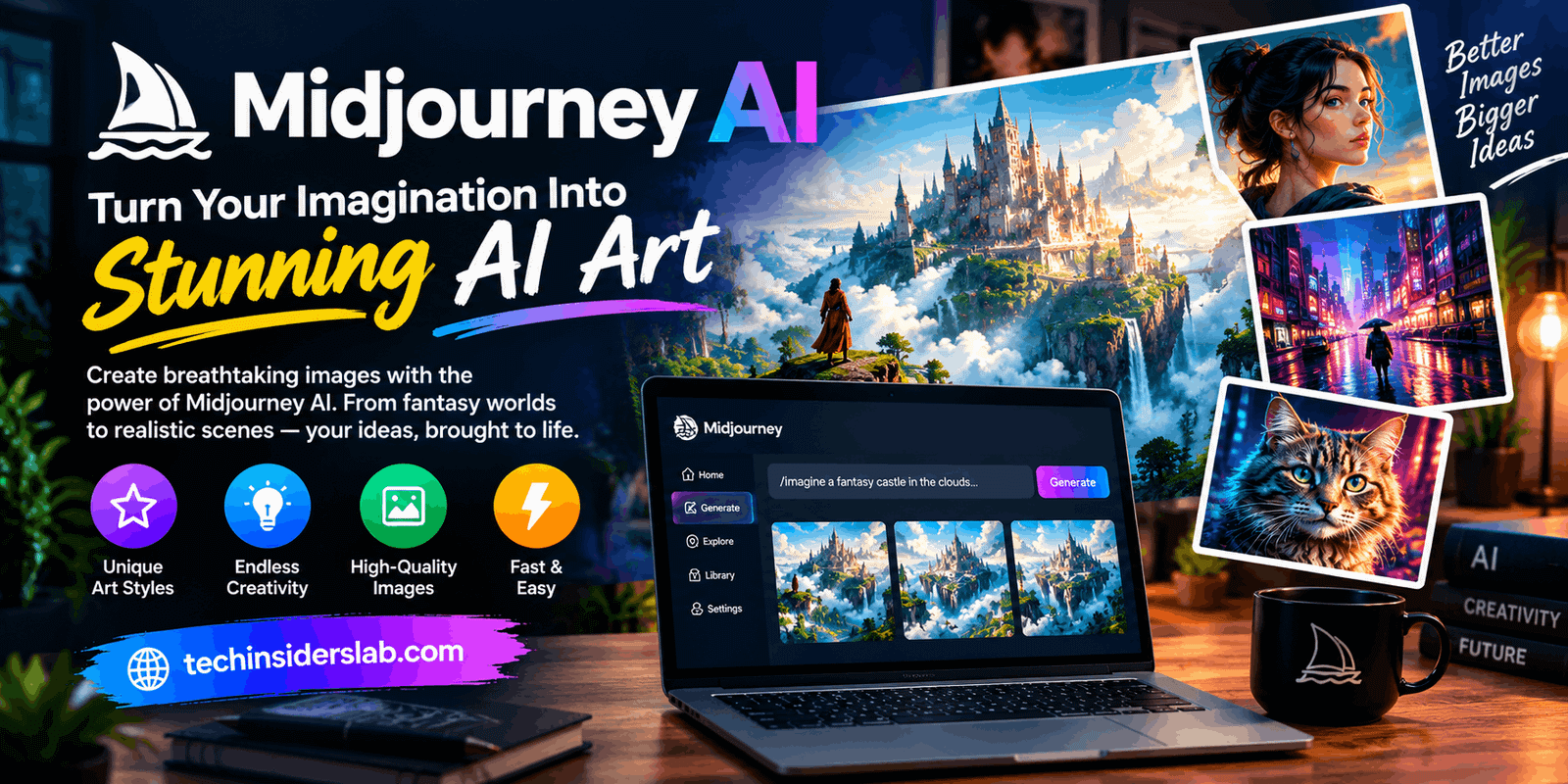
Midjourney is an AI-powered creative platform that generates images from text prompts and can also use reference images to guide visual results. Users describe a subject, environment, mood, composition, or artistic style, and the system creates images based on those instructions.
For example, a user might enter a prompt describing a futuristic city at sunset, with glowing buildings, flying vehicles, cinematic lighting, and a detailed science-fiction atmosphere. Midjourney interprets the description and generates visual options that represent the idea.
The platform can be accessed through its website and Discord. Its web interface provides tools for creating, organizing, modifying, and exploring images, while Discord offers another way to interact with the image-generation system.
Midjourney is not limited to one artistic style. Depending on the prompt, users can explore photorealistic scenes, digital paintings, cartoons, architectural concepts, minimalist illustrations, surreal artwork, and more.
How Does Midjourney Work?
Midjourney uses trained AI models to interpret prompts and generate visual content. The technical process is complex, but the basic idea is straightforward: users provide instructions, the model processes them, and the system produces an image that reflects the requested concepts.
The quality of the output depends partly on how clearly the user communicates the desired result.
1. Write a Text Prompt
A prompt is the written description used to guide image generation. It can include the subject, background, lighting, camera perspective, colors, mood, and style.
For example, a simple prompt might be:
“A peaceful mountain village surrounded by green forests, morning mist, warm sunlight, realistic photography.”
This gives the AI several useful visual details instead of only naming a subject.
2. Generate Images
After entering the prompt on the Midjourney website or through its supported Discord workflow, the system processes the request and produces image options. Users can review these results and decide which direction best matches their vision.
3. Refine the Results
The first generation may not perfectly match the original idea. Users can adjust the prompt, create variations, modify selected areas, or use available editing tools to improve the composition.
4. Save and Use the Image
Once the image is ready, users can save it for suitable personal or professional projects. Before using generated artwork commercially, they should review the platform’s current terms, privacy settings, and any relevant rights associated with the material included in the image.
Key Features of Midjourney
Midjourney offers several creative features that make the image-generation process more flexible.
1. Text-to-Image Generation
The main feature is the ability to transform written ideas into images. Users do not need to draw every object manually or create a complete composition from scratch.
This capability can help produce blog illustrations, concept art, promotional visuals, character designs, and social media graphics. More detailed prompts generally provide clearer guidance, although adding too many unrelated instructions can make the desired result harder to achieve.
2. Multiple Artistic Styles
Midjourney can generate images in a wide range of visual styles. Users can request realistic photography, watercolor paintings, 3D-inspired artwork, comic illustrations, fantasy art, or futuristic designs.
This flexibility is particularly valuable for people who need different visual styles for different projects. A technology article may require a clean, modern illustration, while a fantasy story might benefit from dramatic lighting and imaginative environments.
3. Image Variations
Sometimes an image contains the right subject but needs a different composition, color palette, or level of detail. Variation tools help users explore alternative interpretations of an existing result.
Instead of starting over every time, users can develop an initial concept into several related designs. This can be useful when choosing a final image for a campaign, article, or creative project.
4. Image Editing and Refinement
Midjourney provides tools for modifying generated images. Depending on the available model and interface, users can edit selected areas, extend a composition, or make other changes.
These capabilities can help correct visual details or adapt an image to a different layout. Nevertheless, AI editing may introduce unexpected changes, so users should inspect the final result carefully.
5. Image References
Users can provide reference images to influence the content, composition, colors, or style of a new creation. Reference-based workflows are helpful when text alone cannot communicate the desired visual direction.
For example, a designer might use a reference image to guide a color scheme while describing a completely different subject in the text prompt.
6. Aspect Ratio Controls
Different platforms require different image dimensions. A square image may work well for a profile graphic, while a landscape image is more suitable for a website banner or some Pinterest designs.
Midjourney supports aspect ratio controls, allowing users to guide the shape of the generated composition. Selecting the appropriate ratio early can reduce the need for extensive cropping later.
7. Personalization Options
Personalization features can help users guide generations toward their preferred visual aesthetic. These options are useful for creators who want a more consistent look across a collection of images.
However, maintaining a consistent brand identity may still require manual adjustments, reference images, and additional editing.
8. AI Video Capabilities
Midjourney has also introduced image-to-video capabilities. These features can animate suitable images into short video clips, depending on the current model and account options.
This provides an additional creative possibility for users who want to experiment with motion rather than produce only static artwork. Video availability, output quality, and generation limits can vary by plan and current platform settings.
How to Use Midjourney Step by Step
Getting started is relatively simple, even for people without previous experience in digital art.
Step 1: Create an account. Visit the official Midjourney website and sign in or create an account. Review the available subscription options before beginning.
Step 2: Open the creation interface. Navigate to the Create page and locate the prompt input area. Users who prefer Discord can connect their eligible account and follow the supported Discord workflow.
Step 3: Enter your prompt. Describe the image you want to generate. Include the main subject, setting, lighting, style, and other important details.
Step 4: Adjust the settings. Choose suitable image proportions and other available options based on the requirements of your project.
Step 5: Generate and review. Submit the prompt and examine the resulting images. Identify the strongest composition and note anything that needs improvement.
Step 6: Create variations or edits. Refine the prompt or use the available modification tools to explore alternatives.
Step 7: Save the final image. Download or organize the finished creation so it is ready for your intended use.
The most effective approach is to experiment with small prompt changes and learn which instructions produce the results you want.
How to Write Better Midjourney Prompts
Prompt writing is one of the most important skills for getting useful results from an AI image generator.
Describe the Subject Clearly
Begin by identifying the main subject. Instead of writing only “a car,” specify “a modern electric sports car parked beside a glass building at night.”
Add Visual Details
Describe lighting, colors, atmosphere, materials, and composition. Words such as soft daylight, dramatic shadows, metallic surfaces, or wide-angle composition can help communicate your intended look.
Choose an Artistic Direction
If you want a particular visual treatment, include a clear style description. For example, you might request a minimalist vector illustration, cinematic photography, or a hand-painted fantasy landscape.
Specify the Intended Format
Mention whether you need a square image, portrait artwork, or wide landscape composition. You can also use aspect ratio parameters when appropriate.
Improve Prompts Gradually
Avoid changing every instruction at once. If the composition is good but the lighting is wrong, adjust the lighting description first. This makes it easier to understand which changes improve the result.
Best Uses of Midjourney
Midjourney can support a wide range of creative activities.
Blog and Website Graphics
Bloggers can use AI-generated images to illustrate articles, introduce topics, or create supporting visuals. Technology websites, for example, may need illustrations of artificial intelligence, cybersecurity, cloud computing, or futuristic devices.
Images should complement the article rather than replace useful written information.
Social Media Content
Content creators can generate visuals for Pinterest, Instagram, and other social platforms. Different prompts can help create campaign graphics, themed illustrations, and visual concepts suited to a particular audience.
For designs that include headlines, website addresses, or important text, adding the typography manually in a design editor is often more reliable than asking the image generator to render every word.
Marketing and Advertising
Marketing teams can explore campaign concepts, mood boards, and product presentation ideas. AI-generated visuals can help communicate a creative direction before investing in a finished photoshoot or detailed design.
Any advertising image should accurately represent the product or service being promoted.
Game Development
Game designers can use Midjourney to explore environments, characters, costumes, creatures, and fictional worlds. It can help with early concept development, particularly when a project requires many visual ideas.
Generated concepts may still need professional refinement before they can become production-ready game assets.
Interior Design and Architecture
Users can explore room layouts, exterior styles, materials, lighting, and decorative themes through visual concepts. These images can help communicate inspiration, but they should not be treated as technically accurate architectural plans.
Digital Art and Storytelling
Artists and writers can use Midjourney to visualize fictional characters, story settings, book concepts, and imaginative scenes. It can also support brainstorming when a creator wants to explore several possible directions before choosing one.
Benefits of Midjourney
One major advantage is creative speed. Producing a visual concept through traditional methods can take considerable time, while AI generation allows users to explore several ideas quickly.
Another benefit is creative flexibility. Users can experiment with different styles, lighting conditions, environments, and compositions without rebuilding every element manually.
Midjourney can also make visual experimentation more accessible to beginners. People who are not skilled illustrators can still communicate ideas through written prompts and develop useful artwork.
For professionals, the platform can support brainstorming, mood-board development, early-stage concept design, and the production of supplementary graphics. These benefits are most valuable when AI generation is combined with human judgment and careful editing.
Limitations of Midjourney
Despite its creative capabilities, Midjourney has limitations that users should understand.
It may misinterpret prompts. A detailed description does not guarantee that every requested object or visual feature will appear correctly.
Fine details may be inaccurate. Hands, small objects, complex scenes, and other intricate elements can contain visual inconsistencies. Users should inspect generated images before publishing them.
Text may require correction. Images that need exact headlines, logos, labels, or website addresses often benefit from manual typography added in another design tool.
It requires experimentation. Beginners may need several attempts to produce an image that closely matches their vision. Learning effective prompt-writing techniques takes practice.
Access is subscription-based. Users should review the current plans, generation limits, and billing conditions before paying. A Midjourney subscription is separate from a Discord Nitro subscription.
Privacy requires attention. Creations may be visible to others depending on the platform’s default sharing arrangements and account settings. Users handling confidential concepts should review the current privacy and Stealth mode options.
Commercial rights need careful review. Ownership, permitted uses, and other obligations may depend on the platform’s current terms and the user’s circumstances. Users should also consider trademarks, copyrighted material, likeness rights, and other applicable laws.
Is Midjourney Worth Using?
Midjourney can be a strong option for people who want to create visually distinctive AI artwork without producing every element manually. It is particularly useful for concept art, creative experimentation, blog illustrations, social media visuals, and design inspiration.
Whether it is worth using depends on your needs and budget. Someone who generates images regularly for professional projects may find its capabilities valuable, while a person who needs only an occasional basic graphic may prefer a simpler alternative.
Before choosing a paid plan, consider how frequently you create images, whether you need advanced editing or video features, and how important privacy is for your work.
Conclusion
Midjourney is a powerful AI image generator that helps users transform text prompts into creative digital artwork. With features such as multiple artistic styles, image variations, editing tools, and video generation, it offers valuable opportunities for bloggers, designers, marketers, and content creators. Although it may require prompt refinement and manual editing, Midjourney can make the creative process faster and more flexible. Overall, it is a useful AI tool for anyone looking to explore new ideas and create visually appealing content.