Ideogram AI: A Complete Guide to the AI Image Generator
Introduction
Artificial intelligence is changing the way people create digital content. Tasks that once required professional graphic design skills can now be completed with AI-powered tools. From creating promotional posters to designing social media graphics, AI image generators make visual content creation faster and more accessible. One platform that stands out in this area is Ideogram AI.
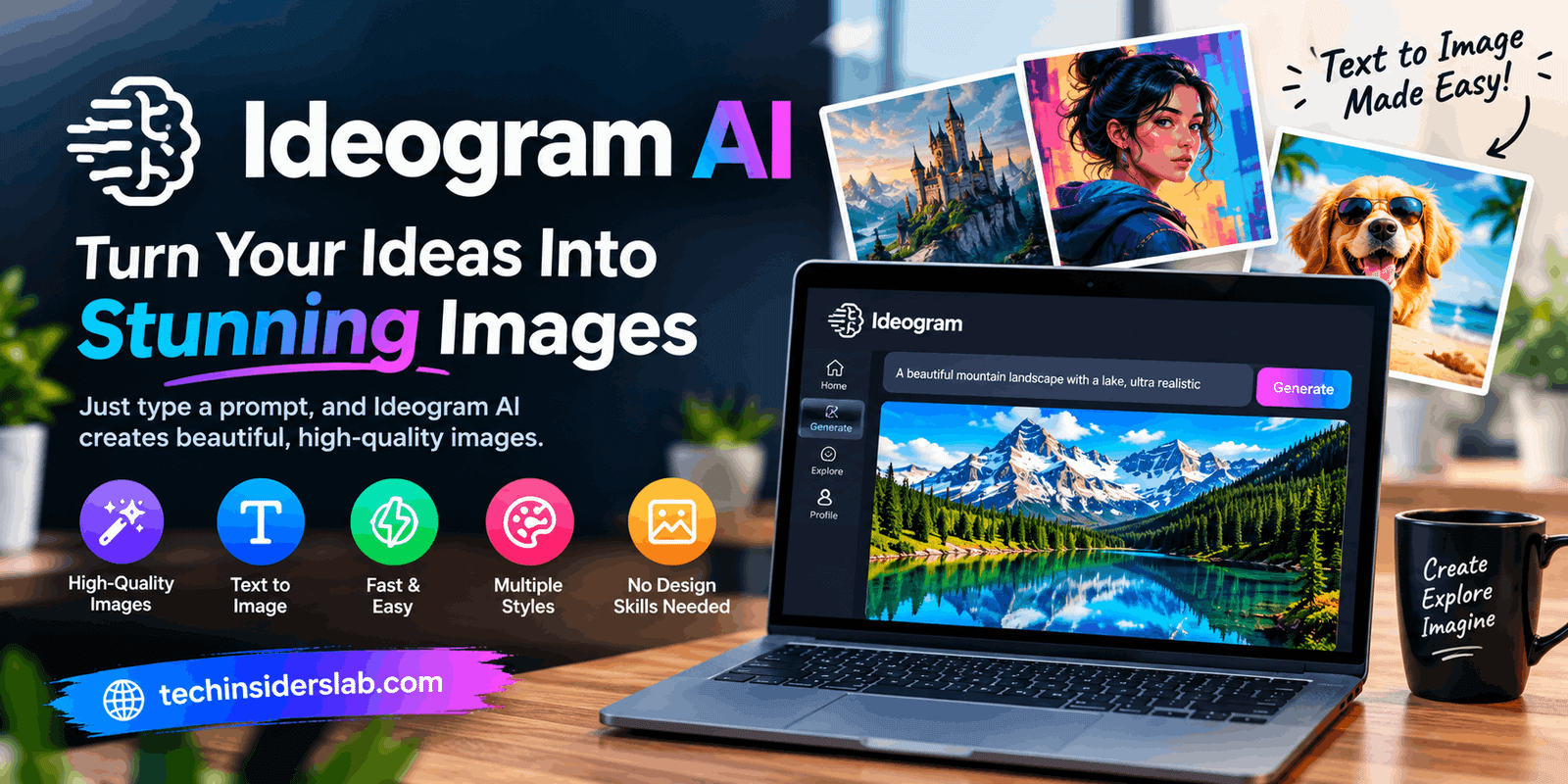
Ideogram AI is an artificial intelligence platform that transforms written descriptions into images and designs. It is particularly useful for projects that require readable text within an image, such as logos, advertisements, posters, book covers, and marketing graphics. Users can generate creative visuals, explore different styles, and refine their designs according to their requirements.
Whether you are a blogger, content creator, small business owner, marketer, or beginner exploring artificial intelligence, Ideogram can help you turn ideas into visual content. Understanding its features, advantages, and limitations can help you decide whether it is the right tool for your creative projects.
What Is Ideogram AI?
Ideogram AI is a text-to-image generation platform that uses artificial intelligence to create visual designs from written prompts. Users describe the image they want, and the system generates visual results based on their instructions.
For example, you could request a modern technology poster with a dark background, glowing blue elements, and a headline reading “Future of Artificial Intelligence.” Ideogram attempts to combine the requested words, visual elements, colors, and layout into a finished design.
One of its most recognizable strengths is typography. Many AI image generators have historically struggled to produce readable text, sometimes displaying misspelled words or random letters. Ideogram focuses on improving text rendering, making it useful for graphics where wording is an important part of the design.
The platform supports both artistic experimentation and practical design work. Instead of creating every element manually, users can begin with a written description and improve the generated result through additional prompts and editing features.
Ideogram is not a complete replacement for every professional design application. However, it offers an accessible approach to creating visual content without requiring advanced illustration or graphic design skills.
How Does Ideogram AI Work?
Ideogram follows a straightforward creative process. Users provide instructions, the AI interprets those instructions, and the platform generates images that can be reviewed and refined.
The process generally involves the following steps:
- Write a prompt: Describe the subject, style, colors, background, composition, and exact text you want to include.
- Generate images: The AI interprets your description and produces visual options.
- Review the results: Examine the generated images for design quality, spelling, composition, and unwanted details.
- Refine the prompt: Add more specific instructions if the results do not match your expectations.
- Edit and export: Use available editing features to improve the image and save the finished result.
The quality of the output depends partly on how clearly the prompt communicates the desired result. A detailed prompt that explains the purpose, visual style, and text placement usually provides better direction than a short, vague description.
For example, instead of writing “make a business poster,” you could request a clean promotional poster for a software company, specify a blue-and-white color scheme, ask for a bold headline, and explain where the supporting text should appear.
This approach gives the AI a clearer creative target and makes the results easier to evaluate.
Key Features of Ideogram AI
1. AI Image Generation
The primary feature of Ideogram is its ability to create images from text prompts. Users can describe a scene, object, character, or artistic concept and let the AI generate a visual interpretation.
It can help produce illustrations, realistic-looking scenes, digital artwork, product concepts, and creative backgrounds. This feature is especially useful for people who need original visuals but do not have advanced drawing or design skills.
2. Text and Typography Generation
Typography is one of Ideogram’s most important strengths. The platform is designed to place readable text directly into generated images, which is valuable for promotional graphics, posters, book covers, and branded content.
Users can specify the wording, font style, placement, and visual treatment they want. Although the results still need checking, this capability can reduce the amount of manual work required to create text-heavy graphics.
3. Magic Prompt
Writing effective AI prompts can be challenging for beginners. Magic Prompt helps expand a simple idea into a more descriptive instruction that gives the image generator additional creative direction.
For example, a basic request for a fantasy castle might be expanded with details about lighting, architectural style, atmosphere, colors, and composition. This can help users explore ideas they might not have included in their original prompt.
4. Ideogram Canvas
Ideogram Canvas provides a flexible workspace where users can generate, arrange, combine, and edit visual elements. Instead of treating every generated image as a separate finished project, users can work with multiple images on a larger canvas.
This is useful for developing advertising concepts, combining visual references, and refining a design through multiple iterations. The finished composition can be exported when the user is satisfied with the result.
5. Magic Fill
Magic Fill allows users to modify selected portions of an image. After selecting an area they want to change, they can describe the replacement or addition they want the AI to create.
For instance, a user might replace an object, change a background detail, adjust clothing colors, or add a new element without regenerating the entire scene.
This selective editing approach can save time when most of an image already looks correct. However, complex edits may require several attempts.
6. Extend and Image Reframing
Sometimes an image looks good but does not fit the dimensions required for a website banner, Pinterest pin, or social media post. Ideogram’s Extend feature can generate additional content beyond an image’s original borders.
This helps expand a scene while attempting to maintain its existing visual style. It can be particularly helpful when adapting a square image into a wider composition or creating additional background space for a headline.
7. Character Consistency
Ideogram also provides character-reference capabilities designed to help maintain a character’s appearance across different generated images. This can be useful for illustrated stories, recurring characters, promotional campaigns, and projects that need a recognizable subject.
It can reduce the need to describe every visual detail from scratch, although exact consistency is not guaranteed in every generation.
How to Use Ideogram AI Step by Step
Getting started with Ideogram is relatively simple, even if you have never used an AI image generator before.
Step 1: Create an account
Open the Ideogram platform and follow the available registration or sign-in instructions. Review the available access options before starting.
Step 2: Enter your prompt
Write a clear description of the image you want. Include the subject, desired style, colors, background, and exact wording if the image needs a headline.
Step 3: Choose your settings
Select a suitable image model, style, color palette, and aspect ratio where available. These settings help tailor the output to your project.
Step 4: Generate and review
Generate your images and compare the available results. Check whether the design matches your original idea and whether the text is correct.
Step 5: Refine the image
If the first result is not satisfactory, revise your prompt or use the available editing tools. Small changes to the description can produce noticeably different results.
Step 6: Save your final design
Once you are satisfied with the image, download it in an appropriate format for your intended use. Check the resolution and dimensions before publishing it.
The interface and available options may change over time, so some steps can vary depending on the platform’s current features.
Best Uses of Ideogram AI
Ideogram is suitable for a wide range of personal, creative, and business projects.
- Social media graphics: Create promotional posts, banners, thumbnails, and Pinterest pin designs.
- Logo concepts: Explore typography, symbols, color combinations, and visual identities before finalizing a brand design.
- Marketing materials: Develop advertising concepts, product promotions, event posters, and campaign visuals.
- Blog images: Generate featured images and supporting illustrations for articles, tutorials, and technology websites.
- Book covers: Experiment with cover layouts, titles, and visual themes for books or digital publications.
- Product mockups: Explore packaging ideas, labels, and advertising concepts for products.
- Digital art: Create imaginative scenes, illustrations, fantasy environments, and other artistic experiments.
- Small business content: Produce initial design concepts without hiring a designer for every early-stage idea.
For a technology website such as Tech Insiders Lab, Ideogram can be particularly useful for creating featured images, AI-tool graphics, social media promotions, and Pinterest designs. Final graphics should still be reviewed for text accuracy, visual quality, and consistency with the website’s branding.
Benefits of Ideogram AI
Ideogram provides several advantages for people who create visual content regularly.
1. Beginner-friendly workflow
Users can start with written instructions rather than learning complex illustration software. This makes the platform accessible to people with different levels of design experience.
2. Useful text rendering
Its focus on typography makes it a practical option for posters and designs that need visible headlines, slogans, or promotional messages.
3. Faster idea development
Multiple generated options help users compare different creative directions without manually producing every variation.
4. Flexible editing
Features such as Magic Fill and Extend make it possible to refine existing images rather than always starting over.
5. Broad creative applications
The platform can support blogging, marketing, social media, concept development, and personal projects.
6. Easy experimentation
Users can test different styles, color palettes, and compositions by changing a few instructions.
These advantages can make the design process more efficient, especially during brainstorming and early production. However, the amount of time saved depends on the project’s complexity and the quality of the generated results.
Limitations of Ideogram AI
Despite its useful capabilities, Ideogram has limitations that users should understand before relying on it for important design work.
Text is not always perfect. Although the platform emphasizes text rendering, complicated wording, unusual fonts, and crowded layouts may still produce errors. Always proofread important text.
Results can vary. Two generations based on similar prompts may have different compositions or visual details. You may need to experiment before finding a suitable result.
Editing can require patience. Local changes sometimes affect surrounding areas, so you may need multiple attempts to achieve the desired outcome.
Professional design may need additional work. AI-generated graphics can be a strong starting point, but precise brand guidelines, detailed layouts, and print-ready production may require further editing.
Usage limits and costs matter. Free access and paid subscriptions may offer different credits, generation speeds, privacy options, and advanced features. Review the available plan details before starting a large project.
Rights and originality need consideration. Before using generated images commercially, review the platform’s terms and ensure that your intended use does not infringe trademarks, copyrights, or other people’s rights.
Understanding these limitations helps users develop realistic expectations and make better decisions about when to use AI-generated graphics.
Ideogram AI Pricing: Is It Free?
Ideogram has offered free access alongside paid subscription options. However, the number of available generations, processing speeds, and access to specific features can vary by plan.
Paid plans may be more appropriate for users who generate images frequently, need private generation, or require a larger monthly allowance. The right option depends on how often you use the platform and which features your projects require.
Pricing and included credits can change, so users should check the platform’s current subscription information before purchasing a plan.
For beginners, the sensible approach is to test the available free access first, evaluate the results, and upgrade only if the platform provides enough value for the intended workload.
Tips for Getting Better Results with Ideogram
A good prompt can make a significant difference to the quality of the final image.
- Be specific: Explain exactly what you want to see instead of using vague descriptions.
- Describe the composition: Mention where the main subject, headline, and background elements should appear.
- Specify the style: Choose clear visual directions, such as photorealistic, minimalist, editorial, illustrated, or futuristic.
- Use exact text: Put the required headline or slogan in quotation marks and avoid adding unnecessary wording.
- Select the right dimensions: Use a horizontal format for wide banners and an appropriate vertical or square format for other platforms.
- Keep the design focused: Too many objects, colors, and text elements can make a graphic look cluttered.
- Review every result: Check spelling, proportions, background details, and visual consistency before publishing.
- Improve prompts gradually: Change one or two instructions at a time so you can identify which changes improve the result.
For example, a useful prompt for a technology blog graphic might request a clean futuristic background, a central AI illustration, blue and purple lighting, and the exact headline “BEST AI IMAGE GENERATORS.”
Specifying the layout and keeping the wording short can help create a more focused design. Users should still inspect the generated result and make any necessary corrections before using it professionally.
Is Ideogram AI Worth Using?
Ideogram is worth considering if your work involves creating images with prominent text, promotional graphics, social media content, or visual concepts. Its combination of text-to-image generation and editing tools makes it useful for beginners and experienced creators who want to explore ideas quickly.
It may be less suitable as a standalone solution when a project requires complete control over every design element, guaranteed text accuracy, or a tightly controlled professional production workflow.
The best way to evaluate the platform is to test it with a real project. Generate a few images, compare the results with your requirements, and determine whether its features justify the time or subscription cost.
Conclusion
Ideogram AI is a creative image-generation platform that helps users turn written ideas into visual content. Its focus on readable typography, along with features such as Magic Prompt, Canvas, Magic Fill, and Extend, makes it useful for creating posters, logos, marketing graphics, blog images, and social media designs.
Although it can simplify many design tasks, it does not eliminate the need for human review. Users should verify text, refine images where necessary, and check usage terms before publishing or selling generated content.
Overall, Ideogram is a valuable option for people who want to experiment with AI-powered design and create visual content more efficiently. Beginners can explore its capabilities with simple prompts, while regular creators can assess whether its advanced tools and paid plans fit their workflow.