Superhuman: Guide to the AI-Powered Email Productivity App
introduction
Email has become one of the most important communication tools for professionals, businesses, freelancers, entrepreneurs, and remote teams. However, managing a busy inbox can consume a significant amount of time every day. This is where Superhuman comes in.
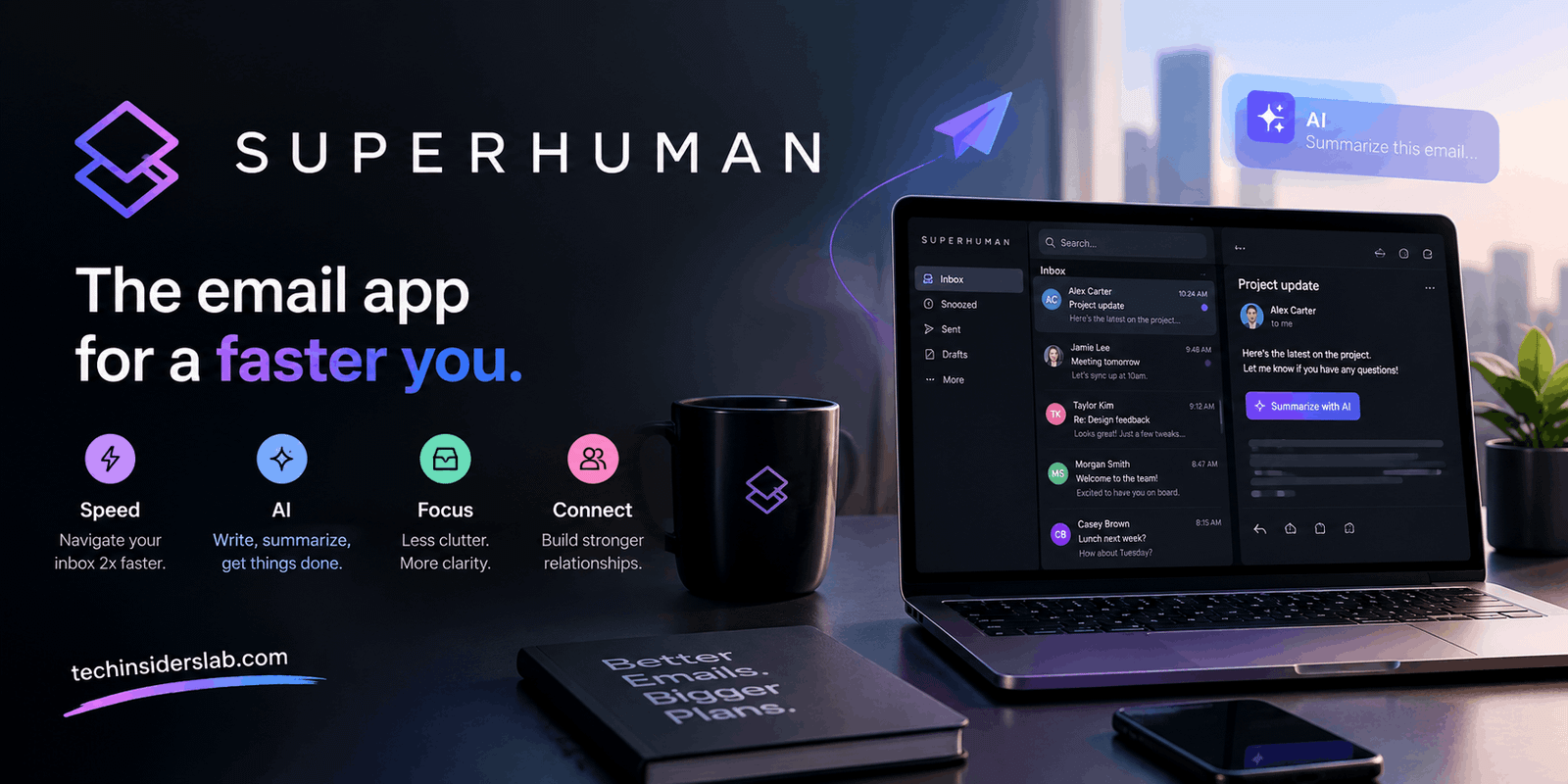
Superhuman is an advanced email productivity application designed to make managing emails faster, smarter, and more organized. It combines a fast email experience with artificial intelligence, automation, keyboard shortcuts, inbox organization, scheduling, collaboration, and other productivity-focused features.
Unlike traditional email clients that mainly provide a place to read and send messages, Superhuman focuses on helping users process email more efficiently. Its AI features can assist with organizing incoming messages, creating drafts, summarizing conversations, managing follow-ups, and finding information across email and calendars.
Superhuman works with major email platforms such as Gmail and Outlook, making it useful for people who want additional productivity features without completely changing the email accounts they already use.
What Is Superhuman?
Superhuman is an AI-powered email productivity application built around the idea of helping users spend less time managing their inboxes.
The platform is particularly focused on professionals who receive large numbers of emails and need to respond quickly. Instead of treating every email equally, Superhuman provides tools that help users identify important conversations and reduce unnecessary inbox clutter.
Its ecosystem includes Superhuman Mail, AI-powered email assistance, collaboration features, calendar functionality, and broader AI tools.
One of its major advantages is that users can connect Gmail or Outlook accounts and use AI capabilities to improve their existing email workflow. Its Email Assistant can automatically label messages, archive selected types of emails, prepare replies, and remind users about conversations that need attention.
How Does Superhuman Work?
Superhuman is designed to fit into an existing email workflow rather than forcing users to completely change how they communicate.
After connecting an email account, users can configure different productivity features according to their needs. AI can then assist with repetitive tasks such as identifying important messages, organizing conversations, drafting responses, and following up.
For Gmail users, Superhuman can provide features such as Auto Labels, Auto Archive, Auto Drafts, and Auto Reminders. Similar Email Assistant functionality is available for Outlook users.
This approach is useful because people do not necessarily need to abandon their existing Gmail or Outlook accounts just to get smarter email management.
Key Features of Superhuman
1. AI-Powered Email Management
Artificial intelligence is one of Superhuman’s biggest selling points.
The platform can help users understand and organize incoming emails without requiring them to manually sort every message. AI-powered organization can identify different types of messages and separate them according to their importance.
For example, users may want important customer emails to receive immediate attention while newsletters, promotional messages, or routine notifications are moved away from the primary workflow.
Superhuman’s AI features can automatically categorize messages and reduce inbox clutter, allowing users to concentrate on conversations that actually require their attention.
2. AI Email Writing
Writing email replies can take considerable time, particularly when users need to send dozens of professional messages every day.
Superhuman uses AI to help create email drafts based on short instructions or ideas. One of its useful capabilities is adapting generated writing to the user’s existing communication style.
Instead of producing generic AI-generated text, the system aims to make emails sound more natural and personalized.
This can be especially helpful for professionals who frequently write customer responses, business proposals, follow-ups, introductions, or internal communications.
Users can provide a basic idea and allow AI to turn it into a more complete and professional message.
3. Automatic Email Summaries
Long email threads can be difficult to read, especially when a conversation contains many replies.
Superhuman provides automatic conversation summaries that allow users to quickly understand the main point of an email thread.
This can be useful when someone returns to an old conversation after several days or weeks. Instead of reading every individual response, users can get a quick understanding of what the discussion is about.
Email summaries can therefore save time and make it easier to decide which conversations need immediate attention.
4. Auto Reminders and Follow-Ups
One common email problem is forgetting to respond to an important message.
Superhuman addresses this problem with automatic reminders. If an email needs a response or follow-up, the platform can remind the user at an appropriate time.
This is particularly useful for sales professionals, recruiters, managers, freelancers, and business owners who regularly communicate with clients or potential customers.
Instead of maintaining a separate list of unanswered emails, users can rely on reminders to bring important conversations back to their attention.
5. Split Inbox
A large inbox can quickly become overwhelming.
Superhuman’s Split Inbox functionality allows users to organize emails into separate sections. This can make it easier to focus on specific categories or types of communication.
For example, a user could separate personal communication from work-related messages or create different sections for customers, internal teams, newsletters, and important projects.
The goal is to reduce the feeling of having one enormous inbox where every message competes for attention.
6. Keyboard Shortcuts
Superhuman is heavily focused on speed, which is why keyboard shortcuts are an important part of the experience.
Users can perform many email actions without constantly moving between the keyboard and mouse.
For people who process hundreds of messages, small time savings can become significant over an entire workday.
Keyboard-driven navigation can also make repetitive tasks feel more efficient once users become familiar with the available commands.
7. Calendar and Scheduling
Email and scheduling are closely connected, especially in professional environments.
Superhuman provides calendar functionality that can help users create events and coordinate meetings directly from email conversations.
Its AI features can also help identify available meeting times and assist with scheduling.
This reduces the need to switch repeatedly between an inbox and calendar application.
For professionals who frequently schedule meetings through email, having these capabilities within the same workflow can be particularly convenient.
Superhuman for Gmail
Gmail users can use Superhuman to improve their existing email workflow.
One important aspect of the platform is its ability to work with Gmail while providing additional productivity features.
Users can benefit from AI-assisted email management, automatic organization, drafting, reminders, and other tools without necessarily abandoning their existing Gmail account.
For professionals already comfortable with Gmail, this can make Superhuman easier to adopt.
It provides an additional productivity layer on top of an email environment that users already understand.
Superhuman for Outlook
Superhuman also supports Outlook users.
The platform provides AI-assisted email management for Outlook, including features designed to organize messages, create drafts, and maintain follow-ups.
This makes Superhuman relevant to organizations and professionals who rely heavily on Microsoft-based email environments.
Instead of limiting its audience to Gmail users, Superhuman’s Outlook support gives businesses more flexibility when choosing an email productivity solution.
Superhuman AI and Ask AI
Beyond basic email automation, Superhuman includes more advanced AI functionality.
Ask AI is designed to help users work with information from email, calendars, and connected services.
Users can ask questions, search their inbox using natural language, draft messages, and work with calendar information.
Instead of remembering an exact sender, phrase, or keyword, users can describe what they are looking for in a more conversational way.
This type of AI interaction can make finding information much easier, particularly for professionals who have large amounts of historical email.
Superhuman for Teams
Superhuman is not limited to individual users.
Its collaboration features are designed to help teams communicate more efficiently. Users can collaborate around email conversations and use productivity features that are particularly useful for business environments.
Business-oriented plans can also provide integrations with professional tools used by sales and customer-facing teams.
For larger organizations, additional administrative and security features can make the platform more suitable for structured business environments.
Superhuman Pricing
Superhuman uses a premium pricing model, with different plans designed for different types of users and organizations.
Individual plans provide access to core email productivity features, while higher-level business plans provide additional AI capabilities, advanced automation, integrations, and collaboration tools.
Pricing and available features can change over time, so users should always check the latest plan information before subscribing.
For casual email users, the price may appear high compared with traditional email services. However, professionals who spend several hours every week managing email may find the productivity benefits more valuable.
Who Should Use Superhuman?
Superhuman is most useful for people who spend a large part of their working day inside email.
It can be a good option for:
- Entrepreneurs
- Business owners
- Executives
- Sales professionals
- Freelancers
- Recruiters
- Customer support teams
- Marketing professionals
- Remote teams
- Managers
- Professionals handling multiple inboxes
People who receive only a few emails each day may not get as much value from a specialized productivity platform.
The biggest benefits are generally seen by users who need to process large inboxes quickly and consistently.
Advantages of Superhuman
Superhuman offers several notable advantages.
Faster email processing: Keyboard shortcuts, organized inboxes, summaries, and AI assistance can reduce the amount of time spent handling messages.
AI automation: Repetitive tasks such as labeling, archiving, drafting, and reminders can be automated.
Gmail and Outlook support: Users can work with existing email accounts rather than completely changing providers.
Professional writing: AI can help create polished responses while attempting to maintain the user’s writing style.
Better follow-up management: Automatic reminders help prevent important conversations from being forgotten.
Team functionality: Collaboration and business integrations make the platform useful for professional teams.
Potential Limitations
Despite its impressive feature set, Superhuman may not be ideal for everyone.
The biggest consideration is price. Compared with standard email applications, Superhuman represents a premium productivity investment.
Another consideration is that users who already have an efficient Gmail or Outlook workflow may not need every feature Superhuman provides.
There is also a learning curve. Keyboard shortcuts, AI workflows, custom labels, and advanced productivity features can take some time to understand.
Privacy is another consideration whenever AI works with email data. Users and organizations should understand how their information is processed before connecting sensitive business accounts or confidential communications.
Is Superhuman Worth It?
Whether Superhuman is worth the investment depends largely on how much time a person spends managing email.
For someone who receives hundreds of messages, needs fast responses, manages multiple conversations, and frequently schedules meetings, the productivity benefits can potentially justify the cost.
For casual email users, a standard Gmail or Outlook account may already provide everything they need.
The key difference is that Superhuman is designed around email productivity rather than basic email communication. Its value becomes clearer when email is a major part of someone’s daily work.
Conclusion
Superhuman is a powerful email productivity app that combines AI, automation, smart organization, and fast workflows to make email management easier. Its features are especially useful for professionals and businesses that deal with large inboxes and need to save time. With support for Gmail and Outlook, AI-assisted writing, email summaries, reminders, scheduling, and productivity tools, Superhuman offers a modern approach to handling everyday communication. While its premium pricing may not suit casual users, it can be a valuable investment for anyone who wants to make email faster, more organized, and less time-consuming.