MailMaestro: AI Email Assistant for Smarter and Faster Email
introduction
Email has become one of the most important communication tools for professionals, businesses, students, and remote teams. However, managing a busy inbox can quickly become frustrating. Reading long conversations, writing professional replies, following up with clients, organizing messages, and keeping track of meeting requests can consume hours every week.
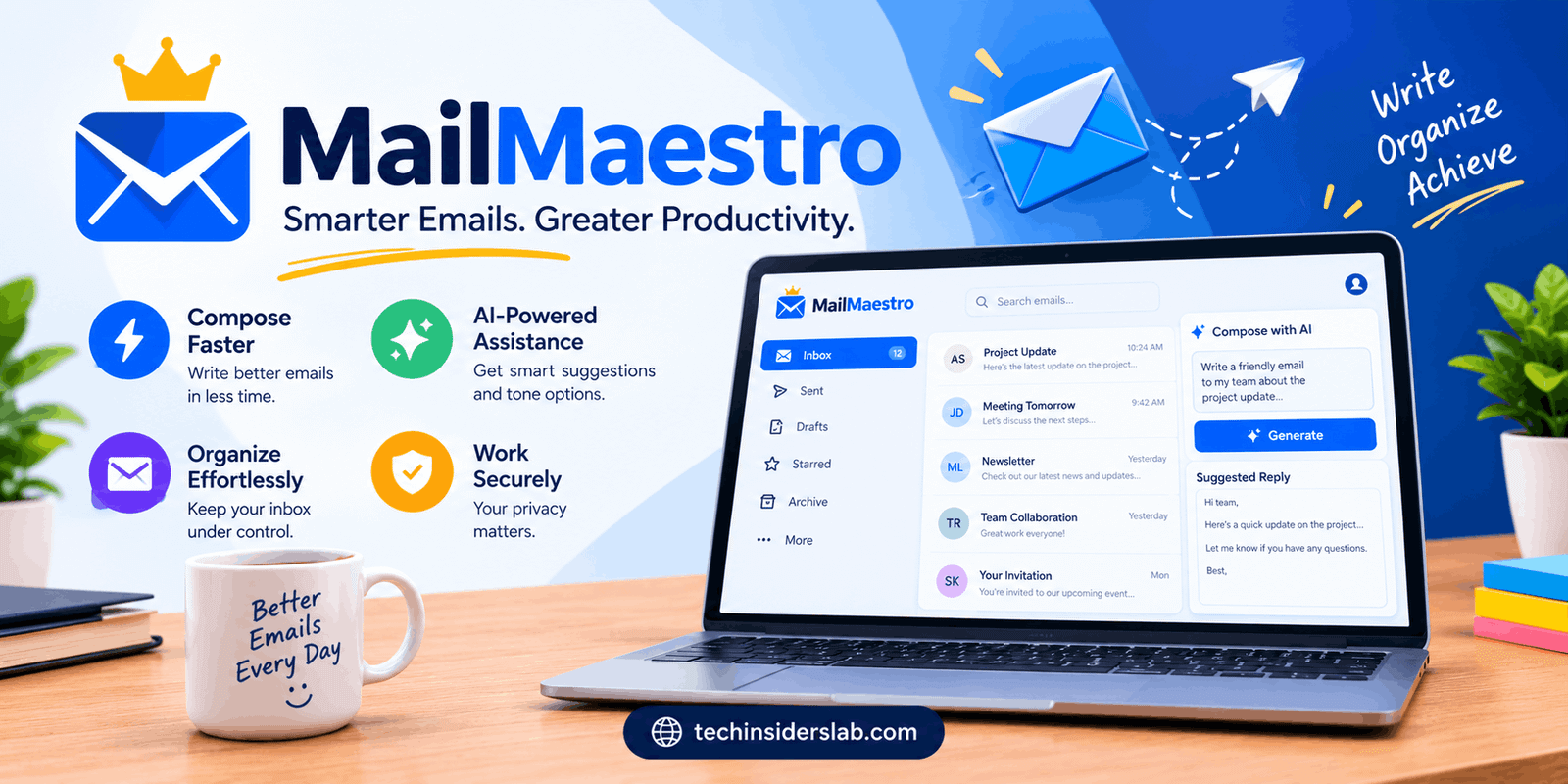
This is where MailMaestro comes into the picture. MailMaestro is an AI-powered email assistant designed to make everyday email work faster and easier. Instead of switching between an email client and a separate AI chatbot, users can access AI-powered writing, replying, summarization, organization, and productivity features directly within their email workflow.
MailMaestro is designed primarily around professional email communication and works with services such as Microsoft Outlook and Gmail. It uses modern large language models to help users compose messages, understand lengthy email threads, improve drafts, and respond more efficiently.
What Is MailMaestro?
MailMaestro is an AI email assistant that helps users manage and write emails with artificial intelligence. Its purpose is not simply to generate text. It combines email writing with context awareness, inbox organization, summaries, reminders, and other productivity features.
For example, instead of manually reading a long email conversation before replying, MailMaestro can summarize the important information and help generate a response based on the existing conversation.
The tool can also help users change the tone, length, language, and style of an email. This makes it useful for people who regularly write professional messages but want to spend less time worrying about wording and formatting.
MailMaestro supports AI models from major providers, including technologies associated with OpenAI, Anthropic, and Google.
How Does MailMaestro Work?
MailMaestro works inside the user’s existing email environment rather than requiring users to completely change their workflow.
Once installed or enabled, users can access its AI features while working with emails. Depending on the task, they can ask the assistant to create a new message, reply to an existing conversation, improve a draft, or summarize a long thread.
The basic workflow is simple:
- Open an email or start a new message.
- Select the relevant MailMaestro AI feature.
- Give the assistant a short instruction or use one of its available options.
- Review the generated result.
- Edit it if necessary and send the final email.
This approach is especially useful because users remain inside their familiar email application.
Key Features of MailMaestro
1. AI Email Writing
One of MailMaestro’s main features is AI-assisted email writing. Users can provide a simple instruction describing what they want to say, and the assistant can turn that instruction into a professional email.
This can be helpful when writing:
- Business emails
- Client responses
- Follow-up messages
- Introduction emails
- Meeting requests
- Customer communication
- Internal team messages
- Professional announcements
Users can also adjust the tone and length of generated messages, making the feature more flexible than simply copying a generic AI-generated response.
2. AI-Powered Email Replies
Writing replies can become repetitive, especially for professionals who receive dozens of emails every day.
MailMaestro can analyze the context of an email conversation and generate a relevant response. Instead of starting from a blank screen, users receive an AI-generated draft that they can review and customize.
The company says its AI response tools can work with conversation context and provide professional responses in multiple languages.
This is particularly useful for customer support, sales, management, consulting, and other roles where responding to emails is a major part of the workday.
3. Email Thread Summaries
Long email threads can contain dozens of messages, making it difficult to identify the most important information.
MailMaestro’s summarization feature can condense conversations into key points. It can also summarize attachments in supported workflows.
Instead of spending several minutes reading an entire conversation, users can first review the summary and then decide whether they need to read the full thread.
This feature can be valuable for:
- Project discussions
- Client conversations
- Team communication
- Meeting arrangements
- Customer requests
- Long-running email chains
4. Improve Existing Emails
Sometimes the message is already written, but the wording does not sound professional enough.
MailMaestro can help improve an existing draft by refining grammar, clarity, tone, and structure. Users can essentially write their thoughts in a rough form and then use AI to make the message more polished.
This can be especially useful for people who understand what they want to say but struggle to express it professionally.
5. Multiple Languages
International communication often requires professionals to write emails in languages other than their primary language.
MailMaestro supports email generation and responses across multiple languages. Its official materials describe support for professional email communication in numerous languages, including the ability to select a preferred language while generating content.
This makes the tool useful for international teams, freelancers, agencies, and businesses that communicate with customers across different regions.
6. AI Personality
One interesting feature is the ability to customize the AI’s communication style.
Instead of generating completely generic business emails, MailMaestro can be configured with information about the user’s role, preferred tone, wording, and communication preferences.
The goal is to make generated messages feel more consistent with the user’s normal writing style.
This can be particularly useful for professionals who send a large number of emails but want their communication to maintain a personal and recognizable tone.
7. Smart Inbox Organization
MailMaestro is not limited to writing emails. It also provides AI-powered inbox organization features.
Its Auto Label functionality can categorize messages based on their purpose or priority. Examples include messages that require a response, informational emails, and marketing-related messages.
AI-powered organization can make a large inbox easier to understand because users can focus on important conversations instead of manually sorting every message.
8. Email Reminders and Follow-Ups
Forgetting to respond to an important email can create unnecessary problems.
MailMaestro includes reminder-related features that can help users keep track of messages requiring future action. Its paid plans also include email reminders and other inbox-management capabilities.
This can be particularly helpful for sales professionals, freelancers, managers, and anyone who regularly needs to follow up with clients or colleagues.
9. Meeting Assistance
Email and calendars are closely connected in professional workflows.
MailMaestro can detect meeting-related messages and provide tools for responding to meeting requests. Its paid offerings include smart meeting scheduling features that work with supported calendar integrations.
This can reduce the amount of manual work involved in arranging meetings through email.
MailMaestro for Professionals
MailMaestro is particularly useful for professionals who spend a significant portion of their day managing email.
A sales representative, for example, may need to respond to prospects, follow up with existing customers, and summarize conversations. An AI email assistant can help reduce the time required for these repetitive tasks.
Project managers can also benefit from email summaries and reminders because project-related conversations often become lengthy.
Freelancers, consultants, recruiters, customer service professionals, and business owners may similarly find value in AI-assisted email communication.
MailMaestro for Teams
Teams can use MailMaestro to make communication more consistent and efficient.
Shared templates can help organizations maintain standardized responses for common situations. This can be useful for sales teams, support departments, and companies with repetitive communication workflows.
Team-oriented plans also include features such as centralized billing and shared templates, while enterprise offerings provide additional customization and security capabilities.
MailMaestro and Email Productivity
The biggest advantage of an AI email assistant is not simply that it writes emails faster. The larger benefit is reducing the mental effort associated with email.
Normally, an email workflow may look like this:
Read → Understand → Decide → Draft → Edit → Proofread → Send
MailMaestro can assist with several of these steps.
It can summarize the conversation, suggest a response, generate the draft, and improve the wording. The user still has the final decision, but much of the repetitive work can be automated.
This makes AI email assistance especially useful when the inbox becomes a major source of daily workload.
MailMaestro Pricing
MailMaestro offers a free plan as well as paid options.
According to the current official pricing information, the Free plan provides AI-powered compose, reply, and draft-improvement features, although these are limited to a certain number of requests per week.
The Professional and Team plans provide additional features such as AI email summaries, attachment summaries, smart meeting scheduling, reminders, auto-labeling, and other productivity tools. Annual pricing is lower than monthly pricing on the current pricing page.
Enterprise customers can access more advanced options such as customized data retention, integrations, onboarding, support, and enterprise security features.
Because software pricing can change, users should check the current plan details before subscribing.
Is MailMaestro Free?
Yes, MailMaestro provides a free option.
The free plan is designed for users who want to try AI-powered email assistance without immediately purchasing a subscription. The current plan limits AI compose, reply, and improvement requests, while paid plans unlock broader functionality.
There is also a full-featured trial period for users who want to test the broader capabilities before choosing a paid plan.
Security and Privacy
Security is particularly important for an AI email assistant because email messages can contain sensitive business and personal information.
MailMaestro states that it maintains security and compliance measures including SOC 2 Type II and GDPR compliance. Its enterprise offerings can also include additional controls such as customized data retention and PII-related protections.
However, users should always review the provider’s current privacy documentation and organizational policies before using AI tools with confidential information.
Businesses handling regulated or highly sensitive data should pay particular attention to data retention, processing, access controls, and compliance requirements.
Who Should Use MailMaestro?
MailMaestro can be useful for several types of users.
Business Professionals
People who send and receive many business emails can use it to draft replies and summarize conversations.
Sales Teams
Sales professionals can use AI assistance for follow-ups, introductions, customer replies, and relationship management.
Managers
Managers dealing with multiple projects can use summaries and reminders to keep track of important conversations.
Freelancers
Freelancers can save time when communicating with clients, preparing proposals, and responding to project requests.
Students
Students can use email-writing assistance for professional communication with teachers, organizations, internships, and employers.
Small Businesses
Small businesses can use templates and AI assistance to maintain faster and more consistent communication without needing a large support team.
Advantages of MailMaestro
There are several reasons users may consider MailMaestro.
Faster email writing: AI can create drafts from short instructions.
Better context: Responses can take previous conversation content into account.
Inbox organization: AI-powered labels and prioritization can make busy inboxes easier to manage.
Summaries: Long conversations can be reduced to important points.
Professional communication: Users can improve tone, grammar, and clarity.
Multiple languages: International communication becomes easier.
Email integration: Users can access AI assistance within their normal email workflow.
Team features: Shared templates and team-oriented functionality can help organizations standardize communication.
Limitations to Consider
Although MailMaestro can save time, it should not completely replace human judgment.
AI-generated emails can occasionally contain incorrect assumptions, inappropriate wording, or missing details. Users should therefore review important messages before sending them.
Another consideration is privacy. Email assistants process information from conversations, so businesses should understand how their data is handled before integrating an AI tool into sensitive workflows.
Finally, some advanced features require paid plans. Users with very light email usage may find the free plan sufficient, while heavy users may need a subscription.
MailMaestro vs. General AI Chatbots
A general AI chatbot can also write emails, but MailMaestro is specifically designed around the email workflow.
With a general chatbot, users may need to copy an email, paste it into another application, provide context, generate a response, and then copy the result back into their email client.
MailMaestro aims to reduce these extra steps by bringing AI directly into the email environment.
This difference may seem small, but for someone handling dozens of messages every day, eliminating repeated copy-and-paste tasks can significantly improve productivity.
Conclusion
MailMaestro is a useful AI-powered email assistant for people who want to manage emails faster and communicate more professionally. Its features for writing emails, generating replies, summarizing long conversations, improving drafts, organizing inboxes, and managing follow-ups can reduce repetitive work.
It can be especially helpful for professionals, businesses, freelancers, sales teams, and anyone who deals with a busy inbox. However, AI-generated emails should still be reviewed before sending, particularly when the message contains important or sensitive information.
Overall, MailMaestro is a practical AI productivity and email management tool that can help users save time and make everyday email communication easier.