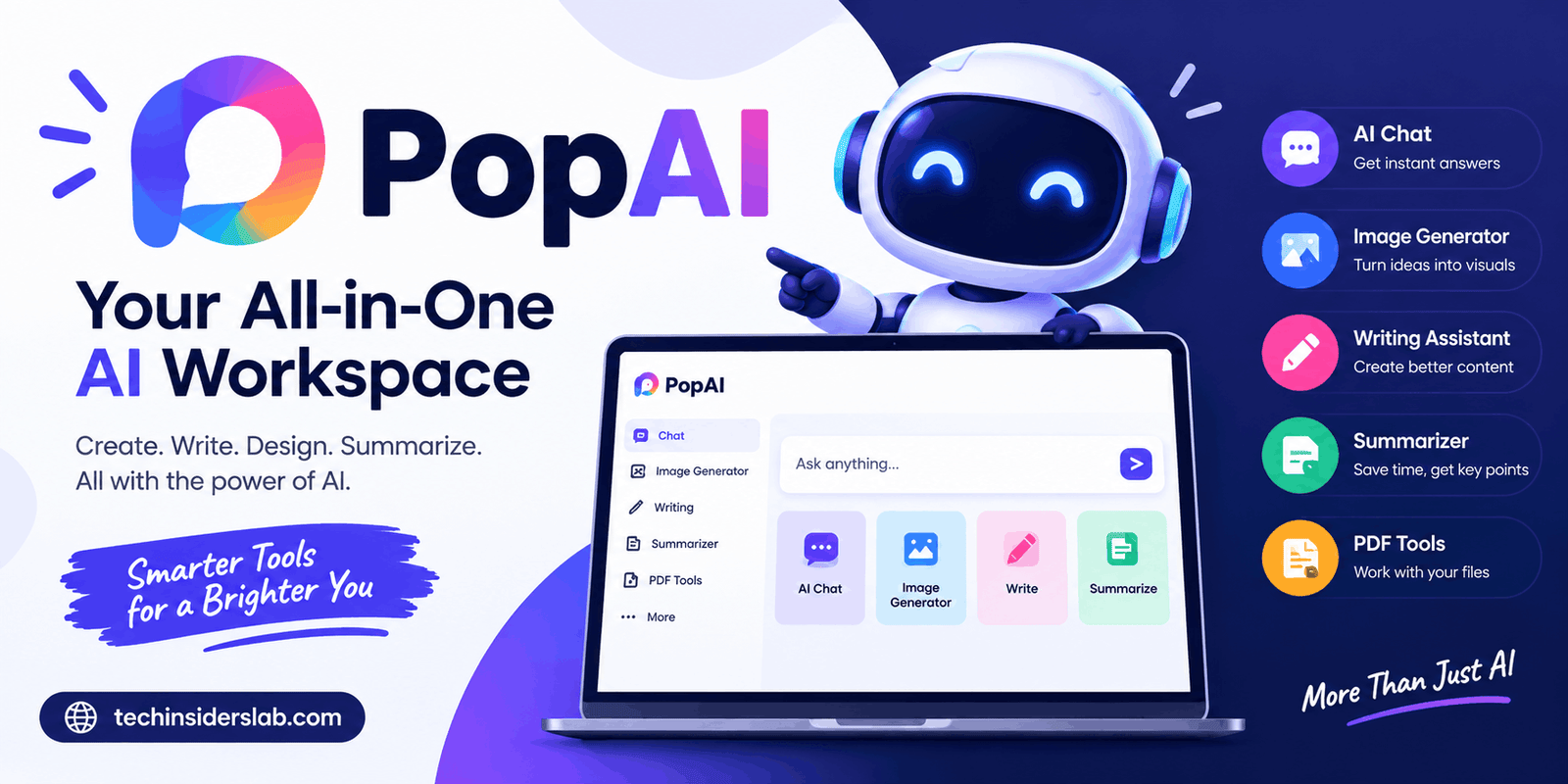
PopAI: An AI-Powered Workspace for Smarter Productivity
introduction
Artificial intelligence has changed the way people work, study, research, and create digital content. Instead of using separate applications for writing, document analysis, presentations, and brainstorming, many users now prefer AI platforms that bring several capabilities together. PopAI is one such platform, designed to help users complete different content and productivity tasks from a single workspace.
PopAI is especially known for its AI presentation capabilities and document-based features. Users can work with prompts and source materials such as documents and PDFs to create organized content, presentation drafts, summaries, and useful insights. The platform also provides AI chat, writing assistance, and visual-content features.
For students, teachers, researchers, freelancers, marketers, and business professionals, this combination can make everyday digital work more convenient. However, like other AI platforms, PopAI should be considered an assistant rather than a complete replacement for human research, creativity, and review.
What Is PopAI?
PopAI is an AI-powered productivity and content-creation platform that combines multiple artificial intelligence features within one workspace. Its major use cases include creating presentations, interacting with documents, summarizing information, generating written content, brainstorming ideas, and working with visual material.
One of its useful features is the ability to work from existing information rather than requiring users to begin with a blank page. For example, a user can provide a document and use AI to understand, organize, summarize, or transform the information into a presentation structure.
This approach can be helpful for people who regularly work with research papers, reports, lecture notes, business documents, or project information. Instead of manually transferring information from a long document into individual presentation slides, users can allow AI to create an initial structure.
PopAI is therefore more than a basic presentation generator. It attempts to provide a broader AI workspace where users can move between research, writing, document analysis, and content creation.
How Does PopAI Work?
PopAI generally follows a simple input-and-generation process. The user provides a prompt, question, document, or other source material, and the AI processes that information to produce a useful result.
When creating a presentation, a user can begin by entering a topic or providing source material. The AI can then suggest an outline and organize the information into different sections. After that, the user can review, modify, and improve the generated presentation.
For example, imagine a student has a detailed research document about climate change. Instead of manually reading the entire document and planning every slide, the student could use PopAI to organize the information into sections such as introduction, causes, environmental effects, economic impact, possible solutions, and conclusion.
The generated presentation is not necessarily the final product. Users should review the content, correct errors, add important information, and make design adjustments before presenting it.
PopAI AI Presentation Maker
The AI presentation maker is one of the most important features associated with PopAI. It is designed to help users create presentations from a topic, prompt, or existing source material.
Creating a presentation manually can take a significant amount of time. Users have to decide what information to include, create an outline, write slide content, select visuals, and arrange everything in a logical order.
PopAI can simplify the initial stages by generating a presentation structure based on the information provided.
It can help with:
- Slide titles
- Presentation outlines
- Main talking points
- Content organization
- Supporting information
- Visual ideas
- Presentation flow
This can be particularly useful when the user knows the topic but does not know how to structure the presentation.
However, AI-generated slides should always be reviewed. Important statistics, dates, names, research findings, and other factual information should be checked before the presentation is used publicly.
Chat With PDFs and Documents
Another useful feature of PopAI is its ability to work with documents.
Traditional document readers require users to manually search through pages and paragraphs to find information. AI-powered document tools allow users to ask questions about the content using natural language.
For example, after providing a research paper, users may ask questions such as:
- What are the main findings?
- What is the purpose of this research?
- Summarize the important points.
- What methodology was used?
- What are the major limitations?
- Explain this section in simple words.
This can save time when working with lengthy documents.
Students can use document interaction to understand study material, while professionals can use it to quickly identify important information in reports and other files.
Nevertheless, users should compare important answers with the original document because AI systems can misunderstand context or produce inaccurate interpretations.
AI Writing Features
PopAI also provides AI-assisted writing capabilities that can help users create and improve written content.
AI writing can be useful for generating:
- Blog ideas
- Article drafts
- Summaries
- Emails
- Reports
- Study notes
- Explanations
- Brainstorming ideas
- Rewritten content
One of the biggest advantages of AI writing is that it helps users overcome the blank-page problem.
For example, someone who needs to write an article may have the topic and basic information but struggle to create an introduction. AI can provide an initial draft that the user can then edit and personalize.
The best results usually come from treating AI-generated writing as a starting point rather than publishing it without review. Human editing can make the content more natural, accurate, original, and relevant to the target audience.
PopAI for Students
Students can use PopAI for several academic and productivity tasks.
A student working on a project may use the platform to organize research, understand documents, create summaries, develop presentation outlines, and generate ideas.
It can also help explain complicated concepts in simpler language. For example, a student studying a technical subject can ask the AI to explain a difficult topic at a beginner level and then request a more detailed explanation.
PopAI can therefore function as a study assistant, particularly when students are dealing with large amounts of information.
However, students should avoid relying completely on AI-generated answers. Academic work should reflect the student’s own understanding and follow the rules of their school, college, or university regarding AI usage.
PopAI for Teachers and Educators
Teachers can also benefit from AI productivity tools.
Preparing educational material can require considerable time, especially when teachers need presentations, explanations, questions, summaries, and supporting resources.
PopAI can assist with:
- Lesson presentation drafts
- Topic explanations
- Educational summaries
- Classroom presentation ideas
- Question generation
- Document analysis
- Learning materials
A teacher can use existing information as the foundation for a presentation and then modify the generated material according to the needs of students.
The teacher remains responsible for reviewing the content because AI-generated educational material can sometimes contain factual errors or explanations that need additional context.
PopAI for Business Professionals
Business professionals often work with reports, research, presentations, documents, and large amounts of information. This makes AI-powered productivity tools useful for organizing information and preparing content.
For example, a marketing professional could use a business report as the starting point for a presentation containing sections such as campaign objectives, target audience, performance results, important findings, challenges, and recommended actions.
Instead of creating the structure manually, AI can help produce a first draft.
Professionals can then add verified statistics, company branding, specific business information, and their own recommendations.
This can make PopAI useful for meetings, internal reports, project presentations, marketing plans, and other professional tasks.
PopAI and Visual Content
PopAI also extends beyond text and presentations by providing visual-content capabilities.
Visual elements are important in modern presentations because large blocks of text can make slides difficult to understand. AI-generated visuals can help users explore ideas for images and other supporting elements.
For content creators and presentation designers, having writing, presentation, and visual features in the same environment can reduce the need to switch between multiple applications.
However, users should still consider the purpose and audience of the content. A visually attractive presentation is not automatically an effective one. Clear information, good organization, readability, and relevant visuals remain important.
Advantages of PopAI
PopAI offers several features that can make AI-assisted productivity easier.
Multiple Productivity Features
Instead of focusing on only one task, PopAI brings together presentation creation, document interaction, AI chat, writing assistance, and other content-related capabilities.
Faster Content Creation
AI can create a first draft much faster than starting completely from scratch. This can be particularly helpful when users have limited time.
Document-Based Workflows
Users can work from existing information rather than manually transferring everything into a new document or presentation.
Useful for Different Audiences
Students, educators, researchers, freelancers, marketers, and business professionals can all find different uses for the platform.
Better Brainstorming
AI can provide ideas when users are unsure how to begin a project, article, presentation, or research task.
Presentation Organization
AI-generated outlines can help users create a logical flow before spending time on detailed slide design.
Limitations of PopAI
Although PopAI provides many useful capabilities, it also has limitations.
The first major limitation is AI accuracy. Artificial intelligence can generate incorrect information, misunderstand a document, or provide an answer that sounds convincing but is not fully accurate.
The second limitation is design customization. AI can create a useful presentation structure, but users may still need to adjust fonts, spacing, images, colors, charts, and branding to achieve a professional result.
Another consideration is that free access may come with restrictions on usage or certain features. Paid plans and feature limits can also change over time, so users should check the current plan information before making a purchase.
There is also the issue of originality. If many users rely on similar AI prompts and templates, their content may have a similar structure or tone. Adding personal insights and original ideas is therefore important.
Is PopAI Easy to Use?
PopAI is designed around a relatively simple workflow. Users can provide a prompt, upload information, or ask a question and then allow the AI to generate a result.
This makes the platform approachable for people who have already used AI chat tools.
Beginners can start with small projects and gradually learn how different prompts affect the output.
For more advanced projects, users may need to spend additional time editing the generated material. The more specific the requirements, the more important it becomes to provide clear instructions.
How to Get Better Results From PopAI
The quality of AI output often depends on the quality of the instructions.
Instead of giving a very general prompt, users can specify:
- Target audience
- Number of slides
- Desired length
- Tone
- Main objective
- Required sections
- Important information
- Presentation style
For example, instead of asking AI to create a presentation about digital marketing, a user could specify that the presentation is for beginners, should contain ten slides, should explain major digital marketing channels, and should use simple language.
Reviewing the outline before generating the complete presentation is another useful practice. If the structure is incorrect, fixing it early can save time.
Users should also compare AI-generated information with reliable original sources whenever accuracy is important.
Who Can Benefit From PopAI?
PopAI can be useful for several types of users.
Students can use it for research organization, study support, summaries, and presentations.
Teachers can use it to prepare lessons and presentation drafts.
Researchers can use document tools to understand lengthy files and locate relevant information.
Freelancers can use AI writing and presentation features for client projects.
Business professionals can use it to turn reports and research into presentation drafts.
Content creators can use it for brainstorming, writing, and visual-content ideas.
The common benefit is that AI can reduce repetitive work and provide a starting point for projects.
Conclusion
PopAI is a versatile AI productivity platform that brings presentation creation, document analysis, AI chat, writing assistance, and visual-content features into one workspace. It can help students, teachers, researchers, content creators, freelancers, and business professionals save time and organize information more efficiently.
Its biggest benefit is the ability to turn ideas and existing information into useful content without starting everything from scratch. However, AI-generated information should always be reviewed for accuracy and improved with human creativity and judgment.
Overall, PopAI can be a practical option for users who want to combine multiple AI-powered productivity tasks in one convenient platform.