introduction
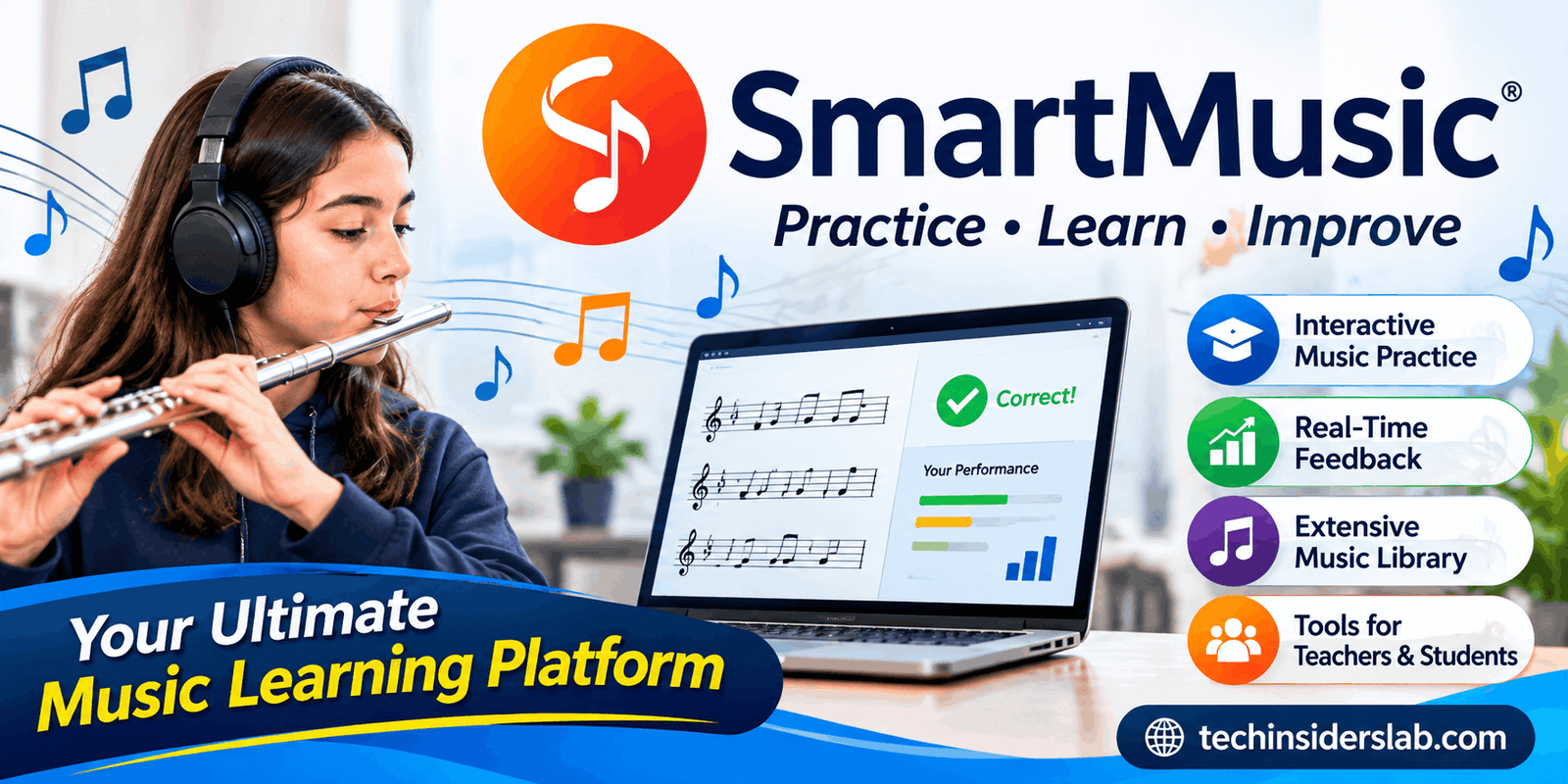
SmartMusic is a digital music education and practice platform designed to help students, music teachers, and musicians improve their musical abilities through interactive tools and guided practice. It combines digital sheet music, musical accompaniment, performance assessment, and classroom management features in one learning environment.
Unlike traditional music practice, where students often repeat a song without knowing exactly which notes or rhythms they are getting wrong, SmartMusic provides technology-assisted feedback that helps users identify mistakes and work on specific areas of their performance.
One important update is that SmartMusic has transitioned into MakeMusic Cloud. The platform continues to offer its familiar music practice, assessment, composition, and educational tools under the MakeMusic name.
Whether someone is learning an instrument for the first time or preparing students for a school concert, this platform offers resources that can make music practice more organized, interactive, and productive.
What Is SmartMusic?
SmartMusic is a web-based music learning and performance practice platform developed by MakeMusic. It was originally introduced as software for musicians and later evolved into a web-based service that supports music education in schools, classrooms, and individual practice environments.
Its main purpose is to connect music instruction with practical digital learning tools. Students can access musical pieces, listen to professional accompaniments, practice their assigned parts, and receive feedback about their performance. Teachers can create assignments, review student recordings, and monitor individual progress.
The platform is particularly useful for band, orchestra, choir, and instrumental music programs. It provides learning resources for different musical abilities, allowing educators to organize practice activities according to their students’ needs.
SmartMusic is not simply a digital music player. Its interactive practice environment is designed to help musicians understand their mistakes and improve through repeated, focused exercises.
The platform’s current identity as MakeMusic Cloud is important for anyone searching for SmartMusic today. Users may encounter both names when researching the service or looking for its features.
How Does SmartMusic Work?
SmartMusic works by combining digital music resources with performance analysis and practice tools. Students generally begin by accessing their assigned music or selecting an available piece from the platform’s catalog.
Once they open a musical selection, they can follow the notation while listening to an accompaniment. They then play or sing their part using a supported microphone or recording setup.
The platform analyzes aspects of the performance, including pitch and rhythm, and provides visual feedback to help users recognize areas that need improvement.
A typical practice session may follow these steps:
- Access the music: Students open an assigned exercise, song, or musical selection.
- Review the notation: They examine the sheet music and listen to the accompanying audio.
- Practice the performance: Students play their instrument or sing along with the musical arrangement.
- Receive feedback: The assessment system identifies performance errors and areas that require attention.
- Repeat difficult sections: Users can work on challenging passages and practice at a comfortable tempo.
- Submit their work: Students can share recordings or completed assignments with their teachers when required.
This approach encourages students to become more independent learners while giving teachers a better understanding of their development.
Main Features of SmartMusic
SmartMusic became popular in music education because it combines several useful learning and teaching features. Instead of requiring separate tools for every activity, it brings many important practice resources together.
1. Interactive Music Practice
Interactive practice is one of the platform’s most important capabilities. Students can follow digital sheet music while performing their assigned musical parts.
The practice environment provides feedback that helps users recognize incorrect notes, timing problems, and other performance difficulties. This makes practice more meaningful because students can focus on specific mistakes instead of repeatedly playing an entire piece.
It is especially useful for students who practice independently outside regular classroom hours.
2. Real-Time Performance Feedback
SmartMusic uses algorithmic assessment to evaluate musical performances. Its feedback system focuses on elements such as pitch, rhythm, and note duration.
During supported exercises, correctly performed notes can appear differently from incorrect or mistimed notes. This visual guidance makes it easier for learners to understand where their performance needs improvement.
For example, a student practicing a trumpet exercise may discover that several notes are being played incorrectly or that certain passages are consistently performed too early.
The student can then repeat those sections and work toward a more accurate performance.
However, automated assessment should be treated as a practice aid rather than a complete replacement for a professional music teacher. Musical expression, tone quality, phrasing, and interpretation also require human listening and guidance.
3. Extensive Music Library
Another major advantage is its digital music catalog. Students and teachers can explore musical selections across different instruments, ensembles, genres, and skill levels.
The library includes educational exercises, solos, ensemble arrangements, and other musical resources. It can support both classroom instruction and individual practice.
The current MakeMusic Cloud website describes a catalog containing more than 10,000 interactive titles, with additional content being developed and added over time.
This variety is useful because teachers do not have to depend entirely on a single textbook or a limited collection of printed exercises.
4. Professional Accompaniments
Practicing alone can sometimes make music learning less engaging, especially when students are preparing for ensemble performances.
SmartMusic addresses this challenge through professionally recorded musical accompaniments. Students can perform their individual parts while listening to the larger musical arrangement.
This helps them understand how their instrument fits into the complete composition.
For example, a violin student can practice a solo while listening to accompanying instruments. Similarly, a wind instrument player can develop a better understanding of timing and musical coordination.
Accompaniment-based practice can also help students prepare for performances outside the classroom.
5. Tempo Adjustment
Learning a difficult musical composition at its original speed can be challenging, particularly for beginners.
SmartMusic provides tempo controls that allow students to slow down or adjust playback according to their current abilities.
A learner can start with a slower speed, become comfortable with the notes, and gradually increase the tempo as their confidence improves.
This technique supports gradual skill development and reduces the pressure of trying to perform difficult music perfectly on the first attempt.
6. Practice Looping
Some musical passages require more attention than others. Rather than repeating an entire composition, students can focus on specific sections that are difficult to perform.
Practice looping makes this process more convenient by allowing users to repeat selected passages.
For instance, if a student struggles with a particular measure in a piano arrangement, they can isolate that section and practice it repeatedly.
This method encourages focused learning and helps students spend their time on the areas that need the most improvement.
7. Digital Gradebook and Assignments
SmartMusic also provides useful classroom management tools for music educators.
Teachers can create classes, distribute assignments, collect student recordings, and review completed work through the platform’s educational environment.
The Gradebook helps educators organize submitted performances and examine assessment results. Teachers can also listen to recordings and provide additional feedback where necessary.
These features are particularly helpful for schools with large music programs because they reduce the need to manage every assignment manually.
Teachers can use the available information to understand which students are progressing and which learners may need additional assistance.
8. Sight Reading Studio
Sight-reading is the ability to perform music that a musician has not previously practiced. It is an important skill for students who participate in bands, orchestras, and other musical groups.
MakeMusic Cloud offers Sight Reading Studio, which allows educators to generate customizable sight-reading exercises.
Teachers can adjust different musical elements, including:
- Key signatures
- Rhythmic patterns
- Time signatures
- Articulations
- Pitch difficulty
- Other musical requirements
This flexibility makes it easier to create exercises for students with different levels of experience.
Instead of giving every student the same challenge, teachers can adjust exercises to match individual learning needs.
9. Music Composition Tools
Music composition is another important part of the MakeMusic environment. Its Compose tool allows users to work with musical notation, create original exercises, and share compositions.
Teachers can prepare customized musical materials for their classes, while students can explore their creativity by creating and editing their own musical ideas.
This feature is valuable because music education should involve more than learning how to reproduce existing compositions. Students can also develop an understanding of how music is created.
The ability to work with digital notation makes the composition process more accessible and organized.
10. Recording and Performance Review
Recording is an important part of learning music because students can listen to their own performances and recognize mistakes they may not notice while playing.
SmartMusic supports performance recordings and assignment submissions, allowing educators to review students’ work.
Teachers can listen to recordings, examine assessment feedback, and provide additional guidance. Students can also use recordings to understand their progress over time.
This creates a more structured learning process in which practice, performance, evaluation, and improvement are connected.
11. Instrument-Specific Learning Support
Different instruments require different techniques, finger positions, playing styles, and practice methods.
SmartMusic supports a variety of instrumental and vocal learning activities, making it useful for different music programs.
Its practice resources can help students work on technical exercises, musical passages, and performance preparation.
Some supported practice materials also provide instrument-specific fingering guidance, helping beginners understand how particular notes should be played.
This type of assistance can make early learning less confusing, although students should still receive proper instruction about posture, technique, and instrument handling.
Benefits of Using SmartMusic
SmartMusic offers several advantages for both music students and educators. Its biggest strength is the way it combines independent practice with structured educational support.
Here are some of its most important benefits.
Better Independent Practice
Students do not always have access to a music teacher whenever they practice. SmartMusic helps fill this gap by providing digital resources and automated feedback.
Students can work through assignments at home, identify mistakes, and repeat difficult sections without waiting for their next lesson.
This encourages responsibility and helps learners become more confident in their abilities.
Saves Teachers Time
Music teachers often spend considerable time preparing exercises, distributing sheet music, collecting assignments, and evaluating student performances.
SmartMusic brings several of these activities into one digital environment.
Teachers can create assignments, organize classes, and review submissions through its classroom tools. This can make routine administrative tasks easier to manage.
Builds Musical Confidence
Students sometimes feel discouraged when they repeatedly make mistakes during practice.
Immediate feedback gives them a clearer understanding of what needs improvement. Instead of guessing whether a performance was correct, they can use the available assessment information to guide their next attempt.
As students become more comfortable with difficult passages, they may develop greater confidence before concerts, examinations, and classroom performances.
Encourages Consistent Practice
Regular practice is essential for developing musical ability. However, maintaining a consistent routine can be difficult without clear goals.
Assignments, exercises, and performance feedback provide students with a more organized way to approach their practice sessions.
The ability to track completed work can also encourage learners to take their musical responsibilities more seriously.
Supports Different Learning Levels
Not every student develops musical skills at the same speed. Some learners may understand basic rhythms quickly, while others need additional time to improve their pitch accuracy or instrument technique.
Customizable exercises and different difficulty levels help teachers provide more suitable learning activities.
This makes the platform useful for music classrooms with students who have different levels of experience.
Who Should Use SmartMusic?
SmartMusic is mainly designed for music education, but its tools can be useful for several types of users.
Music Students: Students learning instruments can use interactive practice, digital sheet music, and performance feedback to improve their skills.
Music Teachers: Educators can create assignments, organize classes, monitor submissions, and evaluate student performances.
School Bands and Orchestras: Group music programs can use the platform to distribute musical parts and help individual members prepare before rehearsals.
Choir Students: Vocal learners can benefit from musical resources and structured practice activities that support their development.
Private Music Instructors: Independent instructors may find its digital assignment and assessment tools helpful when teaching students remotely or managing multiple learners.
Advanced Musicians: Experienced performers can use available musical resources to prepare challenging compositions and improve their practice routines.
SmartMusic for Teachers and Students
One of the most valuable aspects of SmartMusic is the connection between teachers and students.
Traditional music education often depends on classroom instruction followed by individual practice at home. The challenge is that teachers cannot always observe what happens during every student’s practice session.
SmartMusic helps make this process more connected.
Teachers can select appropriate musical materials, create assignments, and share them with students. Students can complete the assigned work and submit their performances for review.
Educators can then examine the submitted recordings, review automated assessment results, and provide further instructions.
This creates a continuous learning cycle:
- Teachers introduce musical concepts.
- Students practice independently.
- The platform provides assessment feedback.
- Teachers review the submitted work.
- Students use the feedback to improve.
This approach can be particularly beneficial for large music programs where keeping track of individual student development is challenging.
Is SmartMusic Free?
SmartMusic has offered free teacher and student accounts with access to selected content and limited music library resources. Paid subscriptions have provided broader access to interactive music materials and additional educational capabilities.
However, it is important to understand that SmartMusic is now part of MakeMusic Cloud, and subscription arrangements and included features may change.
The current MakeMusic website describes free account access with limited catalog content, while full catalog access is associated with eligible paid subscriptions.
Before purchasing a subscription, users should review the official MakeMusic website to confirm the latest pricing, account options, and included features.
Advantages and Disadvantages of SmartMusic
Like other digital learning platforms, SmartMusic has strengths as well as limitations.
Advantages
- Provides interactive music practice tools.
- Offers feedback on pitch and rhythm.
- Includes a wide selection of musical resources.
- Supports professional accompaniment during practice.
- Helps teachers create and manage assignments.
- Makes it easier to review student recordings.
- Offers tools for sight reading and music composition.
- Encourages more structured independent practice.
Disadvantages
- Full access to some music resources may require a paid subscription.
- Students need a compatible device and suitable internet access.
- Automated assessment cannot fully evaluate musical expression.
- Beginners may need time to understand the platform.
- Microphone quality and surrounding noise can affect recording and assessment results.
- Digital practice cannot completely replace live instruction and ensemble rehearsals.
These limitations do not make the platform unsuitable. They simply show why it works best as a supporting resource rather than a complete replacement for traditional music education.
SmartMusic vs. Traditional Music Practice
Traditional music practice usually involves printed sheet music, a musical instrument, and guidance from a teacher. Students may use a metronome or recorded accompaniment to support their learning.
SmartMusic brings several of these resources into a digital environment.
The main difference is the availability of interactive feedback and centralized assignment management.
With traditional practice, students may need their teacher to identify certain performance mistakes. With SmartMusic, supported exercises can provide immediate assessment information during practice.
However, traditional instruction remains important because music involves much more than correct notes and rhythms. Tone, expression, musical interpretation, posture, and collaboration require attention that automated tools cannot completely provide.
For this reason, combining digital practice with traditional teaching can provide a more balanced music education experience.
Is SmartMusic Worth Using?
SmartMusic is worth considering for schools, music educators, and students who want a more organized approach to learning and practicing music.
Its combination of interactive sheet music, performance assessment, musical accompaniment, and classroom management makes it a useful educational resource.
For teachers, the biggest advantage is the ability to distribute assignments and review student performances without relying entirely on traditional paper-based methods.
For students, the platform offers a convenient way to practice independently, recognize mistakes, and develop musical confidence.
However, users should remember that technology cannot replace the experience of learning directly from a qualified music instructor. The best results come from combining digital tools with regular lessons, listening exercises, and practical performance experience.
Conclusion
SmartMusic has played an important role in bringing music education into the digital learning environment. Now operating within MakeMusic Cloud, it continues to provide valuable resources for students, teachers, and musicians who want to improve their musical abilities.
Its interactive practice system, performance feedback, extensive music catalog, professional accompaniments, and classroom management features make it more than an ordinary music application. It provides a structured environment where learners can practice, evaluate their performances, and work toward better musical results.
Although subscription requirements, internet access, and the limitations of automated assessment are worth considering, the platform offers several practical benefits for modern music education.
Overall, SmartMusic is a useful option for anyone looking to make music practice more interactive, organized, and productive.