Band App: Complete Guide Popular Group Communication
Introduction
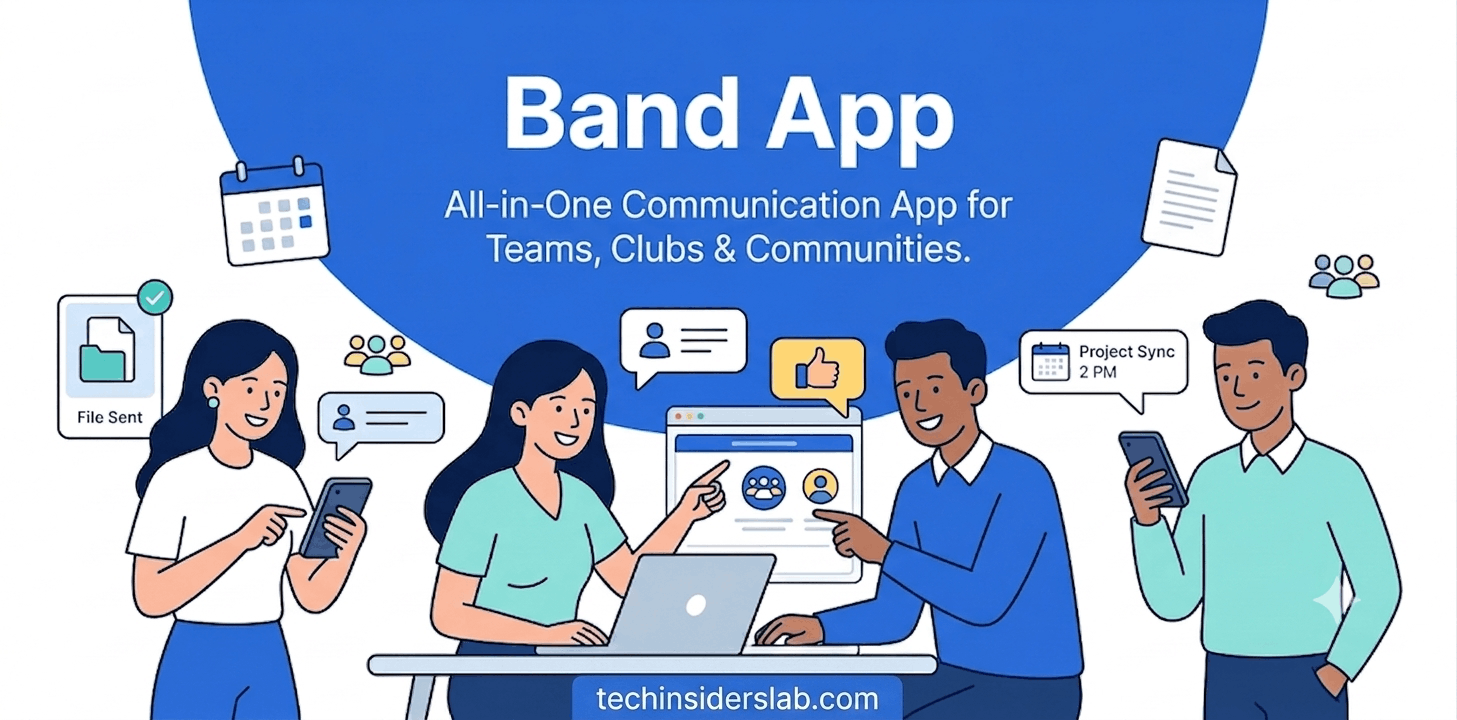
In today’s digital age, staying connected with friends, communities, and groups has become easier than ever. People are constantly searching for platforms that allow them to communicate, share updates, organize activities, and build online communities. One such platform is Band App, a group communication application designed to help people create private spaces where they can connect, share content, and manage group activities.
Unlike traditional social media platforms that focus on public sharing, Band App focuses on private group communication. It allows users to create dedicated groups called “bands” where members can exchange messages, share photos and videos, schedule events, conduct polls, and organize activities in one place.
The app is widely used by sports teams, schools, clubs, organizations, families, and communities that need an organized communication platform. With its combination of messaging, scheduling, and collaboration features, Band App provides a simple way to keep groups connected.
What Is Band App?
Band App is a social networking and communication platform that allows users to create and manage private online groups. Each group works as a separate community where members can interact and share important information.
The main purpose of Band App is to improve group communication by bringing conversations, announcements, calendars, and shared content together in one place.
For example, a sports team can use Band App to share practice schedules, announce match details, and communicate with players. Similarly, schools and organizations can use it to share updates and coordinate activities.
The app is available on smartphones and can also be accessed through web browsers, making it convenient for different types of users.
How Does Band App Work?
Band App works by allowing users to create or join groups based on their interests or activities. These groups provide a private environment where members can communicate.
The basic process includes:
Creating a Group
Users can create a new group according to their needs. A group can be made for:
- Sports teams
- Family communication
- School activities
- Work projects
- Clubs and communities
- Event planning
After creating a group, the owner can invite other members to join.
Joining a Band
Users can join existing groups through invitations. Group administrators control membership and privacy settings to ensure that only approved people can access the content.
Sharing Information
Members can share different types of content, including:
- Text messages
- Photos
- Videos
- Announcements
- Important updates
- Event details
This makes communication faster and more organized compared to regular messaging apps.
Key Features of Band App
Band App offers several features that make it useful for group communication and management.
Private Group Communication
One of the biggest advantages of Band App is private communication. Unlike public social media platforms, users can create closed groups where only selected members can participate.
This feature is especially useful for organizations and communities that need secure communication.
Group Calendar
The built-in calendar feature helps groups organize important dates and events. Members can view upcoming activities, meetings, practices, and schedules.
For example:
- Sports teams can schedule games and training sessions.
- Schools can organize events.
- Families can plan gatherings.
The calendar helps prevent confusion and keeps everyone updated.
Polls and Voting
Band App allows group members to create polls and collect opinions. This feature is useful when making group decisions.
Examples include:
- Choosing event dates
- Selecting meeting times
- Gathering feedback
- Making team decisions
Polls make communication more interactive and save time.
File and Media Sharing
Members can upload and share images, videos, and other important information within the group.
This is helpful for:
- Sharing team photos
- Posting announcements
- Uploading event information
- Keeping group memories
Announcements
Administrators can create important announcements that are visible to all members. This helps ensure that important information reaches everyone quickly.
Who Uses Band App?
Band App is designed for different types of groups and communities. Its flexible features make it useful in many situations.
Sports Teams
Sports organizations are among the most common users of Band App. Coaches and team managers use it to:
- Share practice schedules
- Communicate with players
- Organize tournaments
- Share team updates
Parents can also use the app to stay informed about their children’s activities.
Schools and Educational Groups
Teachers and schools can use Band App to communicate with students and parents.
It can help with:
- Class announcements
- Event planning
- Homework updates
- Parent communication
Families
Families can create private groups to share updates, photos, and important information. It provides a simple way for family members to stay connected.
Clubs and Organizations
Community groups, volunteer organizations, and clubs can use Band App to manage members and coordinate activities.
Work and Professional Groups
Small teams and organizations can use Band App for internal communication and project coordination.
Advantages of Using Band App
Band App provides several benefits compared to traditional communication methods.
Better Organization
Instead of searching through endless messages, users can find important information through organized sections such as calendars, announcements, and posts.
Easy Group Management
Administrators can manage members, control privacy settings, and organize communication efficiently.
Improved Engagement
Features like polls, comments, and media sharing encourage members to participate actively.
Private and Focused Communication
Users can communicate within specific groups without distractions from unrelated content commonly found on public social media platforms.
How to Use Band App Effectively
Using Band App is simple and does not require advanced technical knowledge. The platform is designed for different types of users, including students, teams, families, and organizations.
Step 1: Download and Create an Account
Users can download Band App on their smartphone and create an account using basic information. After registration, users can set up their profile and start joining or creating groups.
Step 2: Create or Join a Band
After creating an account, users can create their own group or join an existing one through an invitation link or approval from the group administrator.
Each group can have its own purpose, rules, and members.
Step 3: Customize Group Settings
Group administrators can customize settings according to their needs. They can:
- Manage members
- Control privacy options
- Create announcements
- Organize events
- Manage posts and discussions
Customization helps keep communication organized and relevant.
Band App vs Traditional Messaging Apps
Many people use messaging apps for group communication, but Band App offers additional tools designed specifically for organized communities.
Band App vs Regular Chat Apps
Traditional messaging apps mainly focus on instant conversations. While they are useful for quick communication, important information can become difficult to find in large groups.
Band App provides additional organization features such as:
- Dedicated group pages
- Event calendars
- Polls
- Announcements
- Shared content sections
These features make it more suitable for teams and communities.
Band App vs Social Media Platforms
Public social media platforms are designed for sharing content with a large audience. Band App focuses on private communities where users can communicate with specific groups.
This makes it useful for people who want a focused communication environment without unnecessary distractions.
Privacy and Security Features
Privacy is an important concern for online communication platforms. Band App provides features that help users maintain control over their groups and shared information.
Private Groups
Users can create private groups where only approved members can participate. This is useful for families, schools, teams, and organizations that need controlled communication.
Member Management
Group administrators can manage members and decide who can access group information.
Controlled Sharing
Users can share content within specific groups instead of posting publicly. This provides a more private communication experience.
Pros and Cons of Band App
Like any digital platform, Band App has advantages and limitations. Understanding both can help users decide whether it meets their needs.
Advantages of Band App
Organized Communication
The biggest advantage of Band App is its ability to organize group conversations. Users can separate announcements, events, discussions, and shared media.
Useful for Large Groups
Managing large groups through regular messaging apps can become difficult. Band App provides tools that make communication easier for bigger communities.
Multiple Features in One Place
Instead of using different apps for messaging, scheduling, and voting, users can manage many activities within one platform.
Supports Different Communities
The app is flexible enough for:
- Sports teams
- Schools
- Families
- Businesses
- Clubs
- Social groups
Disadvantages of Band App
Requires User Participation
For a group to be successful, members need to actively use the platform. If users do not check updates regularly, important information may be missed.
Learning Curve for New Users
Some users who are unfamiliar with community-based apps may need time to understand all features.
Depends on Internet Connection
Like most online platforms, Band App requires an internet connection to access messages, updates, and shared content.
Tips for Managing a Successful Band Group
Creating a group is easy, but managing it effectively requires proper planning.
Set Clear Group Rules
Administrators should create simple guidelines so members understand how communication should work.
Post Regular Updates
Regular announcements and updates keep members engaged and informed.
Use Features Properly
Using calendars, polls, and announcements can improve group organization and reduce confusion.
Remove Unnecessary Information
Keeping the group organized makes it easier for members to find important details.
Common Uses of Band App in Different Fields
Band App has become popular because it can support many types of communities.
Sports and Fitness Groups
Coaches and fitness instructors can use Band App to manage schedules, share updates, and communicate with members.
Educational Communities
Teachers and educational organizations can use the platform for announcements, event planning, and parent communication.
Business Teams
Small businesses and professional teams can use Band App for internal communication and collaboration.
Personal Communities
Families and friends can create private spaces to share memories, updates, and important information.
Conclusion
Band App is a useful group communication platform that helps users create private communities and stay connected in an organized way. With features like group messaging, event calendars, announcements, polls, and media sharing, it makes communication easier for teams, families, schools, and organizations.
Unlike traditional messaging apps, Band App focuses on better group management and collaboration. It provides a simple and effective way to share information, organize activities, and build stronger online communities.
Frequently Asked Questions(FAQS)
Yes, Band App provides free features that allow users to create groups, communicate, and share content.
Band App is mainly used for private group communication, event management, announcements, and community organization
Yes, small businesses and professional teams can use Band App for internal communication and team management.
Band App provides privacy features that allow users to create controlled groups and manage members.
Can I use Band App on a computer?