Introduction
Modern businesses rely on online meetings to communicate with customers, collaborate with employees, and manage projects. However, keeping track of every discussion, important decision, and follow-up task can be challenging. Taking notes while participating in a conversation often divides attention and makes it easy to miss important information.
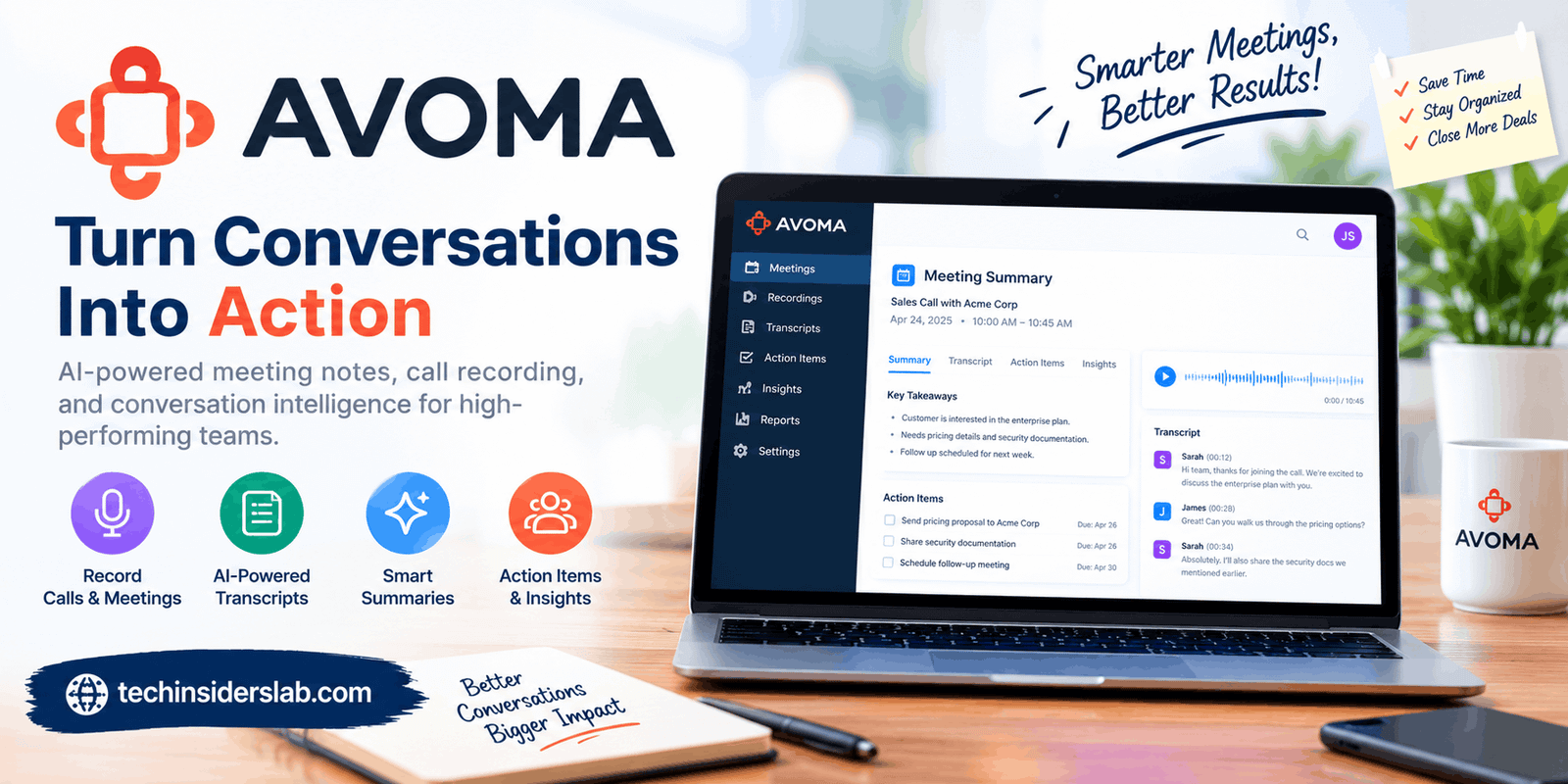
Avoma is an AI-powered meeting assistant designed to simplify this process. It helps users record meetings, generate transcripts, create AI-powered summaries, identify action items, and organize important conversation details. The platform also offers advanced tools for sales teams, including conversation analysis, sales coaching, and revenue intelligence.
Instead of treating meetings as isolated conversations, Avoma helps turn them into organized information that teams can review and use later. This makes it useful for sales professionals, customer success teams, managers, and organizations that conduct frequent online meetings.
In this guide, we will explore what Avoma is, how it works, its main features, pricing considerations, advantages, limitations, and whether it is the right tool for your needs.
What Is Avoma?
Avoma is an AI meeting assistant and conversation intelligence platform that helps businesses manage the entire meeting process. Its tools cover meeting preparation, recording, transcription, note-taking, follow-up communication, and conversation analysis.
The platform is particularly useful for organizations that want to reduce administrative work and improve the quality of their customer conversations.
For example, a sales representative may spend an hour discussing a product with a potential customer. During that conversation, the customer might mention their budget, requirements, concerns, and expected purchase date. Remembering every detail afterward can be difficult.
Avoma helps capture this information and organize it into searchable notes and summaries. Sales representatives can review important points without listening to the entire recording again.
Avoma also provides additional capabilities for analyzing sales calls, coaching employees, tracking opportunities, and managing revenue-related workflows.
Its primary functions include:
- AI-powered meeting transcription and summaries.
- Automatic meeting recording.
- Customizable note-taking templates.
- AI-generated follow-up email drafts.
- Conversation intelligence and call analysis.
- Customer relationship management (CRM) updates.
- Meeting scheduling and lead routing.
- Revenue intelligence and deal-risk insights.
These capabilities make Avoma more than a basic transcription tool. It is designed to connect meeting information with the work that happens afterward.
How Does Avoma Work?
Avoma follows a straightforward workflow that turns conversations into useful business information.
1. Connect Your Calendar and Meeting Tools
Users can connect supported calendars and conferencing platforms to organize their meetings. Depending on the setup, Avoma can identify scheduled meetings and assist with recording and documentation.
Before using automatic recording, organizations should configure their preferences and obtain any required participant consent.
2. Record and Transcribe Meetings
During a supported meeting, Avoma can capture the conversation and convert spoken words into written text. This allows users to review what was discussed without depending entirely on memory.
Transcripts can also make it easier to find specific topics, questions, and customer requirements.
3. Generate AI Meeting Notes
After or during the meeting workflow, Avoma can create structured notes and summaries. Rather than reviewing every sentence, users can focus on the main discussion points, decisions, and next steps.
The exact output depends on the meeting content, configuration, and available features.
4. Organize Follow-Up Tasks
Avoma can help identify action items and prepare follow-up email drafts. This gives meeting participants a starting point for communicating decisions and confirming responsibilities.
Users should review AI-generated messages before sending them to customers or colleagues.
5. Analyze Conversations
Businesses using advanced features can evaluate conversations for sales performance, coaching opportunities, and customer engagement patterns. Depending on the available plan and integrations, meeting information can also support CRM workflows and deal management.
This process helps teams move from simply documenting meetings to using their conversations to improve business operations.
Key Features of Avoma
1. AI Meeting Notes
One of Avoma’s most useful capabilities is automatic meeting note generation. Writing detailed notes manually can be time-consuming, particularly for professionals who attend several meetings every day.
Avoma helps summarize discussions into organized information that users can review after a call.
These notes can help teams understand the meeting’s main purpose, important discussion points, decisions, and follow-up requirements.
Custom note templates can also help businesses maintain a consistent format across different meeting types.
For example, a sales team might use a template that focuses on customer challenges, budget, purchasing timeline, objections, and next steps.
2. Real-Time Transcription
Avoma converts spoken conversations into written transcripts, helping users preserve details that might otherwise be forgotten.
Its official platform advertises live transcription in more than 75 languages, although language availability and performance can depend on the specific feature and configuration.
Transcription is useful for reviewing customer questions, checking technical details, and finding important statements from earlier conversations.
However, transcription is not always perfect. Background noise, overlapping speakers, unfamiliar names, and specialized terminology can affect accuracy. Reviewing important passages is therefore recommended.
3. Automatic Meeting Recording
Avoma supports automatic recording workflows for compatible meetings. Recording makes it possible to revisit conversations when a participant needs to verify a decision or understand a complex explanation.
Instead of asking a colleague to repeat everything, users can review the relevant portion of a recording.
This feature can be particularly valuable for training, customer discussions, product demonstrations, and internal planning sessions.
Businesses should establish clear recording policies and respect applicable privacy laws and participant consent requirements.
4. AI-Generated Follow-Up Emails
After a meeting, participants often need to send a summary, confirm decisions, or explain the next steps.
Avoma can generate follow-up email drafts based on meeting information. These drafts can reduce the time required to prepare routine communications.
For instance, a representative could use a draft to summarize a customer’s requirements, mention agreed actions, and confirm the next meeting.
The generated text should still be checked for accuracy, tone, confidentiality, and missing information before it is sent.
5. Smart Chapters and Searchable Conversations
Long recordings can be difficult to navigate. Avoma offers smart chapters that help organize recordings around different topics.
This makes it easier to locate relevant sections without replaying an entire conversation.
Searchable transcripts also help users find specific subjects across their meeting records, depending on the platform’s available search capabilities.
These features are useful for managers reviewing calls, employees revisiting project discussions, and sales representatives preparing for future customer conversations.
6. Conversation Intelligence
Conversation intelligence helps teams examine how meetings unfold rather than simply recording what was said.
Avoma offers capabilities designed to analyze sales conversations, including talk patterns, keywords, and performance indicators.
Managers can use these insights to identify areas where employees may need additional training. Sales representatives can also review their own conversations to understand whether they asked appropriate questions or addressed customer concerns effectively.
The goal is to support more informed coaching instead of relying entirely on personal impressions.
7. CRM Integration and Automation
Customer relationship management systems help businesses organize customer information, sales opportunities, and communication histories.
Avoma can connect meeting information with supported CRM platforms, including Salesforce and HubSpot. Its integrations can help transfer relevant notes and update configured fields.
This reduces repetitive data entry and helps sales teams maintain more complete customer records.
However, integration capabilities vary. Businesses should verify whether their preferred CRM, required fields, and specific workflows are supported before choosing a subscription.
8. Scheduling and Lead Routing
Avoma also provides scheduling and lead-routing capabilities for business teams.
Scheduling tools help coordinate meetings, while lead routing can direct incoming prospects to the appropriate representative based on configured rules.
For organizations that receive leads from several sources, this can help reduce delays and improve the process of assigning potential customers.
These capabilities are especially relevant to businesses with structured sales operations.
9. Revenue Intelligence
Revenue intelligence expands Avoma’s functionality beyond meeting documentation.
Its revenue-focused tools can help teams review sales opportunities, identify potential deal risks, analyze outcomes, and support forecasting.
Managers can use this information to identify opportunities that may require attention and evaluate patterns across customer conversations.
These tools are most useful for organizations that actively manage a sales pipeline. Businesses that only need meeting transcripts may not benefit enough from these advanced capabilities to justify the additional expense.
Benefits of Using Avoma
Avoma offers several potential advantages for individuals and organizations.
Saves time: Automatic transcription and AI-generated notes reduce the amount of manual documentation required after meetings.
Improves concentration: Participants can spend more time listening and contributing instead of trying to write down every detail.
Supports better follow-ups: Meeting summaries and email drafts help users communicate decisions and next steps more consistently.
Creates searchable records: Transcripts and recordings make it easier to revisit earlier discussions and locate important information.
Helps sales managers: Conversation analysis and coaching features can reveal areas for improvement in customer-facing conversations.
Reduces repetitive work: Supported CRM integrations can reduce manual entry and help keep customer records organized.
Supports team collaboration: Shared notes and recordings can help colleagues catch up on meetings they did not attend, subject to their access permissions.
The overall benefit depends on how frequently a team meets and whether it uses the information Avoma generates.
Avoma Pricing: Is It Free?
Avoma offers a free trial that allows eligible users to explore its paid functionality before committing to a subscription. Its pricing structure also includes free view-only access for collaborators, while meeting recording and advanced capabilities depend on the relevant paid plans and add-ons.
The official website has advertised the AI Meeting Assistant starting at $19 per user per month with annual billing. Additional features, such as conversation intelligence, revenue intelligence, and lead routing, can increase the total subscription cost.
Pricing and package details may change, so users should confirm the current rates and included features before purchasing.
When evaluating the cost, consider the following questions:
- How many people need to record and transcribe meetings?
- Does your team need only meeting notes, or also sales analytics?
- Which CRM and conferencing integrations are essential?
- Will the time saved justify the recurring subscription expense?
- Do collaborators need full access or only permission to view notes and recordings?
For a small team that only needs occasional summaries, a simpler tool may be sufficient. For a sales organization with frequent calls and structured coaching requirements, Avoma’s additional features may provide greater value.
Pros and Cons of Avoma
Pros
- Automates meeting notes and transcription.
- Helps organize discussions into searchable records.
- Supports follow-up email drafts and action items.
- Offers integrations with supported business applications.
- Includes conversation intelligence for sales coaching.
- Provides advanced tools for revenue-focused teams.
- Allows free view-only collaboration for eligible users.
Cons
- Advanced features may increase subscription costs.
- Transcription and summaries can contain mistakes.
- Setting up integrations and workflows may require time.
- Recording introduces privacy and consent considerations.
- The extensive feature set may be unnecessary for casual users.
- AI-generated notes still require human review.
Understanding these trade-offs helps businesses decide whether Avoma matches their requirements.
Who Should Use Avoma?
Avoma is best suited to professionals and organizations that conduct frequent meetings and need a reliable way to manage the information generated by those conversations.
Sales Teams
Sales representatives can use Avoma to document customer needs, review objections, prepare follow-ups, and maintain better meeting records.
Customer Success Teams
Customer success professionals can use meeting summaries to track customer concerns, record agreed actions, and prepare for future account discussions.
Managers and Team Leaders
Managers can review selected conversations, identify recurring challenges, and use available coaching features to support employee development.
Small Businesses
Small businesses that conduct regular client meetings may benefit from reduced documentation work. However, they should evaluate whether the paid features justify their budget.
Remote and Distributed Teams
Teams working across locations can use recordings, transcripts, and shared notes to keep colleagues informed and reduce the need for repeated explanations.
Professionals Who Attend Many Meetings
Consultants, account managers, and other meeting-heavy professionals may find automatic documentation helpful when they need to manage several conversations in one day.
Is Avoma Safe to Use?
When evaluating an AI meeting assistant, privacy and security should be important considerations.
Meeting recordings and transcripts can contain confidential business information, personal details, financial discussions, or customer data. Organizations should review Avoma’s current security documentation, data retention settings, access controls, and contractual terms before using it for sensitive conversations.
Users should also inform participants about recording when required and follow applicable privacy regulations.
Avoid placing sensitive information into any platform without understanding how that information is processed, stored, accessed, and retained.
For businesses operating in regulated industries, checking the platform’s available compliance documentation and obtaining appropriate internal approval is particularly important.
Avoma Alternatives
Avoma is not the only platform that offers AI-powered meeting assistance. Several alternatives may be worth evaluating depending on your needs.
Otter.ai: A potential option for users who primarily need meeting transcription, searchable conversations, and summaries.
Fireflies.ai: An AI meeting assistant focused on recording, transcription, summarization, and meeting search.
Fathom: An alternative for people who want to capture meeting highlights and create summaries with a relatively straightforward workflow.
Gong: A more sales-focused platform known for conversation intelligence and revenue-related workflows.
These tools differ in their integrations, pricing, supported meeting platforms, and advanced capabilities. The best alternative depends on whether your priority is basic note-taking, team collaboration, sales coaching, or revenue analysis.
Conclusion
Avoma is a powerful AI meeting assistant that helps businesses automate note-taking, transcribe conversations, generate summaries, and manage follow-up tasks. Its conversation intelligence and CRM integrations make it especially useful for sales teams and customer-facing professionals. Although advanced features may increase costs, Avoma is worth considering for businesses that want to save time, improve productivity, and make meetings more effective.