Introduction
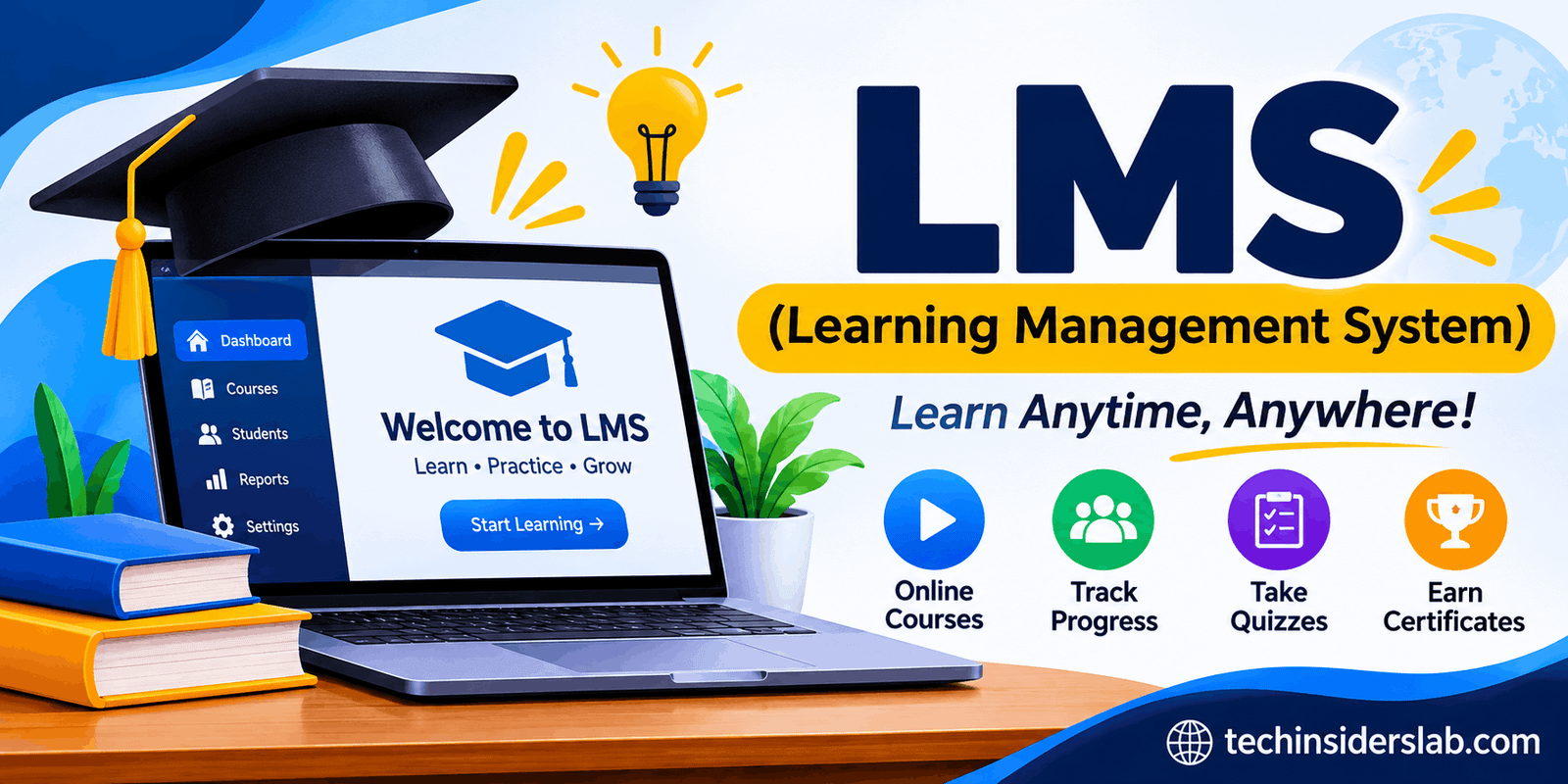
Education and professional training have changed significantly with the growth of digital technology. Today, students no longer need to depend entirely on traditional classrooms, printed books, or physical training sessions to gain knowledge. Businesses, schools, universities, and independent educators are increasingly using online platforms to organize lessons, deliver educational materials, track student progress, and manage training programs. One of the most important technologies behind this transformation is an LMS, also known as a Learning Management System.
An LMS is a software platform that makes it easier to create, organize, deliver, and manage learning activities in one place. It allows teachers to share lessons, students to access educational resources, and organizations to monitor learning performance without handling everything manually.
Whether someone wants to complete an online course, train employees, manage university classes, or develop a digital education business, an LMS can provide the tools needed to make the process more organized and accessible.
However, an LMS is more than just a website containing online lessons. It can include course creation tools, assessments, attendance tracking, certificates, communication features, reporting dashboards, and integrations with other software.
In this guide, we will explore what LMS means, how it works, its major features, benefits, common uses, different types, and important factors to consider before choosing a platform.
What Does LMS Mean?
LMS stands for Learning Management System. It is a digital software application designed to manage the complete learning process, from delivering educational content to tracking learner performance.
The term has three important parts:
- Learning: The educational content, training materials, lessons, and activities provided to learners.
- Management: The organization and administration of courses, users, assignments, assessments, and learning progress.
- System: The software environment that brings all these activities together.
An LMS provides a central location where learners and instructors can interact with educational content. Instead of sending separate files, arranging individual assessments, and manually recording results, administrators can manage many learning activities through one platform.
For example, a university might use an LMS to upload lecture notes, publish assignments, conduct online quizzes, and share examination results. Similarly, a company can use an LMS to train new employees, provide workplace safety courses, and monitor staff development.
How Does an LMS Work?
A Learning Management System works by connecting administrators, instructors, and learners through a shared digital environment. Each user receives access according to their assigned role and permissions.
Although the exact process depends on the software, most LMS platforms follow a similar workflow.
1. Platform Setup
First, an organization selects an LMS and configures its learning environment. Administrators can add users, create departments, organize learning groups, and establish access permissions.
2. Course Creation
Instructors or administrators upload educational materials. These may include videos, presentations, PDF documents, written lessons, interactive activities, and quizzes.
Some platforms also allow instructors to build complete courses using built-in editing tools.
3. Learner Enrollment
Students or employees are added to the relevant courses. Enrollment can happen manually, through invitations, or automatically based on departments, groups, or registration rules.
4. Learning Activities
Learners log in through a computer, tablet, or smartphone to access their assigned courses. Depending on the platform, they can watch videos, read lessons, complete assignments, participate in discussions, and take assessments.
5. Progress Tracking
The LMS records learning activities and provides information about course completion, quiz results, assessment performance, and other available learning metrics.
6. Reports and Certificates
Instructors and administrators can review reports to understand learner performance. Some LMS platforms also generate certificates automatically when learners complete specific courses or meet required standards.
This process reduces administrative work and creates a more organized learning experience.
Main Features of a Learning Management System
Modern LMS platforms offer different features depending on their purpose, size, and target audience. However, several capabilities are commonly found in most learning management systems.
1. Course Creation and Management
Course management is one of the most important LMS features. It allows instructors to create courses, divide them into modules, upload learning materials, and organize lessons according to specific topics.
For example, an instructor teaching digital marketing can create separate modules for SEO, social media marketing, content creation, and email marketing.
2. Student and User Management
An LMS helps administrators manage students, teachers, employees, and other users. They can create accounts, assign roles, organize groups, and control access to different courses.
This is particularly useful for large educational institutions and companies that need to manage hundreds or thousands of learners.
3. Online Assessments and Quizzes
Most learning management systems include tools for creating quizzes, examinations, and assignments. Instructors can evaluate learners through multiple-choice questions, written responses, practical tasks, and other assessment formats.
Automatic grading can also reduce the time teachers spend checking objective questions.
4. Progress Tracking and Reporting
An LMS can monitor important learning activities, including course completion, assessment scores, lesson participation, and learning progress.
Teachers can use this information to identify students who may need additional support. Companies can also determine whether employees have completed required training.
5. Communication and Collaboration
Communication tools help learners interact with teachers and other students. Depending on the platform, these tools may include discussion forums, messaging, announcements, comments, and virtual classroom integrations.
These features help create an interactive learning environment rather than limiting education to watching videos or reading documents.
6. Mobile Learning
Many modern LMS platforms offer mobile-friendly websites or dedicated applications. This allows learners to access lessons, download resources, complete activities, and check their progress using smartphones or tablets.
Mobile accessibility is particularly valuable for people who cannot always use a desktop computer.
7. Certificates and Completion Records
Some LMS platforms allow instructors to issue certificates when learners complete a course or satisfy specific requirements. These certificates can provide evidence of participation or successful course completion.
Businesses may also use completion records to document employee training and compliance activities.
8. Integration With Other Software
An LMS may connect with video conferencing applications, payment gateways, student information systems, content authoring tools, and other business applications.
Standards such as SCORM and xAPI can also help learning content and activity information work across compatible systems. However, compatibility depends on the specific platform and its implementation.
Different Types of LMS Platforms
Not every learning management system is designed for the same audience. Some focus on academic education, while others are developed for workplace training or commercial online courses.
1. Academic LMS
Academic LMS platforms are designed for schools, colleges, universities, and other educational institutions.
They help teachers manage classroom activities, distribute study materials, publish assignments, conduct examinations, and communicate with students.
For example, a university can use an academic LMS to provide students with course schedules, lecture recordings, assignment deadlines, and examination results.
2. Corporate LMS
A corporate LMS is developed for businesses that want to train employees and improve workplace skills.
Companies can use these platforms for onboarding, professional development, workplace safety training, product education, and compliance programs.
Managers can also track employee participation and identify areas where additional training may be necessary.
3. Cloud-Based LMS
A cloud-based LMS is hosted on remote servers and accessed through the internet. Organizations generally do not need to maintain their own server infrastructure.
The provider usually handles hosting, software maintenance, and technical updates according to the selected service agreement.
This model can be convenient for organizations that want to launch online training without managing extensive technical infrastructure.
4. Open-Source LMS
Open-source LMS platforms provide access to their source code under an open-source license. Organizations can install, customize, and extend the software according to the license terms.
A popular example is Moodle. It offers educators and administrators tools for creating courses and managing digital learning environments.
Open-source systems can offer flexibility, but organizations may need technical expertise for installation, hosting, security, and maintenance.
5. Commercial LMS
Commercial LMS platforms are generally offered through paid subscriptions or licensing arrangements. They may include customer support, managed hosting, advanced reporting, integrations, and enterprise-level administration.
Pricing and available features vary considerably between providers.
6. Blended Learning LMS
Some LMS platforms support blended learning, which combines traditional classroom instruction with online educational activities.
For example, students may attend physical lectures during the week and complete digital assignments, quizzes, and recorded lessons through the LMS.
This approach combines face-to-face interaction with the flexibility of online learning.
Benefits of Using an LMS
Learning management systems offer advantages for learners, educators, educational institutions, and businesses.
Flexible Learning Opportunities
One of the biggest advantages of an LMS is flexibility. Learners can often access educational materials outside traditional classroom hours.
This makes it easier for students, working professionals, and remote employees to balance education with their other responsibilities.
Centralized Learning Resources
An LMS stores courses, assignments, videos, documents, announcements, and other educational resources in one location.
Learners do not need to search through multiple email attachments or communication channels to find important course information.
Reduced Administrative Work
Managing courses manually can involve significant paperwork and repetitive tasks. An LMS can simplify enrollment, grading, progress tracking, certificate generation, and reporting.
Automation can help instructors and administrators spend more time supporting learners.
Better Performance Monitoring
Teachers and trainers can review performance information to understand how learners are progressing.
For example, if many students struggle with the same quiz, an instructor can revisit the relevant topic and provide additional explanations.
Cost and Resource Efficiency
Digital learning can reduce certain expenses associated with printed materials, travel, physical training sessions, and classroom administration.
However, the overall cost savings depend on platform fees, implementation expenses, technical support, and training requirements.
Consistent Employee Training
Businesses can use an LMS to provide standardized training materials across different departments and locations.
This helps ensure employees receive consistent information about company policies, workplace procedures, products, and professional responsibilities.
Learning at Different Speeds
Some LMS platforms allow learners to complete self-paced courses. Students can review difficult lessons, repeat activities, and move forward when they feel comfortable.
This can make digital education more adaptable to different learning needs.
Common Uses of LMS in Different Industries
LMS technology is not limited to schools and universities. It is used in several industries where education, training, and skill development are important.
| Industry | Common LMS applications |
| Schools | Lessons, assignments, quizzes |
| Universities | Online courses and academic resources |
| Businesses | Employee onboarding and training |
| Healthcare | Professional education and compliance training |
| Government | Staff development and policy training |
| E-learning | Online courses and digital certifications |
| Nonprofits | Volunteer education and training |
LMS in Schools and Universities
Educational institutions use LMS platforms to organize academic activities and make learning resources accessible to students.
Teachers can upload lecture notes, share recorded lessons, collect assignments, and communicate important announcements. Students can access these resources without depending entirely on printed materials.
LMS in Businesses
Companies use LMS software to train new employees and develop the skills of existing staff.
For example, a retail company can provide product knowledge training, customer service lessons, and workplace safety courses through one centralized platform.
LMS in Healthcare
Healthcare organizations may use LMS platforms to deliver professional development, internal training, safety education, and compliance courses.
These platforms can help staff access updated educational resources and maintain training completion records.
LMS in Online Education
Independent instructors and online education businesses can use an LMS to create and sell digital courses.
They can organize lessons into modules, enroll learners, provide assessments, and issue certificates. Some systems also include payment and subscription management features.
Popular Examples of LMS Platforms
Several learning management systems are available, each offering different tools and capabilities.
1. Moodle
An open-source LMS used by educational institutions and organizations. It offers course creation, assessments, user management, and customization options.
Best for: Schools, universities, and organizations seeking flexibility.
2. Canvas LMS
A learning platform designed to support digital education, course organization, assignments, grading, and communication.
Best for: Schools and higher education.
3. Google Classroom
A classroom management platform that helps teachers distribute assignments, organize educational materials, and communicate with students.
Best for: Schools and teachers.
4. Blackboard Learn
An educational platform that provides course management, assessments, grading, and learning support tools.
Best for: Educational institutions.
5. TalentLMS
A cloud-based learning management platform designed to help organizations create training courses and manage employee development.
Best for: Business and employee training.
How to Choose the Right LMS
Selecting the right LMS requires understanding your learning goals, budget, and technical requirements. A platform that works well for a university may not be suitable for a small business.
Here are some important factors to consider:
1. Identify Your Requirements: Decide whether you need the platform for academic education, employee training, online courses, or professional development.
2. Check Ease of Use: Choose software with a simple interface so instructors and learners can use it without extensive technical knowledge.
3. Compare Pricing: Review subscription fees, hosting expenses, user limits, and additional costs for premium features.
4. Evaluate Customization: Make sure the platform allows you to customize courses, branding, user roles, and learning environments according to your requirements.
5. Review Security: Check account permissions, data protection policies, backup options, and available security controls before uploading sensitive educational information.
6. Consider Integrations: Look for compatibility with the tools your organization already uses, including video conferencing, communication software, and student management systems.
7. Test Mobile Accessibility: A mobile-friendly experience is important for learners who prefer accessing courses through smartphones.
It is also helpful to test a platform through a free trial or demonstration before making a long-term commitment.
Challenges and Limitations of LMS
Despite its advantages, an LMS also comes with certain challenges.
- Technical Issues: Internet connectivity problems, server downtime, or software errors can interrupt learning activities.
- Learning Curve: Teachers and administrators may need training before they can use advanced platform features effectively.
- Implementation Costs: Paid subscriptions, customization, maintenance, and technical support can increase expenses.
- Limited Personal Interaction: Online learning may provide fewer face-to-face interactions than traditional classrooms.
- Data Privacy Concerns: LMS platforms may collect personal information, grades, and learning activity records, making security and responsible data handling important.
- Learner Engagement: Some students may struggle with motivation when studying independently without regular classroom interaction.
Organizations can address these challenges through proper planning, technical support, staff training, and an effective learning strategy.
The Future of Learning Management Systems
Learning management systems are continuing to evolve as educational technology advances. Artificial intelligence, automation, mobile learning, and data analytics are influencing how digital education platforms operate.
AI-powered features can help recommend relevant courses, provide personalized learning suggestions, and support instructors with certain administrative tasks. Learning analytics can also help educators identify patterns in student performance and recognize learners who may require additional assistance.
Another important development is the growing interest in personalized learning. Instead of providing identical learning experiences to everyone, future platforms may offer more flexible learning paths based on individual progress, interests, and skill levels.
Integration with external educational applications is also becoming increasingly important. These connections can help organizations create more connected digital learning environments.
However, technology alone cannot guarantee better education. Effective course design, qualified instructors, learner engagement, accessibility, and responsible data management will remain essential to successful LMS implementation. The OECD also highlights the importance of using digital education systems effectively rather than focusing only on digitizing administrative tasks.
Conclusion
A Learning Management System (LMS) is an important technology for modern education and professional development. It provides a centralized environment where instructors can create courses, distribute educational materials, evaluate learners, and monitor progress.
From schools and universities to businesses and independent educators, LMS platforms make learning activities easier to organize and manage. Features such as online assessments, progress tracking, mobile access, communication tools, and automated reporting can improve the overall learning experience.
Although challenges such as implementation costs, technical requirements, and data privacy need careful consideration, choosing the right platform can provide significant long-term value.
As digital education continues to grow, LMS technology will remain an important part of online learning, employee development, and modern educational infrastructure.