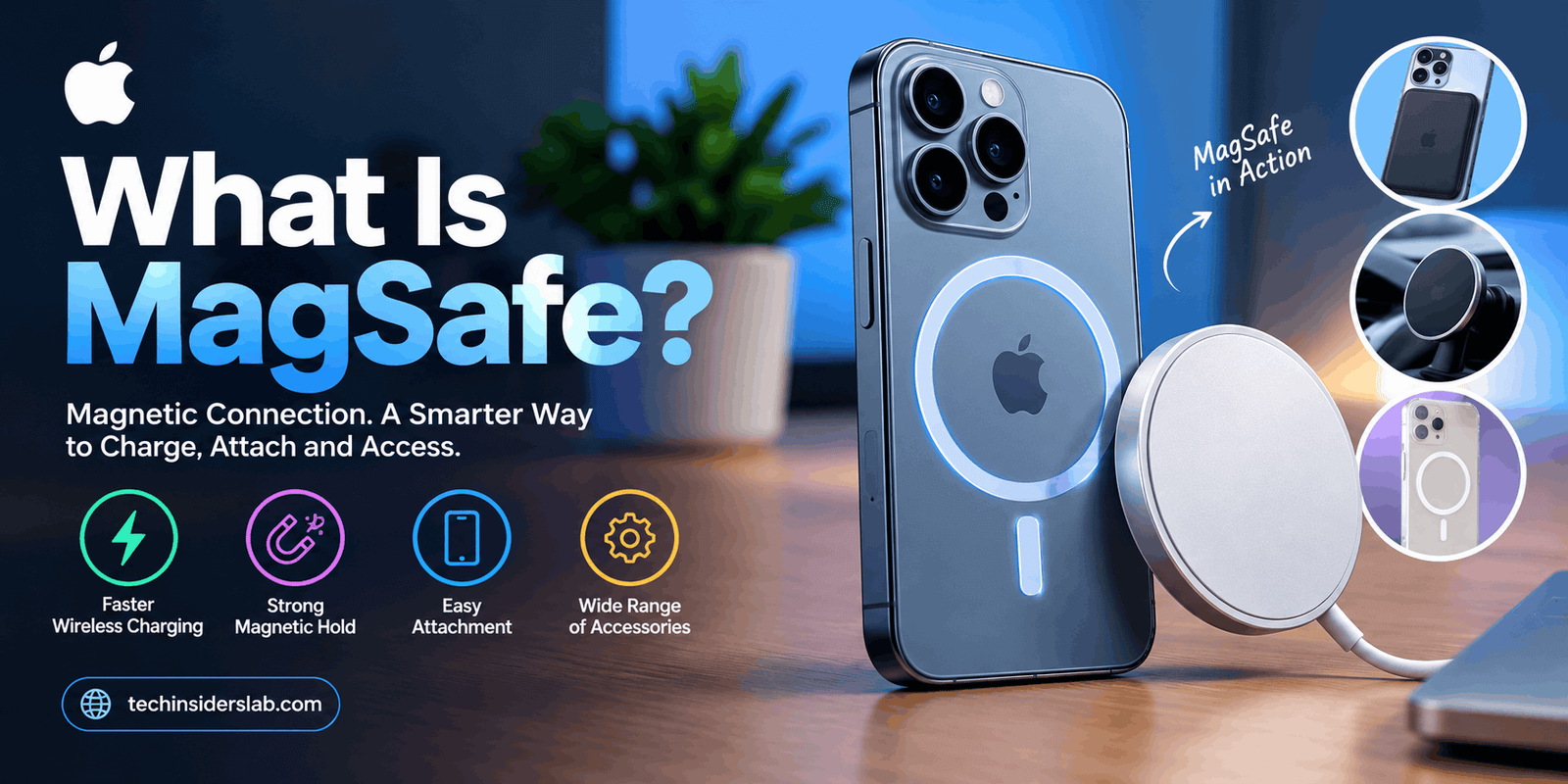
Direct answer: MagSafe is Apple’s magnet-based charging and attachment system. On iPhone 12 and most later models, a ring of magnets snaps chargers, cases, wallets, and mounts into place and aligns the wireless charging coil. On certain Mac laptops, MagSafe is a separate magnetic power connector. The two share a name but are different technologies.
By [AUTHOR NAME, credentials]. Last updated: October 18, 2026.
Table of Contents
- Key Takeaways
- Which MagSafe do you mean?
- What is MagSafe on iPhone?
- How does MagSafe work? The Three-Layer Model
- Which iPhones have MagSafe, and how fast is it?
- The Speed Chain: why your charging may be slower than advertised
- MagSafe vs. Qi vs. Qi2: a label decoder
- What is MagSafe on a Mac?
- Is MagSafe safe?
- Common mistakes
- Two-minute buying checklist
- FAQ
- Conclusion and next steps
- Sources
Key Takeaways
- MagSafe uses magnets to line up and hold a charger or accessory against the back of an iPhone.
- It debuted on the iPhone 12 in October 2020, and the name is also used for a separate magnetic connector on some MacBooks.
- Qi2, the industry wireless charging standard, is built on Apple’s MagSafe design, so many non-Apple chargers now work the same way.
- Real charging speed depends on four things: your iPhone, the charger, the power adapter, and the case.
- Anyone with an implanted medical device should follow Apple’s distance guidance and ask their doctor.
Which MagSafe do you mean?
“MagSafe” names two different Apple technologies. One is a wireless, magnet-aligned charging system on iPhones. The other is a magnetic cable connector on certain MacBooks.
| If you meant… | Go to |
| The round magnetic charger or accessories on the back of an iPhone | What is MagSafe on iPhone? |
| The magnetic charging cable on a MacBook | What is MagSafe on a Mac? |
What is MagSafe on iPhone?
On iPhone, MagSafe is a ring of magnets around the wireless charging coil that holds chargers and accessories in exactly the right spot. Apple introduced it with the iPhone 12 at its “Hi, Speed” event on October 13, 2020, according to AppleInsider’s coverage.
At launch Apple sold a MagSafe Charger, a MagSafe Duo, a magnetic wallet, and cases designed to work with it. The charger cost $39 at launch, per MacStories. Third parties such as Belkin also announced chargers and car mounts.
How does MagSafe work? The Three-Layer Model
This framework is an original techinsiderslab explanation, not an Apple term.
Think of MagSafe as three layers working together:
- Alignment layer. The magnets pull the charger’s coil into place over the phone’s coil. Better alignment wastes less energy as heat. The Wireless Power Consortium describes the same benefit for its Qi2 standard.
- Power layer. Underneath, it is still wireless charging. Apple said its wound-wire coil now accommodates magnets and stays compatible with existing Qi chargers.
- Identity layer. Apple said MagSafe accessories use NFC to tell the iPhone what has been attached, which is how some cases trigger on-screen effects.
This model explains a lot of confusing product labels. A cheap accessory may offer only the magnets (layer 1). A fully certified charger covers the alignment and power layers at the speed the phone allows.
Which iPhones have MagSafe, and how fast is it?
MagSafe is supported on iPhone 12 and later, with one notable exception, the iPhone 16e. Apple’s Qi-based chargers can still power older phones, just more slowly.
| iPhone | Maximum MagSafe / Qi2 wireless speed |
| iPhone 12 through 15 | 15W |
| iPhone 16 family (not 16e) | Up to 25W |
| iPhone 17, 17 Pro, 17 Pro Max | Up to 25W |
| iPhone Air | Up to 20W |
| iPhone 17e | Up to 15W |
| iPhone 18 Pro and Pro Max | Up to 25W [VERIFY on Apple’s spec page] |
| iPhone 16e, and iPhone 8 to 11 | No MagSafe. Standard Qi only |
Sources: Macworld’s iPhone 17e coverage, MacRumors’ reports on the iPhone 17 and iPhone Air, Apple’s iPhone 17e newsroom post, and MacRumors’ iPhone 18 Pro roundup.
Apple’s iPhone 17e press release says the phone supports MagSafe and Qi2 up to 15W, compared with 7.5W on the iPhone 16e. Apple said the 16e lacked MagSafe because its typical buyer still used cables, according to MacRumors.
Older phones: Apple has said that charging a non-MagSafe Qi phone with a MagSafe Charger can mean reduced power and slower charging than on a typical Qi charger.
The Speed Chain: why your charging may be slower than advertised
An original techinsiderslab heuristic. Your wireless speed is capped by the weakest of four links:
| Link | What to check |
| 1. Phone | Does your model’s maximum match the table above? |
| 2. Charger | Is it certified for the speed you want (for example, Qi2 25W)? |
| 3. Power adapter | Apple’s guidance for 25W is a 30W USB-C adapter. For 15W it is 20W or higher. |
| 4. Case | Does it have magnets and sit flat against the charger? |
Worked example: a 25W-capable charger on an iPhone 17e still tops out at 15W, because the phone is the weakest link. A 25W charger with a 10W phone adapter would also underperform, because the adapter is.
Apple says its MagSafe Charger can take compatible iPhone 16, iPhone 17, and iPhone Air models to 50% in around 30 minutes with the 30W adapter, according to an excerpt of Apple’s product page quoted in the Apple Community.
MagSafe vs. Qi vs. Qi2: a label decoder
Qi is the universal wireless charging standard, Qi2 adds MagSafe-style magnets to it, and MagSafe is Apple’s own version.
The Wireless Power Consortium announced Qi2 in January 2023 and said Apple supplied the basis for its Magnetic Power Profile. Qi2 started at 15W, and Qi2.2 raised it to 25W.
| Label on the box | What it usually means |
| “Qi” | Standard wireless charging. No magnets. On iPhones, speed is capped at 7.5W without MagSafe. |
| “MagSafe compatible” | Often just magnets. Speed may be limited unless it is also certified. |
| “Qi2” | Magnetic alignment, up to 15W. |
| “Qi2.2” or “Qi2 25W” | Magnetic alignment, up to 25W on phones that support it. |
| “MagSafe Charger” (Apple) | Apple’s own. The 2025 revision is certified for Qi2 25W. |
Macworld noted in 2023 that some products are called “MagSafe compatible” because they have magnets but are not officially licensed, and stay limited to 7.5W.
On iOS 26, iPhone 16 and 17 models can charge at Qi2 25W from any Qi2 25W charger, not just Apple’s, as MacRumors reported.
What is MagSafe on a Mac?
On a Mac, MagSafe is a magnetic power connector that pops off if the cable is tugged. It has no relationship to iPhone wireless charging apart from the name.
| Year | Event |
| Jan 10, 2006 | Debuts on the first Intel MacBook Pro |
| Jun 11, 2012 | MagSafe 2 introduced at WWDC |
| 2015-2016 | Dropped from MacBooks in favor of USB-C |
| Jul 9, 2019 | Last pre-2021 MagSafe Mac, the 2017 MacBook Air, discontinued |
| Oct 18, 2021 | MagSafe 3 returns on 14-inch and 16-inch MacBook Pro |
| 2022 | MagSafe 3 added to the MacBook Air (M2) |
Sources: Wikipedia’s MagSafe history, The Apple Wiki, and Macworld.
MagSafe 3 uses a cable with a USB-C end. For the 2021 MacBook Pros, Apple offered 67W, 96W, and 140W adapters depending on the model, per AppleInsider.
Is MagSafe safe?
For most people, yes, but Apple advises keeping MagSafe products away from implanted medical devices. Apple’s support document says implanted pacemakers and defibrillators might contain sensors that respond to magnets and radios. It recommends keeping your iPhone and MagSafe accessories more than 6 inches (15 cm) away, or more than 12 inches (30 cm) while wirelessly charging.
Apple also says iPhone 12 models are not expected to pose a greater magnetic-interference risk than earlier iPhones. A report in Heart Rhythm described one patient whose defibrillator therapies were suspended when an iPhone 12 was held near it. Apple suggests asking your doctor or your device’s maker, and stopping use if you suspect interference.
Apple’s support page is titled “About the magnets inside iPhone 12…” (support.apple.com/en-us/HT211900). Re-check the current wording before you publish.
Common mistakes
- Assuming every iPhone has it. The iPhone 16e does not, and neither does anything before the iPhone 12.
- Buying by the word “MagSafe” alone. Check for Qi2 or Qi2 25W certification.
- Using a non-magnetic case. The charger may not hold securely, as Cult of Mac notes.
- Ignoring the adapter. A weak wall adapter limits speed.
- Mixing up the iPhone and Mac versions. They are unrelated technologies.
Two-minute buying checklist
- Look up your iPhone’s maximum speed in the table above.
- Choose a charger certified for that speed (Qi2, or Qi2 25W for faster phones).
- Pair it with an adapter of 30W if you want 25W, or 20W for 15W.
- Confirm your case has built-in magnets, or remove the case.
- If you have an implanted medical device, read Apple’s guidance and ask your doctor first.
Conclusion
MagSafe is best understood as magnets that line up a standard wireless charger. That is why labels like “Qi2” and “MagSafe compatible” can sit on very different products. Check your phone’s limit first, then the charger, the adapter, and the case.