What Is Cloud Storage? A Complete Guide to Online Data Storage
introduction
In today’s digital world, people create and store enormous amounts of data every day. Photos, videos, documents, business files, applications, backups, and personal information all require reliable storage. Traditionally, this information was stored on hard drives, USB devices, memory cards, or local computer servers. However, the growth of the internet has introduced a more flexible solution known as cloud storage.
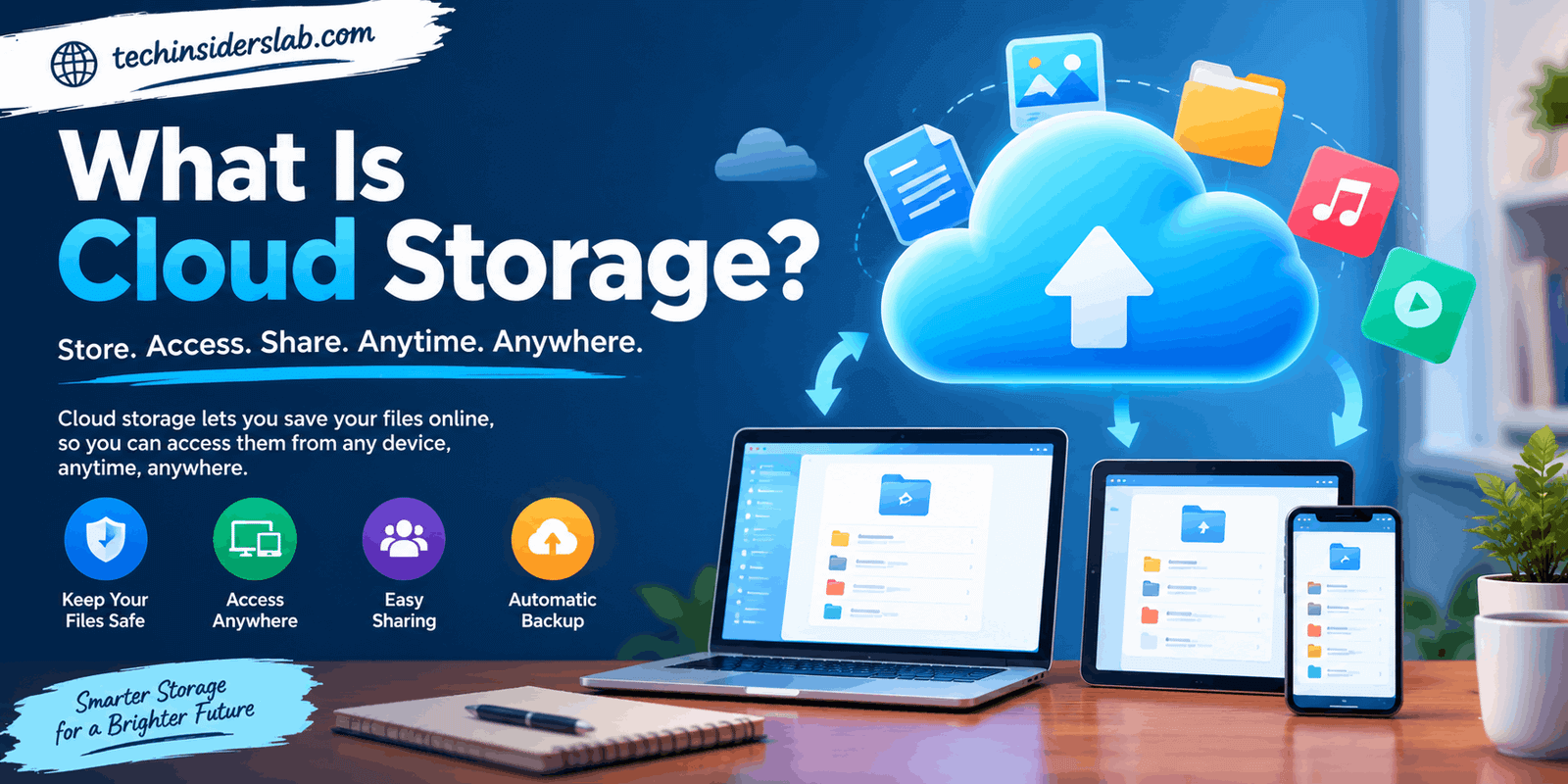
So, what is cloud storage? In simple terms, cloud storage is a method of storing digital data on remote servers that are operated and maintained by a cloud service provider. Instead of keeping every file on your own physical device, you can upload it to an online storage system and access it through the internet.
Cloud storage has become an important part of modern computing because it provides convenient access, flexible capacity, data sharing, synchronization, and scalable storage. Businesses use it for large datasets and backups, while individuals commonly use it for photographs, documents, videos, and personal files.
What Is Cloud Storage?
Cloud storage is a data storage model in which information is kept on remote infrastructure rather than exclusively on a user’s local device. The physical servers are located in data centers and managed by a cloud provider.
When you upload a file to cloud storage, the file is transferred through an internet connection to the provider’s infrastructure. The provider manages the underlying servers, storage hardware, networking, availability, and many security controls.
The word “cloud” does not mean that the data literally exists in the sky. It refers to remote computing infrastructure that users can access over a network.
Cloud computing itself is defined by the National Institute of Standards and Technology as on-demand network access to a shared pool of configurable computing resources, including storage, servers, networks, and applications.
Cloud storage is therefore one important part of the broader cloud computing ecosystem.
How Does Cloud Storage Work?
Understanding how cloud storage works is easier when you think of it as a remote storage system connected to the internet.
First, a user selects a file, folder, photo, video, or other data that they want to store. The device then sends that information through an internet connection to the cloud provider.
The provider receives the data and stores it on its storage infrastructure. Depending on the service and storage architecture, data may be distributed across multiple devices or locations to improve availability and durability.
When the user wants the file again, they can access it through a website, desktop application, mobile application, or software interface. The cloud provider retrieves the required information and sends it back to the user’s device.
A simplified process looks like this:
- Create or select a file.
- Connect to the internet.
- Upload the file to the cloud service.
- The provider stores and manages the data.
- The user accesses the data whenever needed.
- Changes can be synchronized across supported devices.
Cloud providers operate large data centers containing servers, storage systems, networking equipment, and security infrastructure. Many services also replicate data across multiple systems or locations to improve resilience.
Main Types of Cloud Storage
Cloud storage is not a single technology. Different storage architectures are designed for different workloads. The three major types are object storage, file storage, and block storage.
1. Object Storage
Object storage is designed primarily for large amounts of unstructured data.
Instead of organizing information through traditional folders and directories, object storage stores individual objects together with metadata and unique identifiers.
It is commonly used for:
- Photos
- Videos
- Audio files
- Backups
- Website content
- Large datasets
- Archives
- Application data
Object storage is especially useful when organizations need to store huge quantities of data and scale their storage capacity over time.
2. File Storage
File storage organizes information using a familiar hierarchy of folders and files.
This approach is similar to the way people organize documents on a computer. Users can create folders, place files inside them, and access information through a familiar directory structure.
File storage can be useful for:
- Shared business folders
- Documents
- Team collaboration
- Content repositories
- Network-based file access
It is often a convenient choice when applications or users need a traditional file-and-folder structure.
3. Block Storage
Block storage divides data into individual blocks that can be managed separately.
It is commonly associated with workloads that require high performance and low latency, such as databases and enterprise applications.
Block storage is generally more focused on performance and application requirements than the simple file storage experience used by everyday consumers.
Major cloud providers commonly offer all three storage models because each one serves different technical requirements.
Public, Private, and Hybrid Cloud Storage
Cloud storage can also be categorized according to how the infrastructure is deployed and managed.
Public Cloud Storage
Public cloud storage is provided through infrastructure owned and operated by a third-party cloud provider.
Users or organizations purchase storage capacity from the provider rather than building and maintaining their own data center.
Public cloud storage is popular because it can scale quickly and does not require customers to purchase large amounts of physical storage hardware.
Private Cloud Storage
Private cloud storage is designed for an individual organization and provides greater control over the underlying environment.
It can be deployed using an organization’s own infrastructure or through dedicated infrastructure managed for that organization.
Private environments may be attractive to organizations with specific security, compliance, or control requirements.
Hybrid Cloud Storage
Hybrid cloud storage combines private and public cloud environments.
For example, an organization might keep sensitive information in a private environment while using public cloud infrastructure for scalable workloads, backups, or less-sensitive data.
The right model depends on an organization’s technical requirements, security policies, budget, and compliance obligations.
Benefits of Cloud Storage
Cloud storage has become popular because it solves several problems associated with traditional physical storage.
Accessibility
One of the biggest advantages is accessibility.
Files stored in the cloud can generally be accessed from different devices as long as the user has an internet connection and the appropriate permissions.
A document saved on a computer at home may also be accessible from a phone, tablet, or another computer through the same cloud service.
Scalability
Traditional storage requires users to purchase additional hardware when existing capacity becomes insufficient.
Cloud storage can provide much greater flexibility. Storage capacity can often be increased or decreased according to changing requirements.
This scalability is particularly valuable for businesses that experience changing workloads.
Backup and Recovery
Cloud storage can be used as part of a broader backup strategy.
Important files can be copied to remote infrastructure so that a local hardware failure does not necessarily result in the loss of every copy.
However, cloud storage should not automatically be considered a complete backup strategy. A well-designed backup system should consider multiple copies, recovery requirements, access controls, and protection against accidental deletion or other incidents.
File Synchronization
Many cloud storage services can synchronize files across multiple devices.
For example, a user might edit a document on a laptop and later access the updated version from a smartphone or another computer.
This can make cloud storage particularly useful for people who regularly move between devices.
Collaboration
Cloud-based files can make collaboration easier because multiple authorized users can access shared information.
Teams can use cloud storage to exchange documents, maintain shared resources, and work with files from different locations.
This has become increasingly useful for remote and distributed teams.
Reduced Hardware Management
With traditional storage infrastructure, organizations need to purchase, install, maintain, replace, and upgrade physical storage equipment.
Cloud storage shifts much of this infrastructure management to the provider.
This can allow organizations to focus more on their applications and data rather than the physical storage equipment itself.
Cloud providers generally manage the underlying storage infrastructure and provide capacity through their cloud platforms.
Is Cloud Storage Secure?
Security is one of the most important questions when discussing what is cloud storage.
Cloud storage can provide strong security features, but security is not automatically guaranteed simply because data is stored in the cloud.
Cloud providers may use technologies such as encryption, identity management, access controls, monitoring, physical data-center security, and redundancy.
However, users and organizations also have responsibilities.
Strong passwords, multi-factor authentication, appropriate sharing permissions, secure devices, and careful account management can all help protect cloud-stored information.
It is also important to understand who can access the data and how the service handles encryption, recovery, retention, and deletion.
Security therefore involves both the cloud provider and the customer.
Cloud Storage vs Local Storage
Local storage means that data is primarily stored on hardware that you physically control, such as an internal SSD, external hard drive, USB drive, or local server.
Cloud storage moves the storage infrastructure to remote servers managed by a provider.
Local Storage
Advantages include:
- Direct physical access
- No internet required for stored files
- One-time hardware purchase
- Complete control over the physical device
Potential disadvantages include:
- Hardware failure
- Limited storage capacity
- Risk of physical damage
- Manual backup requirements
- Limited remote accessibility
Cloud Storage
Advantages include:
- Remote access
- Flexible capacity
- Device synchronization
- Easy sharing
- Provider-managed infrastructure
- Potential redundancy
Potential disadvantages include:
- Dependence on internet access
- Subscription or usage costs
- Account security concerns
- Possible service outages
- Less physical control over infrastructure
For many users, the best approach is not necessarily to choose one over the other. A combination of local and cloud storage can provide both convenient access and additional copies of important information.
Common Uses of Cloud Storage
Cloud storage is used across personal, educational, professional, and enterprise environments.
Personal Files
Individuals can store photographs, videos, documents, music, and other personal files online.
Business Data
Companies can use cloud storage for documents, application data, backups, archives, and shared resources.
Website and Application Data
Web applications often rely on cloud storage for images, videos, user-generated content, backups, and other digital assets.
Data Backup
Cloud infrastructure can provide an off-site destination for backup copies.
Media Storage
Photographers, videographers, designers, and other creative professionals often deal with large files, making scalable storage particularly useful.
Remote Work
Cloud storage supports remote teams by allowing authorized users to access shared information from different locations.
What Should You Consider Before Choosing Cloud Storage?
Not every cloud storage service is identical. Before choosing one, users should consider several factors.
Storage Capacity
Determine how much space you actually need. Photos and especially high-resolution videos can consume storage quickly.
Security Features
Check whether the service provides features such as encryption, multi-factor authentication, access controls, and account recovery options.
File Synchronization
If you regularly use multiple devices, synchronization features can be extremely important.
Sharing Options
Consider how easily you can share files and whether you can control who has access.
Performance
Large files may take significant time to upload or download, depending on your internet connection and the provider’s infrastructure.
Pricing
Cloud storage can be offered through free tiers, subscriptions, pay-as-you-go pricing, or business plans. Compare the amount of storage included with the actual features you need.
Reliability
Consider the provider’s approach to redundancy, availability, recovery, and service continuity.
Challenges and Limitations of Cloud Storage
Cloud storage offers many benefits, but it also introduces certain limitations.
Internet dependency is one of the most obvious. If your connection is unavailable or very slow, accessing cloud files may be difficult.
Latency can also affect performance, especially when transferring large amounts of data.
Another issue is provider dependency. When important information is stored with a third-party service, users depend on that provider’s infrastructure and policies.
Cloud storage can also create compliance considerations for businesses handling regulated or sensitive information. Organizations may need to understand where data is stored, who can access it, and what security and regulatory requirements apply.
Cloud providers themselves acknowledge considerations such as latency, outages, compliance requirements, and reduced direct control over infrastructure as potential challenges.
The Future of Cloud Storage
The amount of digital information created around the world continues to increase. Businesses are producing larger datasets, applications are generating more information, and consumers are creating high-resolution photographs and videos.
As these demands grow, scalable storage becomes increasingly important.
Cloud storage is also closely connected with technologies such as artificial intelligence, machine learning, analytics, remote collaboration, application development, and digital backup systems.
Modern cloud platforms increasingly emphasize scalability, automation, security, data management, and integration with other computing services.
Rather than simply acting as an online hard drive, cloud storage has become an important part of broader digital infrastructure.
Conclusion
So, what is cloud storage? It is a technology that allows digital data to be stored on remote infrastructure and accessed through a network, usually the internet. Instead of relying entirely on physical storage devices, users can keep their files on cloud-based systems managed by specialized providers.
Cloud storage offers several useful advantages, including accessibility, scalability, synchronization, collaboration, backup possibilities, and reduced hardware management. At the same time, users should consider internet dependency, security, privacy, pricing, provider reliability, and data-management requirements.
For individuals, cloud storage can make personal files easier to access and synchronize. For businesses, it can provide scalable infrastructure for everything from ordinary documents to massive datasets.
Ultimately, cloud storage is more than simply saving files online. It is a flexible approach to managing digital information in a world where data continues to grow and users increasingly need access to their information across multiple devices and locations.