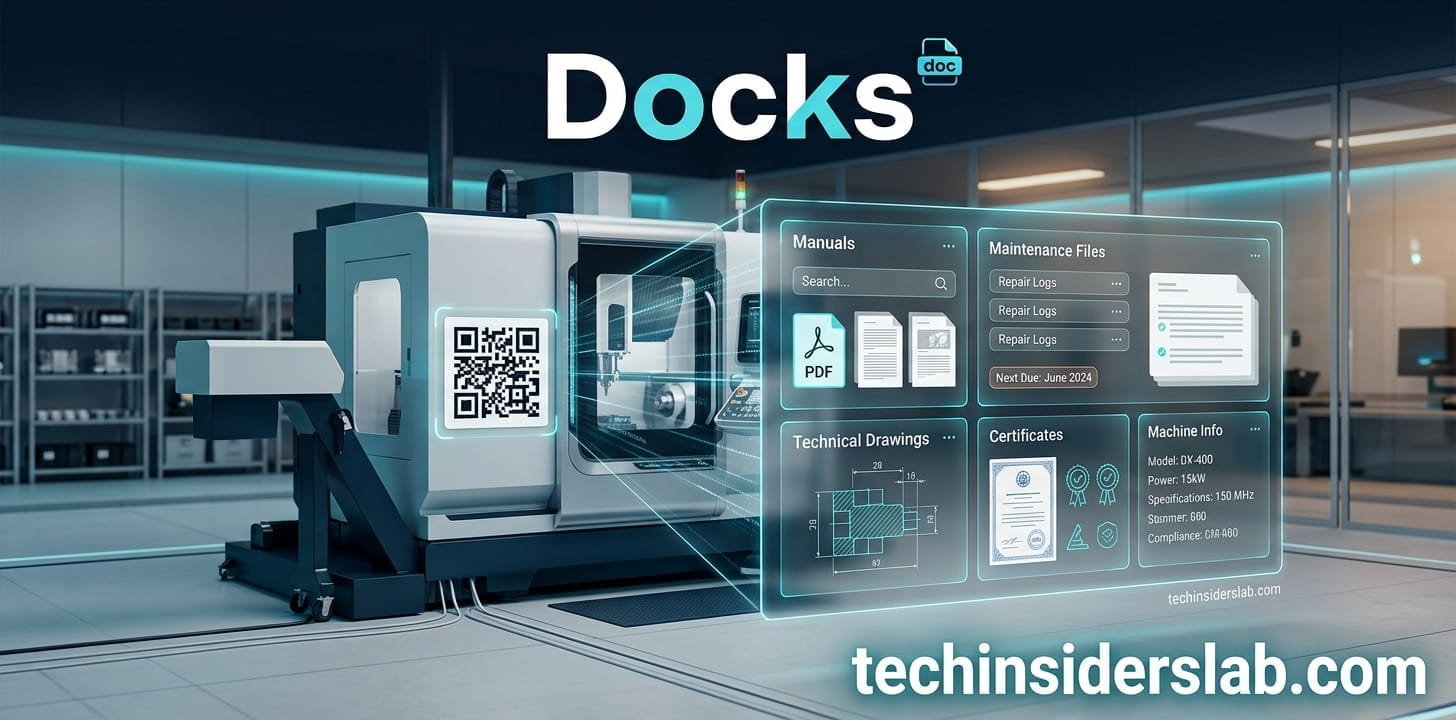
Docks: Digital Machine Documentation Through QR Codes
introduction
In modern manufacturing, having accurate machine documentation is just as important as building the machine itself. Operating manuals, maintenance instructions, wiring diagrams, certificates, spare-parts information, and safety documents all need to be available when technicians and operators need them. The problem is that traditional paper manuals and scattered digital files can make this process slow, expensive, and difficult to manage.
Docks takes a different approach by connecting each machine with its own permanent QR code. When a technician scans the code, the relevant machine documentation can be opened directly in a web browser without installing an app or creating an end-user account. The platform is designed specifically for machine manufacturers and industrial companies that want to modernize the delivery of technical documentation.
What Is Docks?
Docks is a digital infrastructure platform for delivering machine documentation through QR codes. Instead of replacing a company’s existing document-management system, it focuses on the final step: getting the correct documentation from the manufacturer to the customer, operator, or service technician.
The basic idea is simple. Every machine receives its own machine file and a permanent QR code. The QR code remains attached to the machine, while the documents behind it can be updated whenever necessary. This means a manufacturer does not need to replace the physical QR code every time an operating manual or maintenance document changes.
The platform is positioned for companies that manufacture individual custom machines as well as businesses producing machines in larger series.
How Does Docks Work?
Docks keeps the process relatively straightforward. According to the platform’s current workflow, the first step is registering a machine by entering information such as its name, model, and location. A unique shortcode is generated for that machine.
The second step is uploading the relevant documents through the browser. These can include manuals, maintenance documents, certificates, CAD files, images, and other technical material.
Finally, the manufacturer prints or permanently marks the generated QR code on the machine. A technician can scan it with a smartphone or tablet and access the machine’s documentation through a browser.
This creates a direct connection between the physical machine and its digital documentation.
Why QR Codes Are Useful for Machine Documentation
Traditional documentation often creates a gap between the machine and the information needed to operate or maintain it.
A paper manual can be misplaced. A PDF may be stored on an employee’s computer. A technician might receive an outdated attachment through email. A customer may also have difficulty identifying which version of a document applies to a particular machine.
A machine-specific QR code addresses this problem by creating a physical entry point to the relevant documentation.
Instead of searching through folders or contacting customer service, a technician can scan the code attached to the machine and immediately reach its documentation.
Docks states that its QR codes are designed to remain valid for ten years, with this URL stability contractually guaranteed.
Keeping Documentation Updated
One of the most useful aspects of Docks is that updating documentation does not require changing the QR code.
Imagine that a manufacturer discovers an error in a maintenance document after a machine has already been delivered. With a traditional paper process, corrected documentation may need to be printed and distributed again.
With a digital system, the manufacturer can update the relevant file while the QR code remains unchanged.
This creates a more practical relationship between the physical machine and its digital documentation. Docks also offers revision history in its Professional package, allowing organizations to maintain records of document versions.
What Documents Can Be Stored?
Technical machines often require much more than a single operating manual.
Depending on the machine and business requirements, documentation may include:
- Operating manuals
- Maintenance instructions
- Safety information
- Wiring diagrams
- CAD drawings
- Certificates
- Spare-parts lists
- Inspection documents
- Service information
- Images
- Videos
- Technical specifications
Docks says its platform supports common file formats and allows files up to 50 MB per file through the browser. Its documentation pages also describe use cases involving drawings, maintenance information, certificates, and spare-parts documentation.
This makes the platform useful as a machine-specific documentation hub rather than simply a place to store one PDF.
Docks and Existing Document Management Systems
A key point about Docks is that it does not necessarily require a company to abandon its existing document-management workflow.
Many manufacturers already use platforms such as SharePoint or Nextcloud to manage internal documents. According to Docks, the company can continue using those systems internally while Docks handles the customer-facing delivery of machine-specific documentation.
This distinction is important.
The challenge is not always storing a document. Large organizations may already have excellent document-management systems. The bigger challenge can be making sure the correct document reaches the person standing in front of the correct machine.
Docks focuses on this delivery layer.
Security and Privacy
Technical documentation can contain sensitive information. Wiring diagrams, engineering documents, internal inspection reports, and other files may not be appropriate for unrestricted public access.
Docks describes several security features designed for this type of environment. Documents are stored in redundant cloud infrastructure located in Germany, and downloads use signed, time-limited access URLs rather than direct file access.
The platform also describes a privacy-oriented architecture without tracking or cookies for end users. Technicians can access documentation without creating a personal account. Sensitive documents can additionally be protected with a PIN.
For businesses dealing with industrial documentation, these features can be particularly relevant because the information connected to a machine may have commercial or technical value.
No App or Login for Technicians
Another practical advantage is accessibility.
A technician working in a factory or service environment may not want to download another application simply to open a machine manual. Docks is designed so that the QR code opens documentation in a standard web browser.
The company describes its system as requiring no app and no login for end users.
This reduces friction. A smartphone or tablet with a QR-code scanning capability can be enough to begin accessing the available documentation.
For field-service teams, simplicity can make a significant difference.
Docks and the EU Machinery Regulation
The move toward digital documentation is particularly relevant because of the EU Machinery Regulation 2023/1230.
The regulation becomes applicable from 20 January 2027, replacing the previous Machinery Directive 2006/42/EC. Docks positions its infrastructure around the requirements for long-term digital availability of machine documentation.
The regulation permits digital operating instructions under specific conditions. Docks highlights requirements related to stable access, long-term availability, and accessibility without requiring special software.
Importantly, the regulation does not simply mean that manufacturers can upload a PDF somewhere and forget about it. Digital documentation needs to remain usable and accessible over the relevant machine lifetime, and the access method needs to be clearly associated with the product.
For manufacturers preparing for 2027, this makes documentation infrastructure an increasingly important part of product delivery.
Docks for Custom Machine Builders
Custom machine manufacturers can face a particularly difficult documentation challenge.
A company producing highly customized equipment may deliver machines where the documentation differs from one project to another. A standard folder structure may not always work because each machine can have a different configuration, number of components, and documentation set.
Docks specifically identifies custom machinery as one of its use cases and describes scenarios where individual machines have their own documentation structures.
A machine-specific QR code can therefore be useful because the technician is directed to the documentation belonging to that exact machine rather than a generic product page.
Docks for OEM and Series Manufacturers
The platform can also be relevant to manufacturers producing machines at scale.
When hundreds or thousands of machines are delivered, documentation management becomes a version-control challenge. A manufacturer may need to know which documentation applied to a particular machine at a particular point in time.
Docks offers revision history and archive capabilities in its higher-level plans, which can help organizations manage documentation changes across larger machine fleets.
For series manufacturers, the ability to maintain a stable QR code while updating the documents behind it can also simplify long-term maintenance.
Maintenance and Spare Parts
QR-based machine documentation can be useful beyond operating manuals.
For maintenance teams, a scan can provide access to maintenance schedules, inspection points, lubrication information, or relevant technical instructions. Docks also highlights spare-parts documentation as a use case, including parts lists and technical drawings.
This can help reduce the time technicians spend searching for information.
Instead of starting with a machine number, opening an internal database, finding a project folder, and searching through multiple documents, the physical machine itself becomes the starting point.
AI and the Future of Machine Documentation
Docks is also exploring a more advanced direction for digital documentation: AI-powered interaction with machine information.
Its solutions pages describe concepts such as AI maintenance assistants and AI-supported operating instructions, where users can ask questions about a machine and receive answers based on that machine’s documentation.
This represents a possible evolution from passive documentation to interactive machine knowledge.
A traditional manual answers questions only when a user finds and reads the relevant section. An AI-based system could potentially allow a technician to ask a direct question and receive the relevant information from the machine’s documentation.
Such systems still require careful implementation, especially when safety-critical information is involved. AI should complement authoritative technical documentation rather than replace required safety instructions or professional judgment.
Docks Pricing and Plans
Docks currently presents several B2B pricing options.
The Starter plan is listed at €129 per month for up to 100 machines and includes QR-code access, 500 GB storage, PIN protection, and email support.
The Professional plan is listed at €369 per month for up to 250 machines and adds features such as document versioning, revision history, multilingual support, and phone support.
An Enterprise plan is available on request for organizations requiring unlimited machines, SSO, API access, a dedicated customer portal, and other enterprise features. Setup fees also apply.
Businesses should compare these costs against their current expenses for printing, shipping, document updates, archiving, and service support.
Who Should Consider Docks?
Docks is primarily relevant to organizations involved in machine manufacturing and industrial equipment.
Potential users include:
- Custom machine builders
- OEM manufacturers
- Industrial equipment companies
- Engineering companies
- Manufacturing businesses
- Service organizations
- Companies managing large machine fleets
It may be particularly useful for businesses that frequently update documentation or need to provide machine-specific information to technicians and customers.
For a small company that only needs to publish a few general PDFs, a complete machine-documentation platform may not be necessary. But for manufacturers managing hundreds or thousands of machines, centralized and machine-specific delivery can become much more valuable.
Conclusion
Docks provides a modern way for manufacturers to connect physical machines with digital documentation through permanent QR codes. It makes manuals, maintenance files, certificates, drawings, and other technical information easier to access and update. For machine builders and industrial companies, Docks can simplify documentation management, reduce paperwork, and improve access to important information in the field.