introduction
Managing multiple projects, assigning tasks, meeting deadlines, and coordinating team members can become challenging without the right software. As businesses grow, keeping everyone organized and ensuring that projects move forward on schedule becomes increasingly important. This is where project management platforms like Wrike can make a difference.
Wrike is a cloud-based project management and work management platform designed to help individuals, teams, and organizations plan, organize, track, and complete their work. It provides tools for task management, team collaboration, workflow automation, project scheduling, reporting, and resource planning.
Whether you manage a small team, run a marketing agency, coordinate software development, or handle complex business operations, Wrike offers features that can help simplify your daily workflow.
In this detailed review, we will explore Wrike’s features, pricing, advantages, disadvantages, integrations, use cases, and whether it is worth using for project management.
What Is Wrike?
Wrike is an online work management and project management platform that helps businesses organize their projects and coordinate team activities from one centralized workspace.
Instead of managing project information through separate spreadsheets, emails, and messaging applications, users can bring their tasks, deadlines, documents, and conversations together in Wrike.
The platform allows managers to create projects, assign responsibilities, set deadlines, monitor progress, and understand how work is distributed across their teams.
One of its important strengths is flexibility. Different teams can organize their workflows according to their requirements. For example, a marketing department can manage advertising campaigns, while a software development team can organize product releases and track individual tasks.
Wrike also supports different project management approaches, including Agile, Waterfall, and hybrid workflows. This makes it useful for organizations that manage different types of projects.
Another important aspect is its automation and AI capabilities. Wrike provides tools that can help generate project plans, summarize information, automate repetitive activities, and provide insights into project progress.
Overall, Wrike is more than a basic task management application. It is a work management platform designed to help teams coordinate complicated activities and maintain visibility across multiple projects.
Main Features of Wrike
Wrike offers several features that help users manage projects, improve collaboration, and organize their daily responsibilities.
1. Task and Project Management
Task and project management is one of Wrike’s core capabilities.
Users can create projects, divide large activities into smaller tasks, assign responsibilities, and set deadlines. Each task can include descriptions, attachments, comments, and other relevant information.
For example, a website development project may contain separate tasks for designing the homepage, writing content, developing pages, testing functionality, and launching the website.
Managers can assign these activities to different team members and monitor their progress from a centralized workspace.
Wrike also supports subtasks, making it easier to divide complicated assignments into manageable steps.
2. Multiple Project Views
Different people prefer different ways of organizing information. Wrike addresses this by offering multiple project views.
Its main views include:
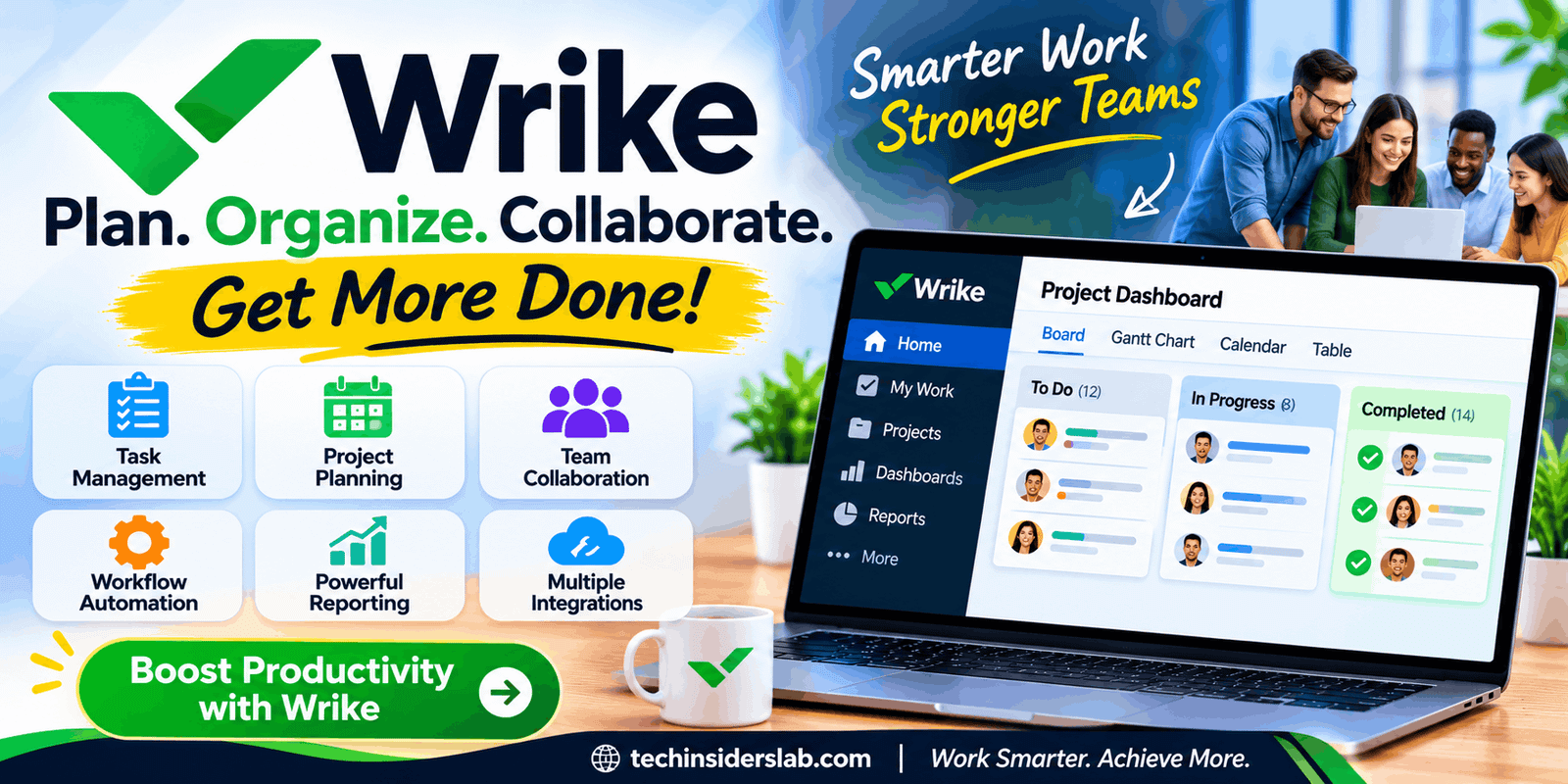
- Board View: Displays tasks in Kanban-style columns such as To Do, In Progress, and Completed.
- Table View: Organizes tasks in a spreadsheet-style layout.
- Gantt Chart: Displays project timelines, dependencies, and milestones.
- Calendar View: Helps users understand upcoming deadlines and scheduled activities.
- Chart View: Provides visual representations of project information.
These views allow teams to understand project progress without maintaining separate tracking documents.
For example, a project manager may use a Gantt chart to monitor deadlines, while individual employees use board view to manage their daily assignments.
3. Team Collaboration
Effective communication is essential for completing projects successfully.
Wrike provides collaboration features that allow team members to discuss tasks, share files, provide feedback, and communicate important updates.
Users can add comments directly to relevant tasks instead of sending separate emails about every small change.
This helps keep conversations connected to the work they discuss.
Teams can also collaborate with external stakeholders through supported guest access and approval workflows.
4. Workflow Automation
Wrike includes automation capabilities that help reduce repetitive administrative work.
Users can configure automation rules to perform certain actions when specific conditions are met.
For example, a team may create a workflow that automatically changes a task’s status when it moves into a particular stage. Notifications can also help inform relevant team members when important changes happen.
Automation is especially useful for businesses that handle recurring projects and repetitive processes.
However, the available automation capabilities depend on the subscription plan and configuration.
5. Gantt Charts and Project Scheduling
Wrike’s interactive Gantt charts help project managers understand how different activities are connected.
Users can create timelines, establish task dependencies, identify milestones, and adjust schedules when project requirements change.
For example, a marketing campaign may require content creation before graphic design and final approval. A Gantt chart makes these relationships easier to understand.
This feature can help teams identify scheduling conflicts and reduce delays.
6. Resource and Workload Management
Managing employee workloads is another important part of project management.
Wrike provides workload charts and resource management capabilities that help managers understand how responsibilities are distributed across a team.
They can identify employees who have too many assignments and redistribute work when necessary.
Advanced resource planning, capacity management, and related features are available in higher-tier plans.
These capabilities are particularly useful for agencies, consulting companies, and organizations managing several projects simultaneously.
7. Reporting and Analytics
Wrike includes reporting and dashboard features that help organizations understand project performance.
Users can create dashboards to monitor important information, including task progress, overdue assignments, project status, and team activities.
Managers can use this information to identify potential delays and understand which projects need additional attention.
Advanced analytics and business intelligence capabilities provide more detailed reporting options in eligible plans.
8. AI-Powered Features
Wrike has introduced AI capabilities to make project management more efficient.
Wrike AI can help users generate task descriptions, create project plans, summarize comments, and work with information inside the platform.
Its AI capabilities also include insights and status reporting designed to help teams identify project risks and understand important updates.
Wrike additionally promotes AI agents that can assist with routine work while respecting configured permissions and maintaining activity records.
The availability and usage limits of AI features depend on the subscription and applicable AI allowances.
9. File Sharing and Proofing
Wrike supports file attachments, document collaboration, and visual proofing.
Teams can attach relevant documents to tasks and projects, helping everyone access the information they need.
Its proofing functionality is particularly useful for creative departments. Designers, marketers, and clients can review visual assets and provide feedback directly on the relevant material.
This can reduce unnecessary communication and make approval processes more organized.
10. Mobile and Desktop Applications
Wrike offers web, desktop, and mobile applications that allow users to access their work from different devices.
Mobile users can check task updates, review project information, communicate with colleagues, and manage certain activities while away from their computers.
This flexibility is useful for remote teams and employees who frequently work outside the office.
How to Use Wrike
Getting started with Wrike is relatively straightforward, although understanding its advanced features may take some time.
Here is a basic guide for new users.
- Visit the Official Website: Open Wrike’s website and select the available sign-up option.
- Create an Account: Register using the required information or an available supported sign-in method.
- Set Up Your Workspace: Create a workspace for your team or business and organize your projects.
- Create a Project: Add a new project and provide its name, description, and relevant details.
- Add Tasks: Break the project into smaller activities and assign them to team members.
- Set Deadlines: Add due dates and establish task dependencies where needed.
- Choose a Project View: Select Board, Table, Gantt, or Calendar view according to your requirements.
- Track Progress: Monitor completed tasks, pending assignments, and project updates.
Once the basic structure is ready, you can explore automation, dashboards, reporting, and collaboration features.
Wrike Pricing and Plans
Wrike offers different subscription plans designed for individuals, small teams, growing businesses, and large organizations.
Its pricing structure includes a free option and several paid plans.
According to Wrike’s pricing information available in November 2026, the main plans include:
| Plan | Listed price | Best for |
| Free | $0 | Basic task management |
| Team | $10/user/month | Small teams |
| Business | $25/user/month | Growing businesses |
| Pinnacle | Custom pricing | Complex workflows |
| Apex | Custom pricing | Enterprise organizations |
Paid monthly prices shown above are based on annual per-user billing, not necessarily month-to-month billing.
Free Plan
The Free plan provides basic project and task management features. It includes Board and Table views, along with access to web, desktop, and mobile applications.
It can be a good starting point for individuals and small teams with simple requirements.
Team Plan
The Team plan adds features such as interactive Gantt charts, shareable dashboards, and AI Essentials.
It is designed for teams that need more structured project planning and collaboration.
Business Plan
The Business plan provides additional customization, templates, integrations, and AI capabilities.
It is suitable for organizations that want to create more advanced workflows and manage projects across different departments.
Pinnacle Plan
Pinnacle is designed for organizations with more complicated project management requirements.
It adds advanced resource planning, time tracking, budgeting, and reporting capabilities.
Apex Plan
Apex is Wrike’s enterprise-focused offering. It includes additional AI capacity, advanced integrations, and broader workflow management capabilities.
Organizations interested in Pinnacle or Apex need to contact Wrike for custom pricing.
Benefits of Using Wrike
Wrike provides several advantages for individuals and organizations that manage multiple projects.
1. Better Organization
Wrike keeps projects, tasks, deadlines, and important documents in one centralized location. This helps teams stay organized and reduces the need to switch between different applications.
2. Improved Team Productivity
By assigning tasks and setting clear deadlines, managers can make sure everyone understands their responsibilities. Employees can focus on their work instead of spending unnecessary time searching for project information.
3. Flexible Workflows
Different departments can customize workflows according to their needs. Marketing teams, software developers, designers, and business managers can organize their activities differently within the same platform.
4. Better Project Visibility
Dashboards, Gantt charts, and reporting tools help managers understand project progress. They can identify delays, monitor deadlines, and take action when something requires attention.
5. Reduced Manual Work
Automation features help handle repetitive activities, including status updates and notifications. This can save time and reduce administrative tasks.
6. Remote Team Collaboration
Wrike’s web and mobile applications allow team members to access project information from different locations. This makes it useful for businesses with remote and hybrid teams.
Disadvantages of Wrike
Although Wrike offers powerful project management capabilities, it also has some limitations.
- Learning Curve: New users may need time to understand its workspace structure, advanced features, and customization options.
- Pricing: Advanced features can become expensive for smaller businesses, especially when multiple employees require paid accounts.
- Feature Complexity: The platform offers many tools, which may feel overwhelming for people who only need basic task management.
- Advanced Features Restrictions: Some important capabilities, including advanced reporting and resource management, are limited to higher-tier plans.
- Notification Management: Frequent notifications can become distracting if users do not configure their preferences properly.
These disadvantages do not make Wrike a poor choice, but they are worth considering before selecting it for your organization.
Who Should Use Wrike?
Wrike is designed for different types of users and businesses that need organized project management.
Marketing Agencies: Marketing teams can organize campaigns, manage content calendars, assign creative tasks, and track approval processes.
Software Development Teams: Development teams can manage product tasks, organize releases, track responsibilities, and coordinate project activities.
Small Businesses: Small businesses can use Wrike to organize daily operations, manage assignments, and monitor important deadlines.
Large Organizations: Enterprises can benefit from advanced reporting, resource management, customized workflows, and administrative controls.
Freelancers: Freelancers can use its task management features to organize client projects and track their responsibilities.
Remote Teams: Distributed teams can collaborate through shared workspaces, task discussions, and project dashboards.
Wrike vs. Other Project Management Tools
Wrike competes with several popular project management platforms. Each application offers different features and approaches to organizing work.
| Platform | Main Strength | Best For |
| Wrike | Advanced workflows and resource management | Complex projects |
| monday.com | Visual work management | Flexible team workflows |
| Asana | Task and project organization | Team collaboration |
| Trello | Simple Kanban boards | Basic task tracking |
| ClickUp | Broad productivity features | All-in-one work management |
Wrike is particularly useful for teams that need detailed project scheduling, resource planning, reporting, and workflow customization.
Trello may be easier for people who only need simple task boards, while monday.com and ClickUp provide alternative approaches to managing different types of work.
The best platform depends on your team’s size, budget, project complexity, and preferred working style.
Wrike Integrations
Modern businesses often use multiple applications to manage their daily operations. Wrike supports integrations that help connect different tools and reduce repetitive work.
Some notable integrations include:
- Slack: Helps teams connect project activities with workplace communication.
- Google Drive: Allows users to work with documents and files.
- Microsoft Teams: Supports communication and collaboration across business workflows.
- Salesforce: Helps connect project activities with customer relationship management.
- Zoom: Supports collaboration and communication.
- GitHub: Helps development teams connect software-related workflows.
Wrike advertises integrations with more than 400 applications, although the availability of specific integrations and advanced synchronization capabilities can depend on the plan or add-ons.
These connections make it easier for organizations to bring information from different business applications into their workflows.
Is Wrike Safe to Use?
Wrike provides security features designed to protect business information and support controlled collaboration.
Its security offerings include two-factor authentication, single sign-on (SSO), user permissions, administrative controls, and activity reporting.
The company also states that its platform maintains ISO 27001 certification, SOC 2 and SOC 3 audit reports, and GDPR compliance.
Organizations can use permissions and access controls to manage who can view or modify specific project information.
However, businesses should still configure user permissions carefully, follow internal security policies, and avoid sharing confidential project information with unauthorized individuals.
Is Wrike Worth It?
Wrike is worth considering if you need more than a basic task management application. Its combination of project planning, workflow automation, collaboration, reporting, and resource management makes it a capable platform for managing complicated business activities.
The free plan provides an opportunity to explore its basic functionality, while paid plans introduce additional capabilities for teams with more advanced requirements.
However, its learning curve and higher subscription costs may not be suitable for everyone. Individuals and small teams with simple projects might find a lightweight alternative easier to manage.
For businesses that handle multiple projects, coordinate different departments, and require better visibility into their workflows, Wrike can be a valuable investment.
Conclusion
Wrike is a powerful project management platform that helps teams organize tasks, manage projects, track progress, and improve collaboration. Its features, customizable workflows, automation options, and integrations make it suitable for businesses of different sizes. However, its learning curve and higher pricing for advanced features may not suit every user. Overall, Wrike is a strong choice for teams that need an organized and flexible solution to manage complex projects and improve productivity.