Introduction
Managing projects, organizing tasks, and keeping team members connected can become challenging when a business handles multiple responsibilities simultaneously. Important deadlines may be missed, communication can become confusing, and employees may struggle to understand which tasks need attention first. This is where project management platforms can make a significant difference. One popular solution designed to address these challenges is monday.com.
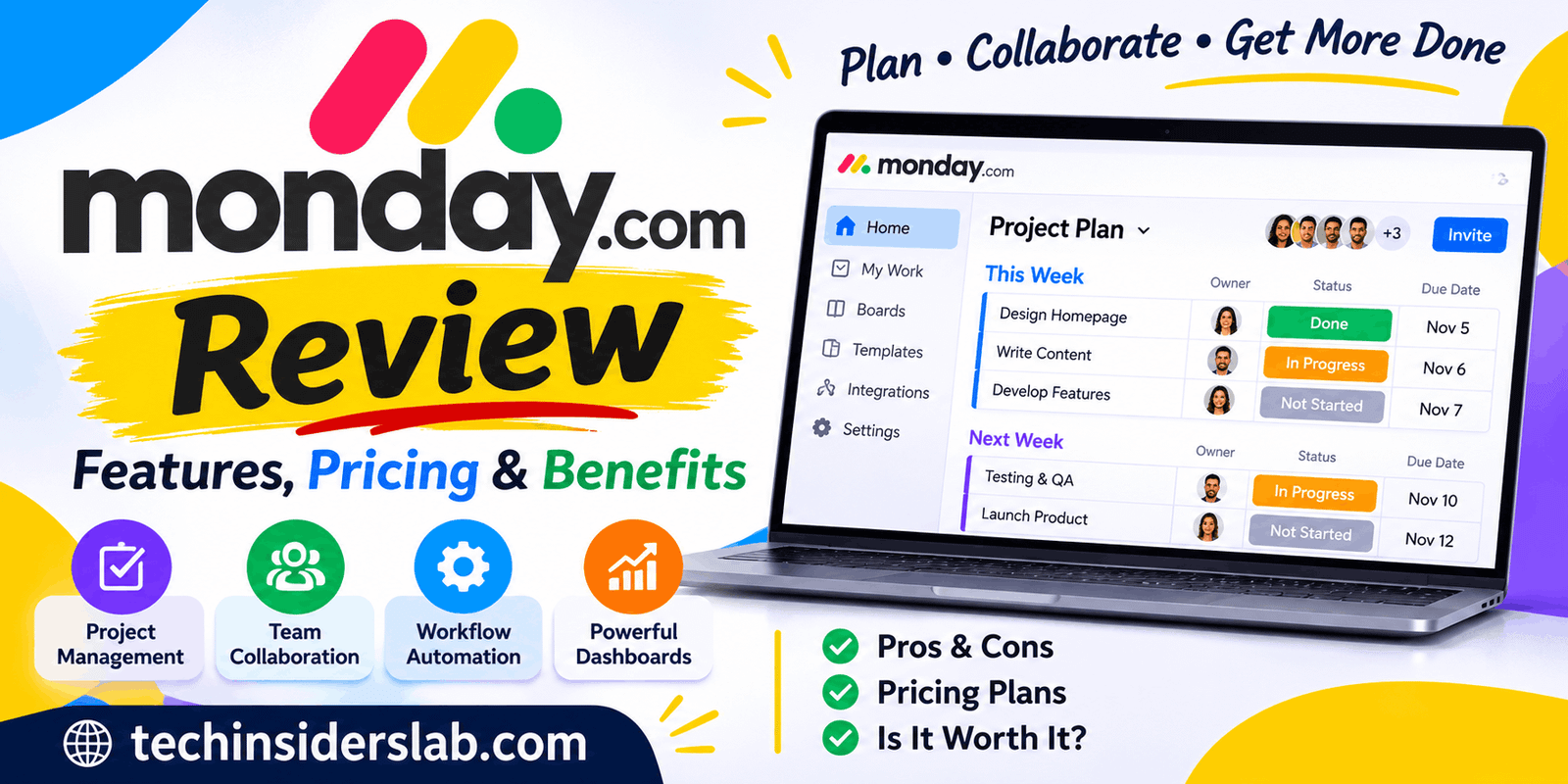
monday.com is an AI-powered work management platform that helps individuals, teams, and businesses organize their work in one centralized workspace. It provides tools for project planning, task management, team collaboration, workflow automation, reporting, and customer relationship management. Instead of switching between several applications, users can manage many everyday business activities through a single platform.
The platform is designed to support different industries and working styles. Freelancers can organize personal projects, marketing teams can manage campaigns, software developers can track product development, and business managers can monitor multiple projects.
In this guide, we will explore what monday.com is, how it works, its major features, pricing options, advantages, disadvantages, and whether it is worth using for modern businesses.
What Is monday.com?
monday.com is a cloud-based work management platform that helps people plan, organize, and monitor their daily activities. It provides a flexible workspace where users can create projects, assign responsibilities, establish deadlines, share updates, and track progress.
The platform originally became popular as a work management and project management solution. It has since expanded into a broader AI work platform with dedicated products for different business needs.
One of its most useful characteristics is its customizable structure. Users can build workflows according to their requirements instead of following a fixed project management system.
For example, a marketing agency can create a board for content production, including article titles, writers, publication dates, approval statuses, and assigned team members. A software company can create another board for development tasks, bug tracking, and product releases.
monday.com also offers specialized products, including monday CRM, monday dev, and monday service. These products help organizations manage sales activities, software development, and customer support operations.
How Does monday.com Work?
monday.com works through a system of workspaces, boards, groups, and items. These elements help users organize information into manageable sections.
After creating an account, users can establish a workspace for a department, team, or particular business activity. Within that workspace, they can create boards to organize different projects.
Each board contains items representing individual tasks, customers, projects, or other records. Users can add columns to store information such as task owners, due dates, priorities, statuses, and other important details.
For example, a content team might create a board with the following columns:
- Article Title
- Assigned Writer
- Target Keyword
- Publishing Date
- Content Status
- Editor Approval
Team members can update their assigned items, leave comments, upload files, and communicate with other participants.
The platform automatically keeps information organized, allowing everyone with the appropriate permissions to understand what is happening.
Users can also change how information is displayed. Depending on their workflow, they may prefer a table, Kanban board, calendar, timeline, or another available view.
Main Features of monday.com
monday.com includes several features designed to simplify project management and improve team productivity. Here are some of its most useful capabilities.
1. Project Management
Project management is one of the primary reasons people choose monday.com. It allows users to create projects, divide them into smaller tasks, assign responsibilities, and monitor progress.
Project managers can establish deadlines and track the status of individual activities. This makes it easier to identify delayed tasks and understand which responsibilities require immediate attention.
Teams can also connect related activities and manage project dependencies through supported features.
Whether someone is organizing a small personal project or coordinating a large business campaign, monday.com provides a flexible environment for managing the process.
2. Task Management
Managing individual tasks becomes easier when responsibilities are clearly defined. monday.com allows users to create tasks, assign them to specific team members, and add relevant information.
Each task can include a description, deadline, status, attachments, and comments.
For example, a website development team can create separate tasks for designing a homepage, writing website content, testing functionality, and publishing the final website.
Team members can update their progress, helping managers understand how much work has been completed.
3. Workflow Automation
Repetitive administrative work can consume valuable time. monday.com offers automation capabilities that help teams reduce manual activities.
Users can create automation recipes that trigger actions when particular conditions are met.
For example, a team can configure a workflow to notify a project manager when a task changes to an approval status. Another automation might update a deadline reminder or assign a task when a particular event occurs.
These workflows can reduce unnecessary communication and help prevent routine tasks from being forgotten.
However, automation availability and monthly action limits depend on the selected subscription plan.
4. Customizable Dashboards
Dashboards provide an overview of important project information. Instead of opening multiple boards individually, managers can use dashboard widgets to monitor relevant information in one place.
Depending on the available features and connected data, dashboards can display project progress, workload, deadlines, and performance information.
This is particularly useful for businesses managing multiple projects simultaneously.
For example, an agency owner can monitor several client projects and quickly identify which campaigns are progressing as expected and which ones need additional attention.
5. Team Collaboration
Good communication is essential for successful project management. monday.com provides collaboration tools that help team members communicate while working on shared projects.
Users can post updates, mention colleagues, share documents, and discuss specific tasks.
Keeping conversations connected to individual work items makes it easier to find relevant information later.
Instead of searching through long email conversations, team members can review discussions directly within the related project or task.
This approach helps reduce communication gaps and keeps important decisions accessible.
6. Multiple Project Views
Different people prefer different ways of organizing information. monday.com addresses this by offering several ways to visualize work.
Some commonly available views include:
- Kanban View: Displays tasks as cards organized into different workflow stages.
- Calendar View: Helps users understand upcoming deadlines and scheduled activities.
- Timeline View: Provides a visual overview of project schedules.
- Gantt View: Helps manage project timelines and dependencies.
- Table View: Organizes information into rows and columns.
These views allow teams to examine the same information from different perspectives without creating separate systems for every working style.
7. Integrations
Many businesses already depend on applications for communication, file sharing, marketing, and productivity. monday.com offers integrations that help connect these services with existing workflows.
Its integration ecosystem includes popular services such as Google Drive, Gmail, Microsoft Teams, Slack, and other business applications.
Integrations can help transfer information, trigger automated actions, and reduce the need for repetitive data entry.
The exact integrations and available automation capabilities depend on the connected application and subscription plan.
8. AI-Powered Capabilities
Artificial intelligence is becoming an important part of modern business software, and monday.com has expanded its platform with AI-powered capabilities.
Depending on the product, subscription, and available AI features, users can access tools that assist with workflow automation, information processing, content generation, and other work-related activities.
The platform also introduces AI agents designed to help execute business processes rather than simply provide suggestions.
For example, AI-powered workflows can support activities such as organizing information, processing requests, qualifying leads, and assisting with customer support operations.
These capabilities can help businesses reduce repetitive work. However, users should review AI-generated information before relying on it for important business decisions.
9. Mobile Applications
Project management does not always happen at a desk. monday.com provides mobile applications for Android and iOS devices, allowing users to access their work while away from their computers.
Users can check task updates, review project information, communicate with team members, and manage relevant activities through their smartphones.
This is useful for remote workers, business owners, and employees who frequently travel or work from different locations.
monday.com Products Explained
monday.com offers specialized products that address different organizational requirements.
monday AI Work Platform
This is the core work management solution. It helps teams organize projects, manage tasks, create workflows, and monitor performance.
It is suitable for marketing teams, freelancers, agencies, operations departments, and general business management.
monday CRM
monday CRM helps sales teams manage leads, contacts, customer relationships, and sales pipelines.
Businesses can track potential customers, organize sales activities, and monitor deals throughout the sales process.
monday dev
monday dev is designed for software development and product teams. It provides tools for managing development workflows, product roadmaps, sprint planning, and feedback.
It can help development teams coordinate their activities and maintain better visibility into product progress.
monday service
monday service focuses on customer support and service management. It helps organizations manage incoming requests, support tickets, incidents, and service workflows.
Businesses can use it to organize customer inquiries and improve the way support teams handle requests.
monday.com Pricing and Plans
Pricing is an important consideration when choosing a project management platform. monday.com offers different subscription options depending on the product, number of users, and required features.
For its main work management platform, the available plans include:
1. Free Plan
The Free plan is suitable for individuals and very small teams who want to explore the platform.
It includes basic work management capabilities, limited boards, documents, templates, and mobile applications. The plan supports up to two seats.
It can be a useful starting point for people who want to understand how monday.com works before purchasing a subscription.
2. Basic Plan
The Basic plan provides additional capabilities for individuals and teams that need a more structured workspace.
It includes unlimited free viewers, more storage and board functionality, and basic collaboration features. It is suitable for smaller teams that need to organize their work in one place.
3. Standard Plan
The Standard plan is designed for teams that need more advanced project management capabilities.
Depending on the current plan configuration, it includes features such as timeline and Gantt views, calendar views, guest access, additional automations, and integrations.
It is a suitable option for growing teams managing multiple projects.
4. Pro Plan
The Pro plan provides more advanced features for organizations with complex workflows.
It includes capabilities such as private boards and documents, advanced views, time tracking, additional automation limits, and more extensive integrations.
Businesses that need greater control over project management may find this plan useful.
5. Enterprise Plan
The Enterprise plan is designed for larger organizations with advanced management and security requirements.
It provides enterprise-level governance, advanced permissions, portfolio management, resource management, and additional administrative capabilities.
Pricing is customized according to business requirements.
Note: monday.com pricing can change based on billing frequency, country, product, and team size. Check the official pricing page before purchasing to confirm current costs and included features.
Benefits of Using monday.com
monday.com offers several advantages that make it useful for different types of users.
Easy Work Organization: The platform provides a centralized workspace where teams can organize projects, tasks, deadlines, and responsibilities.
Flexible Customization: Users can customize boards and workflows according to their business requirements.
Better Team Communication: Built-in collaboration features help keep discussions connected to relevant projects and tasks.
Reduced Manual Work: Automation features can handle repetitive activities and help teams save time.
Improved Project Visibility: Dashboards and different project views make it easier to understand progress and identify potential delays.
Support for Different Industries: The platform can be adapted for marketing, sales, software development, customer support, and other business activities.
Remote Accessibility: Web access and mobile applications make it easier for distributed teams to stay connected.
Disadvantages of monday.com
Although monday.com offers many useful features, it also has some limitations.
Paid Features Can Become Expensive: Businesses with many employees may need to spend more as their team size increases.
Learning Curve: Beginners may need time to understand boards, automations, dashboards, and advanced customization options.
Feature Restrictions: Some useful capabilities are available only through higher subscription plans.
Too Many Customization Options: The flexibility of the platform can sometimes make simple workflows unnecessarily complicated.
Plan Limitations: Automation actions, integrations, and other resources may have monthly limits depending on the subscription.
Businesses should evaluate their actual requirements before selecting a plan.
Who Should Use monday.com?
monday.com is suitable for a wide range of users, but its usefulness depends on their working requirements.
Small Businesses: Small companies can organize daily activities, assign tasks, and monitor business operations.
Freelancers: Independent professionals can manage client projects, deadlines, and personal assignments.
Marketing Teams: Marketing professionals can plan campaigns, organize content calendars, and track publishing schedules.
Software Developers: Development teams can manage product roadmaps, sprint activities, and development tasks through monday dev.
Sales Teams: Sales professionals can use monday CRM to organize leads, manage customer information, and monitor deals.
Large Organizations: Enterprise teams can use advanced management and governance capabilities to coordinate complex operations.
monday.com Alternatives
Although monday.com is a popular work management platform, several alternatives are available.
Asana: Asana is a project management platform focused on task organization, project coordination, and team collaboration. It can be a good choice for teams that prefer structured project workflows.
Trello: Trello uses a visual Kanban-style system to organize tasks and projects. It is suitable for individuals and small teams looking for a relatively simple task management solution.
ClickUp: ClickUp provides project management, documentation, task tracking, and productivity features in one platform. It may appeal to users who want extensive customization.
Jira: Jira is particularly useful for software development teams that need issue tracking, agile project management, and development workflows.
Each alternative has different strengths, so the right choice depends on team size, budget, and project complexity.
Is monday.com Worth Using?
monday.com can be a valuable investment for businesses and teams that need a flexible system for managing their work.
Its combination of project management, collaboration, automation, reporting, and AI-powered capabilities makes it useful for many professional environments.
The platform is particularly attractive to organizations that want to bring different departments and workflows together. Its customizable boards also allow teams to build processes that match their specific requirements.
However, it may not be the best choice for everyone. Individuals with very simple task management needs might prefer a lighter tool, while businesses with limited budgets should carefully compare subscription plans.
The best approach is to begin with the Free plan or available trial, explore the interface, and determine whether the platform fits your daily workflow.
Conclusion
monday.com is a flexible AI-powered work management platform that helps individuals and organizations organize projects, manage tasks, collaborate with team members, and automate repetitive activities. Its customizable boards, dashboards, integrations, mobile applications, and specialized business products make it useful for different industries.
Although subscription costs and the learning curve may be concerns for some users, the platform offers a broad collection of features for managing professional work. Whether you are a freelancer, a small business owner, or part of a large organization, monday.com provides tools that can help improve workflow visibility and team coordination.
Overall, monday.com is worth considering if you want a centralized platform for organizing projects and managing business activities more efficiently.