introduction
Instagram has become one of the most widely used social media platforms for discovering content, connecting with people, following brands, watching short videos, and exploring new interests. As the platform has grown, its interface has also become more feature-rich. For new users especially, finding a particular profile, post, reel, message, setting, or piece of content can sometimes feel confusing.
This is where the idea of Insta Navigation becomes useful. In simple terms, Insta Navigation refers to the process of moving through Instagram and using its different sections to find the content or feature you need. It can also describe tools, guides, or methods designed to make Instagram browsing and discovery easier.
Understanding Instagram’s navigation system can save time and help users get more value from the platform. Whether you are searching for an account, exploring Reels, checking notifications, managing messages, or adjusting privacy settings, knowing where to look makes the experience much easier.
What Is Insta Navigation?
Insta Navigation is not necessarily a single official Instagram feature with one dedicated button. Instead, the term is commonly used to describe the different ways users move through Instagram’s interface.
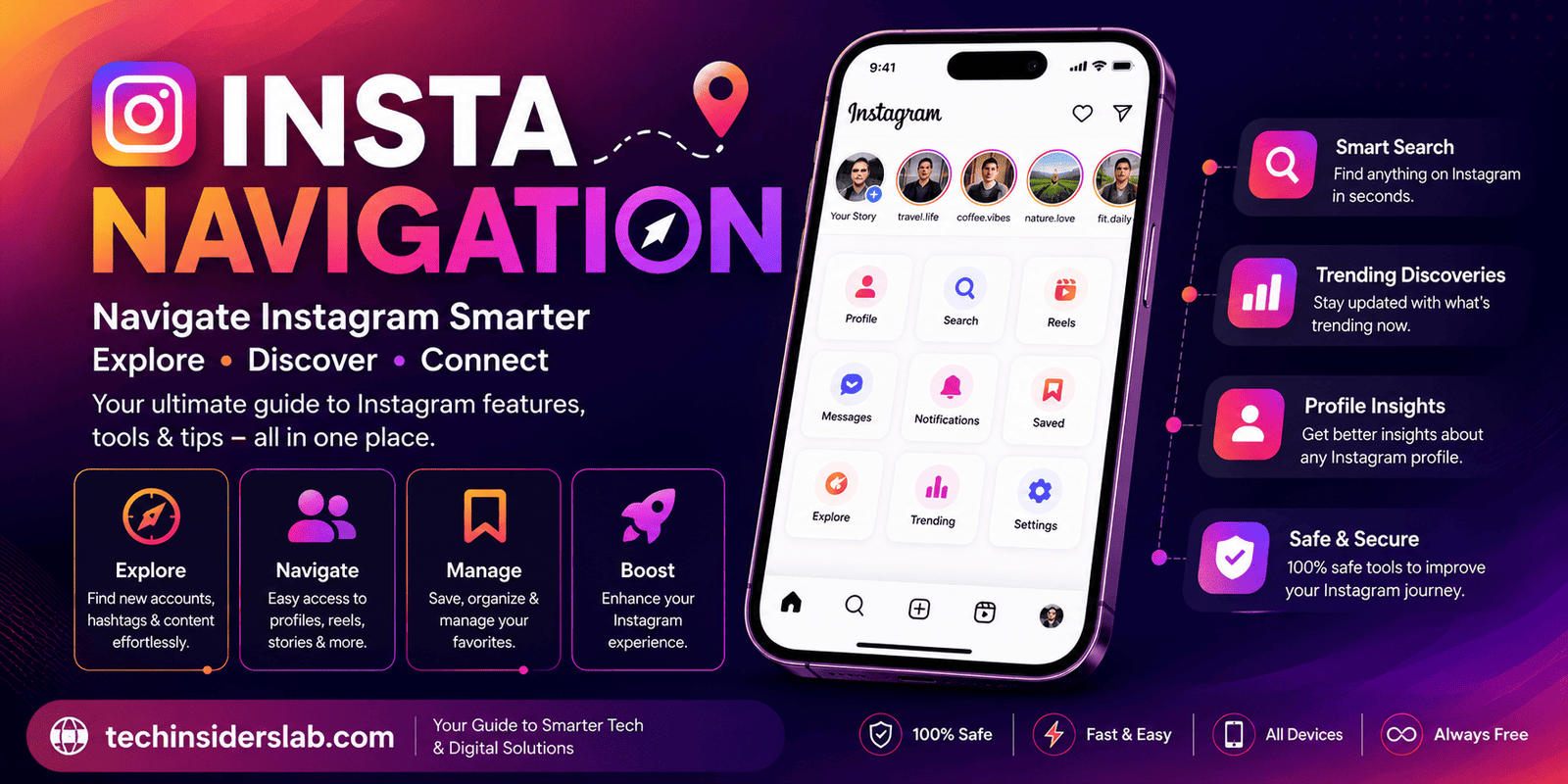
Instagram provides several major areas for navigation, including:
- Home feed
- Search and Explore
- Reels
- Direct Messages
- Notifications
- Profile
- Settings
- Stories
- Saved content
Each section serves a different purpose. Learning how these areas connect can make Instagram easier to use.
For example, if you want to find a new account, you will normally use Search or Explore. If you want to respond to someone privately, Direct Messages is the appropriate area. If you want to manage your account, you can access settings through your profile.
In this sense, Insta Navigation is essentially about finding the right path to the right Instagram feature.
Why Is Instagram Navigation Important?
Instagram contains an enormous amount of content. Users may follow hundreds or even thousands of accounts, making it difficult to locate something manually.
Effective navigation helps users:
- Find accounts faster
- Discover new content
- Access messages
- Review notifications
- Manage saved posts
- Change account settings
- Find privacy controls
- Explore hashtags and topics
- Return to previously viewed content
For businesses and creators, navigation knowledge is even more important. They need to move between professional tools, analytics, messages, posts, Reels, and account settings regularly.
A user who understands the interface can complete these tasks more efficiently instead of repeatedly searching through menus.
Understanding the Instagram Home Area
The Home section is generally the starting point for Instagram browsing.
It provides a feed containing content from accounts and other sources determined by Instagram’s recommendation and ranking systems.
From the Home area, users can typically move toward other important parts of the application.
The Home experience may include:
- Posts
- Stories
- Suggested content
- Reels
- Account recommendations
The exact layout can change as Instagram updates its interface. Therefore, users should focus on understanding the purpose of each section rather than memorizing an exact button position.
Instagram Search and Explore
Search and Explore are among the most important components of Insta Navigation.
The Search function can help users locate:
- People
- Usernames
- Hashtags
- Places
- Content
- Topics
Explore is designed for content discovery. It can introduce users to posts and other content from accounts they may not currently follow.
For someone trying to discover new creators, products, hobbies, or communities, Explore can be more useful than scrolling through the standard feed.
Searching for a Specific Account
If you know someone’s Instagram username, entering it into Search is usually the fastest approach.
A username can be more useful than a person’s display name because multiple accounts may have similar names.
Users should carefully check the profile before following or interacting with an account, particularly when multiple profiles have similar usernames or appearances.
Navigating Instagram Reels
Reels have become a major part of Instagram’s content ecosystem.
The Reels section provides a vertically scrolling video experience where users can discover short-form content.
Typical Reel interactions may include:
- Like
- Comment
- Share
- Save
- Follow
- View the creator’s profile
Reels can also lead users to other areas of Instagram. For example, a viewer may discover a creator through a Reel and then visit the creator’s profile to explore additional posts.
This demonstrates how Instagram navigation is interconnected rather than consisting of completely separate sections.
Instagram Stories Navigation
Stories provide another important navigation path.
Stories are generally designed for temporary content and appear prominently within the Instagram experience.
Users can navigate between stories by tapping or swiping, depending on the interface and device.
Stories may include:
- Photos
- Short videos
- Text
- Polls
- Questions
- Links
- Interactive stickers
Creators can use Stories to direct followers toward profiles, posts, products, websites, or other content.
Direct Messages
Direct Messages, commonly called DMs, provide private communication between Instagram users.
The messaging area allows users to:
- Send messages
- Share posts
- Share Reels
- Send images and videos
- Participate in group conversations
- Manage message requests
For businesses and creators, DMs can be particularly important because customers and followers may use them to ask questions or request information.
If you are looking for a previous conversation, the messaging section is generally the first place to check.
Instagram Notifications
Notifications help users keep track of activity related to their accounts.
Depending on the account and Instagram’s current interface, notifications can include interactions such as:
- Likes
- Comments
- New followers
- Mentions
- Replies
- Messages
- Other account activity
Notifications are useful because they provide a centralized way to identify recent interactions without manually checking every post or profile.
However, users who receive large numbers of notifications may want to customize notification settings to reduce unnecessary interruptions.
Navigating Your Instagram Profile
The profile section acts as the control center for an Instagram account.
From a profile, users can generally access:
- Posts
- Reels
- Tagged content
- Followers
- Following
- Profile editing
- Saved content
- Account settings
- Professional tools, where available
For creators and businesses, the profile can also provide access to additional professional features.
Your profile is therefore not simply a public page. It is also an important starting point for account management.
Instagram Settings and Privacy
Another important part of Insta Navigation is finding account settings.
Settings may contain options related to:
- Privacy
- Security
- Notifications
- Account management
- Content preferences
- Blocked accounts
- Restricted accounts
- Login and security
- Personal information
The exact organization of settings can change over time as Instagram updates its interface.
Because privacy and security controls are important, users should periodically review them rather than assuming their account configuration has remained unchanged.
Finding Saved Content
Instagram allows users to save content for later reference.
This can be useful when you discover:
- Recipes
- Tutorials
- Travel ideas
- Product information
- Educational posts
- Design inspiration
- Interesting Reels
Instead of sending the post to yourself or trying to remember the creator’s username, saving the content provides a convenient way to revisit it later.
Organizing saved content into collections can make navigation even easier when you save a large number of posts.
Insta Navigation for Businesses
Businesses use Instagram differently from casual users.
A business may need to move between:
- Content publishing
- Customer messages
- Comments
- Professional dashboard
- Insights
- Advertising tools
- Profile settings
- Product-related features
Efficient navigation can save considerable time for businesses managing Instagram accounts every day.
For example, a social media manager may need to respond to messages while simultaneously checking content performance. Understanding where each tool is located reduces unnecessary searching.
Insta Navigation for Content Creators
Content creators also benefit from understanding Instagram’s interface.
Creators often move between content creation, Reels, Stories, comments, messages, insights, and profile management.
Good navigation can help creators:
- Find audience interactions quickly.
- Review content performance.
- Respond to followers.
- Manage published content.
- Discover trends and ideas.
- Adjust account settings.
The more efficiently a creator navigates the platform, the more time can be spent on producing useful content.
Common Instagram Navigation Problems
Although Instagram is designed to be user-friendly, navigation problems can still occur.
Features Move
Instagram periodically changes its interface. A button that appears in one location today may be moved after an update.
Different Accounts See Different Options
Personal, creator, and business accounts may have different tools available.
App and Web Versions Differ
The Instagram mobile application and website can have different layouts and available features.
Search Results Can Vary
Instagram’s search and recommendation systems may produce different results depending on factors such as the query, account, content, and platform behavior.
Regional Availability
Some Instagram features may not be available in every country or region.
These differences explain why instructions found online may sometimes appear different from what a user sees on their own device.
Tips for Better Instagram Navigation
Keep the App Updated
Using a current version of Instagram can help ensure that you have access to the latest interface and features.
Learn the Main Sections
Instead of memorizing every button, become familiar with the major areas: Home, Search/Explore, Reels, Messages, Notifications, and Profile.
Use Search Efficiently
When searching for an account, use the exact username whenever possible.
Save Useful Content
Use saved posts and collections for content you want to revisit.
Review Settings Regularly
Privacy, notification, and security settings are worth checking periodically.
Use the Web Version When Appropriate
Some tasks may be easier on a larger screen, particularly for users managing professional accounts or reviewing large amounts of information.
Is Insta Navigation a Separate Instagram App?
The term “Insta Navigation” should not automatically be interpreted as the name of an official standalone Instagram application.
In many contexts, it simply describes navigating Instagram’s interface or using an external guide or tool related to Instagram discovery.
Users should be cautious with websites or applications that request Instagram login credentials. Before providing account information to any third-party service, verify that the service is legitimate and understand what permissions it requires.
Never share your Instagram password with an unknown tool merely because it claims to provide advanced navigation or profile-related features.
Privacy and Security While Navigating Instagram
Navigation is not only about convenience. It is also connected to account security.
Users should be careful when clicking unfamiliar links, downloading unofficial applications, or entering login information on third-party websites.
Some useful security practices include:
- Use a strong, unique password.
- Enable available two-factor authentication.
- Review login activity.
- Avoid suspicious login pages.
- Be careful with third-party services.
- Do not share verification codes.
- Review connected accounts and permissions.
These practices are particularly important because social media accounts can contain private conversations, personal information, photographs, and other valuable data.
The Future of Instagram Navigation
Instagram continues to evolve as a multimedia social platform. As new features are introduced, navigation is likely to change as well.
Future Instagram experiences may place greater emphasis on personalized recommendations, AI-assisted discovery, shopping, messaging, short-form video, and creator tools.
This means users should expect the interface to evolve rather than remain permanently fixed.
The most useful navigation skill is therefore understanding what each section is designed to do, rather than memorizing exact positions of buttons.
Conclusion
Insta Navigation is best understood as the process of moving through Instagram’s different sections to discover content, communicate with other users, manage an account, and access available features.
From the Home feed and Explore section to Reels, Stories, Direct Messages, Notifications, Saved content, and Settings, each area plays a specific role in the Instagram experience.
For everyday users, better navigation makes the platform easier and faster to use. For creators and businesses, it can improve workflow efficiency and make it easier to manage content and audience interactions.
Because Instagram regularly updates its interface, the exact location and appearance of features may change. Users should therefore focus on understanding the purpose of Instagram’s major sections and remain cautious when using unofficial third-party navigation tools.
Ultimately, learning how to navigate Instagram effectively is a simple skill that can make the platform more useful, organized, and enjoyable.