Introduction
The internet has changed the way people read and share stories. Among thousands of online storytelling platforms, Archive of Our Own (AO3) has become one of the most popular spaces for fanfiction communities. Millions of readers and writers use AO3 to explore creative stories, connect with fandoms, and share their own work.
One feature that makes AO3 different from many other platforms is its high level of customization. Users are not limited to the default website design. They can personalize their reading experience with a feature known as AO3 Skins.
For new users, the term “skin” may sound complicated, but the concept is simple. An AO3 skin is a customization tool that changes the visual appearance of the website or a specific story. It can modify colors, fonts, layouts, spacing, and other design elements without changing the actual written content.
Whether someone wants a comfortable dark mode, better readability, improved accessibility, or creative story formatting, AO3 skins provide a flexible solution.
This guide explains what AO3 skins are, how they work, their types, benefits, uses, and why they have become an important part of the AO3 experience.
What Are AO3 Skins?
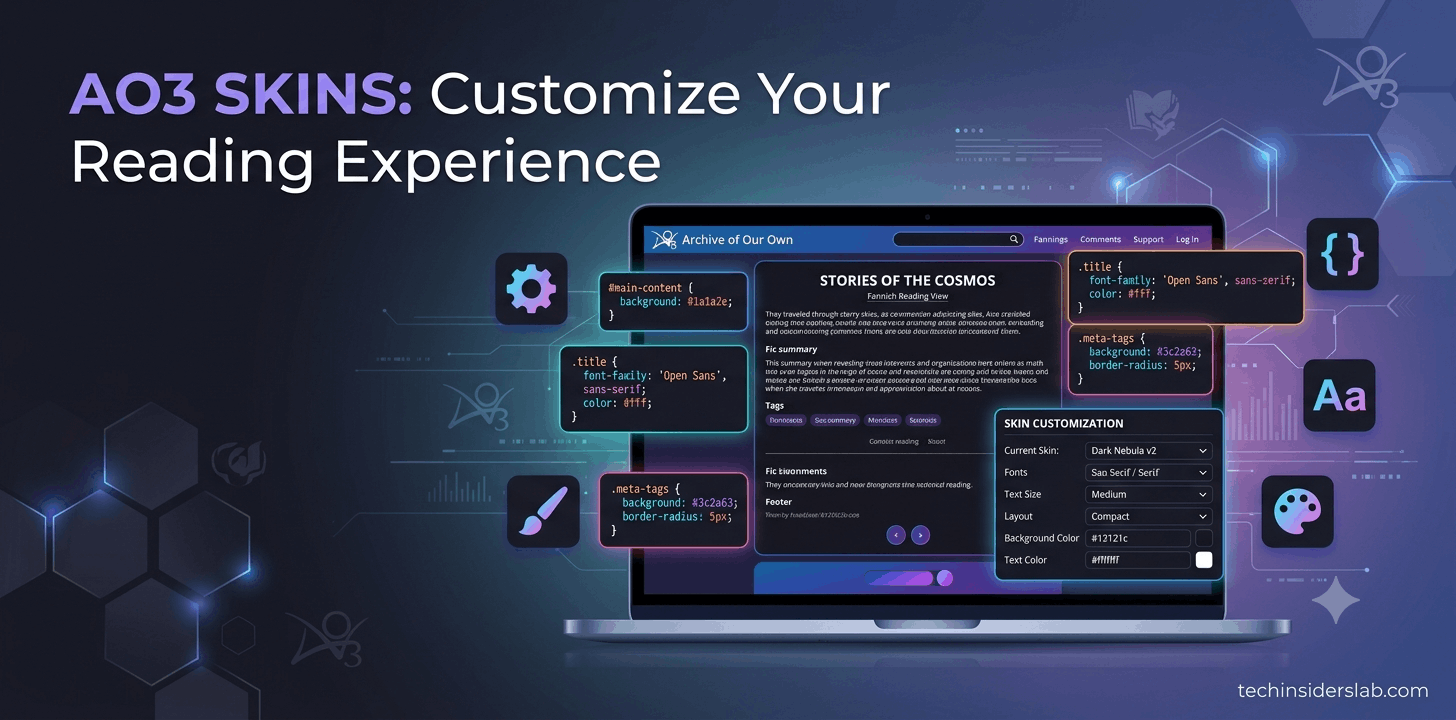
AO3 Skins are custom style settings that control how content appears on the Archive of Our Own website. They are created using CSS (Cascading Style Sheets), a standard technology used for designing websites.
CSS controls the visual appearance of web pages. It can change elements such as:
- Colors
- Fonts
- Backgrounds
- Text size
- Page spacing
- Borders
- Layout structure
AO3 uses CSS-based skins to allow users to personalize their experience while keeping the original content unchanged.
For example, if a reader creates a dark-themed skin, the words of a story remain exactly the same. Only the background, text colors, or design elements are adjusted.
This separation between content and design gives AO3 users a great amount of freedom.
Why AO3 Skins Are Important
Many websites provide only limited customization options, usually offering simple choices like light mode or dark mode. AO3 takes customization much further.
Every reader has different preferences. Some people prefer larger text, while others like smaller and cleaner layouts. Some users read at night and want darker colors to reduce eye strain.
AO3 skins solve these problems by allowing users to create an experience that matches their needs.
The feature is especially valuable because it supports:
- Personal comfort
- Accessibility
- Creative expression
- Better reading experiences
Instead of forcing everyone to use one design, AO3 gives users control over how they interact with the platform.
Types of AO3 Skins
AO3 mainly has two types of skins:
1. Site Skins
A Site Skin changes the overall appearance of AO3 for an individual user.
It affects the entire website, including:
- Homepage
- Search pages
- Work pages
- Bookmarks
- User profiles
- Navigation menus
Only the person who activates the Site Skin can see these changes.
Examples of Site Skin customization include:
- Dark mode themes
- High contrast designs
- Larger text settings
- Minimal layouts
- Custom color combinations
A Site Skin is useful for readers who want a personalized browsing experience.
2. Work Skins
A Work Skin is different because it applies to a specific story rather than the entire website.
Authors use Work Skins to change how their stories appear to readers.
They are commonly used for creative formatting, including:
- Text message conversations
- Emails
- Letters
- Social media posts
- Computer screens
- Diary entries
- Special layouts
For example, instead of describing a phone conversation in normal paragraphs, an author can use a Work Skin to make it look like an actual messaging application.
This creates a more immersive reading experience.
Difference Between Site Skins and Work Skins
Although both features use CSS, their purposes are different.
| Site Skins | Work Skins |
|---|---|
| Change the entire AO3 interface | Change one specific story |
| Used mainly by readers | Used mainly by authors |
| Personal customization | Story presentation |
| Only visible to the user | Visible to readers of that work |
| Improves browsing experience | Enhances storytelling |
Understanding this difference helps users choose the correct type of skin.
How Do AO3 Skins Work?
AO3 skins work through CSS code. CSS tells the browser how different parts of a webpage should look.
For example, a CSS rule can tell the browser:
- Make the background black
- Change text color to white
- Increase paragraph spacing
- Use a larger font
When a Site Skin is activated, AO3 applies those CSS instructions to the website interface.
When a Work Skin is added to a story, the CSS instructions only affect that particular work.
The important thing to understand is that skins do not rewrite or modify the original text. They only control presentation.
This makes them safe and flexible for both readers and authors.
Benefits of Using AO3 Skins
1. Improved Reading Comfort
Many AO3 stories are extremely long, sometimes containing hundreds of thousands of words. Reading such large works requires a comfortable layout.
AO3 skins allow users to adjust:
- Font size
- Line spacing
- Background color
- Text contrast
These small changes can make long reading sessions much easier.
2. Dark Mode Reading
Dark mode is one of the most popular reasons users create AO3 skins.
A darker background can make nighttime reading more comfortable and reduce the brightness of the screen.
Many readers prefer dark themes because they provide a cleaner and more relaxing experience.
3. Better Accessibility
Accessibility is an important advantage of AO3 skins.
Users can customize designs according to their visual needs by changing:
- Text size
- Contrast levels
- Spacing
- Colors
This allows more people to enjoy stories comfortably.
4. Creative Storytelling
For writers, Work Skins provide creative opportunities.
A story can be designed to look like:
- A digital conversation
- A newspaper article
- A fictional website
- A character’s journal
- An official document
This adds another layer of creativity beyond traditional writing.
How to Apply an AO3 Site Skin
Applying an AO3 Site Skin is simple, even for beginners. Users do not need advanced technical knowledge to customize their browsing experience.
The general steps include:
- Log in to your AO3 account.
- Open your account settings.
- Go to the Skins section.
- Select an available skin or create a new custom skin.
- Save your changes.
- Refresh the website to view the updated design.
After applying a Site Skin, the changes will appear throughout your AO3 account. If you want to return to the original design, you can easily switch back to the default settings.
How to Create a Custom AO3 Skin
Creating a custom AO3 skin requires basic knowledge of CSS. Users who understand website styling can design their own themes according to their personal preferences.
A custom skin can include changes such as:
- Custom background colors
- Different fonts
- Modified text size
- Adjusted spacing
- New layouts
- Hidden or rearranged elements
For beginners, learning basic CSS properties is enough to start creating simple AO3 skins.
Some common CSS concepts used in skins include:
- Color properties
- Font settings
- Padding and margins
- Borders
- Text alignment
- Display settings
Because AO3 uses standard CSS, many web design skills can be applied to skin creation.
Popular AO3 Skin Ideas
The AO3 community has created many different types of skins over the years. Some popular ideas include:
Dark Mode Skins
Dark themes are among the most commonly used skins. They replace bright backgrounds with darker colors, making reading more comfortable, especially at night.
Minimal Reading Skins
Some users prefer simple designs with fewer distractions. Minimal skins remove unnecessary visual elements and create a clean reading environment.
Accessibility Skins
Accessibility-focused skins are designed to improve readability. They often include:
- Larger fonts
- Better contrast
- Increased spacing
- Simple layouts
Aesthetic Theme Skins
Some users create skins based on specific moods or styles, such as:
- Vintage designs
- Fantasy-inspired themes
- Soft pastel colors
- Modern website layouts
These allow users to personalize AO3 according to their personality.
Common Problems With AO3 Skins
Although AO3 skins are powerful, beginners may experience some issues while creating or applying them.
CSS Errors
A small mistake in CSS code can affect how a page appears. Missing symbols, incorrect formatting, or unsupported properties may cause unexpected results.
Testing changes before applying them permanently can prevent problems.
Poor Color Choices
Using colors with low contrast can make text difficult to read.
A beautiful design should always prioritize readability.
Mobile Display Issues
A skin that looks good on a computer may not work well on smaller screens.
Always consider mobile users when designing a custom skin.
Too Much Customization
Adding too many effects, colors, or unusual layouts can make a page confusing.
A simple and balanced design usually provides a better experience.
Are AO3 Skins Good for SEO?
From a website content perspective, AO3 skins are connected to several technology-related topics, including:
- CSS customization
- Website design
- User experience (UX)
- Accessibility
- Interface personalization
If creating content about AO3 skins, the topic can fit within categories such as:
- Technology
- Web Design
- Internet Tools
- Fanfiction Platforms
- Digital Communities
The main search intent behind “AO3 skins” is usually informational. Users want to learn what skins are, how they work, and how to use them.
SEO-friendly content around this topic should include related keywords naturally, such as:
- AO3 site skins
- AO3 work skins
- AO3 CSS customization
- AO3 themes
- How to create AO3 skins
- AO3 dark mode skin
Future of AO3 Skins and Customization
As online reading continues to evolve, customization is becoming increasingly important. Users expect websites to adapt to their personal needs, whether that means better accessibility, improved comfort, or creative design options.
AO3 skins represent this idea by giving control back to the community. Instead of relying on a single website design, users can shape their own experience.
For authors, skins provide new ways to experiment with digital storytelling. For readers, they create a more comfortable and personalized environment.
The continued popularity of AO3 skins shows that customization is not just about appearance; it is also about improving how people interact with online content.
Conclusion
AO3 skins are one of the most unique and valuable features of Archive of Our Own. They allow users to customize the platform according to their personal preferences while giving authors creative tools to enhance storytelling.
For readers, Site Skins provide better control over appearance, readability, accessibility, and comfort. Features like dark mode, larger fonts, and customized layouts make long reading sessions more enjoyable.
For writers, Work Skins open the door to creative possibilities. They allow stories to be presented in innovative formats such as chat conversations, emails, journals, and fictional interfaces.
The technology behind AO3 skins is based on CSS, which makes them flexible and powerful. Whether someone is a beginner looking for a simple theme or an experienced user creating advanced designs, AO3 skins offer endless opportunities for customization.
As digital communities continue to grow, features like AO3 skins demonstrate the importance of giving users control over their online experiences. They combine technology, creativity, and accessibility into one simple but powerful tool.
For anyone who spends time on AO3, understanding skins can transform the way they read, write, and interact with the platform.