Plus AI: Complete Guide to AI-Powered Presentations
introduction
Creating a presentation from scratch can be one of the most time-consuming parts of a project. You may already have the information you want to share, but turning that information into clear, attractive, and well-organized slides requires planning, writing, formatting, and design work. Plus AI is built to make this process easier by bringing artificial intelligence directly into familiar presentation applications.
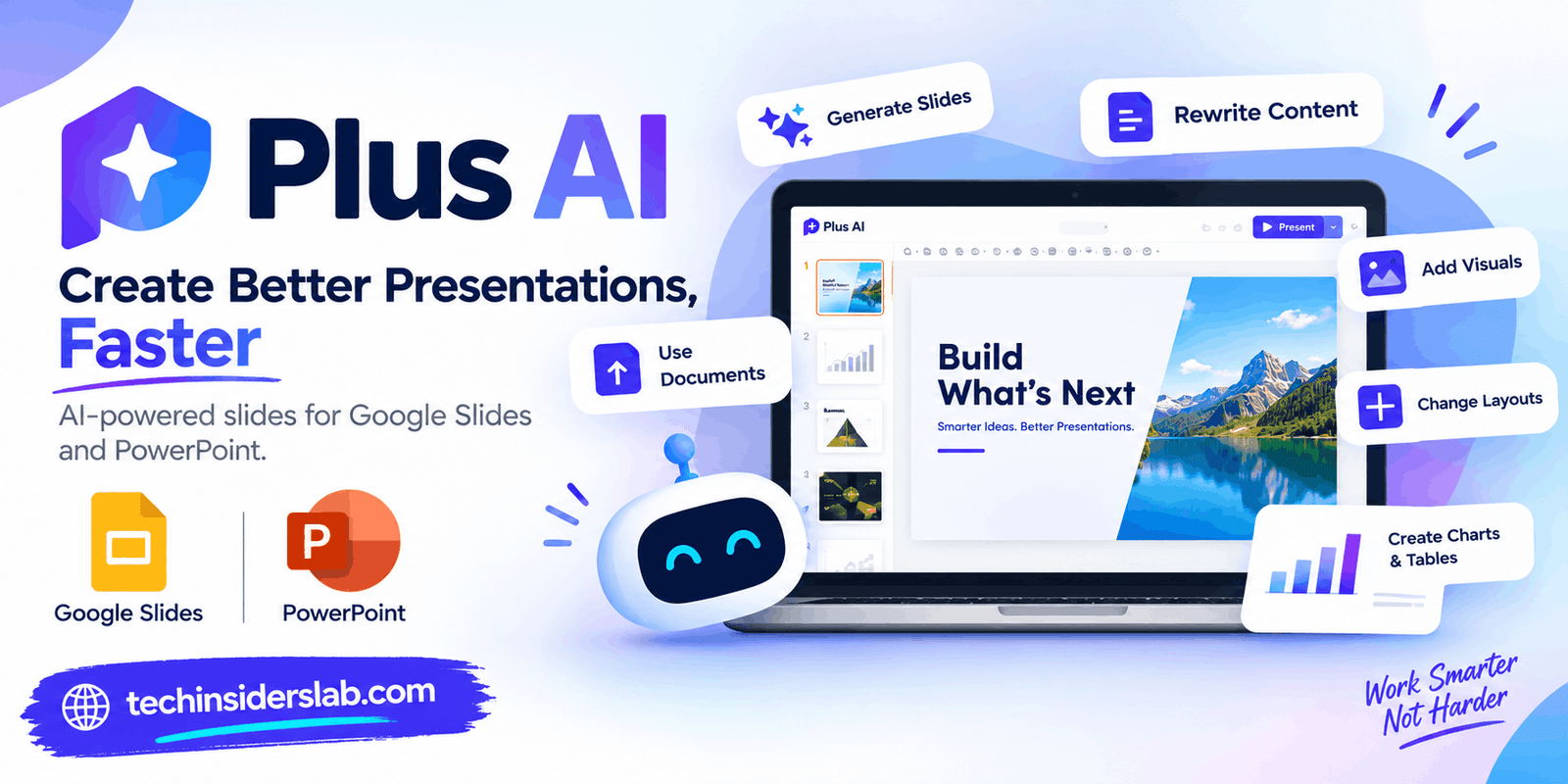
Plus AI works with Google Slides and Microsoft PowerPoint, allowing users to generate presentations, create individual slides, rewrite content, change layouts, add visual elements, and refine existing decks. Instead of asking users to move their entire workflow to a separate presentation platform, Plus AI focuses on helping them work with the tools they already understand.
The platform can be useful for students, teachers, marketers, business professionals, consultants, researchers, and anyone who regularly needs to create presentations. Its main purpose is not simply to produce slides automatically but to help users move from an idea or existing information to a more organized presentation with less repetitive work.
What Is Plus AI?
Plus AI is an artificial intelligence presentation assistant designed for Google Slides and PowerPoint. It can turn prompts, text, documents, and other source material into presentation slides.
A traditional presentation workflow often starts with a blank document. The user has to think about the outline, write the content, choose slide layouts, format text, add images, and arrange information manually. Plus AI changes the starting point by allowing AI to handle some of these early tasks.
For example, a user can describe a presentation topic and provide information about the audience and purpose. Plus AI can then suggest a presentation structure that the user can review and customize.
This approach gives users a starting point without taking away control over the final presentation.
How Does Plus AI Work?
The process generally begins with an idea, prompt, or source document. Users can explain what they want to create or provide existing material that needs to be transformed into slides.
Plus AI can then help create an outline and generate the presentation. Users can review the result and continue editing it using AI-assisted tools.
A simple workflow can look like this:
- Choose Google Slides or PowerPoint.
- Describe the presentation you want.
- Add source material if necessary.
- Review and customize the suggested outline.
- Generate the slides.
- Rewrite or reorganize content.
- Adjust layouts and visual elements.
- Review the finished presentation.
The important part of this workflow is that AI handles much of the repetitive starting work while the user remains responsible for the final content.
Create Presentations From a Prompt
One of the core features of Plus AI is prompt-based presentation generation. Users can describe a presentation in natural language instead of manually creating every slide.
For example, someone could request a presentation about a new product launch and specify the target audience, key features, marketing strategy, and expected results.
Plus AI can use those instructions to suggest an outline and turn the information into slides. Users can also modify the outline before continuing, which provides more control over the final structure.
This feature can be especially useful when someone knows what they want to say but is unsure how to organize it into a professional presentation.
Turn Documents Into Presentations
Not every presentation starts with a blank idea. Many are based on information that already exists in documents.
Plus AI can work with source material such as PDF files, Word documents, PowerPoint files, and text. It can also transform written material such as articles, notes, research, or other text into presentation content.
This is useful because users do not have to manually copy large amounts of information from a document into individual slides.
For example, a researcher could have a long report and use it as the foundation for a presentation. A business employee could transform a written report into slides for a meeting. A student could organize research notes into a presentation structure.
The tool is designed to understand the supplied content and convert it into a slide-based format rather than simply copying paragraphs onto slides.
Rewrite Existing Slide Content
A presentation may contain useful information but still need better wording.
Plus AI provides AI-powered rewriting features that can help users improve existing slide text. Content can be expanded, shortened, summarized, or adjusted to change its tone.
This can be helpful when a slide contains too much information.
For example, a long paragraph can be condensed into clearer presentation-friendly text. Alternatively, a short explanation can be expanded when the audience needs additional context.
This feature can also help users fix awkward wording and make content easier to understand without manually rewriting every sentence.
Remix and Reformat Slides
Presentation design is not always about creating new content. Sometimes the information is already correct, but the slide does not look right.
Plus AI’s Remix feature is designed for this situation. It can take existing slide content and transform it into another layout or format.
A basic text-heavy slide, for example, can be reorganized into columns or another structured layout. Users can experiment with different designs while keeping the underlying information.
This can save time compared with manually rebuilding a slide from scratch.
Add Images, Icons, Charts, and Tables
Visual elements are an important part of effective presentations. Large blocks of text can make slides difficult to follow, while appropriate visuals can help communicate ideas more quickly.
Plus AI supports visual elements such as images, icons, charts, and tables.
AI-generated images can be used when users need a specific visual concept. Icons can provide simple visual cues, while charts and tables can make data easier to understand.
Another useful aspect is that charts and tables can remain editable within presentation software, allowing users to make changes instead of treating the generated visual as a fixed image.
Plus AI for Google Slides
For people who already use Google Slides, Plus AI can work directly inside that environment.
Users can generate presentations, edit existing slides, rewrite content, and remix layouts without having to completely switch to a different presentation application.
This is particularly useful for people who collaborate through Google Workspace. Instead of changing their entire workflow, they can add AI assistance to a tool they already use.
Plus AI also supports creating individual slides when a complete presentation is not required. This allows users to add a specific type of slide to an existing deck rather than generating an entirely new presentation.
Plus AI for PowerPoint
Microsoft PowerPoint is another major part of the Plus AI workflow.
Users can generate and edit presentations directly in PowerPoint and work with existing decks and templates. This is useful for businesses and professionals that already rely heavily on PowerPoint.
Plus AI is designed to create native PowerPoint presentations, helping users continue working with their existing presentation files rather than depending on a completely separate format.
The AI tools can assist with generating slides, rewriting text, remixing layouts, inserting additional slides, and improving presentation structure.
Presentation Templates and Layouts
A good presentation requires more than good information. The layout needs to support the message.
Plus AI provides a library of professionally designed slide layouts. Users can allow the AI to select layouts or choose specific layouts themselves.
This gives users a balance between automation and control.
Someone who wants a quick presentation can let AI handle much of the design process. Someone who wants greater control can select layouts and customize the result.
For businesses, the platform also supports branding features such as logos, colors, fonts, and custom presentation templates on appropriate plans.
Custom Branding for Businesses
Brand consistency is important for companies that create presentations regularly.
A presentation may need to follow specific brand guidelines, including colors, fonts, logos, and design styles.
Plus AI provides custom branding options that allow teams to incorporate their visual identity into presentations. Teams can also use shared presets and instructions to make presentation creation more consistent.
This can be useful for sales teams, marketing departments, consulting firms, agencies, and organizations that produce large numbers of presentations.
Instead of redesigning every presentation manually, teams can establish a consistent visual foundation.
Plus AI Presentation Agent
Plus AI also includes a presentation-focused AI agent for more advanced workflows.
The presentation agent is designed to help with tasks such as researching, planning, designing, editing, and refining presentations. It can work with existing PowerPoint decks and templates and assist with creating new slides.
This can be useful for users who create presentations frequently and need more than a simple slide generator.
For example, a professional could begin with a rough idea or set of notes and use AI assistance to develop the structure, create slides, improve messaging, and format the presentation.
The agent is currently focused on PowerPoint workflows rather than functioning directly inside Google Slides.
Who Can Use Plus AI?
Plus AI is suitable for several types of users.
Students
Students can use Plus AI to transform research, notes, and written assignments into presentation structures. It can help reduce time spent on formatting and allow students to focus more on understanding and presenting their subject.
Teachers
Teachers can use the tool to turn lesson material into organized presentations. Existing notes can provide a starting point for creating classroom slides.
Business Professionals
Employees can use Plus AI for meetings, project updates, sales decks, proposals, reports, and internal presentations.
Marketers
Marketing teams can use it for campaign presentations, product strategies, research reports, and client presentations.
Consultants
Consultants often work with large amounts of information. Converting reports and research into presentation-friendly content can take considerable time, so AI assistance can make the initial process more efficient.
Content Creators
Blog posts, articles, guides, and other written material can be converted into presentation formats, making Plus AI useful for people who want to repurpose existing content.
Benefits of Plus AI
One of the biggest advantages of Plus AI is the potential to save time.
Instead of spending hours creating the first version of a presentation, users can begin with AI-generated content and then improve it.
Another benefit is familiarity. Users can continue working in Google Slides or PowerPoint instead of learning an entirely new presentation editor.
The ability to work from existing documents is also valuable. Users can reuse information they already have instead of starting over.
Plus AI can also help with presentation structure. When someone has a lot of information but does not know how to divide it into slides, AI can provide a logical starting framework.
Its rewriting and remixing tools are useful for improving existing presentations rather than only creating new ones.
Limitations to Consider
Although AI can make presentation creation easier, it should not replace human review.
An AI-generated presentation may contain information that needs verification. It may also choose a structure that does not perfectly match the intended audience.
Design is another area where human judgment remains important. A visually attractive slide is not automatically an effective slide.
Users should review:
- Facts and statistics
- Names and dates
- Slide structure
- Visual relevance
- Grammar and wording
- Brand consistency
- Data in charts and tables
AI should be viewed as an assistant that speeds up the process rather than a system that removes the need for editing.
How to Get Better Results With Plus AI
The quality of the output often depends on the quality of the instructions.
Instead of using a vague prompt, users should provide useful context.
A strong presentation prompt can include:
- The main topic
- Target audience
- Purpose of the presentation
- Desired number of slides
- Important information
- Tone and writing style
- Required sections
- Branding requirements
For example, instead of asking for a presentation about online marketing, a user could specify that they need a 10-slide presentation for small business owners covering SEO, social media, email marketing, paid advertising, and performance measurement.
More context gives the AI a clearer understanding of the desired result.
Plus AI Pricing
Plus AI currently offers several subscription levels. Its pricing page lists a Basic plan at $10 per user per month when billed annually, with higher pricing for monthly billing. More advanced Pro, Team, and Max plans provide additional AI credits and features.
The plans currently include a 7-day free trial with 1,000 AI credits, although trial and subscription terms can change over time.
The Pro plan adds features such as document uploads and AI image generation, while the Team plan includes additional branding and collaboration capabilities. The Max plan is designed for heavier AI Agent usage.
Users should check the current plan details before subscribing because software pricing and included features can change.
Security and Privacy
Security is an important consideration when using AI tools, particularly for business presentations.
Plus AI states that it encrypts sensitive data before sending it to its servers and uses encryption for data in transit and at rest. The company also states that it has achieved SOC 2 Type II compliance.
However, users should still follow their organization’s security policies when working with confidential documents.
It is generally a good practice to understand what information is being uploaded to an AI service before using business, personal, or proprietary material.
Tips for Creating Better AI Presentations
AI can create a strong starting point, but the final quality depends on how the user edits the result.
Start by defining the purpose of the presentation. Every slide should contribute to that purpose.
Keep individual slides focused. A presentation becomes harder to follow when too much information is placed on one slide.
Use visuals when they genuinely improve understanding. Images, charts, and icons should support the message rather than simply fill empty space.
Finally, read through the entire presentation as if you were an audience member. This can reveal unnecessary information, confusing transitions, or slides that need additional explanation.
Is Plus AI Worth Using?
Plus AI can be useful for people who regularly create presentations and want AI assistance without abandoning Google Slides or PowerPoint.
Its strongest practical use is not simply generating an entire deck and accepting it unchanged. Instead, users can combine AI generation with their own knowledge, editing, design decisions, and presentation skills.
Someone starting with a blank page can use it to create an initial structure. Someone with an existing presentation can use its rewriting and remixing capabilities to improve the deck. A team can use templates and branding tools to maintain consistency.
This makes the platform flexible across different presentation workflows.
Conclusion
Plus AI makes presentation creation faster and more convenient by combining artificial intelligence with familiar tools like Google Slides and PowerPoint. From generating slides and organizing ideas to rewriting content and improving layouts, it can reduce much of the repetitive work involved in building a presentation.
It is useful for students, educators, professionals, marketers, and teams that regularly create slide decks. However, AI-generated content should always be reviewed and customized to ensure accuracy, clarity, and originality. With the right prompts and human editing, Plus AI can be a practical assistant for turning ideas and existing information into polished presentations.